Weather Widgets
- 983.00
- 4.5
- Installs
- 1.00M
- Price
- Free
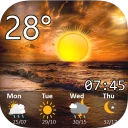
Screenshots
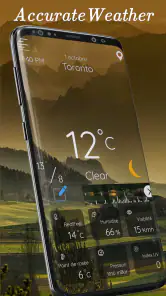
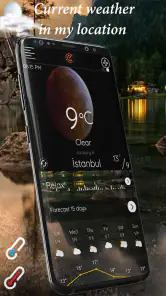
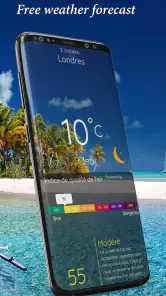
Analysis by Reviewed
I find a weather app most useful when it helps a household make small decisions without turning every forecast into a discussion. Weather Widgets is built around quick glances: a widget can put conditions where someone already checks the time, while the app offers more detail when plans need a closer look. For a shared morning routine, that can mean checking whether a school run, dog walk, or trip to the shops is likely to be wet before everyone heads out.
A shared glance, with separate phones
Widgets are the most practical part for this kind of use. I’d set one up on each person’s own home screen rather than expect a single phone to become the household’s weather board. That keeps the forecast easy to reach without implying that one person’s layout or preferences will suit everyone. A parent might want a compact view for the morning commute, while another household member prefers a larger display that is easier to scan.
For example, if rain appears likely during the afternoon, someone planning errands can open the radar to judge whether to leave earlier, while another person can use the hourly forecast to choose a drier time for a walk. Those are different decisions from the same forecast, not a substitute for coordinating plans directly. I would still message the family about a change of pickup time; a weather widget can inform that choice, but it does not organize people for you.
Personal setup and sensible boundaries
The appeal of a widget is that each person can decide how much weather information belongs on their screen. Color and size options make it easier to fit the display around a wallpaper and the available space, but I would keep the design readable first and decorative second. A tiny, high-contrast design may be attractive, yet a glanceable forecast is only useful if the key details are easy to make out while rushing out the door.
It also helps to treat the app as a personal tool rather than a shared account system. Each household member can check the conditions on their own device and make their own choices about what to display. I wouldn’t assume that a widget automatically shares a location, setting, or alert with other family members. If several people need the same warning, they should check their own app settings rather than rely on someone else’s phone to pass it along.
Trust, age, and who will appreciate it
The app is rated for Everyone, so its weather-focused purpose is suitable for a broad audience. I’d still guide younger children through interpreting forecasts: a radar image can show where rain is moving, but it doesn’t make a decision about whether a trip is safe. For adults, the value is straightforward—quick context for everyday plans, plus a radar view when a simple temperature reading is not enough.
Weather Widgets is free to install, though it offers in-app purchases, so I’d check the purchase details before handing a device to a child. It is developed by Prometheus Interactive LLC and has a 4.5 average from around 41,000 ratings, with over a million installs. Those figures suggest it has found a sizeable audience, but I’d judge it by whether its display and forecast views fit your routine rather than popularity alone.
More From Our News Desk

Clash of Clans Is Won Between the Battles

Android Auto Makes the Case for Quieter Car Software

MobiOffice: Transforming Mobile Productivity with Seamless Integration

EA SPORTS FC™ Mobile Soccer: Redefining Mobile Sports Gaming

How Microsoft OneDrive Became a Mobile Productivity Giant

How Google Translate Breaks Language Barriers Effortlessly
Its main trade-off is that weather information can be only as useful as the forecast for your particular place and plans. I would use the radar and hourly view to add context, not treat a forecast as a guarantee. If you need a highly specialized source for a specific activity, such as planning around local mountain conditions, a dedicated service may be a better companion. If you mostly want quick everyday guidance on a phone, the widget-led approach is a more convenient alternative to opening a full-screen forecast app every time.
Making the forecast useful in a busy routine
A practical way to use the app is to make one quick check at the point when a decision is still easy to change. Before leaving for work, I’d glance at the widget, then open the hourly forecast only if the day includes an outdoor commitment. That avoids turning a routine check into repeated map-watching, while still giving me a reason to look more closely when timing matters.
For a household coordinating a weekend outing, the useful question is not simply whether the day will be sunny. I’d check the hours around travel and the planned activity separately: a dry morning can still lead into a wet afternoon, and that may affect whether to pack a rain layer or choose an indoor alternative. A family can share that conclusion in a group message, but each person should make their own check if they depend on seeing a warning.
How it fits beside other weather apps
The usual alternative is the weather app already installed on a phone, which may be perfectly adequate for a quick temperature check. The reason I’d add Weather Widgets is the emphasis on keeping information visible on the home screen and having radar available when the basic forecast leaves a question unanswered. That convenience matters most if you check conditions several times a day; it matters less if you are happy opening a standard app once before heading out.
It is also not a replacement for specialist forecasting when the consequences of a wrong call are high. Hikers, boaters, and people working outdoors may need sources tailored to local terrain or activity. For ordinary errands, commutes, and deciding when to walk the dog, the combination of a glanceable widget, hourly detail, and radar is a more proportionate fit. I’d treat it as a practical everyday companion rather than the final authority on safety.
Small choices that improve the experience
When setting up a widget, I’d start with the largest size that fits naturally and then reduce it only if it crowds the screen. A widget that is technically present but too small to read defeats its main purpose. It is also worth checking the display at a glance in the lighting and layout where you normally use the phone, rather than choosing a style based only on how it looks in a setup screen.
On days with uncertain weather, I’d use radar to answer a specific question—such as whether rain appears to be approaching during the walk home—instead of interpreting every moving patch as a precise local prediction. That distinction helps keep the map useful without creating false confidence. If the outing cannot easily be moved, I’d carry a suitable layer even when the current view looks reassuring.
What a shared household should decide
For shared devices, I would make the purchase boundary clear before a child uses the app. The download is free, but optional purchases are available, and the listed range extends from $0.99 to $99.99 per item. An adult can review the purchase settings on the device and decide whether purchases need to be restricted. This is a device-level choice, not a reason to assume the app provides family management tools.
Households should also agree on how they will pass along time-sensitive information. If one person sees a storm approaching, a direct message or conversation is more dependable for coordination than expecting everyone to notice a widget. That is especially useful when members have different schedules or do not use the same phone platform. A weather app can inform a plan, but it cannot ensure that another person has seen or acted on it.
Have you ever found yourself staring at the sky, trying to gauge whether you need an umbrella or some sunscreen? Well, those days are over, my friend! Let me introduce you to the app that will become your trusty sidekick in navigating the whims of Mother Nature: Weather Widgets. This app is not just about telling you if it’s sunny or rainy; it’s like having a mini meteorologist in your pocket.
Your Personal Weather Station
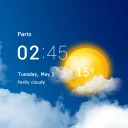
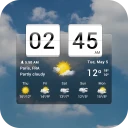
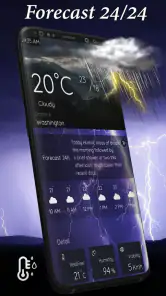
Imagine waking up, grabbing your phone, and instantly knowing what the weather has in store for you. That’s exactly what Weather Widgets offers. With a sleek and user-friendly interface, you get access to real-time weather updates. It’s like having a window into the future, but for weather! You can customize your experience by choosing different widget styles and sizes, making sure your home screen looks as fresh as the forecast.
Features That Shine
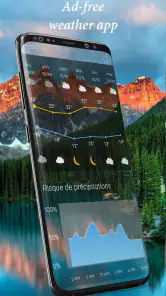
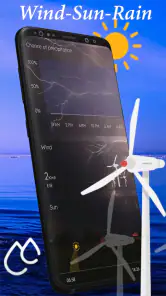
The app is packed with features that make it stand out in the sea of weather apps. First off, the weather alerts are a lifesaver. You’ll get notified about severe weather conditions, ensuring you’re never caught off guard. Plus, the hourly forecast feature is incredibly detailed, so if you’re planning a picnic or a run, you know exactly when to head out.
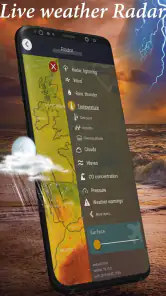
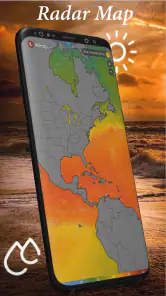
Another cool feature is the radar map. It’s like watching a weather channel but right from your phone. You can see the movement of storms, track rain, and even check out satellite images. It’s pretty neat for all you weather enthusiasts out there!
User Experience: A Breeze
Using Weather Widgets feels effortless. The app is designed to be intuitive, with everything you need just a tap away. I love how it integrates smoothly with both Android and iOS, ensuring a seamless experience no matter your device. And let’s not forget the aesthetic appeal—those widgets aren’t just functional, they’re downright pretty!
For those who love a bit of customization, you can match the widget’s color scheme to your wallpaper. It’s those little touches that make the app feel personalized and just right for you.
What to check before relying on it
If I were choosing between this and the standard weather app already on my phone, I’d ask what I actually want to improve. Weather Widgets makes the forecast more visible through its customizable home-screen display and adds radar for situations where a general icon or temperature is not enough. The built-in option may be preferable if you want the fewest setup steps or already like its layout; this app makes more sense when a glanceable widget is the feature you’ll use every day.
One useful habit is to check the hourly view before committing to a narrow window for an outdoor plan, then use radar as a second look if rain is nearby. I wouldn’t keep refreshing the map just to chase certainty: forecasts are guidance, and a storm’s path can change. For a picnic, I’d have an indoor backup rather than treating a promising forecast as a promise.
Practical limits and app details
There is a small setup trade-off with any widget-focused weather app: it takes a little time to find a size and style that remain readable on your particular home screen. If you prefer to open an app only when needed, or dislike using screen space for persistent information, that benefit may not matter to you. The current version is 6.5.5, and it requires Android 7.0 or later; the app is also available for iOS.
Prometheus Interactive LLC released the app on July 16, 2021. Its age rating is Everyone, and it is free to download, with in-app purchases ranging from $0.99 to $99.99 per item. I’d review those purchase options before letting a child use the device unsupervised. The app’s widgets, alerts, hourly forecast, and radar give it a clear everyday role, but households should still agree directly on plans and check their own devices for important warnings.
Why You’ll Love It
In a world where we are constantly on the go, having reliable weather information is crucial. Weather Widgets doesn’t just give you data; it offers peace of mind. Whether you’re a planner who needs to know the weather for the week, or someone who decides to head out on a whim, this app has got you covered. And, it’s free! So why not give it a try?
In conclusion, if you’re looking for a weather app that’s not only accurate but also a joy to use, Weather Widgets is the way to go. So, download it today and let the sun shine (or rain pour) on your terms!
Weather Widgets Frequently Asked Questions
Can I use Weather Widgets to check forecasts for more than one location?
Yes. Weather Widgets supports multiple locations, so you can switch between cities and keep track of conditions beyond your current area. This can be useful when planning a trip, checking the weather where family or friends live, or comparing conditions before heading out. The app brings those location options together with its forecasts and radar.
Does Weather Widgets include radar and severe weather alerts?
Weather Widgets includes radar maps and severe weather alerts alongside its weather information. Radar can help you get a visual sense of weather activity, while alerts can draw attention to important conditions. These tools complement the forecast and home-screen widgets, giving you several ways to follow the weather within the same app.
What devices and operating systems can run Weather Widgets?
Weather Widgets is a weather app for mobile devices, with support beginning at Android 7.0. Before downloading, check that your device meets this requirement and that you have enough room for another app. The app is free to download, so you can try its weather information and widgets without paying upfront.
Who develops Weather Widgets, and is it suitable for everyone?
Weather Widgets is developed by Prometheus Interactive LLC and is rated for Everyone, making it suitable for a broad audience. It is designed for people who want weather information and home-screen widgets in one app. Its straightforward purpose makes it useful for checking conditions at a glance, whether you are planning your day or keeping track of weather in another location.
What features does the Weather Widgets app offer?
Weather Widgets offers a comprehensive suite of features to keep you up-to-date with the latest weather information. It includes real-time weather updates, a 7-day forecast, customizable widgets for your home screen, radar maps, and severe weather alerts. The app also supports multiple locations, allowing you to easily switch between different cities to monitor weather conditions globally.
Pros
- Customizable widget layouts
- Real-time weather updates
- Minimal battery consumption
- Wide range of themes
- Easy integration with calendars
Cons
- Contains ads in free version
- Limited features without subscription
- Occasional location inaccuracies
- User interface can be complex
- No offline mode available
- Category
- Weather
- Version
- 6.5.5