VPN Proxy Master - Safer Vpn
- 44.36K
- 4.7
- Installs
- 100.00M
- Price
- Free

Screenshots
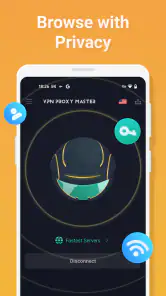

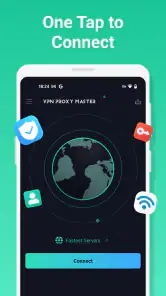
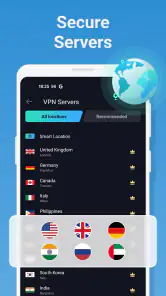
Analysis by Reviewed
I keep coming back to VPNs for a simple reason: the extra steps involved in protecting a connection can be enough to make me skip it. When I’m on an unfamiliar public network, I want a quick way to add a layer of privacy without turning a routine task into a settings project. VPN Proxy Master is built around that convenience, and its prominent connection button makes its basic purpose easy to understand. I’d still treat a VPN as one part of sensible online habits, not a guarantee that every activity is private or every site is safe.
The small routine that makes a VPN useful
The practical benefit isn’t just having a VPN installed; it’s making the decision to use one easy enough that I actually do it. I’d connect before joining a café, hotel, or airport network, then leave the app’s connection indicator visible in my mental checklist before opening email or a work document. That order matters: connecting after I’ve already started a task defeats some of the convenience I wanted in the first place.
I’d also separate “connected” from “everything is protected.” A VPN can route network traffic through a tunnel, but it doesn’t make a phishing page trustworthy, stop someone from reading a message I send to the wrong person, or erase tracking tied to an account I’m signed into. For me, the useful habit is to pair the tunnel with ordinary care: use the correct site, avoid unknown links, and save sensitive account changes for a trusted connection when practical.
A quick start, with sensible expectations
VPN Proxy Master is a free tools app from SECUREGUARD GROUP. It has a 4.7 average from around 1.4 million ratings and over 100 million installs, which suggests it has reached a broad audience, though popularity alone can’t tell me whether it fits my needs. It is rated for Everyone, and the current version is 2.7.3, with Android 6.0 as the minimum system requirement. The app also offers in-app purchases, so I’d check what a paid option includes before deciding whether I need it.
My first practical step with any VPN is to connect before opening the app or site I want to use, then check that the VPN remains active while I move between tasks. That small habit is more useful than relying on memory after I’ve already joined public Wi-Fi. I’d also test an ordinary page or two before starting a call or a download: if a connection feels sluggish, I can disconnect and compare rather than assuming the VPN is always the cause or always the fix.
How I’d test it before relying on it
I wouldn’t judge a VPN from one successful connection. I’d try it on the networks I use most, because a tunnel that feels fine on home Wi-Fi may behave differently on a crowded public hotspot or a weak mobile signal. A quick, low-stakes check—loading a few familiar pages and sending a non-urgent message—helps me notice whether the connection is stable enough for my ordinary routine before I depend on it for something time-sensitive.
If a page fails to load, I’d avoid repeatedly tapping connect without checking what changed. I’d first see whether the VPN is still active, then try the page again after disconnecting. That simple comparison helps distinguish a temporary network problem from a service that does not work well through a VPN. It also prevents me from blaming the app for every slowdown in a hotel or café where the underlying Wi-Fi may be the weak link.
More From Our News Desk

Weather by Xiaomi Review: Clear at a Glance, Less Clear Up Close

X Under Pressure: Can It Recover When Posting Goes Wrong?

Clash of Clans Is Won Between the Battles

Android Auto Makes the Case for Quieter Car Software

MobiOffice: Transforming Mobile Productivity with Seamless Integration

EA SPORTS FC™ Mobile Soccer: Redefining Mobile Sports Gaming
Where the convenience pays off
A realistic use is settling into a café, connecting to its Wi-Fi, and then checking email or handling a work message. Instead of deciding whether the network seems trustworthy, I can make the VPN connection part of my routine. That does not remove the need to use strong passwords, avoid suspicious links, or be careful with sensitive transactions, but it reduces one source of exposure while I’m browsing.
It can also be useful when I’m travelling and want a private tunnel for routine web use, or when I want to compare how a site behaves on a different connection. I wouldn’t count on a VPN to unlock every streaming catalogue: services can restrict VPN traffic, and access can change. If watching a particular show is the main reason for installing it, I’d try the free option first and avoid paying until I know it works for that service and location.
One travel-day workflow
Imagine I arrive at a station with a delayed train and need to check a booking email, reply to a colleague, and look up a route. I’d connect to the public Wi-Fi, open the VPN, and verify that the tunnel is active before handling those routine tasks. If the network is slow, I’d compare a page with the VPN briefly disconnected, then decide whether the privacy benefit is worth the wait or whether using mobile data is the more practical option.
That’s the sort of situation where convenience has a real value: I can make a deliberate choice quickly instead of spending several minutes worrying about the hotspot. I would still avoid using an unfamiliar network for a high-stakes account recovery or a sensitive work system if my organization provides a specific approved connection. A consumer VPN is a handy layer for everyday browsing, not a substitute for the access rules of an employer or service.
Choosing it over another VPN
Compared with manually configuring a VPN through a phone’s network settings, a dedicated app can make connecting less fiddly. That’s a meaningful advantage for someone who wants a visible, repeatable action rather than a setup they have to remember. Compared with a VPN bundled into a browser, a phone-level VPN is intended to cover traffic beyond that browser while it is connected; the exact scope depends on the app and device, so I’d check the connection indicator rather than assume every app is protected.
There’s a trade-off: a simple interface can make the first tap easy, but it doesn’t automatically provide the control or transparency that privacy-focused users may want. If you need detailed configuration, a clearly documented privacy policy, or a particular technical protocol, compare providers on those points before choosing. I’d also keep in mind that a VPN shifts some trust from the local network to the VPN provider. It is not anonymity, and it cannot prevent tracking through accounts, cookies, or device identifiers.
What a VPN can and can’t change
A useful way to think about a VPN is as a change to the route your internet traffic takes, not a reset of your identity online. It may make routine browsing on a shared network feel more comfortable, but a site can still recognize an account login, and a browser can retain its own cookies. When I want less tracking, I’d review browser settings and account privacy controls separately rather than expecting the tunnel to do that work.
There is also a practical trade-off between privacy and convenience. Some websites or apps may treat VPN traffic differently, ask for extra verification, or refuse a connection. If a payment or work service is important, I’d test it before I need it in a hurry, and keep a fallback such as disconnecting the VPN or using a trusted mobile connection. A tool is most helpful when I know how to get back to a working connection without guessing.
Getting Started with VPN Proxy Master
First things first, downloading VPN Proxy Master was a breeze. Available for both Android and iOS, the app is lightweight, making the installation process quick and painless. Once I had it on my phone, it was time to explore.
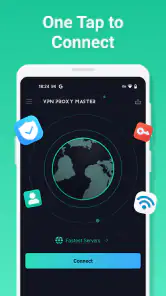
Upon launching the app, you're greeted with a clean, intuitive interface. No unnecessary clutter, just straight to the point. There's a big ol' "Connect" button front and center—exactly what I want from a VPN app. Who needs extra fluff when all you're here for is some privacy and freedom?
Features That Stand Out
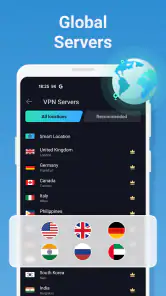
So, what makes this app tick? First off, it boasts a vast array of servers spread across numerous countries. Whether you're in the mood to stream content from the UK, access a site from Australia, or just want a secure connection in the US, it’s all a tap away. Switching between servers was seamless, with no noticeable lag or dropout.
Security is the name of the game here. VPN Proxy Master employs top-notch encryption protocols, ensuring that your data remains secure and your online activities remain private. It’s like having a digital bodyguard who’s always alert.
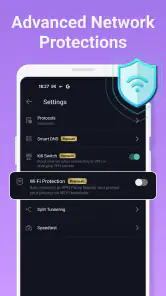
Another feature I found particularly handy was the "auto-connect" option. Forget about manually connecting every time you hop online. Set it up once, and you’re good to go. The app also offers a kill switch feature, adding an extra layer of protection should your VPN connection drop unexpectedly.
User Experience and Performance
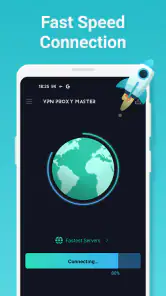
Now, let's talk about performance. Using the app for streaming, browsing, and even some casual gaming was smooth sailing. The speeds were impressive, and I didn't experience any buffering while enjoying my favorite shows. It’s like the app waves a magic wand over your connection, making everything just... work.
The app also doesn’t bombard you with ads, which is a huge relief. Nobody likes their browsing interrupted by annoying pop-ups, right? Plus, the premium version unlocks even more features, offering a truly ad-free and enhanced experience.
Making the free option work for you
Since the app is free to start, I’d use that as a trial of fit rather than assume it will meet every need indefinitely. I’d note what I actually do with it—occasional browsing on shared Wi-Fi, regular travel use, or a particular service that behaves differently—then decide whether any paid option addresses a real frustration. In-app purchases range from $0.99 to $79.99 per item, so I’d read the purchase screen carefully and confirm the terms before authorizing anything.
A small but useful tip is to evaluate the app at the times and places when you need it, not only on a fast home connection. If the free experience handles the one or two routines that matter to me, there may be no reason to upgrade. If I’m considering a purchase because of a specific feature or access need, I’d verify that the option describes exactly that benefit rather than buying on the general promise of “more.”
Is It Worth It?
After spending some quality time with VPN Proxy Master, I’d say it’s definitely worth a shot. It ticks all the right boxes for anyone looking for a reliable VPN service. From secure connections to a user-friendly interface, it’s a solid choice for both VPN newbies and seasoned users.
Whether you're looking to bypass geo-restrictions, protect your online privacy, or just want peace of mind when surfing the web, this app has got you covered. Plus, with its free version offering plenty to get started, there's no harm in giving it a whirl.
In a world where digital privacy is becoming increasingly important, having a tool like VPN Proxy Master in your arsenal feels less like a luxury and more like a necessity. So, go ahead, download it, and take control of your online experience. Happy surfing!
When I’d choose another approach
If my priority were simply to stop websites from tracking me, I’d pair browser privacy settings with careful account habits rather than assume a VPN solves that problem. If I needed fine-grained control over which apps use a tunnel, I’d compare VPNs that clearly explain those controls before switching. And if a particular work network requires its own approved connection method, I’d use that instead of substituting a consumer VPN.
For everyday use, I’d make one small check part of the routine: after connecting, confirm the app shows an active tunnel before opening anything sensitive. If a banking app or streaming service behaves differently, I’d temporarily disconnect to see whether the VPN is causing the issue, then reconnect when I’m back on the less-trusted network. This avoids treating a VPN as an always-on fix when a site may simply block or dislike VPN traffic.
The main question I’d ask before paying is whether the free experience already handles my regular browsing and whether the paid tier solves a specific problem I actually have. In-app purchases range from $0.99 to $79.99 per item, so I would review the purchase details carefully rather than infer a subscription or feature set from the price range. I’d skip the upgrade if I only connect occasionally and the free option does what I need.
A practical fit, not a cure-all
I see this as a reasonable starting point for someone who wants a straightforward way to use a VPN on a phone, especially if they value a quick connection over a deep menu of technical choices. The broad adoption and strong average rating are reassuring signals, but they don’t replace checking whether the app’s behavior suits your own network, battery expectations, and privacy needs. VPN Proxy Master is most useful when it removes hesitation at the moment you need a safer connection; it is less compelling if you expect it to guarantee anonymity, bypass every restriction, or make an unreliable Wi-Fi network perform like a fast one.
VPN Proxy Master - Safer Vpn Frequently Asked Questions
Can I use VPN Proxy Master on public Wi-Fi?
VPN Proxy Master is intended to provide secure web browsing and a private network, which may make it useful when connecting through public Wi-Fi. A VPN can help protect traffic on a connection, but it does not make every online activity risk-free. Continue to use secure websites, avoid sharing sensitive information unnecessarily, and keep your device and apps updated.
Will a VPN change my internet speed or let me access region-restricted content?
The app’s summary describes a faster internet tunnel, and its VPN connection is designed to route your internet traffic through a private network. A VPN can affect connection speed, and results may vary with your network and how you use the app. VPN Proxy Master is also described as helping users access geo-restricted content, though access can depend on the service or content involved.
What should I check before installing VPN Proxy Master on Android?
Before installing, check that your Android device runs version 6.0 or later, which is the app’s minimum requirement. VPN Proxy Master is a tools app developed by SECUREGUARD GROUP. It is rated for Everyone, so its age classification is suitable for a broad audience. As with any VPN app, it is worth considering whether its features and subscription options suit your needs before installing it, especially if you plan to use it regularly.
Who develops VPN Proxy Master, and is it suitable for everyone?
VPN Proxy Master is a tools app developed by SECUREGUARD GROUP. It is rated for Everyone, so its age classification is suitable for a broad audience. As with any VPN app, it is worth considering whether its features and subscription options suit your needs before installing it, especially if you plan to use it regularly.
What is VPN Proxy Master and how does it work?
VPN Proxy Master is a virtual private network (VPN) application that provides secure and private internet access. It encrypts your internet traffic and masks your IP address, ensuring anonymity online. This means you can safely browse the web, access geo-restricted content, and protect your data from hackers and surveillance. Its stated purpose is to provide secure browsing, a faster internet tunnel, and a private network.
Pros
- High-speed connections for smooth browsing.
- Easy-to-use interface for quick setup.
- Supports multiple devices simultaneously.
- Offers a wide range of global servers.
- No-log policy ensures privacy protection.
Cons
- Free version has limited features.
- Occasional ads in the free version.
- Some servers may have slower speeds.
- Premium subscription can be costly.
- Limited customer support options.
- Category
- Tools
- Version
- 2.7.3








