VPN Lumos: Super Secure VPN
- 1.28K
- 4.4
- Installs
- 10.00M
- Price
- Free

Screenshots
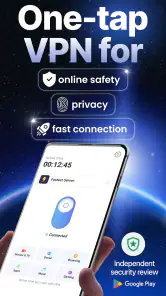
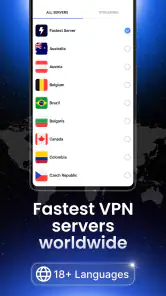



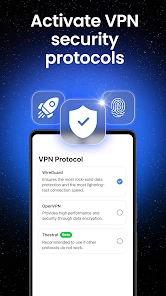
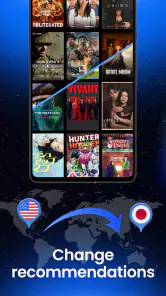
Analysis by Reviewed
When I judge a VPN, I begin with a practical question: what choices can I actually see, and how much should I trust a tool that routes my traffic? VPN Lumos: Secure VPN & Proxy is a free Android tools app from Midpoint Security FZCO-LLC. It has an average rating of 4.4 from around 528,000 ratings and over 10 million installs, so it has reached a large audience. That popularity is useful context, but it is not proof that a VPN is right for every sensitive task.
The app is rated for everyone, runs on Android 8.0 and later, and its current version is 1.69.5. I’d treat those details as a quick compatibility check rather than a security assessment: the more important question is whether its visible options match how you plan to use it. The app is free to install, with optional in-app purchases ranging from $1.99 to $59.99 per item, so I would check the purchase screen carefully before committing to anything.
What trust means for a VPN
Installing a VPN is a different kind of decision from adding a photo editor or a casual utility. Its job involves network traffic, so I want to understand the choices the app presents and be deliberate about when I use it. A simple interface can make connection easy, but convenience alone does not answer the questions that matter to a cautious user: what does Android ask the app to access, what account or purchase choices appear, and do I understand what I’m agreeing to?
I would make that review part of setup rather than an afterthought. Read each Android permission prompt before approving it, and consider whether the request makes sense for the action you are taking. If a prompt or purchase screen is unclear, pause and look through the in-app options instead of tapping through just to reach the connection screen. This is a useful habit with any VPN, including one designed to feel approachable.
Choosing a VPN with clear expectations
First things first, what sets VPN Lumos apart from the myriad of other VPN services out there? Well, this app promises not only to keep your data safe but also to enhance your browsing experience. The installation was a breeze, and within minutes, I was all set to explore the digital world with a new layer of security. The app boasts numerous servers across the globe, which means you can easily bypass geo-restrictions and access content anywhere, anytime.
Simple controls, but check the choices
Let’s talk about the user interface. The app sports a clean and intuitive design that makes navigation a piece of cake even for those who are not tech-savvy. The home screen provides easy access to all essential features, and switching between servers is as easy as pie. I appreciated that the developers kept the aesthetics simple yet effective, ensuring that the focus remains on functionality.
That simplicity is handy when you need protection quickly, but I wouldn’t let a one-tap connection replace a quick review of the settings and prompts. Before using any VPN, I make a habit of checking what permissions Android requests, what choices the app presents, and whether I’m comfortable with them. Those checks matter most when an app sits between your device and the sites or services you use.
More From Our News Desk

Weather by Xiaomi Review: Clear at a Glance, Less Clear Up Close

X Under Pressure: Can It Recover When Posting Goes Wrong?

Clash of Clans Is Won Between the Battles

Android Auto Makes the Case for Quieter Car Software

MobiOffice: Transforming Mobile Productivity with Seamless Integration

EA SPORTS FC™ Mobile Soccer: Redefining Mobile Sports Gaming
Security claims and sensitive moments
Now, onto the most crucial part—security. VPN Lumos employs cutting-edge encryption technology to safeguard your data from prying eyes. Whether you’re using public Wi-Fi or your home network, this app ensures that your personal information remains confidential. Plus, with its no-log policy, you can rest assured that your browsing history is not stored or shared with anyone.
I’d still separate the protection a VPN can provide from the broader idea of being anonymous. A VPN can change the network route your traffic takes, but it does not make account sign-ins, payment details, or information you deliberately share disappear. When I’m handling banking, work accounts, or private messages, I focus on the service’s own security too, and avoid treating a VPN as a substitute for careful account settings or trusted networks.
For a routine errand, imagine checking a bus schedule or reading the news while waiting at a café. A VPN can be useful on shared Wi-Fi, but I would first connect, then verify that the app shows an active connection before opening anything sensitive. If the connection drops or a page behaves strangely, I’d pause rather than assume the protection is still in place. That small habit is more useful than expecting any VPN to solve every privacy problem automatically.
Data-sensitive moments call for judgment
I wouldn’t use a VPN as a reason to lower my guard around every network activity. For example, if I’m signing in to a work account on a borrowed device, the VPN on my own phone cannot protect what I type elsewhere. Likewise, a VPN does not turn a suspicious link into a safe one or prevent a service from recognizing me after I sign in. It is one layer in a broader routine, not a permission slip to ignore the basics.
For travel, I’d plan around the task rather than assume that connecting solves every problem. If I need a map, ticket, or hotel page, I can test the app on an ordinary page first and keep a non-sensitive alternative available in case the connection is slow or a service does not load as expected. That is especially useful when time matters: trying several routes while standing at a station may be more hassle than temporarily using a trusted connection for a low-risk lookup.
Another practical trade-off is that a VPN can affect how websites and apps interpret your connection. A service may ask for extra verification, display different content, or behave differently when your apparent network location changes. If that happens, I would not assume something is wrong with my account; I’d first consider whether the VPN route is responsible, then decide whether the extra privacy is worth the inconvenience for that particular task.
Performance depends on what you need
One of my main concerns with VPNs is the potential slowdown in internet speed. However, VPN Lumos surprised me with its impressive performance. I was able to stream videos, download files, and browse websites without any noticeable lag or buffering. This is a huge plus for anyone who relies on a stable internet connection for work or entertainment.
In practice, I would test the connection against the specific job I have in mind. Streaming and casual browsing are different from a video meeting or a large download, where a small delay or an unstable route can become frustrating. If a service works well for a quick browse but not for a call, switching servers or turning the VPN off for that task may be more sensible than repeatedly retrying the same connection.
A good way to make that test useful is to compare the same activity with and without the VPN under similar conditions. I’d try a page I visit often, then a short video or the app I rely on for calls, and notice whether the difference affects what I need to do. That is not a formal speed measurement, but it gives a practical answer: does the connection feel dependable enough for my routine, or is the added routing getting in the way?
It also helps to avoid judging performance from a single bad moment. Public Wi-Fi can be inconsistent on its own, and a slow page does not automatically show that the VPN is the cause. If something stalls, I’d check whether the same service works normally after changing the network or disconnecting for a low-risk task. The point is to make a calm choice, not to leave the VPN on blindly or blame it for every connection issue.
How it fits beside other options
Compared with browser-only privacy tools, a VPN can cover more of the device’s network traffic, which is useful when moving between apps. Compared with a paid VPN chosen for detailed configuration or a particular work requirement, a straightforward app may offer less control than an expert user wants. I see Lumos as a convenient starting point for ordinary use, not a replacement for evaluating a specialist service when control, documented practices, or a specific location is essential.
There is also a difference between using a VPN and changing privacy settings inside each app. A browser’s tracking controls can be more directly relevant to what that browser remembers, while a VPN focuses on the network route. Neither replaces the other, and neither makes an account anonymous when I’m signed in. I’d choose the tool based on the concern: for traffic on shared Wi-Fi, a VPN may be the more relevant step; for reducing browser tracking, browser settings deserve attention too.
If I needed a narrowly defined setup for work, I would compare options based on the controls and practices I could inspect, rather than choosing solely because the connection button is easy to find. A specialist service may be a better fit when I need a particular configuration or want more visible control over how I connect. For occasional browsing and a low-friction trial, Lumos is easier to approach; for high-stakes use, ease should not substitute for careful evaluation.
Who I’d recommend it to
I’d consider this app if I wanted a simple VPN for everyday browsing, occasional travel, or trying a protected connection without paying upfront. It may also suit someone who wants to explore region-dependent streaming, while keeping expectations realistic: a VPN does not guarantee that every service will accept a connection from every region. People who need a highly specific work setup, or who are unwilling to review permissions and purchase prompts, should compare alternatives before relying on it.
It is also a reasonable candidate for someone who is new to VPNs and wants to learn how a protected connection fits into daily phone use. I would start with ordinary browsing rather than immediately relying on it for a sensitive work task. That gives me a chance to understand the connection flow and the app’s visible choices before deciding whether I want it running as part of my regular routine.
On the other hand, I would skip it if I expected a VPN to guarantee anonymity, if I needed a clearly specified setup for confidential work, or if I did not want to inspect purchase and permission prompts. Someone who only wants to limit tracking within a browser may get more direct value from browser privacy settings. The right choice depends less on the broad label “VPN” and more on the exact risk or inconvenience I’m trying to address.
One useful approach is to decide on a narrow first test: connect before browsing on public Wi-Fi, check that ordinary pages still load comfortably, and note whether the apps you care about behave normally. Then review the available account and subscription choices before using it regularly. This makes it easier to tell whether the free experience is enough for you, rather than discovering a paid option only after your routine depends on the app.
Make the trial useful, not automatic
When trying Lumos, I’d pick one repeatable, low-stakes task and use it as a baseline: checking a news page or reading a public information page, for example. Next time, I’d try the same task on a different network and see whether the connection remains comfortable to use. That gives a more grounded impression than opening several unrelated apps at once and not knowing which one caused a problem.
I’d also decide in advance when I actually want the VPN. A short trip through public Wi-Fi is a clear use case; leaving it on for every activity is a personal choice that should account for any extra verification or slowdowns I encounter. If a service I depend on stops working properly, I would disconnect only for a task where I’m comfortable doing so, rather than repeatedly changing settings without knowing what each change does.
The purchase range is another reason to make the decision before I build a habit around the app. I’d inspect the options, identify what is free and what would require a purchase, and avoid confirming anything I don’t intend to buy. Since the app can be tried without paying upfront, there is little reason to rush into an in-app purchase before I know whether its everyday behavior suits me.
Readers often ask whether it is suitable for streaming. I’d say it is worth testing for casual viewing, but I would not count on every platform or title working through every VPN connection. If a show is essential for a particular evening, I would check the service beforehand and have a regular connection available as a fallback. That is a more realistic expectation than treating region switching as a guaranteed shortcut.
Another common concern is whether a VPN protects everything on a phone. I treat it as a way to route network traffic, not as a complete security package for the device. It does not replace keeping accounts secure, checking links, or thinking carefully about what I share. For a user who understands that boundary, the app can still be useful; for anyone looking for a single switch that handles every privacy risk, it is the wrong expectation.
In conclusion, VPN Lumos: Secure VPN & Proxy is a solid choice for anyone looking to enhance their online security without compromising on speed or usability. It’s the perfect companion for both casual internet users and those who frequently travel and need access to region-restricted content. Give it a try, and you might just find it becoming your go-to app for secure and unrestricted browsing.
My cautious verdict is that Lumos looks approachable for everyday VPN use, but trust should come from your own check of the choices shown in the app, not from a polished interface or a large user base alone. I’d try it for low-stakes browsing first, make sure it behaves as I expect, and only then decide whether it deserves a regular place on my phone.
VPN Lumos: Super Secure VPN Frequently Asked Questions
Is VPN Lumos free to download, and what should I know about its cost?
VPN Lumos is free to download, so you can install it without paying upfront. The app also includes in-app purchases, with items priced from $1.99 to $59.99. Check the purchase screen carefully before confirming anything, especially if you are exploring premium options. The free download and optional purchases make it useful to understand the payment choices before you begin.
Will VPN Lumos work on my Android phone or tablet?
The Android version requires Android 8.0 or later. Before downloading, check your device’s software version in its settings to make sure it meets that requirement. VPN Lumos has an Everyone content rating, but that rating is separate from device compatibility. If you use an iPhone or iPad, check the app’s compatibility information in the Apple App Store for your particular device.
Is VPN Lumos suitable for streaming, calls, games, and TV?
VPN Lumos is presented as a VPN for calls, streaming, games, and TV, so these are among the activities it is intended to support. Whether a particular service works as expected can depend on the service and your connection. If streaming is your main reason for installing it, consider checking the app’s available options and testing your usual services before relying on it for a specific show or event.
Who develops VPN Lumos, and what kind of app is it?
VPN Lumos is a VPN and proxy app in the Tools category, developed by Midpoint Security FZCO-LLC. Its short description presents it as a secure VPN and proxy, while its summary highlights use for calls, streaming, games, and TV. Those descriptions make its general purpose clear: it is intended for people seeking VPN access through a mobile app.
What is VPN Lumos: Secure VPN & Proxy and how does it work?
VPN Lumos is a mobile application designed to provide secure and private internet access by encrypting your online activities. It works by routing your internet connection through encrypted servers located worldwide, masking your IP address, and protecting your data from hackers and eavesdroppers. This ensures you can browse the internet securely and anonymously.
Pros
- Fast connection speeds
- User-friendly interface
- Wide range of server locations
- Strong encryption protocols
- No-logs policy
Cons
- Limited free version
- Occasional connection drops
- Inconsistent customer support
- Ads in free version
- Some servers are slower
- Category
- Tools
- Version
- 1.69.5








