Univision Now: Live TV
- 10.38K
- 3.6
- Installs
- 5.00M
- Price
- Free

Screenshots
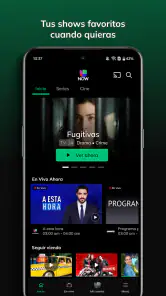
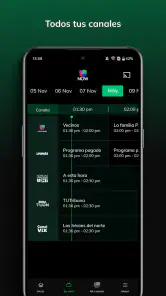
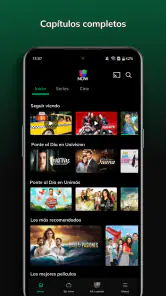
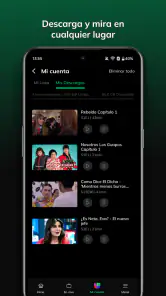
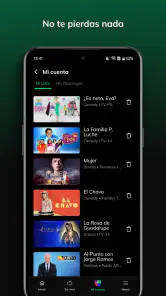
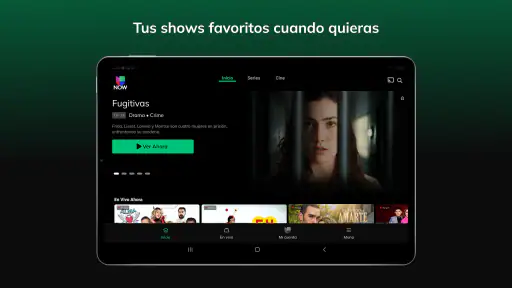
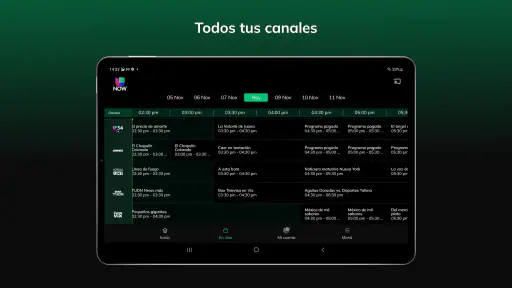
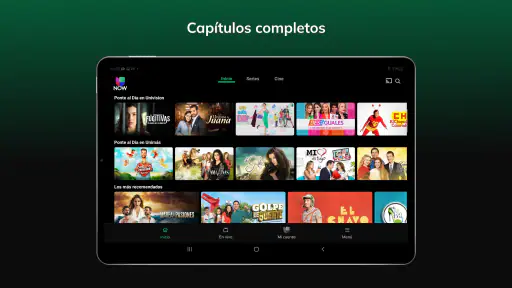
Analysis by Reviewed
I approached Univision Now: Live TV as a practical question rather than simply asking whether it streams television: is it the right choice for someone who wants Univision and UniMás without keeping a traditional cable package? After spending time with the app, my answer is yes for a fairly specific audience, especially Spanish-speaking viewers who care about those networks and want a simpler way to watch live and on-demand entertainment. It is less convincing as a universal replacement for every channel in a household.
That distinction matters. This is a free entertainment app from Univision Communications Inc., but free installation does not mean every viewing situation is automatically cost-free. The app includes purchases ranging from around five dollars to nearly two hundred dollars per item, so I would check the available options carefully before treating it as a complete substitute for a paid television service. The basic appeal is straightforward: access to Univision and UniMás programming without cable, with live viewing and on-demand content gathered in one mobile experience.
How I Would Decide Whether It Fits
My first decision criterion would be content loyalty. If your regular viewing is built around Univision and UniMás, this app has a much clearer purpose than a broad streaming platform that happens to carry a few Spanish-language programs. If you mainly want an enormous mix of unrelated channels, movies, sports, and international services, I would begin with a different category of alternative and only consider this app as a supplement.
The second question is how you watch. A phone is useful when I am away from the television, waiting somewhere, or following a program while another person has control of the main screen. On-demand access is also helpful when my schedule does not match a live broadcast. However, anyone choosing a service primarily for a large living-room setup should think about device convenience, navigation, and the habits of everyone sharing the account before committing to it.
Compatibility is another sensible checkpoint. The app requires Android 6.0 or later, which covers a wide range of devices but still makes an older phone or tablet worth checking before installation. I would also consider the screen size and connection available at home. A service can be perfectly useful on a phone yet feel less comfortable if your main expectation is a polished television replacement.
There is also a household question that people often overlook: who needs access, and what do they expect to watch? One person may be satisfied with Univision and UniMás, while another may expect local stations, a wider channel guide, children’s programming, or a much broader collection of entertainment. I would make a short list of the programs the household actually watches before paying for anything. That simple step prevents the common mistake of choosing a service for one favorite network and discovering that the rest of the family still needs another subscription.
The strongest reason to choose it
In my experience, the most convincing strength is focus. The app does not ask me to search through an enormous catalog before reaching the Spanish-language programming I opened it to watch. For someone who already follows Univision or UniMás, that direct relationship between the service and the desired content is more valuable than a long list of channels that rarely get used.
More From Our News Desk

Weather by Xiaomi Review: Clear at a Glance, Less Clear Up Close

X Under Pressure: Can It Recover When Posting Goes Wrong?

Clash of Clans Is Won Between the Battles

Android Auto Makes the Case for Quieter Car Software

MobiOffice: Transforming Mobile Productivity with Seamless Integration

EA SPORTS FC™ Mobile Soccer: Redefining Mobile Sports Gaming
The live and on-demand combination also changes how I plan my viewing. Live television preserves the feeling of joining a program as it happens, while on-demand viewing is more forgiving when work, errands, or family responsibilities interrupt the schedule. I would use the live side for programs I do not want to miss in the moment and the on-demand side for catching up later rather than forcing my day around a broadcast time.
That workflow is especially useful in a realistic everyday situation. Imagine that I am preparing dinner while a family member is watching something else on the television. I can use the app on my phone to follow a Univision or UniMás program without taking over the main screen. Later, if I miss part of it because I need to step away, the on-demand side gives me a second chance. It is not a dramatic feature, but that kind of flexibility is where the service earns its place.
Another less obvious advantage is that it can simplify a specific cord-cutting decision. Instead of replacing every television habit at once, I can ask whether my most important Spanish-language viewing is covered first. If the answer is yes, this app may reduce the need for a full cable package or allow me to use a broader service only for the content this app does not cover. That is a more realistic approach than assuming one application must solve every entertainment need.
The app’s audience size also suggests that it has become a familiar destination for many viewers: it has passed five million installs, with an average rating of 3.6 from roughly thirty-two thousand ratings and about ten thousand written reviews. I do not treat those figures as proof that it will suit me, but they do indicate that the app is established enough to attract a substantial audience rather than being an obscure experiment.
Practical habits that improve the experience
I would begin by using the app in both of its main modes instead of judging it after opening only the live section. The live experience answers whether it fits my routine today; the on-demand side answers whether it remains useful when my schedule changes. Testing both during the first few sessions gives a better picture of its value than watching one program and making an immediate decision.
I would also decide in advance which viewing situations belong on mobile. Short sessions, private viewing, and catching up while away from home make sense to me. Long family viewing is a different test. If the app becomes part of a shared television routine, I would pay close attention to how comfortably other household members can find what they want, rather than assuming my own phone experience represents everyone’s.
A third useful habit is to separate content value from subscription value. I might genuinely enjoy the programming and still decide that a paid option is not worthwhile if I only watch occasionally. Conversely, frequent viewers may find that focused access is more sensible than paying for a larger package filled with channels they never open. The right choice depends less on the size of the catalog than on how often the included programming actually appears in my week.
I would keep purchase awareness in mind as well. The app is free to download, but its in-app purchases can cost from about five dollars to almost two hundred dollars per item. That wide range makes it important to read the purchase screen carefully and distinguish a temporary decision from an ongoing commitment. I would not tap through quickly while trying to start a program, especially if more than one viewing option is presented.
Where Other Choices May Be Better
The main limitation is scope. This app is designed around Univision and UniMás, so it is not automatically the best answer for a household that wants a broad replacement for cable. A general live-TV service may fit better when the priority is a large mixture of networks, while a mainstream on-demand platform may be preferable for viewers who mostly want a deep movie and series library. I cannot recommend switching simply because this app is free to install; the content match has to be strong.
It may also be the wrong choice for someone who wants one bill and one destination for every family member. A broad television bundle could be less focused, but its wider range may reduce the need to combine several services. On the other hand, if Spanish-language Univision and UniMás programming is the central requirement, that extra breadth can become an expensive distraction. The trade-off is not “small versus large” in the abstract; it is whether unused channels are worth paying for.
Viewers who strongly prefer scheduled television may appreciate the live side, but people who want complete control over when they watch should compare it with a purely on-demand service. The two approaches serve different habits. Live access is useful for immediacy, while on-demand access is useful for flexibility. I would not choose this app solely because it has both; I would choose it if both modes correspond to how I actually watch Spanish-language entertainment.
There is a similar trade-off for occasional viewers. If I only open the app once every few weeks, a purchase or subscription decision may be difficult to justify, particularly when I already have another service that covers most of my entertainment. If I watch Univision or UniMás regularly, the calculation changes because the focused access can remove repeated searching and reduce dependence on a larger package.
The Teen content rating is another small but important household signal. I would not assume that every program is intended for young children simply because the app belongs in an entertainment category. Parents should decide whether the available programming suits their family’s viewing habits, and I would supervise younger viewers according to the household’s own standards rather than treating the app as a children’s destination.
What switching really involves
Moving from cable to this app is not only a technical change. It means replacing the familiar habit of turning on one television package with a more focused service built around selected networks. Before switching, I would write down the channels and programs I use most often, then mark which of them are essential. If most of the list is Univision or UniMás, the change may feel simple. If the list includes many unrelated channels, I would expect to keep another option.
I would also prepare for a change in how the household talks about access. With cable, people often assume that every channel is included in the same package. Here, the free app label and the presence of in-app purchases make it especially important to know which viewing choices require payment. I would explain that clearly to anyone else using the device so that a child or guest does not make an unintended purchase while trying to watch.
For someone moving from another streaming service, the cost is more about habit than setup. I would need to remember which programs belong here, where to look for live viewing, and when on-demand is the better route. The transition should be manageable for a viewer already comfortable with apps, but people who prefer a traditional channel guide and remote-control routine may find a focused mobile service less natural at first.
The developer, Univision Communications Inc., gives the app a clear connection to the networks it represents, which is reassuring from a content-identity perspective. Still, that connection should not make me overlook the practical question of whether the app works for my devices and household routine. Brand familiarity can start the decision, but daily usefulness finishes it.
Its release history also shows that this is not a brand-new application: it first appeared on November 17, 2015. That gives it a long presence in the mobile entertainment space, although longevity alone does not guarantee that every part of the experience will match newer streaming products. I would judge it by the current viewing workflow, not by its age or by the number of installs.
My recommendation for different viewers
I recommend trying it first if Univision and UniMás are among the programs you watch most, you want live access without cable, and on-demand catch-up would make your schedule easier. It is particularly appealing to a viewer who wants a focused Spanish-language entertainment option rather than paying for a large package full of channels that go unused.
I would be more cautious if you are shopping for a complete household television replacement. In that case, compare the app against broader live-TV and on-demand categories, list the channels each person needs, and calculate the combined cost if this service must sit beside another subscription. A different option may be better when variety, family-wide access, or a single comprehensive package matters more than Univision and UniMás specifically.
For occasional viewing, I would install it and explore the available live and on-demand experience before making a purchase. Because the app itself is free and the purchase range is broad, there is little reason to rush the financial decision. The important test is whether the content appears often enough in my real routine to justify paying for access or keeping it as a regular part of my entertainment setup.
My final view is positive but deliberately narrow: this is a focused solution, not a universal television replacement. I like the combination of live and on-demand viewing, the clear appeal for Univision and UniMás fans, and the freedom to watch without a traditional cable arrangement. I would recommend it to the right viewer, not to everyone. If those networks are central to your week, Univision Now: Live TV deserves a place on your shortlist; if they are only a minor part of what you watch, a broader alternative will probably serve you better.
Univision Now: Live TV Frequently Asked Questions
Who develops Univision NOW: Live TV, and what kind of app is it?
Univision NOW: Live TV is an entertainment app developed by Univision Communications Inc. It brings Univision and UniMás programming together for live and on-demand viewing without cable. If you already follow those networks, the app offers a way to watch their content on a compatible device rather than relying on a traditional cable connection.
Is Univision NOW: Live TV available to download for free?
Yes, the app is free to download, but that does not mean all programming is free to watch. Access to much of the live and on-demand content requires a subscription, and the app includes in-app purchases. Check the purchase information displayed before confirming a payment so you understand what you are buying and whether it suits your viewing needs.
What devices and operating systems can run Univision NOW: Live TV?
Univision NOW: Live TV is an entertainment app for watching Univision programming on supported mobile devices and connected platforms. On Android, it requires version 6.0 or later, so check your device’s software before downloading. You can also use compatible tablets, smart TVs, or streaming devices, though availability and the viewing experience may depend on the platform. The app is free to download.
Is Univision NOW: Live TV free, and what might I have to pay for?
The app is free to download, but access to much of its live and on-demand programming requires a subscription. In-app purchases range from $4.99 to $194.99 per item, so check the purchase details shown in the app before confirming anything. This distinction matters: installing the app does not necessarily provide unrestricted access to its channels or programs.
What is Univision NOW: Live TV, and what can I watch with it?
Univision NOW: Live TV is a streaming service focused on Univision programming, including live television, news, sports, entertainment, novelas, and Spanish-language shows. After installing the app, users can browse available channels and on-demand content from a compatible phone, tablet, smart TV, or streaming device. The exact catalog may vary depending on your location, subscription, and current programming rights.
Pros
- Includes live Univision and UniMás programming in one app.
- Spanish-language news
- sports
- novelas
- and entertainment are easy to find.
- Cloud DVR lets subscribers save selected shows for later viewing.
- Works across supported phones
- tablets
- and streaming devices.
- Useful for viewers who want U.S. Hispanic TV without a cable contract.
Cons
- Availability and channel selection vary by location and subscription plan.
- Some content may require a separate TV-provider or premium subscription.
- Live streams can lag or lose quality with unstable internet connections.
- Commercial breaks remain part of much of the live-TV experience.
- Older devices may experience compatibility or performance limitations.
- Category
- Entertainment
- Version
- Varies with device













