TV Remote Control - Smart TV
- 109.00
- 4.2
- Installs
- 1.00M
- Price
- Free
Screenshots
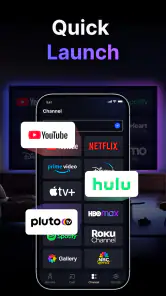
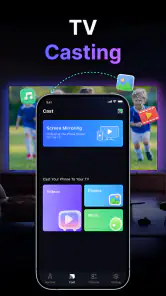
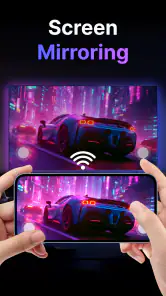
Analysis by Reviewed
I tried TV Remote Control - Smart TV as the kind of utility you install after losing the physical remote, then keep around only if it proves useful after the first few days. That distinction matters with phone-based remotes: the novelty is immediate, but lasting value depends on connection reliability, quick access, and whether using a phone is genuinely easier than reaching for a normal controller.
Developed by Guanling Interactive, this free Tools app is designed to control a Smart TV from an Android phone. Its basic promise is simple, and the experience is built around that simplicity rather than a long list of unrelated functions. The app has reached over a million installs and holds a 4.2 average from around 6.2 thousand ratings, which suggests that many people find the central idea useful enough to keep using.
What the first week feels like
The strongest part of the experience is the first real moment of convenience. If the physical remote is buried under cushions, has stopped responding, or is being used by someone else, the phone is already in your hand. Opening a remote app can turn that small household annoyance into a quick fix, especially when you only need to pause something, adjust the volume, or move through a menu.
I also like the mental simplicity of having one familiar device nearby. A phone is easier to locate than a remote that may blend into a dark sofa or disappear into a drawer. That makes this particularly practical in shared homes, guest rooms, bedrooms, and situations where the television is mounted away from the usual seating area.
The first-week appeal is not only about emergencies. A phone remote can be useful when the television is playing while you are cooking, cleaning, or moving between rooms. You may not want to carry the regular remote around, but your phone is already with you. For short adjustments, that difference can make the app feel more natural than expected.
There is also a useful behavioral advantage: you can treat the app as a backup rather than replacing the physical remote immediately. That is the approach I would recommend. Keep the original controller available for tasks that require more buttons or faster navigation, while using the phone when convenience matters more than speed.
Where it helps in everyday use
A realistic example is a late evening when the television is playing in the living room and the physical remote is out of reach. I can use the phone to pause the program before answering the door, lower the volume during a phone call, or turn the television off without searching around. Those are small actions, but they are exactly the moments in which a remote-control app earns its place.
It can also help when a household has visitors who do not know where the physical remote is kept. Instead of explaining several buttons, I can handle a quick adjustment from my phone. That is less useful for someone who needs to browse channels constantly, but it works well for occasional control during streaming or casual viewing.
The app is best understood as a convenience layer, not a complete replacement for every television remote. That expectation keeps the first week pleasant. If you install it expecting every advanced function of a dedicated controller, you may judge it too harshly. If you want quick control from a device you already carry, its purpose is clearer.
Connection habits matter more than people expect
The first setup is also when I would pay attention to how easily the phone and television find each other. A phone remote is only useful when the two devices can communicate in the same home environment. If the television is not visible to the app, repeatedly reopening the screen will not solve the underlying problem.
My practical advice is to test the app from the place where you normally watch television, not only beside the router or television stand. A remote that works during setup but feels inconsistent from the sofa will quickly become frustrating. This is one of the less obvious trade-offs of replacing a physical controller: distance and household network conditions become part of the remote experience.
I would also test the basic actions first: power, volume, navigation, selection, and returning to the previous screen. Those functions tell you whether the app is suitable for your routine. There is little value in spending time exploring secondary controls if the actions you use every evening are awkward.
Why it may still matter after the novelty
After the first month, the question changes from “Can my phone control the television?” to “Do I reach for this app without thinking?” That is where the product’s lasting value depends on personal habits. People who regularly misplace remotes, watch from different rooms, or use their phones while viewing are more likely to keep it installed.
For me, the most convincing long-term role is as a dependable backup. A backup does not need to be used every day to be worthwhile. When the physical remote is missing or unavailable, having a ready alternative is better than discovering the problem when you are already tired and want to shut the television off.
There is a second recurring use: shared control. In a household, one person may have the physical remote while another wants to pause or reduce the volume. A phone-based option reduces that small conflict. It is not a dramatic feature, but it can make the television easier to manage when several people are using the same room.
Still, I would not call it essential for everyone. If your physical remote is always beside you, your television responds instantly, and you rarely need controls away from the sofa, the app may become unused background clutter. The fact that it is free makes trying it easy, but free installation does not automatically create a permanent need.
Who gets the most value from it
I think this app suits people who want a straightforward Smart TV remote on a phone rather than a complicated universal-control system. It is especially appealing if you frequently use a television in a shared space, if your remote is unreliable, or if you prefer keeping fewer physical accessories around.
It may also suit households where the television is used mainly for streaming and occasional volume or playback changes. That kind of viewing does not always require the tactile precision of a dedicated remote. A phone screen can be perfectly adequate for short interactions.
On the other hand, I would be cautious about relying on it as the only controller for someone who changes channels constantly, types long searches, or needs rapid repeated navigation. Physical buttons provide feedback without looking down, and that advantage becomes obvious during longer sessions. A phone remote can be convenient, but it is not automatically faster.
It is also not the best choice for someone who dislikes picking up a phone whenever they want to adjust the television. The app cannot remove that extra step. If the physical remote is already comfortable and dependable, using a phone may feel like replacing a simple action with a more involved one.
The hidden cost of using a phone as a remote
The main cost is attention. A physical remote is a single-purpose tool, while a phone invites notifications, messages, and unrelated distractions. I may open the remote to pause a show and then spend several minutes checking something else. That is not a fault unique to this app, but it is a real downside of moving television control onto a general-purpose device.
There is also a small physical inconvenience. A remote is shaped to be held and operated without looking. A phone is a flat touchscreen that may need to be unlocked, picked up carefully, and kept awake while you navigate. For one quick action, that is fine. For extended browsing, the difference becomes more noticeable.
That is why I prefer using the app for interruptions and simple adjustments rather than for every interaction. It works best when I need control at an unusual moment, not when I want the most comfortable way to spend an entire evening browsing menus.
Maintenance, friction, and the reasons people stop using it
The maintenance burden is fairly ordinary for a phone utility, but it should not be ignored. The app needs to remain installed, easy to find, and ready when the television is on. If I bury it in a folder, forget where it is, or remove it to save space, its value disappears precisely when I need it.
I recommend placing it somewhere obvious rather than relying on a search every time. A home-screen shortcut or a consistent folder can make the difference between a useful backup and an app I forget exists. This is a small habit, but it directly affects whether the tool survives beyond the first week.
Keeping the phone charged is another practical consideration. A physical remote does not compete with the phone for battery power. If the phone is nearly empty, using it as a controller may be inconvenient even if the television connection is working perfectly. I would not install this as a replacement for the physical remote unless I was comfortable with that trade-off.
Updates can also change the feel of a utility app over time. The current version is 1.3.6, and the app supports Android 11 and newer. For someone using an older phone, compatibility should be checked before building a routine around it. For supported devices, the more important question is whether the app remains quick to open and dependable in the home environment.
The developer, Guanling Interactive, has positioned the product around a focused remote-control purpose. That focus is helpful because it avoids turning a simple need into an overloaded dashboard. At the same time, it means users looking for a broader home-control hub should consider whether a different category of app would suit them better.
Where fatigue can build up
The first source of fatigue is repeated setup or reconnection. Even a short delay feels long when I only want to lower the volume. A physical remote wins by being immediately available, so a phone app has to be consistently convenient to justify the extra step.
The second is screen dependence. I need to look at the phone to know where I am, whereas a physical remote lets me feel for common buttons. That matters more during dark-room viewing, when the bright phone screen can be distracting. It also makes the app less comfortable for people who prefer controlling the television without looking away from it.
A third issue is shared-phone practicality. If another person is using my phone, or if I hand it to someone while it contains personal notifications and messages, the remote function becomes less private and less convenient. A dedicated remote can be passed around without exposing anything else on the device.
These limitations do not make the app poor. They explain why its long-term role is usually complementary. The best routine is to use it when the phone has a clear advantage, while keeping the physical remote for fast, extended, or shared control.
How it compares with the usual alternatives
Compared with a standard physical remote, this app offers availability rather than tactile comfort. The phone is easier to find and can be with you in another part of the room, but the physical controller is usually quicker for repeated commands and does not depend on the phone being charged or conveniently located.
Compared with a broader universal-remote application, this product’s focused purpose may be easier to understand. A larger control platform can be more suitable for several devices, elaborate routines, or a mixed home-entertainment setup. However, that extra breadth can also mean more configuration than someone wants for a single television.
Compared with buying another replacement remote, the app is an inexpensive first experiment because it is free to install. There are in-app purchases ranging from $3.99 to $94.99 per item, so I would review any optional purchase carefully and decide whether the free experience already covers the occasional control I need. For a simple backup role, I would avoid paying until the app has proved useful in my own routine.
The Everyone content rating also makes it approachable for a household utility, including shared family use. That does not change the practical limitations of touchscreen control, but it does make the app less intimidating for people who want a basic tool rather than a technical home-automation project.
My long-term verdict
After the novelty fades, I see TV Remote Control - Smart TV as a useful backup with the potential to become a daily convenience for the right household. Its value is not in replacing every button on a dedicated remote. Its value is in being available when the usual controller is missing, out of reach, or inconvenient to share.
I would keep it installed if I regularly control the television from different seats, often misplace the physical remote, or want quick access during interruptions. I would probably skip it if I dislike using a phone during television time, need fast tactile navigation, or already have a reliable remote that never leaves my side.
The best way to judge it is to test it through a normal week rather than a single successful connection. Use it during a pause, a volume change, a late-night shutdown, and a shared viewing session. If those situations feel easier, the app has earned a permanent place. If each action feels slower than reaching for the original remote, the installation was still a harmless experiment, but it is unlikely to become a lasting habit.
Overall, I appreciate its narrow, practical purpose. Guanling Interactive has made a tool that can solve a familiar household problem without demanding that I reorganize my entire entertainment setup. Its long-term strength is convenience on demand, while its weakness is that the phone itself introduces extra steps and distractions. For me, that balance makes it worth keeping as a reliable spare, and for some users it will be convenient enough to become the remote they reach for first.
Pros
- Works with many popular smart TV brands.
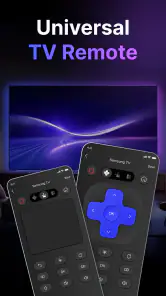
- Simple layout makes basic controls easy to find.
- Useful replacement when the physical remote is missing.
- Quick access to volume
- channels
- and navigation buttons.
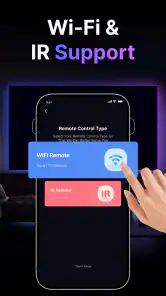
- Usually connects through the same Wi-Fi network as the TV.
Cons
- Requires a compatible smart TV and active Wi-Fi connection.
- Some features may be limited to certain TV brands.
- Ads can interrupt use in the free version.
- Initial pairing may take several attempts.
- Advanced controls may not work on every television model.
- Category
- Tools
- Version
- 1.3.6











