TV Remote Control For All TV
- 729.00
- 4.5
- Installs
- 500.00K
- Price
- Free

Screenshots
Analysis by Reviewed
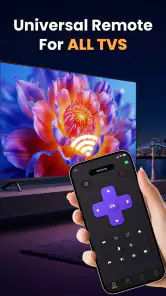
I tested TV Remote Control For All TV as a phone-based tool for people who want one remote app instead of searching for several physical controllers. Its purpose is easy to understand: turn a compatible smartphone into a way to control Smart TVs. That sounds simple, but remote apps can be surprisingly inconsistent, so I paid attention to the parts that matter in everyday use: how quickly the setup makes sense, how much control the phone gives me, what happens when the connection is awkward, and whether the app feels like a sensible replacement rather than another shortcut that creates work.
The app is free, aimed at everyone, and comes from Brandon Scout. It belongs in the tools category rather than entertainment, because its value depends on solving a practical problem around the television. It has reached over 500 thousand installs and holds a 4.5 average from around 9.8 thousand ratings, which suggests that many people find the basic idea useful. Still, those figures do not guarantee that it will work equally well with every television, so I would treat compatibility and connection behavior as the deciding factors.
What the app is really useful for
The strongest use case is a household where the remote regularly disappears. I can imagine opening the app from the sofa, selecting the television, and using the phone when the physical controller is under a cushion, left in another room, or out of battery. That convenience is more meaningful than it first appears: a phone is usually already nearby, while a remote is easy to misplace.
It is also useful for a guest room, a temporary rental, or a shared living space where several televisions are present. Instead of learning a different button layout for every physical remote, I can keep a familiar control method on the device I already know. The store summary presents it as a way to control Smart TVs with a phone, and that is the right expectation. I would not approach it as a universal replacement for every television accessory or as a way to add capabilities the TV itself does not support.
One practical advantage is reducing clutter. A home with multiple remotes can become confusing, particularly when one controls volume, another changes inputs, and a third is needed for a streaming box. A phone remote can make the central television easier to operate, but it does not automatically eliminate the need for those other devices. If your setup depends heavily on separate sound equipment or external players, the app may cover only the television portion of the routine.
Setup is part of the real test
With remote applications, the first few minutes matter more than a polished description. I want the app to make the relationship between phone and television understandable: what must be enabled, which device should be selected, and how I know the connection is active. If that process is unclear, the convenience disappears before the first button press.
My advice is to install it while standing near the television and keep the original remote within reach. That is not because the app is necessarily difficult, but because the physical controller gives you a quick fallback if the TV needs an input change or confirmation during setup. It is also a useful way to check whether the phone remote is genuinely replacing a task or merely adding an extra step.
Do not judge it only by whether the first connection works. Try the controls you actually use: power, volume, navigation, input selection, and moving through menus. A remote can appear successful when basic commands respond but become frustrating during text entry or deeper settings. For me, a good test is to perform a normal evening routine rather than tapping a few buttons and assuming everything is covered.
Where a phone remote can be better than the original
The phone format has a few everyday strengths. I can keep the device in my hand, use the same screen for other tasks, and avoid searching for a small controller in the dark. Touch controls can also feel less intimidating than a crowded physical remote, especially for someone who rarely changes settings.
There is a useful workflow for shared homes: keep the app ready on the phone of the person who most often manages the television, then use the original remote only for unusual tasks. That avoids forcing every family member to learn a new system immediately. It also makes the app a backup rather than a single point of failure, which is the safer way to use any phone-based remote.
Another non-obvious trade-off is attention. A physical remote lets me control the TV without opening a bright phone screen or being tempted by notifications. During a film, the app may be convenient for locating a missing remote, but it can also make the phone more present in the room. People who prefer a distraction-free viewing setup may still find a traditional controller better.
Connection friction and compatibility expectations
The biggest question is not whether the app displays remote controls; it is whether the phone and television can communicate reliably in the environment where I use them. Network conditions, television settings, and device compatibility can all affect that experience. I would not assume that the phrase “for all TV” means every television model, every connection method, or every advanced function will behave identically.
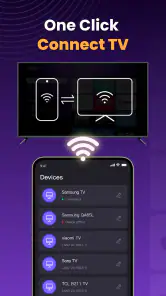
If the television is not discovered, I would first check the simple things: both devices should be ready on the same home network when the setup requires network communication, the TV should be awake, and the phone should not be connected through a different network path. I would also restart the app and television before concluding that the tool is unusable. These are ordinary troubleshooting steps, but they matter because remote apps often fail at discovery rather than at the button-control stage.
There is a clear situation where I would choose another option. If the television is old, has limited connectivity, or depends on infrared commands from a physical remote, a dedicated universal remote may be more dependable. The same applies if I need guaranteed control when the home network is down. A phone app is most attractive when the television and phone already cooperate well; it is not automatically the best answer for a complicated entertainment system.
What I would check before relying on it
I would test it at the exact location where the phone will normally be used, not only beside the television. A connection that works near the screen may feel less convenient from a kitchen, bedroom, or another floor. I would also test after locking and unlocking the phone, because the real question is whether I can return to the control quickly when I need it.
For a family, I would decide who actually needs the app. Installing it on every phone may sound convenient, but it can create several different control habits and make it harder to know which device is currently connected. One primary phone plus the original remote as backup is often a cleaner arrangement. For a rental or guest room, I would remove the app when it is no longer needed and avoid leaving a personal device paired with equipment that belongs to someone else.
The current version is 1.4.3, and the app requires at least iOS 11 or a newer supported system. That makes checking the phone’s operating system a sensible first step, particularly if you are trying to revive an older device as a dedicated remote. A phone that cannot install or run the app smoothly is not a useful backup, no matter how attractive the concept is.
Trust, permissions, and data-sensitive moments
Because this is a tool that sits between a phone and a television, I would pay attention to every permission request and every visible explanation during installation. I do not want to grant access that has nothing to do with controlling a TV, and I would pause if a request is presented without a clear reason. The safest approach is to approve only what the app visibly needs for the task and review the phone’s permission settings afterward.
I would also look for clear choices around notifications, device discovery, and any account-related screen. A remote should not require me to surrender control of my phone’s broader settings just to press volume or navigate a menu. If the app offers optional prompts, I would leave them off unless they provide a direct benefit. That keeps the experience focused and makes it easier to understand what the application is doing.
Data-sensitive moments are not limited to installation. They can occur when the app discovers devices on a home network, when I use it in a shared house, or when another person handles the phone. I would avoid using a work phone or a borrowed device for this purpose unless I am comfortable with the permissions and visible controls. On a family phone, I would also remember that the remote app may expose the names of televisions or rooms if those labels are shown during selection.
I found that user agency matters more here than flashy design. I want to be able to stop using the app, revoke permissions, disconnect it from the television, and remove it without feeling locked in. Keeping the physical remote nearby provides an important safety net: if the app behaves unexpectedly, I can stop troubleshooting immediately instead of being unable to operate the TV.
How it compares with the usual alternatives
The closest alternative is the original remote supplied with the television. That controller normally wins for immediate reliability, tactile buttons, and operation without opening a phone. It is also better for users who change channels or adjust settings frequently without looking at the controls. The app wins when the physical remote is lost, shared, or inconvenient to keep nearby.
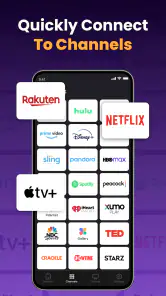
A manufacturer-specific remote app can be a better choice when you want the deepest integration with one television brand. It may be more appropriate for people who regularly use brand-specific menus or connected services. The broader appeal of TV Remote Control For All TV is the possibility of one general tool across a household, but that convenience can involve compromises in advanced controls or device-specific behavior.
A universal physical remote is the stronger option for a home theater with several components, especially when reliability during network outages matters. It can also be easier for older viewers who prefer raised buttons and do not want to unlock a smartphone. I would recommend the app more readily to someone who already uses a phone comfortably and wants a quick backup, rather than to someone seeking a complete replacement for a carefully configured entertainment system.
Who should use it, and who should skip it
I think it is a good fit for people who frequently misplace remotes, manage more than one Smart TV, or want a free tool for occasional control. It also makes sense for a person moving into a new home who has not yet organized all the television accessories. The Everyone age rating makes it suitable for a broad household audience, although younger users should still use it within the normal boundaries of the family’s devices and network.
I would be more cautious if you need a remote with guaranteed offline behavior, physical buttons, or complete control over soundbars, receivers, and streaming boxes. It is also not my first choice for someone who dislikes granting device permissions or who wants to keep a phone entirely separate from home entertainment. In those cases, the original or a dedicated universal remote is likely to feel simpler.
My best tip is to treat it as a controlled experiment. Install it, test the television functions you use most, review the permissions and visible choices, then decide whether it genuinely saves time. If it works only after repeated reconnecting, or if it handles basic navigation but not your important daily tasks, uninstalling it is a reasonable conclusion rather than a failure.
A cautious verdict after everyday testing
TV Remote Control For All TV has a clear practical role: it can turn a nearby phone into a convenient backup or replacement for controlling a Smart TV. I like the idea most in homes where the remote is constantly missing, and I appreciate that the app is free rather than adding another purchase to a simple household problem. Brandon Scout has positioned it as an accessible tools app, and its broad audience and strong average rating show that the concept resonates with many users.
My recommendation comes with an important condition: confirm the connection and permissions on your own devices before depending on it. The app is not automatically a substitute for every physical remote, every television model, or every home theater component. For straightforward Smart TV control, it is worth trying. For demanding setups or people who value tactile, offline reliability above all else, a traditional or dedicated universal remote remains the safer choice.
In short, I would keep it as a useful backup if it connects cleanly and gives me the commands I need without unnecessary friction. The real test is not the promise of controlling a TV from a phone, but whether the app leaves me with more control and fewer interruptions in my actual living room.
Pros
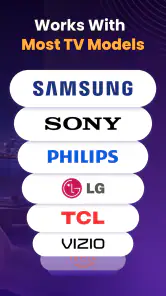
- Works with many popular TV brands and models.
- Simple interface makes basic controls easy to find.
- Useful backup when the physical remote is missing.
- Quick pairing on compatible smart TVs.
- Usually includes volume
- channel
- and input controls.
Cons
- Requires an IR blaster or compatible smart TV connection.
- Some features may be locked behind ads or in-app purchases.
- Compatibility can vary widely between TV models.
- Phone and TV may need the same Wi-Fi network.
- Ads can interrupt use and make navigation less convenient.

- Category
- Tools
- Version
- 1.4.3











