TunnelBear VPN
- 18.01K
- 3.5
- Installs
- 10.00M
- Price
- Free

Screenshots







Analysis by Reviewed
I approached TunnelBear VPN as the kind of tool I might keep on my phone for everyday privacy rather than as a complicated networking project. That distinction matters. A VPN can be useful when I am checking email on shared Wi-Fi, travelling, or simply trying to keep my connection less exposed, but it does not magically make every online activity private or faster. TunnelBear’s appeal is that it tries to make this normally technical subject feel approachable.
Developed by TunnelBear, LLC, this free Tools app has been available since October 3, 2012, and its current Android version is 5.0.7. It supports Android 8.0 and later, carries an Everyone age rating, and has passed the ten-million-install mark. Those details suggest a mature, widely used product rather than a brand-new experiment, although popularity alone is not a substitute for checking whether its limits fit my own needs.
How TunnelBear feels in current everyday use
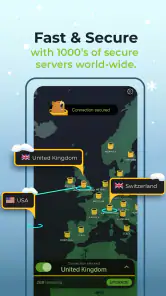
The first thing I notice about TunnelBear is its friendly presentation. VPN apps often open with dense menus, server terminology, and settings that make me wonder whether I am about to change something important. This app takes a gentler route. The bear-themed interface makes the central action obvious: connect when I want the VPN active, disconnect when I do not.
That simplicity is valuable for someone who has never used a VPN. I do not need to understand routing tables or manually configure a connection before trying it. The app belongs to the category of mobile privacy tools, but it behaves more like a guided utility than a piece of network administration software. For a quick connection at a café or airport, that low learning curve is one of its strongest qualities.
In a realistic everyday situation, I might arrive at a hotel, join the guest network, and open TunnelBear before handling a work message or checking a personal account. The useful habit is not to leave the app running thoughtlessly; it is to make the connection part of my routine whenever I am using a network I do not fully trust. I would still use strong passwords and account security, because a VPN is only one layer of protection.
The free entry point also makes experimentation easy. I can install it without committing money immediately, test whether the interface makes sense, and decide whether the available allowance and performance suit my routine. In-app purchases range from $0.99 to $83.27 per item, so the free label should not be confused with unlimited access to every possible usage level. I would check the purchase screen carefully before selecting an upgrade.
The app’s store summary, “Censorship? Not With Us,” points toward another use case: reaching online content in places where access is restricted. I would treat that as a situation-dependent benefit, not a guarantee. Network blocking, local rules, service policies, and the behavior of individual websites can all affect the result. A VPN may change how my connection appears, but it cannot promise that every blocked service will work.
What the mature product gets right
After years in the market, TunnelBear has a clear identity. It is not trying to overwhelm me with a dashboard full of technical controls. That makes it especially suitable for casual users, families helping a less technical relative, and anyone who wants a recognizable connect-and-go workflow on Android.
The 3.5 average from around 325,000 ratings shows a mixed overall reception rather than universal approval. I read that as a useful warning to keep expectations realistic. Many people may appreciate the approachable design, while others may be judging it on speed, data limits, connection reliability, location choice, or subscription value. A VPN is unusually sensitive to network conditions, so two users can have noticeably different experiences on the same app.
Its reach is substantial, with more than ten million installs and around 18,000 written reviews. That scale gives the product visibility and a long user history, but I would not use the install count as proof that it is the best choice for me. The more important question is whether I need a simple privacy switch or a service built for heavy, specialized VPN use.
Useful habits that are easy to miss
My first practical tip is to decide in advance when I actually need the VPN. Turning it on for every task can introduce unnecessary friction, especially if a website asks me to verify my identity again or if a connection becomes less responsive. I prefer a small routine: use it on public Wi-Fi, during travel, and when I want an extra privacy layer, then turn it off for ordinary home browsing if it is getting in the way.
My second tip is to test important services before I urgently need them. Banking sites, workplace portals, streaming platforms, ticketing pages, and shopping accounts can react differently when the connection location changes. I would connect from home, open the services I rely on, and note whether login checks or location messages appear. That small test prevents a frustrating surprise when I am already travelling.
A third insight is that a VPN does not replace careful app and browser choices. TunnelBear can protect the path between my device and the VPN service, but it cannot stop me from entering credentials into a fake page, downloading a malicious file, or allowing an untrusted application to collect information. I still need to inspect domains, keep Android updated, and avoid treating the bear icon as a universal safety badge.
There is also a practical battery and performance trade-off. Any connection-management layer can become annoying if I leave it active while doing tasks that do not benefit from it. If a video call becomes unstable or a download slows, I would compare the same task with the VPN disconnected, provided the network is trustworthy. That simple before-and-after check is more useful than assuming the app is always responsible or always harmless.
How it compares with ordinary alternatives
The usual alternative is no VPN at all: connect directly through the mobile network or home router and rely on the security already provided by individual websites. That is simpler and often faster, but it gives me less control over how my connection is presented on an unfamiliar network. TunnelBear earns its place when that extra layer matters enough to justify another active service.
Another alternative is a browser-only privacy feature. That can be convenient if I only want to protect web browsing, yet it does not necessarily cover other apps on the phone. TunnelBear is more relevant when I want VPN protection to apply beyond one browser, although I should still confirm that the behavior of each app matches my expectations.
At the other end are advanced VPN services aimed at users who want extensive configuration, specialized routing, or a large set of technical options. Those products may be better for someone who manages several devices, needs fine-grained control, or expects to tune a connection for a particular workflow. TunnelBear’s advantage is the opposite: I spend less time learning the tool. Its weakness is that a simpler interface may not satisfy a power user who wants every possible adjustment.
For streaming and location-sensitive services, I would be particularly cautious. A VPN can affect what a service thinks my location is, but the service may detect or reject VPN traffic. If uninterrupted access to a particular platform is my main reason for subscribing, I would test that platform during the free stage rather than assuming the store summary guarantees it.
What changes mean for existing users
The current 5.0.7 version is the clearest version marker for someone deciding whether to install or update today. I see that as evidence of an actively maintained product line, but not as a reason to invent a list of improvements. A version number alone does not tell me that a specific feature, protocol, interface element, or performance issue has changed, so I would judge the present app by what I can actually use.
For an existing user, the practical effect of staying current is straightforward: the installed experience should match the current Android release supported by the app, while older devices may need a compatibility check before updating. Since Android 8.0 is the minimum, I would look at my phone’s system version first. If the device is older than that requirement, the problem is not something a setting inside TunnelBear can solve.
Updates can also change small parts of a familiar workflow. I would not panic if a button moves or the connection screen looks slightly different after an update, but I would retest the things that matter: connecting on mobile data, connecting on Wi-Fi, opening a work service, and disconnecting cleanly. That is a better way to confirm that an update fits my routine than relying on the version label alone.
Existing free users should pay attention to their actual usage rather than assuming the free plan will cover every month equally. If the app becomes part of a daily travel routine, the available allowance may feel very different from occasional use. Someone who only activates it for a few minutes on public Wi-Fi may find the free option adequate, while a person who keeps it on for long browsing sessions may quickly consider an in-app purchase.
Where the experience still has gaps
The biggest limitation is that simplicity can hide important trade-offs. A large connect button is reassuring, but it does not explain every reason a connection may feel slower, why a website might request another login, or why a particular service refuses access. New users may interpret any problem as a failure of privacy protection when the cause is actually the destination website or the local network.
Performance is another area where I would avoid absolute promises. VPN speed depends on the phone, the underlying connection, distance to the selected endpoint, congestion, and the service I am using. TunnelBear may be perfectly comfortable for messaging, reading, and account checks while feeling less suitable for demanding real-time activities. I would not choose it solely for gaming, high-stakes video calls, or large transfers without testing it on my own connection.
The free price is appealing, but the presence of paid items means I need to understand the boundary between trying the app and relying on it heavily. I would never hand my phone to a child or less technical family member and tell them to approve a purchase without explaining what it does. The Everyone rating describes the app’s age suitability, not a promise that every online destination reached through it is appropriate for everyone.
Privacy-minded readers may also want more control and more information than a friendly interface exposes at a glance. If I need an enterprise-style setup, detailed routing rules, or a carefully documented multi-device plan, I would compare other VPN products before making TunnelBear my central security tool. Its approachable design is a strength for beginners, but advanced requirements can quickly move beyond its intended comfort zone.
Who should use it, and who should skip it
I would recommend TunnelBear to someone who has heard that a VPN can help on public networks but feels intimidated by technical apps. It is also a reasonable first try for travellers, occasional remote workers, and people who want a simple way to add privacy while using hotel or café Wi-Fi. The free starting point makes it easier to learn the workflow before deciding whether regular use justifies an in-app purchase.
I would be more cautious recommending it as the only solution for a business with strict networking requirements. A company may need centralized administration, predictable access rules, or support for a more complex device environment. Likewise, a user whose main goal is guaranteed access to a specific streaming library should test that exact service first and compare alternatives if it does not behave consistently.
I would also skip it if I dislike troubleshooting location-related login checks or if I expect every connection to be faster after enabling a VPN. The app can improve privacy in appropriate situations, but it is not a speed booster. If my home network is already reliable and I rarely use public Wi-Fi, the benefit may be too small to justify another app and another connection state to manage.
What I would watch before committing
My first checkpoint would be reliability across the networks I actually use. I would test home Wi-Fi, mobile data, and one trusted public network, then try the services that matter most to me. I would also observe whether disconnecting returns apps to normal without requiring a restart. These are simple checks, but they reveal more about suitability than a generic promise of online freedom.
My second checkpoint would be the cost of sustained use. The app is free to install, but the listed in-app purchase range is wide enough that I would read the purchase details carefully and decide whether my pattern is occasional or constant. If I only need protection during short public-network sessions, paying may not be necessary. If I want a VPN active for much of the day, I would compare the total value with competing services before upgrading.
Finally, I would watch how future versions affect the balance between friendliness and control. TunnelBear works best when it removes fear from VPN setup without pretending that networking is effortless. I hope updates continue to keep the main action clear while making limits, connection behavior, and troubleshooting guidance easy to understand. That would help both newcomers and long-time users make better decisions.
My overall view is positive but deliberately practical. TunnelBear is a welcoming mobile VPN from TunnelBear, LLC, and its long availability, broad adoption, and free starting point make it easy to try. It is strongest as an uncomplicated privacy tool for everyday situations, not as a universal answer to censorship, streaming access, speed, or advanced network management. If you want a VPN you can understand quickly and use selectively, it is worth testing; if you need guaranteed performance or deep control, compare it with more specialized alternatives first.
Pros
- Simple
- friendly interface that makes VPN setup easy for beginners.
- Strong encryption helps protect data on public Wi‑Fi networks.
- Independent security audits add credibility to its privacy claims.
- Apps are available for Android
- iOS
- Windows
- and macOS.
- Vigilant Mode blocks connections if the VPN unexpectedly disconnects.
Cons
- The free plan has a very limited monthly data allowance.
- Paid plans can be expensive compared with several competing VPNs.
- Limited advanced settings may disappoint experienced VPN users.
- Connection speeds can vary depending on server location and network load.
- It offers fewer servers and locations than many major VPN providers.

- Category
- Tools
- Version
- 5.0.7











