TruthFinder Background Check
- 24.32K
- 4.2
- Installs
- 1.00M
- Price
- Free

Screenshots

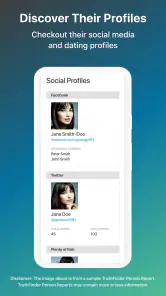
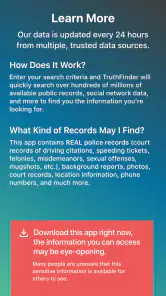
Analysis by Reviewed
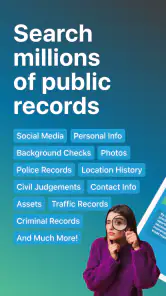
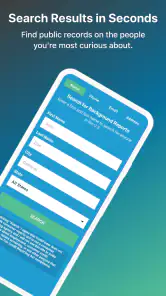
TruthFinder Background Check is the kind of Tools app that catches my attention quickly because it turns a vague question about a person into a guided search. I can enter a name, phone number, or email and explore the background information the service makes available. That sounds simple, but the real question is whether it remains useful after the first curious search. In my experience, its appeal is strongest when I have a clear reason to investigate a contact, while its long-term value depends on how often that need actually comes up.
Developed by Pubrec, LLC, the app is free to install and aimed at Everyone. It has been available since October 11, 2016, and its current version is 1.35.16.5, with Android support starting at version 7.0. That broad compatibility helps explain why it can serve people using older phones, although the experience still depends on the quality and completeness of the information connected to a search.
What the first week with TruthFinder feels like
The first searches are easy to understand. I do not need to begin with a complicated form or know exactly what kind of record I am looking for. A name, phone number, or email gives me a starting point, and that flexibility is one of the app’s clearest strengths. It is more approachable than manually searching several public pages and trying to decide whether different results belong to the same person.
I found the name-search approach most useful when I already had a little context. A common name by itself can lead to uncertainty, so details such as a location, an approximate age, or a known contact method become important when reviewing results. I would not treat the first matching profile as proof of identity. Instead, I use the app as an organizing layer that may help connect information I already have.
The phone-number option is particularly practical for an everyday situation. Imagine receiving repeated calls from a number that is not saved in my contacts. Rather than calling back immediately or relying only on a short web search, I can enter the number and see whether the service returns useful background details. That does not guarantee a definitive answer, but it gives me another point of reference before deciding whether to ignore, block, or respond.
Email searches can serve a similar purpose when an unfamiliar address appears in a message or marketplace conversation. I see this as a cautious screening step, not a replacement for judgment. An email address may be shared, outdated, or connected to limited information, so I would compare what appears in the app with the message itself and with any other details the person has provided.
The best early habit is to search with a specific question in mind. If I simply browse names out of curiosity, the app can feel entertaining for a short time but less meaningful afterward. If I am checking whether a contact seems connected to the person I expect, reviewing an unfamiliar number, or trying to organize clues around a name, the results have a clearer purpose.
Why the initial novelty works
TruthFinder feels different from ordinary contact or search tools because it encourages me to investigate connections rather than just store them. That creates a strong first-week appeal. I can start with one identifier and potentially find names or background details that would take longer to assemble manually. The process is also easier for people who are not comfortable navigating public-record websites or comparing scattered search results.
At the same time, the novelty can exaggerate the app’s usefulness. A first search may produce a lot to look through, but more information is not automatically better information. I need to separate details that help answer my question from details that merely make the profile look substantial. The app is most valuable when I slow down and verify that the pieces actually refer to the same person.
The service has built a sizable audience, with more than a million installs and an average rating of 4.2 from roughly sixty-nine thousand ratings. Those figures suggest that the basic idea resonates with many users, but they do not remove the need for care. A popular search tool can still be a poor fit for someone who expects instant certainty from every lookup.
How I would use it during a normal week
My preferred workflow is simple: define the reason for the search, use the most specific identifier available, read the result without jumping to conclusions, and save nothing mentally as fact until it matches the surrounding context. For a phone number, I would begin with the number rather than a broad name. For a person I know only by name, I would look for several matching details before drawing any conclusion. For an email, I would use the result to guide further questions rather than to make an accusation.
This approach also reduces wasted searches. Repeating a broad name search several times rarely improves the quality of the answer. The better trade-off is to collect one additional detail first. That is a small but important insight: the app rewards better input more than impatient repetition.
Whether it earns a place from month to month
After the first week, the app’s value becomes more situational. Most people do not investigate unfamiliar contacts every day, so TruthFinder is unlikely to become a constant daily habit for everyone. I see it as a tool I would keep available for occasional decisions: checking a number before returning a call, reviewing a new online contact, or gathering context when a name appears in an unexpected place.
That occasional role can still justify keeping it installed. A tool does not need to be opened daily if it saves time during the few moments when it is needed. The challenge is remembering what it can and cannot do. If I expect it to deliver a complete, current, and unquestionable profile every month, disappointment is likely. If I treat it as one research step, its recurring value is more realistic.
There is also a practical difference between personal curiosity and a repeated workflow. Someone who regularly deals with unknown callers, online contacts, or names connected to transactions may find more reasons to return. Someone who rarely encounters those situations may use it once and then forget it. The app’s long-term usefulness is therefore tied less to the number of available searches than to the user’s everyday exposure to uncertain contacts.
The free entry point makes trying it straightforward, but users should pay attention before committing to anything beyond the basic experience. In-app purchases range from $0.99 to $67.99 per item. I would not begin a search assuming that every useful detail is included at no cost. Before paying, I would check what the specific result unlocks, whether it answers my actual question, and whether the information is important enough to justify the expense.
This is one of the biggest month-to-month trade-offs. A person who uses the app only once or twice may not see enough continuing value to spend much on it. A person with a recurring need may consider a paid result worthwhile, but only when the search has a clear purpose. I prefer that decision to happen after I understand what I am trying to confirm, not while I am browsing out of curiosity.
What makes it different from ordinary alternatives
The usual alternative is a general web search. That can be useful, especially when I already know a business, public profile, or specific location, but it often leaves me sorting through unrelated pages and deciding whether multiple references belong to one person. TruthFinder’s advantage is the attempt to make the lookup feel like one focused investigation instead of a collection of disconnected searches.
Another alternative is relying on a caller-identification tool or a social network. Those options may be faster for a narrow question, such as whether a number is commonly reported or whether a person has a visible public profile. TruthFinder is more appealing when I want several types of background context in one place. However, a specialized alternative can be better when speed, current community reports, or direct social confirmation matters more than a broader lookup.
I would also compare it with simply asking the person directly. That remains the better choice in many ordinary situations, especially when trust and communication matter more than investigation. TruthFinder should not become an excuse to avoid a straightforward conversation. Its strongest role is helping me decide how to proceed when direct context is unavailable, unclear, or not appropriate yet.
The maintenance burden is low, but not zero
There is no complicated routine required to keep the app useful. I do not need to build a database or spend time configuring a large personal system. The main maintenance burden is mental: remembering that results can change, that identifiers can be shared, and that a profile should be reviewed in context rather than treated as a final verdict.
I would also periodically reconsider whether I still need it installed. If several months pass without a realistic use case, keeping another app on the phone may not be worthwhile. On the other hand, people who frequently receive unknown calls or communicate with new contacts may appreciate having the tool ready instead of searching for it during a stressful moment.
The app’s support for older Android devices is convenient for accessibility, but older hardware can make any search-oriented experience feel less comfortable if loading or navigation is slower. I would keep the app updated when possible, particularly because the current version may behave differently from an older installation. Still, the main maintenance issue is not technical upkeep; it is using the results responsibly.
Where fatigue starts to appear
The first source of fatigue is uncertainty. A search can offer clues without answering the exact question I had in mind. When that happens, I may be tempted to run more searches, try alternate spellings, or enter related identifiers. That can become repetitive quickly, especially when the original information was incomplete.
A second source is the emotional weight of background searching. Looking up a stranger can feel harmless, but using a result to judge someone can have real consequences. I would avoid treating an old address, a similar name, or a loosely connected detail as evidence of wrongdoing. The app is better suited to cautious context gathering than dramatic conclusions.
Payment prompts can also affect the experience. Because the app is free to install but includes paid items, I would expect a boundary between trying the service and accessing certain results. That is not automatically a flaw, but it means the user should decide in advance how much the answer is worth. A vague curiosity is a poor reason to make a costly purchase.
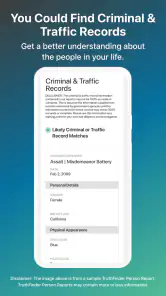
Another limitation is that no single lookup service should be my only source when the decision is serious. If I am considering employment, housing, personal safety, or a legal matter, I would use appropriate official or professional channels as well. TruthFinder can help me organize an initial search, but it should not replace procedures designed for high-stakes verification.
Privacy is another reason to be deliberate. Before entering someone’s name, phone number, or email, I would think about why I am doing it and whether the search is fair and necessary. I would not use the app to harass, expose, or pressure another person. A responsible workflow protects both the person being searched and the person making the decision.
Who will keep using it
I think the app is a good match for people who regularly encounter unknown contacts and want a more structured starting point than a general search engine. It may also suit users who are comfortable comparing clues and making cautious decisions rather than expecting a single definitive answer.
It is less suitable for someone who wants instant caller identification, a guaranteed current profile, or a completely free experience with no purchase considerations. A caller-focused tool may be better for quick spam screening, while an official source may be better for a formal background process. Someone who values direct communication above investigation may reasonably decide not to use this kind of app at all.
For families, online sellers, and people meeting new contacts, the useful question is not “What can I find?” but “What decision will this help me make?” That change in mindset prevents the app from becoming a source of unnecessary suspicion. It also makes the search faster because I know which details matter before I begin.
My long-term verdict on TruthFinder
TruthFinder Background Check earns a place on my phone only when I have a recurring reason to investigate unfamiliar names, numbers, or email addresses. Its first-week appeal is real: the flexible search inputs and focused presentation are more convenient than piecing together scattered results manually. The app can turn an uncertain contact into a more organized research task.
Its lasting value is narrower than the initial curiosity suggests. I would not open it every day, and I would not use it as a final authority about another person. The strongest long-term habit is occasional, purposeful use followed by independent judgment. That makes it a practical tool for certain situations rather than an essential companion for everyone.
The free installation lowers the barrier to testing the experience, while the paid items mean I would approach deeper results carefully. I would never pay simply because a search feels intriguing. I would pay only when the information could genuinely help with a decision and after considering whether a more direct or official alternative would be better.
Overall, I recommend it to readers who want a convenient starting point for background searches and understand the difference between a clue and proof. I would skip it if my main need is live caller protection, formal verification, or a completely predictable no-cost workflow. For the right user, it can remain useful long after the novelty fades, but that usefulness comes from disciplined, occasional searches—not from endlessly browsing profiles.
Pros
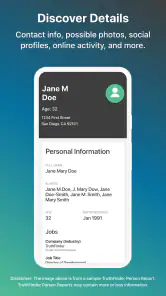
- Searches can reveal useful public-record details in one place.
- Reports may include aliases
- locations
- relatives
- and contact information.
- The interface is generally straightforward for users familiar with online searches.
- Can help verify information before meeting someone or making contact.
- Results may provide leads for further independent research.
Cons
- Full reports may require a paid subscription or additional fees.
- Information can be outdated
- incomplete
- or incorrectly matched.
- The service is intended for personal use
- not employment screening.
- Search results may vary considerably depending on available public records.
- Canceling a subscription may require careful attention to billing settings.

- Category
- Tools
- Version
- 1.35.16.5











