True Talk - Global Wifi Calls
- 809.00
- 3.9
- Installs
- 5.00M
- Price
- Free

Screenshots



Analysis by Reviewed
When I judge a calling app, I care less about bold promises than about whether it fits the way I actually make calls: who I need to reach, what connection I can rely on, and what I’m comfortable paying for. True Talk - Global Wifi Calls is a communication app from True Call Studio, aimed at people who want another way to place international calls. It is free to install, rated for Everyone, and has an average rating of 3.9 from around 14,000 ratings, with over 5 million installs. Those figures make it a familiar option to consider, but they don’t guarantee that every call will suit every situation.
Who will get the most from it
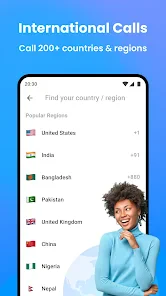
I see the clearest fit for someone who regularly calls people in other countries, has WiFi available at home or while traveling, and is comfortable keeping a separate calling app ready. It may be especially useful if the people you contact are not all gathered in one messaging platform. Before making it your main routine, though, I’d test the way it handles the people and numbers you actually need to reach.
It is a less natural choice if international calls are rare, your contacts already share a reliable calling app, or you need to be reachable where internet access is uncertain. In those cases, installing and learning another service can create more friction than it removes. I’d also avoid treating any WiFi calling option as an emergency fallback: the connection and the other person’s availability still matter.
What to expect from call speed
The app’s central appeal is calling through WiFi rather than treating an international call as an ordinary carrier call. That can be useful when you have a dependable internet connection, but I would not assume that WiFi alone guarantees a quick connection or consistently clear audio. The quality of a call depends on the connection at both ends, so a busy café network or an unstable home router can still get in the way. Before an important conversation, I’d try a short call first and check that the person I’m calling can hear me clearly.
For a better first test, I’d choose a time when neither person is rushing and keep the conversation short. That lets me check whether the call starts promptly, whether voices remain understandable, and whether a small delay makes it hard to talk naturally. If it is already difficult to follow a simple exchange, I would not assume that a longer call will improve on its own. I’d change the connection or use another method instead.
When calls compete with everyday use
A quick check-in with family abroad is a natural use for a service like this; a long, time-sensitive conversation calls for a little more preparation. If I were calling someone about travel plans, for example, I’d connect to WiFi, make sure the phone had a comfortable battery level, and avoid moving between networks mid-call. That simple routine helps separate an app issue from a weak connection and gives me a chance to switch to another calling method before the conversation matters.
There is a practical difference between a brief greeting and a call where both people need to make decisions together. A short check-in can tolerate a moment of delay; coordinating a pickup, discussing a changed itinerary, or explaining something complicated is less forgiving. In those situations, I’d keep a backup way to contact the person in mind and avoid starting the conversation while moving through areas with changing WiFi coverage.
You May Like

Clash of Clans Is Won Between the Battles

Android Auto Makes the Case for Quieter Car Software

MobiOffice: Transforming Mobile Productivity with Seamless Integration

EA SPORTS FC™ Mobile Soccer: Redefining Mobile Sports Gaming

How Microsoft OneDrive Became a Mobile Productivity Giant

How Google Translate Breaks Language Barriers Effortlessly
I also wouldn’t treat an internet-based call as a replacement for every phone call. If you need to reach someone urgently, or you know your connection is unreliable, a regular carrier call or another service you already trust may be the safer choice. The practical trade-off is convenience when WiFi is available versus dependence on a usable data connection.
Getting Started with True Talk
First impressions matter, right? So, when I first downloaded True Talk - Global Wifi Calls, I was genuinely impressed by its sleek and user-friendly interface. Setting it up was a breeze. The app guides you through every step, from signing up to making your first call. I found it super convenient that all I needed was a stable WiFi connection to get started.
Features That Stand Out
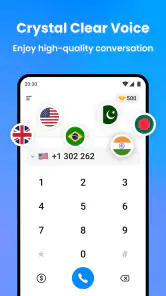
What truly sets True Talk apart are its unique features. The app supports HD voice calls, ensuring that the sound quality is crystal clear. I tried calling a friend halfway across the world, and it felt as if they were right next to me. Plus, the app offers a handy contact import feature, so syncing all your existing contacts is just a tap away.
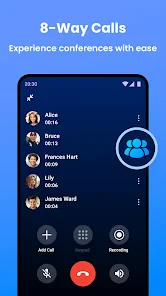
Another feature I loved was the call recording option. For someone who likes to keep track of important conversations, this is a godsend. You can easily record calls and access them later from the app itself.
Making the features work for you
Contact import can make calling people you already know more convenient, but I’d still check the recipient details before placing an international call. A saved contact is only useful if it points to the right person and number. For recording, I’d think about the other person’s expectations and local rules before turning it on; keeping a recording for your own reference is not automatically appropriate in every conversation. These are small checks, but they make the app’s practical features easier to use responsibly.
There is also a useful distinction between an app that helps organize a call and one that replaces every other way of reaching someone. True Talk’s internet-based approach makes most sense when the person you want to call is reachable through its calling setup and both sides have a workable connection. If your contacts already use a different calling service, staying with that shared option may involve less setup. If you need a conventional phone call with no dependence on WiFi, your carrier remains the more straightforward fallback.
How it compares with familiar calling options
Compared with a standard carrier call, True Talk’s appeal is that it gives international conversations another route when WiFi is available. A carrier call is simpler when you need ordinary phone reachability or have no usable internet, while an app your contacts already use can be easier when everyone is comfortable with the same service. I would choose based on the person I’m calling and the connection I can count on, rather than expecting one app to be best in every situation.
That choice also affects how I would use contact import. It is convenient when I want to find familiar people without rebuilding my address book, but importing contacts does not remove the need to confirm the intended recipient. For someone who calls only a small group, checking those entries once before relying on them can prevent a rushed mistake later. If the people I need are already easy to reach elsewhere, that existing workflow may still be the simplest one.
Staying Connected Anytime, Anywhere
One of the standout points of True Talk is its ability to keep you connected regardless of your location. Whether you’re at home, in a café, or traveling abroad, as long as you have WiFi, you're good to go. I tested the app in various environments, and the performance remained consistently strong. No more worrying about poor signal issues or hefty roaming fees.
Travel routines and connection recovery
For a realistic travel-day scenario, imagine arriving at a hotel and wanting to tell someone you reached your destination. I’d join the hotel WiFi, open the app, and make a brief check-in call before relying on it for a longer conversation. If audio becomes choppy, I’d first move somewhere with a steadier connection or pause until the network settles, rather than repeatedly redialing while the same problem persists. That approach is especially useful when traveling, where public WiFi can vary from one place to another.
If a call drops or the sound falters, I’d treat recovery as a sequence rather than tapping call again immediately: check whether WiFi is still connected, wait for the network to settle, then try a short reconnect. If the same trouble returns, I’d switch to a method that fits the urgency. This does not guarantee a fix, but it avoids wasting time repeating the same attempt on a connection that is still struggling.
True Talk is less compelling for someone who rarely makes international calls, dislikes setting up another communication app, or needs guaranteed reachability in places without WiFi. It is also worth remembering that “free” describes the app’s basic price, not necessarily every optional purchase: in-app items range from $0.99 to $19.99 each. I’d look at any purchase carefully before confirming it, particularly if my calling pattern is occasional and a familiar alternative already covers it.
Device fit and practical limits
The current version is 4.5.7, and the app supports Android 6.0 and later. That gives owners of many older Android phones a route to try it, though compatibility alone does not tell me how smoothly it will perform on a particular device. I’d keep the app updated and close other demanding tasks if a call is struggling, but I wouldn’t expect that to fix weak WiFi. The key constraint is usually the connection, not a promise that every phone or network will behave identically.
For a performance check, I would avoid judging the app from one call made while the phone is doing several demanding things or the network is crowded. I’d compare a brief call on a steady home connection with one in the place where I expect to use it most. That does not require special tools; it simply helps identify whether a problem follows the location, the connection, or the device. If the app behaves acceptably only under ideal conditions, I would keep it as a convenience rather than depend on it.
Older Android support can be helpful if you do not want to replace a working phone just to try an international calling option. At the same time, a minimum operating-system requirement is not a promise that every supported device will feel equally responsive. If calls are important, I’d leave enough battery for the conversation and avoid starting with a low-power, overloaded phone. Those habits reduce avoidable interruptions, even though they cannot compensate for a weak network.
For people deciding whether to install it, the useful questions are straightforward: do you make international calls often enough to justify another app, can you usually get stable WiFi, and are you comfortable with the app’s calling workflow and optional purchases? If the answers are yes, it is reasonable to test with a low-stakes call before depending on it. If not, a carrier call or the messaging and calling app your contacts already use may be simpler.
My Personal Experience
Using True Talk has been a game-changer for me. I travel quite a bit, and this app has saved me from the dreaded roaming charges. The connection is reliable, and I appreciate how the app is constantly updated with new features and improvements. It’s like having a tiny piece of home wherever I go, allowing me to stay in touch with loved ones without breaking the bank.
I would still make my travel routine depend on the kind of conversation. For a casual update after arriving, I would try the app first if WiFi is ready. For a time-sensitive call, I would make sure I had another way to reach the person before relying on a public network. That distinction keeps the convenience of an extra option without turning it into a single point of failure.
My performance verdict
True Talk’s strongest case is as an extra option for international conversations when a good WiFi connection is available. Its interface, contact import, and recording option give it practical appeal, while its reliance on internet access means I would not make it my only communication plan. I’d recommend trying it if you regularly call abroad and are willing to check the connection before important calls; if you need dependable service everywhere or prefer not to add another app, your usual calling method is likely the better fit.
For me, the deciding factor is not whether an app can make an international call in ideal conditions, but whether I have a sensible plan when conditions change. I’d keep True Talk available for conversations where WiFi is strong and its extra calling route is useful. I would not rely on it as the sole option for urgent contact, a journey through patchy coverage, or a conversation that cannot be interrupted. Used with that boundary in mind, its convenience is easier to appreciate honestly.
In conclusion, True Talk - Global Wifi Calls is more than just a calling app; it’s a lifeline for anyone looking to stay connected globally without the usual hassle. Its user-friendly design, robust features, and excellent call quality make it a must-have app for travelers and digital nomads. If you haven’t already, give it a try and experience seamless global communication like never before.
True Talk - Global Wifi Calls Frequently Asked Questions
Can I use True Talk - Global Wifi Calls to call people while I’m traveling?
True Talk is designed for internet-based calling, so it may be useful when you are away from home as long as you have WiFi or mobile data. Before relying on it while traveling, check that your connection is stable and that your data plan allows the usage you expect. Call quality can depend on the strength of that connection.
Will the person I call need to install True Talk too?
Whether the other person needs the app depends on the kind of call you want to make and how the service handles the destination. True Talk is described as an international phone call app, so it is intended to help users place calls beyond a typical app-to-app conversation. Check the available calling options in the app before you depend on it to reach a particular person.
Can I use True Talk - Global Wifi Calls on a tablet or a second device?
True Talk is a communication app for Android and iOS, and compatibility depends on the device’s operating system and how the app is offered for that device. For Android, the listed minimum is version 6.0. If you plan to use a tablet or another device, check its compatibility in the relevant app store and make sure you can access the account and calling features you need.
Does True Talk replace my regular phone service or phone number?
True Talk is designed for internet-based international calls, rather than as a complete replacement for every part of a mobile phone plan. It may offer another way to place calls when you have an internet connection, but your regular carrier can still be relevant for mobile service and other phone functions. Consider how you intend to call before treating it as your primary option.
Can I hide my caller ID when placing a call?
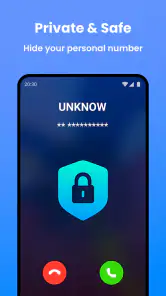
The app’s store summary highlights hiding the true caller ID as a feature. If caller ID privacy is important, review the app’s calling settings and any prompts before placing a call, since the behavior may depend on how the call is made and the destination. Do not assume a call is anonymous; use the feature thoughtfully and follow local rules and expectations.
Pros
- High-quality voice calls over WiFi.
- User-friendly interface and easy navigation.
- Low-cost international calling rates.
- Supports multiple languages.
- No hidden fees or charges.
Cons
- Requires stable internet connection.
- Limited features in free version.
- Occasional call drops in busy areas.
- Ads in the free version.
- Privacy concerns with data handling.

- Category
- Communication
- Version
- 4.5.7











