Trace Drawing-Sketch and Paint
- 90.00
- 4.7
- Installs
- 1.00M
- Price
- Free
Screenshots


Analysis by Reviewed
When I choose a phone drawing app, I first ask what I actually want it to do: teach me to observe shapes, help me get an outline onto paper, or give me a full digital-art workspace. Those goals overlap, but they are not the same. Trace Drawing-Sketch and Paint is most appealing when tracing is part of the plan, rather than when I want a mobile studio packed with controls. That distinction makes it easier to decide whether its approach suits you.
Getting Started with Trace Drawing
First things first, downloading and setting up Trace Drawing-Sketch and Paint is a breeze. Available for both Android and iOS, you can find it easily on your respective app store. Once installed, you're greeted with a simple yet intuitive interface that doesn’t overwhelm you with options. Instead, it invites you to start creating right away. The app’s design is user-friendly, ensuring that even beginners can navigate through it with ease.
What to Decide Before You Draw
Before choosing a tracing app, I’d think about where you want the finished image to go. If you want to practice proportions, make a quick sketch from a reference, or plan a simple design before drawing it on paper, a guided canvas can be useful. If you need precise control over every brush stroke or expect to revise a complex illustration repeatedly, a more specialized drawing program may be a better fit. The key question is whether a reference helps you begin or gets in the way of the way you prefer to work.
I would also consider how you like to draw on a phone. A finger is convenient for broad shapes and casual practice, but it can feel blunt when following a narrow contour. A stylus can make the physical motion easier to control, though it does not turn a phone into a large tablet. For a first test, choose a simple reference with a clear silhouette; a crowded image can make the tracing process feel harder than the app itself.
A Canvas for Everyone
One of the standout features of this app is its range of tools that cater to both budding artists and seasoned pros. Whether you're into sketching, painting, or doodling, it provides a plethora of brushes, colors, and textures to play with. The app supports layers, which is a big plus for those familiar with advanced illustration tools. You can easily add, delete, or rearrange layers, giving you the flexibility to tweak your artwork until it’s just right.
For a practical workflow, I’d separate the rough outline from later details whenever the layer controls allow it. Keeping those stages distinct makes it easier to adjust a wobbly contour without disturbing the rest of the sketch. It also gives you a useful checkpoint: hide or set aside the reference when you want to judge whether the drawing works on its own. That small bit of organization is more valuable than adding lots of detail too early.
Tracing Made Simple
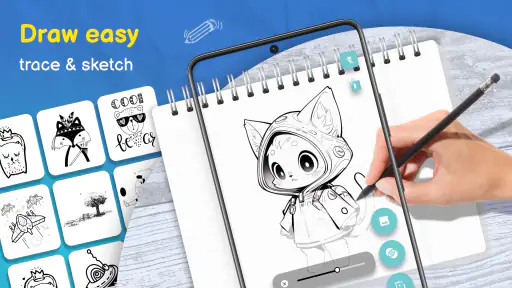
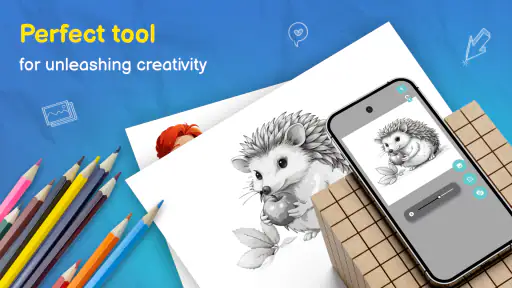
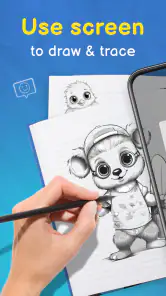
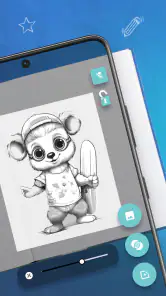
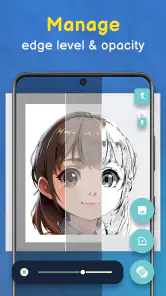
Now, the name might give it away, but one of the most exciting features is the tracing function. If you have an image you’d like to recreate, simply import it into the app, and you can start tracing over it. This feature is fantastic for learning the ropes of drawing or for creating intricate designs without having to start from scratch. It's like having a digital lightbox right on your phone!
More From Our News Desk

Clash of Clans Is Won Between the Battles

Android Auto Makes the Case for Quieter Car Software

MobiOffice: Transforming Mobile Productivity with Seamless Integration

EA SPORTS FC™ Mobile Soccer: Redefining Mobile Sports Gaming

How Microsoft OneDrive Became a Mobile Productivity Giant

How Google Translate Breaks Language Barriers Effortlessly
A useful everyday example is sketching a plant you want to draw on a card or in a notebook. I’d pick a clear photo, trace only the main stem and leaf shapes, and then put my own spin on the veins, colors, or background. That keeps the reference helpful without making the result feel like a mechanical copy. The same approach can work for a simple object you want to doodle during a break: use the image to get started, then make a few deliberate choices yourself.
Making Tracing a Useful Practice
Tracing works best as a starting point, not a substitute for learning to draw. I’d use it to study the large shapes in a reference image first, then put the reference aside and try drawing those shapes from memory. That small extra step helps turn a copied outline into practice with proportion and observation. For a quick everyday project, you could trace a simple leaf or a favorite object, then add your own color choices and details rather than trying to reproduce every mark exactly.
There is also a practical trade-off: tracing on a phone means your finger can cover the line you are following, and a small screen can make delicate curves harder to control. I’d zoom in for detailed sections, work from broad outlines toward smaller features, and avoid trying to perfect every edge in one pass. If you have a stylus, it may make controlled strokes more comfortable, but the app’s basic appeal is that you can begin with the phone you already have.
One habit that helps is to trace landmarks rather than every tiny edge. I’d mark the outer shape, the direction of the main lines, and a few defining details, then stop and look at the result at normal size. If the sketch reads clearly from a distance, extra tracing may not improve it. This keeps a short practice session focused and reduces the temptation to confuse accuracy with artistic progress.
Where It Fits Among Drawing Apps
Compared with a general sketching app, this one has a clearer purpose for someone who wants an image to guide their hand. A blank-canvas drawing tool may be a better choice if you want to build a composition entirely from imagination, while a desktop illustration program is usually a stronger fit for complex, precision-heavy work. I see this app as the middle ground: more directed than starting with an empty page, but still hands-on enough to let you make choices about the drawing.
The layers can help keep a reference and your own marks separate, which is useful when you want to change your sketch without losing the guide underneath. I’d keep the initial tracing loose on one layer and use another for a cleaner pass if the workflow allows it. That approach makes revisions less frustrating and helps you tell whether the drawing reads well without relying on the original image. It is a simple habit, but one that makes tracing feel more like a repeatable exercise than a one-off copy.
There is a trade-off between convenience and depth here. A phone-based tracing workflow is easy to pick up for a short sketch, but artists who depend on extensive project organization or very fine manual control may prefer a larger-screen tool. A standard blank-canvas app is also preferable when the reference is only inspiration and you want to compose freely from the first mark. I’d choose according to the job rather than expecting one app to replace every drawing tool.
Sharing Your Masterpieces
Once you've finished your artwork, sharing it with the world is just a tap away. The app integrates seamlessly with social media platforms, allowing you to showcase your creations to friends, family, and fellow artists. Plus, you can save your work in various formats, ensuring you have high-quality outputs ready for any use.
Before starting a piece you care about, I’d make a small test sketch and confirm that the saved result works for the way you plan to use it. That is especially sensible if you intend to continue editing elsewhere or share the image in a particular format. A quick check at the beginning prevents the frustration of finishing a drawing and only then discovering that your preferred next step does not fit the workflow.
Who Should Choose It—and Who Might Not
I’d recommend it to beginners who feel more confident with a visual guide, casual doodlers who want a focused activity, and anyone who likes turning a photo or reference into a personal sketch. It can also be handy for planning a design before moving to paper, provided you treat the traced version as a draft. If your main goal is professional illustration, intricate brush customization, or a workflow built around detailed editing, compare it with a more specialized art app before committing.
It may not suit someone who wants to learn entirely through freehand drawing, either. Tracing can be a useful scaffold, but relying on it for every exercise may leave less room to practice judging shapes unaided. I’d alternate guided sketches with drawings made from memory or observation. And if working on a small touchscreen already feels cramped, a larger drawing surface is likely to be a more comfortable choice than trying to force a phone workflow to fit.
One useful thing to consider before switching from another drawing tool is how much you rely on your existing habits. If you have carefully organized projects or a familiar brush setup elsewhere, recreating that workflow may take time. I’d try a small, disposable sketch first: import a reference, make a few marks, test how layers behave, and check that saving the result fits your needs. That tells you more than beginning with a project you care about.
Price, Compatibility, and a Sensible First Try
The app is free to download, with in-app purchases ranging from $0.99 to $99.99 per item, so I’d explore the basic drawing and tracing workflow before paying for anything. It is rated for Everyone, and version 3.1.0 supports Android 5.0 and newer. GeniusTools Labs is the developer. Its 4.7 average from around 13,000 ratings and over 1 million installs suggest that many people have tried it, though popularity alone cannot tell you whether its drawing style suits your hands or goals.
For a low-pressure test, choose a clear reference with a few large shapes rather than a busy photograph. Trace the outline, add one or two details, then save the result and see whether you enjoy the process. If you want a guided route into sketching, that is a more useful test than expecting the app to turn a first attempt into polished art. If you would rather draw freely with no reference, a blank-canvas alternative will likely feel more natural.
When deciding whether to keep using it, I’d judge the experience by how quickly I can move from opening a reference to making a mark, and whether the saved sketch is useful afterward. The free download makes that trial straightforward, but I would still avoid buying anything until I know which tools I actually use. A short, low-stakes drawing can answer the practical questions better than browsing options in advance.
Final Thoughts
In a world where digital art is becoming increasingly popular, this app stands out as a versatile and user-friendly option for artists of all levels. It’s not just about drawing; it’s about making the process enjoyable and accessible. Whether you're passing time or seriously looking to improve your skills, this app provides a platform for creativity to flourish. So go ahead, download it, and let your imagination run wild. You won’t be disappointed!
My recommendation is a little more specific: give it a try if tracing is the bridge that gets you drawing, and use the reference as a learning aid rather than a finish line. Skip it if you need a highly controlled production workspace or simply prefer building every image from a blank canvas. For the right person, its approachable tracing focus can make starting less intimidating and practice easier to fit into an ordinary day.
Trace Drawing-Sketch and Paint Frequently Asked Questions
Who develops Trace Drawing-Sketch and Paint?
Trace Drawing-Sketch and Paint is made by GeniusTools Labs and focuses on tracing images and creating sketches on a phone. If you are choosing a drawing app, the developer name can help you identify it in the app store and distinguish it from similarly named tracing tools. The app is listed in the Art & Design category.
What does Trace Drawing-Sketch and Paint help me do?
The app is centered on using images as guides while you sketch, making it a practical choice if you want to follow outlines rather than begin with a blank page. Its store description highlights tracing images and creating sketches on your phone. That approach can suit learners and hobbyists who want a visual starting point for drawing.
What devices and operating systems can I use Trace Drawing-Sketch and Paint on?
Trace Drawing-Sketch and Paint is an Android app for phones and tablets running Android 5.0 or later. Its phone-based tracing approach is intended to let you work with images on your device while sketching, so check that your Android version meets the minimum before downloading. The app is free to install, though some optional purchases are available within it.
Is Trace Drawing-Sketch and Paint suitable for children?
The app has an Everyone content rating, so it is classified as suitable for a general audience. Its tracing and sketching focus may appeal to children interested in drawing, as well as adults and hobbyists. As with any creative app, parents may want to explore its available tools and purchase options with younger users before letting them use it independently.
What is Trace Drawing-Sketch and Paint used for?
Trace Drawing-Sketch and Paint is an innovative app designed for artists and hobbyists who enjoy sketching and painting. It provides a unique platform where users can overlay images and trace them to create detailed and accurate sketches. Ideal for both beginners and experienced artists, the app offers various tools and features to enhance the creative process.
Pros
- Intuitive user interface for easy navigation.
- Wide variety of brushes and colors available.
- Supports multiple layers for complex designs.
- Regular updates with new features and tools.
- Seamless integration with cloud storage options.
Cons
- Requires a subscription for premium features.
- Occasional lag on older devices.
- Limited free version features.
- Ads can be intrusive at times.
- No offline mode available.

- Category
- Art & Design
- Version
- 3.1.0













