TopScan
- 305.00
- 3.1
- Installs
- 100.00K
- Price
- Free
Screenshots
Analysis by Reviewed
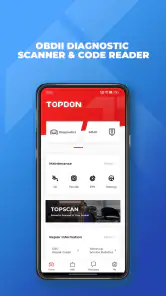
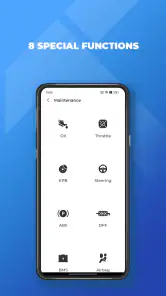
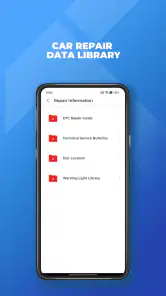
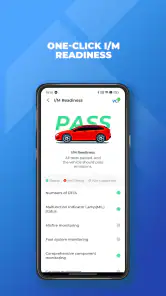
I approached TopScan as a practical car-diagnostic tool rather than a polished dashboard companion. Developed by TopDon, this free Android app is designed to work with an OBDII adapter and help a driver read vehicle fault information from a phone. That purpose makes it interesting for checking a warning light, preparing for a garage visit, or learning a little more about what a car is reporting before spending money on a diagnosis.
The important distinction is that TopScan is not a universal repair solution. It can put useful diagnostic information in your hands, but the value depends on the vehicle, the compatible hardware, the quality of the connection, and your ability to interpret what appears on screen. I found it most appealing for owners who want a first look at a problem, not for someone expecting a complete workshop replacement.
What TopScan feels like in everyday use
The app belongs to the Tools category, and that description fits it better than calling it a general automotive companion. Its central job is to communicate with a vehicle through the OBDII system. In a normal scenario, I would keep the phone and adapter ready in the car, connect the hardware to the diagnostic port, open the app, and use the scan results to decide whether the issue looks urgent or whether I should arrange a professional inspection.
That workflow is especially useful when a dashboard warning appears at an inconvenient time. Instead of guessing from the symbol alone, I could use TopScan to obtain a diagnostic code and record it before clearing anything or visiting a mechanic. A code does not automatically identify the failed part, but it gives the conversation a more concrete starting point. I would rather arrive at a garage with the exact code visible than describe a vague hesitation, noise, or warning light from memory.
The app is free to install, which lowers the barrier to trying it. It has passed the one-hundred-thousand-install mark and carries an average rating of 3.1 from roughly one thousand ratings, with more than three hundred written reviews. Those figures suggest a mixed experience rather than universal satisfaction. I would treat that as a reason to check compatibility and hardware requirements carefully before relying on it for an important trip.
TopScan is marked for Everyone, and its current release is version 6.40.100. It runs on Android seven or later, while the store summary specifically warns that it cannot support 32-bit cell phones. That warning matters more than the age label: an otherwise suitable phone may still be the wrong device if its architecture does not meet the app’s requirements.
Trust starts with knowing what the app is actually doing
For a diagnostic application, trust is not only about whether the interface looks professional. I also want to know when the app needs access to the vehicle, when it needs an account, and what decisions remain under my control. TopScan should be approached as a connection between three things: the phone, the adapter, and the car. If any one of those links is unsuitable, a failed scan may say more about the setup than the vehicle.
I would therefore test the arrangement while parked, with the ignition state recommended by the adapter instructions, rather than experimenting beside a busy road. I would also keep the phone charged and avoid treating a first successful connection as proof that every future scan will work. Bluetooth or other wireless communication can be affected by pairing problems, background restrictions, or a phone switching between accessories.
The most trustworthy habit is to save the original code before taking action. A code can disappear after a reset, and clearing it too quickly removes useful evidence for a technician. TopScan is more valuable when I use it as a record-keeping and decision-support tool, not as a button that makes an irritating warning vanish.
Account choices and visible user control
TopScan includes optional purchases ranging from $0.99 to $179.99 per item. That wide range makes it important to pay attention to the screen before confirming anything. I would not assume that installing the app unlocks every diagnostic capability, nor would I purchase an advanced option simply because a vehicle displays a serious-looking code. First I would identify the exact task I need, check whether the connected vehicle supports it, and then decide whether the cost makes sense compared with a professional scan.
This is one area where user agency matters. A free download can still lead to paid choices, so I would treat every upgrade prompt as a separate decision rather than part of the basic installation. If I only need to read a standard fault code once, paying for a broader package may be poor value. If I regularly maintain several compatible vehicles, the calculation could be different, but I would still confirm the supported functions before spending money.
I also prefer to keep diagnostic sessions deliberate. I would close the connection when finished, unplug the adapter if the vehicle or hardware instructions recommend doing so, and avoid leaving a phone paired indefinitely just for convenience. That is not a criticism unique to TopScan; it is simply a sensible way to keep control over a device that communicates with a car.
When reviewing an app through a privacy lens, I avoid assuming that a permission is harmless or intrusive without seeing the actual request and explanation. My practical advice is to read the Android permission prompts, account screens, and purchase confirmations as they appear on your own device. Grant only what is needed for the connection you intend to use, and revisit permissions later if you stop using the app. The visible choices on your phone are more useful than speculation about access the app may or may not request.
Where the diagnostic information helps most
The strongest everyday use case is triage. Imagine a check-engine light appearing before a weekend drive. I would connect TopScan at home, read the stored information, write down the code and any accompanying description, then decide whether the car should remain parked or whether it is reasonable to drive directly to a workshop. The app cannot replace judgment about smoke, overheating, braking problems, fluid loss, or severe engine behavior. Those symptoms deserve caution even if a scan looks relatively simple.
A second useful workflow is preparing for a service appointment. I could scan before visiting the mechanic, take screenshots or notes, and compare the result with the symptoms I noticed. If a workshop later recommends a repair, the earlier record gives me a better question to ask: does the proposed work address the reported system, and what testing confirms the diagnosis? TopScan does not settle that discussion, but it can make me a more informed participant.
A third use is checking a recently purchased used car, with limits. A scan may reveal active or stored diagnostic information that deserves investigation, but a clean result is not a guarantee of a healthy vehicle. Someone can clear codes before a sale, and many mechanical or cosmetic problems do not appear through a basic OBDII reading. I would use TopScan as one small part of a pre-purchase inspection, never as the only test.
There is also a subtle timing issue. Scanning immediately after a warning appears may capture useful context, while scanning after repeated resets may produce a less complete picture. My preference is to record the symptoms, driving conditions, and warning behavior before changing anything. That simple note-taking step often adds more value than repeatedly pressing scan.
What can make the experience frustrating
The first source of friction is compatibility. The app’s purpose does not mean every Android phone, adapter, or vehicle combination will behave identically. The 32-bit phone limitation is explicit, and the Android requirement rules out older devices. Even with a supported phone, the adapter must be appropriate for the intended functions, and the vehicle’s own diagnostic system determines what information is available.
I would also avoid confusing an OBDII code reader with a full manufacturer-level service system. A code can point toward a system or condition, but it may not identify the exact failed component. Some repairs require physical inspection, electrical testing, pressure checks, or manufacturer-specific equipment. If TopScan reports a sensor-related code, replacing that sensor immediately could be an expensive mistake when the real cause is wiring, a connector, a vacuum leak, or another related problem.
Connection reliability is another practical concern. If the app fails to communicate, I would check the adapter’s seating, phone compatibility, pairing state, ignition position, and battery condition before concluding that the car has no readable information. Repeating the same connection attempt without checking those basics wastes time. A short checklist is more effective than assuming the app itself is broken.
The mixed average rating also affects my expectations. I would not choose TopScan for a situation where a guaranteed, immediate diagnosis is essential. For a roadside emergency, a qualified mechanic or recovery service is the better option. For routine curiosity or preliminary checking, the app has a reasonable role, provided I understand its boundaries.
How it compares with the usual alternatives
The common alternative is a small standalone code reader. That device can be simpler: plug it in, read the code, and avoid phone pairing or app-account decisions. It may be the better choice for someone who wants a dedicated object in the glove compartment and does not want to manage software updates or wireless connections. TopScan’s advantage is convenience when I already have a compatible Android phone and want the results on a larger, more familiar screen.
Another alternative is a garage scan. Professional equipment and technician experience are much better when the problem is intermittent, safety-related, or difficult to interpret. A workshop can combine code information with live symptoms and physical testing. TopScan is cheaper to try because the app itself is free, but that does not make it equivalent to a professional diagnostic appointment.
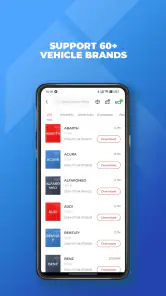
Some drivers may also prefer a vehicle-specific application or a manufacturer service tool. Those options can be more appropriate when the task involves advanced functions tied closely to one brand. TopScan makes more sense when the goal is broad OBDII-oriented checking and the user accepts that coverage and depth can vary by vehicle and adapter.
My practical comparison is simple: choose TopScan for accessible first-pass information, choose a basic reader for maximum simplicity, and choose a professional or manufacturer-level solution when the diagnosis affects safety, complex electronics, programming, or a costly repair. The right choice depends less on which interface looks nicer and more on how serious the problem is.
Small habits that improve the results
I would begin by identifying the car, adapter, and phone before starting the scan. Keep the vehicle stationary, follow the adapter’s connection instructions, and avoid launching several wireless accessories at once. If the app offers a choice between reading and clearing information, read and record first. That order protects the evidence you may need later.
When a code appears, I would write down three things: the code itself, the dashboard symptoms, and when the problem happened. For example, note whether the warning appeared during a cold start, acceleration, idling, or a long climb. That context helps a technician far more than a code copied without explanation, and it prevents me from treating the app’s result as a complete diagnosis.
I would also scan before and after a repair only when doing so is safe and appropriate. A post-repair scan can show whether the warning condition remains, but it should not be used to certify a repair without a proper road test or inspection. If the warning returns, the sensible next step is to investigate why rather than repeatedly clearing it.
Finally, I would keep paid features tied to a clear need. The in-app purchase range reaches from small optional items to much more substantial purchases, so the app deserves the same spending caution as any diagnostic equipment. A feature is worthwhile only if it is supported by the vehicle, useful for the problem at hand, and less expensive than the alternative you would otherwise choose.
Who should use it, and who should skip it
I think TopScan suits a technically curious driver, a careful used-car buyer, or someone who wants to arrive at a repair appointment with better information. It can also help a small vehicle owner keep basic diagnostic notes across recurring warning-light issues. Those users are likely to appreciate having a phone-based tool instead of a separate reader.
I would skip it if you use a 32-bit phone, dislike pairing accessories, or expect a single scan to name the exact part that needs replacement. I would also skip relying on it alone for braking, steering, overheating, fuel leaks, severe loss of power, or any symptom that makes continued driving questionable. In those cases, the limitation is not merely an app inconvenience; it is the risk of making a serious decision from incomplete information.
People who want advanced brand-specific service work should compare the required function with the capabilities of their vehicle and adapter before buying anything inside the app. The free installation is a convenient starting point, but it should not be mistaken for a promise that every car or every diagnostic operation will be available.
My cautious verdict
TopScan is a useful first layer between a warning light and a repair decision. I like the idea of having an OBDII tool on an Android phone, especially when the alternative is guessing or paying for a scan before knowing whether the issue is worth investigating. The app’s free entry point makes that experiment accessible, while the clear Android and 32-bit limitations give users important compatibility checks to make first.
Still, I would use it with restraint. The mixed 3.1 average tells me to expect uneven experiences, and the paid options mean I would inspect every purchase screen carefully. I would preserve codes, record symptoms, and treat results as clues rather than verdicts. That approach protects both my wallet and my car.
My recommendation is cautious but positive: TopScan is worth trying for preliminary OBDII checks if your phone, adapter, and vehicle are compatible. It is not the right substitute for a mechanic, a dedicated professional scanner, or urgent safety advice. Used as a way to gather information and ask better questions, it can earn a place in a careful driver’s toolkit; used as an automatic repair oracle, it will disappoint.
Pros
- Reads and clears many standard OBD-II trouble codes quickly.
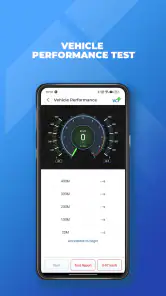
- Live sensor data helps monitor engine performance in real time.
- Guided tests make basic vehicle diagnostics easier for beginners.
- Can save diagnostic reports for sharing with a mechanic.
- Useful for checking a car before a purchase or long trip.
Cons
- Advanced functions may require a compatible paid subscription.
- Vehicle support varies by make
- model
- year
- and adapter.
- Some features need a stable Bluetooth connection to the scanner.
- Incorrect readings can lead to unnecessary repairs without expert advice.
- It cannot replace professional tools for complex electrical problems.
- Category
- Tools
- Version
- 6.40.100











