TODAY
- 990.00
- 3.6
- Installs
- 500.00K
- Price
- Free

Screenshots


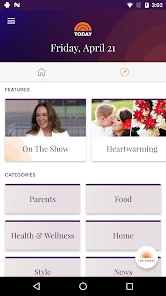


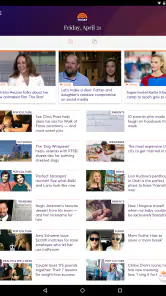
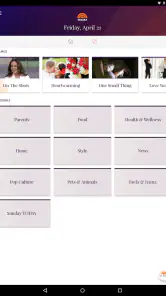

Analysis by Reviewed
When I want a quick sense of what people are talking about, I look for an app that can fit into an ordinary day rather than demand my full attention. TODAY is a free news and magazines app from NBC News Digital LLC, aimed at readers who want the TODAY brand on their phone. Its average rating is 3.6 from around 4,000 ratings, so it has an audience but also leaves room for mixed reactions. I’d treat it as a familiar daily destination, not an automatic replacement for every source I use.
Choose it for the kind of news habit you want
The key decision is whether you want a publication-centered experience or a broad news reader that pulls together many outlets. TODAY makes the most sense if you already enjoy its mix of news and lifestyle coverage and want to check in on that voice during the day. If your priority is comparing several publishers’ accounts of the same developing story, a multi-source news app or a set of direct publisher apps may suit you better.
That distinction matters more than the download decision. A focused app can make browsing feel less scattered, but it also means you are choosing one editorial destination for that visit. I’d use it for a regular catch-up, then look elsewhere when a story is important enough to warrant perspectives beyond one outlet.
What the TODAY app is like to use
The app belongs to the News & Magazines category and is rated Teen. It first appeared on July 25, 2013, and its current version is 2.1.4 for devices running Android 5.0 or later. It has passed 500,000 installs, and its 990 written reviews give prospective readers more context than the rating alone. Those numbers suggest it is an established option, though popularity by itself does not tell me whether its editorial mix will match your interests.
A familiar destination rather than an all-purpose feed
The store summary describes a way to keep up with TODAY throughout the day and from different places. In practical terms, I’d approach it as a companion for short, repeat visits: check in while having breakfast, return during a lunch break, or browse a topic when a headline catches your eye. That is a more useful expectation than treating it as a complete archive or a neutral dashboard for every source.
A small but helpful habit is to decide what you came to read before opening any news app. With a publication-specific destination, that can keep a quick visit from turning into aimless scrolling. I’d also save deeper reading for a moment when I can give it attention; a phone is convenient for staying aware, but it is not always the best place to assess a complicated issue in a hurry.
Where it fits into a normal day
Imagine checking the app on the commute before work, then reopening it over lunch to see what has changed. That routine suits someone who wants a familiar touchpoint without assembling a reading list from scratch each time. If I encountered a major public issue there, I would use TODAY to get oriented and then compare coverage from other established outlets before forming a strong opinion. That is not a knock on the app; it is a sensible way to read news wherever it comes from.
More From Our News Desk

Weather by Xiaomi Review: Clear at a Glance, Less Clear Up Close

X Under Pressure: Can It Recover When Posting Goes Wrong?

Clash of Clans Is Won Between the Battles

Android Auto Makes the Case for Quieter Car Software

MobiOffice: Transforming Mobile Productivity with Seamless Integration

EA SPORTS FC™ Mobile Soccer: Redefining Mobile Sports Gaming
The main trade-off is editorial range. A single brand can make a daily check-in feel coherent, while a news aggregator is more convenient when you want different publishers side by side. Direct visits to several publisher apps provide another route, but they take more effort to manage. I’d choose based on whether convenience, one familiar voice, or cross-source comparison matters most to me.
Small choices that make news reading more useful
One practical approach is to separate quick scanning from careful reading. Use a short visit to identify what deserves attention, then return to the relevant story when you have time to follow its context. This reduces the chance of mistaking a headline-only impression for a complete understanding, especially when news is changing quickly.
I’d also avoid making any one app my only news habit. A publication-focused app is useful for keeping up with its coverage, but it cannot provide the same range as deliberately checking multiple outlets. Readers who need a wide selection of local, international, business, or specialist reporting may be better served by a broader aggregator or by combining a few trusted sources. The best setup is the one that helps you check the news without confusing convenience with completeness.
Who should give it a try
TODAY is a reasonable choice if you already turn to the TODAY brand, prefer a direct publisher app over a crowded collection of sources, or want a straightforward way to make regular news check-ins part of your routine. It is free, which makes trying it a low-commitment decision. The Teen content rating is also worth noting for families deciding whether it is suitable for a younger reader; I would still make that judgment based on the individual and the material they plan to read.
I would skip it as my main news tool if I wanted a balanced comparison of publishers in one place, or if I rarely read TODAY’s coverage. In those cases, a multi-outlet reader or direct browsing across several publications is a better fit. The app is most useful when its editorial identity is a reason to open it, not merely because another news icon happens to be available.
What to expect before making it a habit
Switching from a general news feed to one publisher’s app is mostly a change in routine: you trade a broad mix for a more focused destination. Before making that switch permanent, I’d try using TODAY for a few ordinary check-ins and notice whether I naturally find the coverage I want. If I keep leaving to search elsewhere, that is a clear sign that a broader setup would serve me better.
There is no need to make the app an all-or-nothing choice. It can sit alongside other sources as a familiar place to begin, while more specialized or competing coverage fills gaps when needed. That approach is especially sensible for readers who want the convenience of one regular destination but do not want to rely on one editorial perspective for every subject.
What a useful trial looks like
I would give the app a fair test by tying it to one specific moment in my day rather than opening it whenever I reach for my phone. For example, I might check it after breakfast for a quick overview, then note whether I found stories I genuinely wanted to follow. A planned check-in makes it easier to judge the editorial fit; casual, repeated opening can make any feed feel busy without showing whether it is actually useful.
It also helps to separate the quality of a single article from the usefulness of the overall app. A story that interests me is a good reason to read, but it does not automatically mean the app meets every need I have. I’d look for a consistent reason to return: a familiar mix that suits my routine, an angle I value, or simply a convenient starting point. If none of those emerges, there is little benefit in forcing a habit.
When a second source matters
For routine updates and lighter browsing, one publication can be enough to keep me in the loop. For a consequential topic, though, I would treat the app as a first stop rather than the final word. I’d compare how another outlet frames the same issue, pay attention to what each account emphasizes, and look for the underlying details instead of relying only on a headline. That workflow is more deliberate than endlessly refreshing a broad feed, and it gives a focused app a useful role without asking it to be something it is not.
Readers who follow specialist subjects should be especially realistic about this boundary. A general-interest publication may be an easy place to notice that a subject is in the news, but someone who needs sustained coverage of a particular field may prefer a specialist publication or a carefully chosen set of sources. I would keep TODAY for broad daily awareness in that situation, not expect it to replace the reporting I seek elsewhere.
My recommendation
In the end, I’d recommend TODAY to readers who want a convenient way to follow the TODAY brand and are comfortable with a focused publisher experience. Its long-running presence and more than 500,000 installs make it an established option, while its 3.6 average rating is a reminder to judge the experience by your own reading needs rather than assuming it will suit everyone. For a broad, cross-publisher view, I’d choose an aggregator or combine direct sources instead.
If you are curious, install it as a trial of your daily reading routine rather than expecting it to solve every news need. Keep it if its coverage earns a regular place in your day; if you find yourself seeking other sources after every visit, let it remain one option among several. That is the fairest way to decide whether this particular app belongs on your home screen.
A note about the app’s identity
One caution is important before installing: the name alone is not a reliable guide to what an app does. This is a news and magazines app published by NBC News Digital LLC, so I would assess it as a place to follow the TODAY brand’s coverage, not as a personal journal or a general wellness tool. That distinction matters because apps can share familiar names while serving very different purposes, and a review should help you choose the right kind of product rather than blur those expectations.
For the same reason, I would make the first visit a simple check of whether the content and editorial voice suit me. If I came looking for reporting and everyday reading, I would judge it on those terms. If I wanted a gratitude diary, mood tracker, or a private place to record reflections, I would look for an app built specifically for that task instead. Matching the app to the job is a more useful test than being drawn in by a name or a broad promise.
Who may be better served elsewhere
Someone who wants a single screen that gathers headlines from many publishers may find a news aggregator more convenient. It can make comparison easier because different sources appear together, though that convenience does not remove the need to assess each story carefully. A reader who already knows which publications they trust might instead prefer visiting those sources directly; it takes more deliberate effort, but it allows them to choose their own mix rather than depend on one brand’s selection.
I would also hesitate to recommend a focused news app to anyone who is trying to avoid frequent exposure to current events. The sensible choice in that case may be a less frequent reading routine, not a different news feed. Decide how often you want to check in before installing, and use the app only as part of that plan. A familiar destination can make reading easier, but it cannot decide for you how much news is helpful.
For families, the Teen rating is a starting point, not a substitute for parental judgment. I would consider the younger reader’s maturity and the kinds of stories they are likely to encounter, then make a decision with those needs in mind. This is more practical than treating an age label as a complete description of every article or assuming that a general news app will be appropriate in exactly the same way for every teenager.
Making the switch without overcommitting
If I were replacing another app, I would not delete my existing reading sources on day one. I’d keep them available while I try TODAY for ordinary updates, then notice what I still reach for it to do. This makes the comparison concrete: does it give me a convenient entry point, do I miss having different publishers together, and am I repeatedly leaving to find a perspective or subject I need? The answers tell me more than an abstract comparison of app categories.
There is also a useful middle ground between a single-source routine and a crowded collection of feeds. I can use one focused publisher app as a familiar starting place, then deliberately consult another source when a story calls for a broader view. That keeps the routine manageable while avoiding the assumption that every outlet covers every subject in the way I personally need. For me, that is a sensible way to use a publication-centered app without expecting it to do the work of an entire reading system.
What I would judge after a week
After several normal check-ins, I would ask whether the app has made it easier to find something worth reading or whether it has simply added another place to browse. I would also notice if I reach for it at a natural point in the day, rather than opening it out of habit and leaving without having learned anything. Those are practical signals of fit, especially when the app’s value depends on whether its particular coverage is relevant to me.
I would not use a short trial to draw sweeping conclusions about the quality of news as a whole. Instead, I’d judge the narrower question: is this a useful way for me to follow the TODAY brand? If yes, it can earn a place alongside other sources. If not, there is no reason to keep it just because it is free or familiar. A good news routine should reflect what I read and how I want to read it, not the number of apps I have installed.
TODAY Frequently Asked Questions
What kind of app is TODAY, and who publishes it?
TODAY is a News & Magazines app from NBC News Digital LLC. Its store summary invites users to find more to love with TODAY, all day, any day, anywhere. The app is intended for Teen audiences, so it may be worth checking that rating before downloading it for a younger user.
What is TODAY and what does it offer?
TODAY is a comprehensive app designed to help users manage their daily tasks, appointments, and personal goals. It offers a user-friendly interface with features such as a calendar, to-do lists, reminders, and goal-setting tools. Additionally, it provides insights and analytics to help users track their progress over time, making it an ideal app for personal productivity and organization.
Can I sync TODAY with other devices and platforms?
Yes, TODAY is designed to be highly versatile and can be synced across multiple devices. It supports integration with popular platforms such as Google Calendar and Apple iCal, ensuring that your data is accessible whether you're on your phone, tablet, or computer. This cross-platform compatibility allows for seamless task management regardless of the device you are using.
Is TODAY suitable for team collaboration?
While TODAY is primarily designed for individual use, it does offer some features that can be beneficial for team collaboration. Users can share tasks and calendars with team members, allowing for improved communication and coordination. However, for extensive team projects, users might need to integrate TODAY with other dedicated team collaboration tools for enhanced functionality.
Does TODAY offer customization options?
Absolutely, TODAY offers a range of customization options to tailor the app to individual preferences. Users can customize themes, set personalized reminders, and organize their tasks using custom tags and categories. This level of customization ensures that the app can meet diverse needs, whether for personal or professional use, enhancing the overall user experience.
Pros
- User-friendly interface for easy navigation.
- Comprehensive news coverage globally.
- Personalized content based on interests.
- Real-time updates and notifications.
- High-quality multimedia content.
Cons
- Limited customization of news categories.
- Occasional ads may interrupt reading.
- Requires stable internet connection.
- Some features may need subscription.
- Battery consumption can be high.
- Category
- News & Magazines
- Version
- 2.1.4













