Temp Mail - Temporary Email
- 5.95K
- 4.5
- Installs
- 10.00M
- Price
- Free

Screenshots

Analysis by Reviewed
When a temporary address seems like the obvious fix, the part that can trip you up is what happens after you hand it over. A disposable inbox is useful only if you can still receive the message you need, so I treat Temp Mail - Temporary Email as a tool for low-stakes sign-ups, not as a replacement for an account I may need to recover later.
Where a disposable inbox can fall short
The main trade-off is continuity. If a site sends a confirmation code or a receipt to the temporary address, you need access to that inbox when the message arrives. I would not use it for banking, healthcare, work accounts, password recovery, or anything tied to purchases and identity; a lasting address you control is the safer choice for those. Some services may also reject disposable addresses, so having a normal email ready as a fallback can save time.
It helps to think about the next step before signing up. If the message is only needed to read a one-time link, a temporary address can keep marketing out of your regular inbox. If you might need to prove ownership months later, the convenience is not worth the uncertainty. That distinction is more useful than treating every registration as either safe or unsafe.
A quick setup check before you register
Privatix Limited’s communication app is free to install, and its current version is 4.09, with Android 8.0 or later required. The age rating is Everyone. I would open the app, copy the displayed address carefully, and paste it into the sign-up form rather than retyping it; then I would keep the app open until the expected message arrives. If a site asks for a verification code, check the inbox before requesting another one, since repeated requests can leave you unsure which message is current.
If nothing appears, first confirm that the address in the form matches the one shown in the app and that the site actually accepted it. Check again after a short wait, and use the site's resend option only if needed. If the service refuses the address or the message never arrives, switch to an email account you can keep. That is a practical recovery path, not a sign that every delay is an app problem.
Use it for short-lived tasks, not important accounts
A realistic use is grabbing a sample file or registering for a one-off download while keeping your personal address out of a marketing funnel. I would open the temporary inbox before submitting the form, retrieve the confirmation message, and finish the task while the address is still available. For a mailing list I genuinely want, a dedicated secondary inbox is usually better: it remains accessible and lets me unsubscribe or search old messages later.
Compared with ordinary email providers, Temp Mail removes much of the account setup and long-term inbox management, which is exactly why it is convenient for brief interactions. The flip side is that a disposable address is a poor fit for ongoing conversations, saved receipts, or account recovery. The app’s stated support for attachments can be handy when a one-time message includes a file, but I would still avoid opening unexpected attachments or relying on a temporary inbox to store anything important.
More From Our News Desk

Weather by Xiaomi Review: Clear at a Glance, Less Clear Up Close

X Under Pressure: Can It Recover When Posting Goes Wrong?

Clash of Clans Is Won Between the Battles

Android Auto Makes the Case for Quieter Car Software

MobiOffice: Transforming Mobile Productivity with Seamless Integration

EA SPORTS FC™ Mobile Soccer: Redefining Mobile Sports Gaming
Its listing shows an average rating of 4.5 from around 382,000 ratings, with over 10 million installs and about 6,000 written reviews. The app is free, while in-app purchases range from $1.99 to $59.99 per item. I would decide whether those purchases matter only after trying the basic workflow; the need for a disposable address does not automatically mean paid options are useful to me.
What is Temp Mail?
In a world where our emails are bombarded daily with unwanted newsletters and spammy offers, Temp Mail - Temporary Email provides a breath of fresh air. It’s a straightforward app designed to give users a temporary email address that self-destructs after a certain period. This means you can use it for those sketchy websites or one-time registrations without a second thought about future spam.
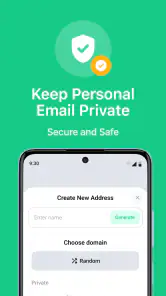
Easy Peasy Setup
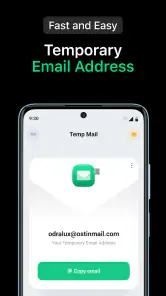
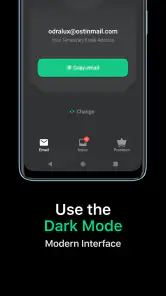
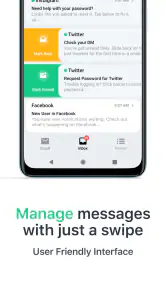
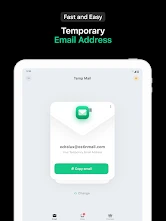
Getting started with Temp Mail is as easy as pie. Once you download and open the app, you’re instantly greeted with a temporary email address. No sign-up required, no complicated instructions—just a clean, simple interface that gets the job done. You can copy this email address with a single tap and start using it wherever you need.
Why Use Temp Mail?
Imagine you’re about to download a free e-book or access a one-time discount, but you’re hesitant because you know your email will end up on a marketing list. This is where Temp Mail shines. By using a temporary email, you can avoid the inevitable flood of promotional emails. Plus, the app automatically deletes emails after a certain time, keeping your information even more secure.
Features that Stand Out
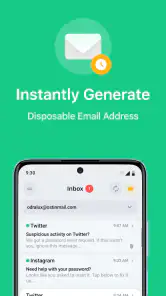
Temp Mail isn’t just about providing a temporary email. It’s loaded with features that make it a standout choice. From automatically refreshing your inbox to support for attachments, it’s equipped to handle more than just text emails. It also supports multiple languages, making it accessible for users worldwide. One of my favorite features is the ability to generate a new email address whenever you need it, ensuring your digital footprint stays minimal.
Temp Mail also ensures your privacy. Unlike regular email services, it doesn’t require any personal information, so you can rest easy knowing your identity is protected while using the app.
My Personal Take
As someone who values privacy and hates dealing with spam, Temp Mail is a fantastic tool in my digital arsenal. It’s perfect for those times when you need to provide an email address but want to dodge the follow-up spam. The app’s simplicity is its greatest strength, making it accessible to anyone who needs a temporary email solution.
In conclusion, if you’re tired of managing an overflowing inbox filled with junk, give Temp Mail a try. It’s the handy app you didn’t know you needed until you do. Whether you’re signing up for a new service, accessing a one-time deal, or just want to keep your personal email private, Temp Mail has got you covered.
Choose the right kind of inbox for the job
The choice is not simply between a disposable address and the personal inbox you use every day. I see three useful lanes: a temporary address for a one-off exchange, a separate regular inbox for subscriptions and repeat contact, and a primary address for accounts that matter. Keeping those lanes distinct makes the convenience more dependable. If I expect to return to a service, receive a later notice, or contact support, I choose an inbox I can maintain instead of trying to stretch a temporary one beyond its purpose.
This app is most useful when the email is a doorway rather than a destination. A download confirmation, a quick access link, or a trial registration that I do not intend to keep can fit that pattern. It is less suitable when the email address itself becomes part of the account’s security, or when a conversation may continue. That boundary is easy to overlook when a form only asks for an address, so I make the decision before I copy one.
A low-stakes sign-up, handled carefully
Here is the kind of everyday situation where I would reach for it: I find a guide I want to read, but the site requires an email before it will send access. I open the app first, copy the address, paste it into the form, and then return to the inbox to look for the message. Once I have the link and finish the download, I do not treat that address as a place to store the guide’s receipt or as a reliable route back into the site. If the material matters to me later, I save it somewhere I control and use a lasting address for any account I expect to revisit.
That sequence also avoids a small but common source of confusion: switching addresses mid-process. If a first attempt stalls, I check the address already submitted and the site’s response before generating or using another one. Starting over with a different address can leave the confirmation message in the first inbox while I am watching the second. Keeping one attempt together until it succeeds or clearly fails is a better recovery habit than repeatedly changing details.
What to check when a message is missing
A missing verification email does not immediately tell me which side is responsible. I check for a typing or copy error, make sure the website accepted the address, and give the inbox a little time to update. If there is a resend control, I use it deliberately rather than tapping it several times. When a new code arrives, I use the latest one and avoid mixing it up with an earlier message. If the service says it will not accept the address, there is little value in repeatedly submitting it; switching to a standard inbox is the sensible next step.
There is another practical check before blaming delivery: make sure the form did not silently retain an old address from a previous attempt. A pasted address can look correct in the app while the website field still contains something else if the paste did not take. I compare the text in the form with the address on screen before submitting. This takes seconds and is more useful than refreshing repeatedly when the original address was never sent correctly.
Privacy has limits, even with a disposable address
A temporary email can reduce the connection between a casual registration and my everyday inbox, but I do not confuse that with complete anonymity or guaranteed protection. I avoid putting sensitive details in messages sent to a disposable address and would not use it to receive identity documents, financial information, or private correspondence. I also think twice before opening an attachment simply because it arrived in the temporary inbox. The same basic caution I use with any unexpected email still applies.
It is also worth considering what happens if someone else later needs to reach me. A disposable address is not a good contact point for a booking, a purchase, a support case, or a service that may need to send a notice after the initial registration. For those situations, the risk is not just missing a code today; it is losing a useful message later. I would rather use a dedicated, persistent inbox and manage its messages than trade future access for a cleaner primary inbox.
How it compares with the usual alternatives
Against a conventional email provider, the appeal is less setup and less long-term inbox housekeeping for a brief task. A regular secondary account takes more effort to establish, but it is the better option for newsletters I want to keep, ongoing sign-ups, and messages I may need to find again. An email alias can be another practical middle ground when a provider offers one: it can separate incoming mail without making the address itself a disposable one. The right choice depends on whether I value short-term convenience or continuing access more.
Temp Mail is not a substitute for a password manager, a secure account recovery address, or a personal email provider. I use it as a narrow privacy convenience, not as the foundation of my online identity. If a website’s terms, verification process, or ongoing use depends on a stable contact address, I skip the disposable route. That is especially true for accounts that I would be upset to lose, even if the initial sign-up looks harmless.
Who will get the most from it
I would recommend it to someone who regularly encounters low-stakes registration forms and wants a quick way to keep those messages away from a main inbox. Its simple, immediate approach suits people who do not want to create and maintain another permanent email account for every short-lived interaction. With an average rating of 4.5, it has clearly found a large audience, though popularity does not change the need to choose the right use case.
I would tell people who rely on email for work, important purchases, account recovery, or long-running conversations to use a persistent address instead. The same goes for anyone who wants a dependable archive or needs to prove they can still receive messages from a service in the future. A temporary inbox is helpful precisely because it asks less of the user, but that convenience comes with less continuity. I would not recommend it as the only email option on a phone.
My practical verdict
For me, the strongest reason to keep this app around is that it makes a narrow task straightforward: provide an address for a brief interaction without adding the resulting messages to my everyday inbox. I would use it for a one-off link or download, keep the session focused, and move to a lasting inbox as soon as the relationship with the service becomes ongoing. That approach gets the benefit without pretending a disposable address can do every job regular email does.
Temp Mail is free to use, and it is rated for Everyone. I would try the basic workflow before considering any in-app purchases, since paying is not automatically worthwhile for an occasional sign-up. If you understand the limits, keep a normal address ready for services that reject disposable inboxes, and avoid using it for anything you may need to recover, it can be a handy communication tool. If dependable long-term access matters more than inbox separation, a regular secondary email is the better fit.
Temp Mail - Temporary Email Frequently Asked Questions
Can I use Temp Mail without creating a regular email account?
Temp Mail is built around providing a temporary disposable email address, so it can help when you want to give a website an address without using your everyday inbox. Its purpose is different from a conventional email account: it is intended for short-term use rather than maintaining an ongoing mailbox. Keep in mind that temporary addresses are not a good choice for accounts or messages you may need to access later.
Is Temp Mail available for both Android and iOS?
Temp Mail is an app in the Communication category, and its Android version requires Android 8.0 or later. If you are considering downloading it on a particular device, check the relevant app store for availability and compatibility before installing. The app’s main purpose is to provide a temporary disposable email address, so consider whether that short-term approach fits the way you plan to use email.
Does Temp Mail cost anything to download or use?
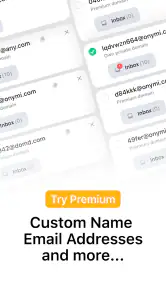
Temp Mail is free to download, so you can try its disposable email service without paying upfront. The app also offers in-app purchases, which may be relevant if you want access to paid options. Before making a purchase, check the details shown in the app and decide whether those features suit your needs; the basic idea is to keep your real inbox clean with a temporary address.
What is Temp Mail and how does it work?
Temp Mail is a service that provides users with temporary, disposable email addresses to help maintain privacy online. It works by generating a random email address that you can use for various online activities like signing up for newsletters, registering on websites, or verifying accounts without exposing your real email. The temporary email is active for a short period, after which it is automatically deleted, ensuring that your inbox remains uncluttered and your personal information protected.
Is Temp Mail safe and secure to use?
Temp Mail is designed to enhance user privacy by providing temporary email addresses that do not require any personal information to create. The emails received on these addresses are stored securely and are automatically deleted after a certain time, reducing the risk of data breaches. However, as with any online service, it is advisable to avoid using Temp Mail for sensitive communications or sharing personal details, as the service is temporary and publicly accessible.
Pros
- Easy setup without registration
- Provides anonymity and privacy
- Blocks spam effectively
- Free to use with no ads
- Generates new addresses instantly
Cons
- Emails are deleted after 1 hour
- Not suitable for important emails
- Limited customization options
- No recovery of deleted emails
- Limited to receiving emails only
- Category
- Communication
- Version
- 4.09











