Telesim IPTV Player
- 611.00
- 4.6
- Installs
- 100.00K
- Price
- Free

Screenshots
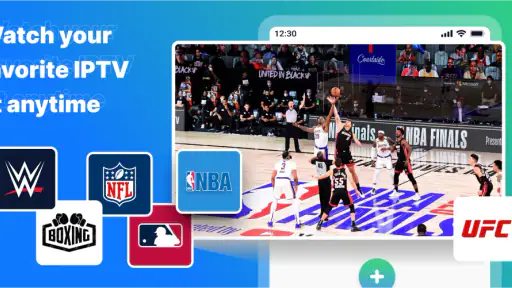
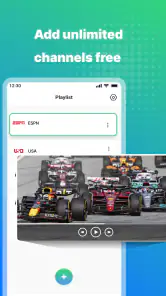
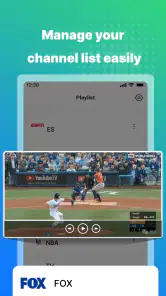
Analysis by Reviewed
Watching television through an IPTV provider often sounds easier than it feels. The provider gives you access, but you still need an Android player that can accept the service details, organize the available channels, and get out of the way when you simply want to watch something. That recurring gap is where Telesim IPTV Player tries to help. I found its appeal less in turning IPTV into a new entertainment service and more in making an existing subscription easier to use on a phone or tablet.
That distinction matters. This is a free Tools app from Finnci, not a replacement for an IPTV provider and not a source of television channels by itself. Its job is to act as the viewing layer between your provider and your Android device. If you already have legitimate IPTV access and are tired of switching between provider instructions, browser pages, or awkward generic players, the app has a clear reason to exist.
After spending time with it, my opinion is fairly straightforward: it is most useful for people who want a dedicated, uncomplicated place to watch their provider’s IPTV service. It is less convincing for someone expecting a complete television platform with its own catalog, recommendations, or content included. The difference between those two expectations will decide whether this feels practical or disappointing.
Where Telesim IPTV Player saves time
The real problem is usually the setup, not the screen
IPTV viewing can become surprisingly repetitive. You may have to remember which login method your provider uses, copy a long playlist address, move information from an email to a device, and repeat the process whenever you change phones. Even after that, a generic video app may not feel designed for channel browsing. The result is a lot of small interruptions before the actual viewing begins.
Telesim IPTV Player addresses that particular routine by giving the provider’s service a dedicated home on Android. I would not describe it as a magic fix for every IPTV issue, because playback still depends heavily on the provider, the connection, and the quality of the supplied stream. What it can do is reduce the number of separate tools involved. That is valuable when the goal is simply to open one app and reach the channels you already pay or subscribe to use.
The app’s store summary makes its role clear: it is intended for watching IPTV from your provider on an Android device. In practice, that means the first question is not “How many channels does this app have?” but “Does my provider give me access details that this player can use?” If the answer is yes, the player may remove a layer of needless complexity. If the answer is no, installing it will not create access where none exists.
What I would prepare before opening it
I recommend having your provider’s connection information ready before starting. Keep the username, password, playlist address, or other access details in a safe place, and check whether the provider gives specific instructions for Android players. This small preparation makes the first session much smoother than trying to search through messages while standing in front of the setup screen.
I also suggest testing the service on the same network where you normally watch. A player can only display what the provider sends, so a channel that fails may reflect an expired account, a busy server, a weak wireless signal, or an unavailable stream rather than a defect in the interface. Separating those possibilities early prevents a lot of unnecessary troubleshooting.
One useful habit is to begin with a few channels you actually watch instead of trying to inspect the entire service immediately. This gives you a quick sense of how responsive the list feels, whether your credentials work, and whether the connection is stable. It also avoids spending time organizing a large catalog before you know that the basic viewing path is reliable.
The first useful setup is deliberately modest
My preferred setup approach is to enter the provider information carefully, confirm that a familiar channel starts, and then leave the app alone for a few minutes. That simple test is more informative than immediately judging the whole catalog. If a channel loads consistently and switching feels reasonable, you have established that the essential workflow is working.
Copying access details instead of typing them is worth doing whenever possible. IPTV credentials and playlist addresses are easy to mistype, especially on a phone keyboard. A single missing character can look like an app failure. I would also avoid changing several settings at once during the first test. When something goes wrong, a simple setup makes the cause easier to identify.
There is a practical trade-off here. A dedicated player can save time after setup, but it does not remove the need to understand your provider’s instructions. Users who want a completely automatic installation may find this category of app less convenient than expected. Telesim IPTV Player is a tool for using an existing service, not a guided subscription marketplace that handles the whole relationship for you.
How I would use it during an ordinary day
Imagine coming home and wanting to check a live news channel while preparing dinner. The useful workflow is not browsing through several websites or opening a provider portal in a browser; it is launching the player, selecting the familiar channel, and leaving the phone or tablet nearby. That is a small scenario, but it captures the app’s strongest benefit: fewer steps between deciding to watch and actually watching.
It can also suit a tablet used as a second screen. Someone might keep a live channel running while working, cooking, or waiting for an appointment, without tying up the main television. The experience will naturally depend on the device and stream, but a dedicated Android player is more convenient for this than repeatedly navigating a mobile webpage.
For travel, the value is more conditional. If your provider permits access from the network and location you are using, having the service in one familiar app can be easier than rebuilding the setup in a browser. However, I would not treat it as a guarantee that every channel will work away from home. Provider restrictions, regional availability, and network quality remain outside the player’s control.
Another realistic use is helping a less technical family member. Once the account is configured, a single-purpose player is easier to explain than a chain of browser bookmarks, login pages, and instructions. I would still write down the provider’s support details separately, because a playback problem may require the provider rather than the app developer.
Where the friction is genuinely reduced
The biggest improvement is concentration. Instead of treating IPTV as a collection of links and credentials, the user gets one Android destination for the viewing task. That matters most when the service is used often. A small saving repeated every day becomes more meaningful than a flashy feature used once.
The app is also a better fit than a general video player when your main activity is moving through live television channels from a provider. General-purpose players can be excellent for local files or individual streams, but they may not offer the same sense of a television-oriented workflow. On the other hand, a provider’s own app may be better if it includes account management, support, recording, or content discovery that a neutral player does not provide.
This is why I would compare Telesim IPTV Player with the alternatives by responsibility rather than by feature count. A provider-branded app may offer a more controlled experience, but it can be tied to one service. A browser may require no additional player, but it is often less comfortable for repeated viewing. A generic media player may be flexible, yet less focused on channel use. Telesim sits between those choices: more dedicated than a browser, potentially more neutral than a provider app, and more purpose-built for IPTV than a basic media tool.
Small habits that make the experience better
First, keep a short note identifying which credentials belong to which provider. This sounds obvious, but households often have more than one service or change subscriptions over time. Clear labels prevent the common mistake of testing the wrong account and assuming the player is broken.
Second, test a channel at the time you normally watch it. A service that works during a quiet afternoon may behave differently when many subscribers are online. This is not a measurement of Telesim itself; it is a sensible way to judge whether the complete viewing arrangement suits your routine.
Third, use a stable home network for your first diagnosis. If playback stops, test another known channel before reinstalling anything. If several channels fail together, contact the provider or check the connection before blaming the player. This simple sequence can save more time than repeatedly clearing and rebuilding the app.
Fourth, avoid treating a large channel list as proof of quality. A long list can be difficult to navigate and may include channels you never use. The practical value comes from quickly reaching the few streams that matter to you. If your provider supplies an overwhelming catalog, spend a little time learning where your regular channels are rather than judging the app by the total size of the list.
What the app cannot solve for you
The most important limitation is that a player does not improve an unreliable provider. If a stream buffers, disappears, or shows poor picture quality at the source, changing players may not fix it. Telesim can be a cleaner way to access the service, but it cannot guarantee that every channel is online or that every stream is encoded well.
Internet quality is another unavoidable factor. Mobile data may be convenient, but live video can use a substantial amount of data and may be less consistent than a good home connection. I would be cautious about using it for long viewing sessions on a limited mobile plan. A player that is easy to open can make it easy to forget how much network capacity live television consumes.
There is also a learning curve for people unfamiliar with IPTV terminology. The app may be simple once the service is connected, but the initial information can still feel technical. Anyone who wants a traditional television experience with one account, one catalog, and no playlist or provider instructions may be happier with a mainstream streaming service or the provider’s own application.
Privacy and account safety deserve common-sense attention too. IPTV access details are sensitive, so I would only enter them on a device I control and keep them out of public notes or shared screenshots. The app’s free entry point makes it easy to try, but users should still understand what service they are connecting and who provides the channels.
Version, availability, and cost in practical terms
Telesim IPTV Player is currently listed as version 1.9.4 and works on Android 6.0 or later, which makes it accessible to many older devices as well as newer phones and tablets. That broad system compatibility is useful if you have a spare Android device you want to turn into a lightweight television screen rather than buying new hardware.
The app is free to install, and its content rating is Teen. There are in-app purchases listed from $2.49 to $259.99 per item, so I would not assume that every possible function or use case has no cost simply because the initial download is free. Before paying for anything, I would make sure the basic provider connection works and that the purchase is relevant to the way you intend to use the player.
Its public reception is encouraging without being a reason to skip personal testing: it has a 4.6 average from around 5.1 thousand ratings, with more than six hundred written reviews and over 100 thousand installs. Those figures suggest that many people find the concept useful, but IPTV experiences vary so much by provider and network that your own short trial remains more informative than popularity alone.
Who should choose it, and who should skip it
I would recommend trying it if you already have a legitimate IPTV provider, mainly watch on Android, and want to reduce the repeated effort of reaching live channels. It is particularly sensible for someone who uses the same service every day, keeps a tablet as a secondary screen, or wants a simpler handoff to a family member after the initial setup.
I would skip it if you are looking for channels included with the app, a replacement for a paid television subscription, or a full streaming service with original programming and polished discovery. I would also look elsewhere if your provider has a strong official Android app that includes support and account tools you regularly need. In that situation, the official option may be worth the extra lock-in.
For advanced users who enjoy configuring individual streams and switching between several playback tools, a more flexible media player may offer better control. Telesim’s appeal is not endless experimentation; it is reducing the distance between an existing IPTV account and everyday viewing. That focus is a strength for some people and a limitation for others.
My final take after using it
Telesim IPTV Player is best judged by the minutes it removes from a repeated routine. It does not need to reinvent television to be useful. When the provider details are correct and the stream is dependable, the app gives Android users a dedicated route to their existing IPTV service and avoids the awkwardness of relying on scattered browser pages or unsuitable general players.
My recommendation is to approach it as a practical front end, not as a content provider. Prepare the access information, test a familiar channel on your normal network, and judge the experience by how quickly you can return to the channels you actually watch. If that path becomes simpler, the app has done its job.
There are still reasons to be cautious: provider reliability remains decisive, setup can feel technical for beginners, mobile data may not be ideal for long sessions, and the presence of in-app purchases means the free download should not be confused with an unlimited promise. Even with those qualifications, I think it is a worthwhile option for Android users whose main frustration is not finding television, but repeatedly getting to the IPTV service they already have.
In short, I would recommend giving it a focused trial rather than installing it with broad expectations. For the right provider and routine, Finnci’s player can turn a fiddly daily process into a straightforward one. For everyone else, especially those wanting a complete all-in-one streaming experience, a provider-owned app or conventional streaming platform will probably be the better fit.
Pros
- Clean interface makes channel navigation quick and straightforward.
- Supports multiple playlists
- making it useful for managing different IPTV services.
- Playback starts quickly when the playlist and connection are reliable.
- Works well on larger screens with a compatible remote or casting setup.
- Offers a convenient way to organize live TV content in one place.
Cons
- It does not provide TV channels or subscriptions by itself.
- Playback quality depends heavily on the IPTV provider and internet speed.
- Some playlists may require manual setup and technical configuration.
- Compatibility can vary between streams
- formats
- and individual devices.
- Features may feel limited compared with full-featured IPTV platforms.

- Category
- Tools
- Version
- 1.9.4











