Tasker
- 6.83K
- 4.1
- Installs
- 1.00M
- Price
- $4.49

Screenshots
Analysis by Reviewed
Ever wished your smartphone could do more on its own without you having to lift a finger? Well, that’s where Tasker comes into play. This app is like having a personal assistant who’s always on the ball, ready to automate your daily tasks without any fuss. It’s available on Android, and let me tell you, it’s a game-changer.
What is Tasker?
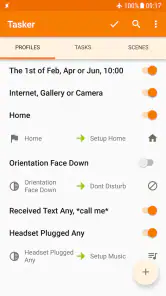
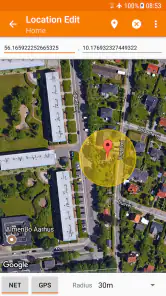
In simple terms, Tasker is an automation app that lets you create custom tasks that your phone will carry out automatically. Think of it as setting up a series of actions that will be executed based on certain triggers. For instance, you can have your phone switch to silent mode when you arrive at work, or send a text message to your loved ones when you leave a specific location. The possibilities are endless!
How Does It Work?
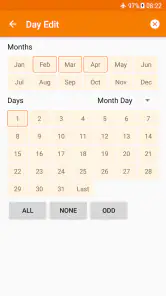
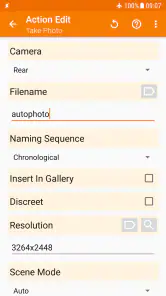
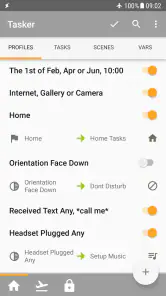
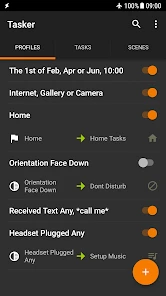
Setting up Tasker might seem a bit intimidating at first, but once you get the hang of it, you’ll wonder how you ever lived without it. The app uses a fairly straightforward process: you create a profile, define a set of conditions or triggers, and then decide what actions you want Tasker to perform when those conditions are met.
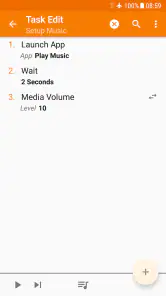
Say you want your phone to start playing music as soon as you connect your headphones. You’d create a profile for the headphones being plugged in, and then set the action to open your favorite music app and start playing tunes. It’s that simple!
Why You’ll Love It
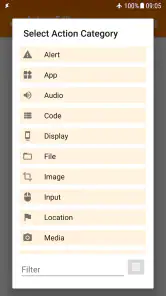
The beauty of Tasker lies in its versatility. Whether you’re a tech wizard looking to automate complex tasks or a newbie wanting to simplify your life, Tasker has something for you. The app supports over 200 actions, covering everything from connectivity to notifications, and even system settings. Plus, with plugins, you can expand its capabilities even further.
One of the standout features is its ability to create custom user interfaces with its scene functionality. This means you can design your own overlays and control panels tailored to your preferences, giving you a truly personalized experience.
Getting Started
Now, if you’re thinking about giving Tasker a whirl, here’s a quick tip: start simple. Don’t dive into creating complex tasks right off the bat. Begin with a few basic automations, like setting your phone to silent during meetings or turning on Wi-Fi when you arrive home. As you become more comfortable, you can explore more intricate setups.
And hey, if you ever find yourself stuck, the Tasker community is incredibly helpful. There are tons of forums and tutorials out there to guide you through any hurdles you might encounter.
Final Thoughts
In a world where time is of the essence, an app like Tasker is invaluable. It not only saves you time but also enhances your smartphone experience by making it more intuitive and responsive to your needs. Sure, there’s a bit of a learning curve, but once you’re past that, you’ll be automating tasks like a pro. So go ahead, give Tasker a shot and see how it can simplify your life. You might just find it’s exactly what you’ve been missing.
Pros
- Highly customizable automation tool
- Supports a wide range of plugins
- No root needed for most features
- Active user community for support
- Saves time with automated tasks
Cons
- Steep learning curve for beginners
- UI can be overwhelming at first
- Some features need root access
- Limited customer support
- Battery drain on extensive use

- Category
- Tools
- Version
- 6.5.11











