Talkatone: Texting & Calling
- 61.18K
- 3.4
- Installs
- 10.00M
- Price
- Free

Screenshots

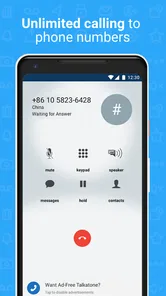
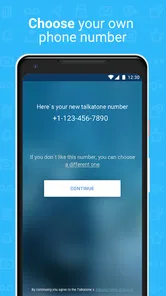
Analysis by Reviewed
Before relying on a second phone number, I’d decide what job I need it to do: occasional calls, a separate contact for sign-ups, or a way to reach someone when my usual service is unavailable. Talkatone makes most sense as a flexible extra line, not as a guaranteed replacement for a carrier plan. That distinction helps set expectations: the app can connect through an internet connection, but the quality of that connection still matters.
What to expect from an internet-based line
Talkatone is a communication app from Talkatone, Llc. It is free to install, rated for Everyone, and its current version is 10.0.0. It has a 3.8 average from around 194,000 ratings, with over 10 million installs. Those figures suggest a widely tried app, but I would still test it in the places where I expect to use it rather than assume it will work like a regular mobile line everywhere.
The key trade-off is straightforward: a Wi-Fi connection can help when cellular coverage is poor, but a weak or congested network can make a call less dependable. I’d treat it as a useful second route for everyday contact, while keeping my normal number or another reliable option available for time-sensitive calls. If a conversation is important, I’d also send a short test message first so I know the other person can reach the app number.
Making the first setup less confusing
The published article describes signing up with an email and receiving a US phone number. For a first-time user, I’d have a stable internet connection ready and choose a number I’m comfortable sharing for the intended purpose. If I’m using it to keep my personal number private, I’d give the Talkatone number only to the people or services for which that separation is useful. A second number is a boundary, not a promise of complete anonymity.
Before depending on the number, I’d check that I can place a call and send a text while connected to the network I plan to use most. This small test is more useful than waiting until I’m away from home or trying to contact someone urgently. It also gives me a chance to explain to a contact that the call is coming through an app, so an unfamiliar number doesn’t look suspicious.
A practical first success
A simple first use is messaging a friend who already expects to hear from me. I can send a brief text, confirm it arrives, then try a short call. That verifies the two actions I’m most likely to need without turning setup into a project. For a traveler, the same routine before leaving a hotel or home can reveal whether the available Wi-Fi is good enough for a conversation.
There is also a useful workflow for people who want to separate casual contacts from their main number: share the app number for a temporary interaction, then keep personal conversations on the usual line. I would avoid using a secondary number as the only route for urgent, work-critical, or account-recovery messages unless I have confirmed that the relevant person or service accepts it.
More From Our News Desk

 Lark Player:Music Player & MP3
Switching to Lark Player: A Better Fit for Music Stored on Your Phone?
Lark Player makes sense if your music already lives on your phone. Here is what changes, what does not transfer by assumption, and how to test the switch without regret.

 Tile Master® - Matching Game
Tile Master Finds Its Place in the Gaps of a Noisy Phone
OS changes rarely transform a tile puzzle, but they reshape the small rituals around it. Tile Master’s appeal lies in how well its brief, tactile rounds fit the modern phone.

 Google Docs
 Shows What Mobile Writing Still Gets Wrong
Google Docs still makes a strong case for the shared document, but its real significance is how it exposes the gap between cloud convenience and genuinely capable mobile work.

 YouTube Studio
 Is Becoming a Creator’s Daily Control Room
As publishing turns into a daily, data-led habit, YouTube Studio is becoming the control room creators reach for between uploads—not another tool for making videos.

 Tiles Hop Music & Ball Game
Tiles Hop Review: When the Beat Is Clear, Every Miss Counts
Tiles Hop turns a simple bouncing-ball premise into a sharp test of timing. Its best design is immediate and readable; its weakest moments come when recovery feels less clear than the beat.

 Piano - Music Keyboard & Tiles
: Inviting Rhythm, Unproven Recovery
A tile-tapping piano game lives or dies by timing. This resilience-focused review separates what its format promises from what players still need to verify.
Latest News



Why Talkatone is Worth Your Attention
So, what's the big deal about Talkatone: Texting & Calling? First off, it’s all about staying connected without boundaries. With this app, you can make free calls and texts using Wi-Fi or mobile data. I mean, who doesn’t love free stuff, right? It's like having a backup plan for when your traditional phone service decides to take a nap.
Setup and User Experience
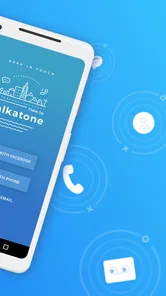
Getting started with Talkatone is a breeze. I downloaded the app from the Play Store (yep, it’s available for iOS too), and the installation process was quick and painless. Once you open it up, you're greeted with a clean and intuitive interface. It's not cluttered with unnecessary features, which is refreshing. You just sign up with your email, and voila, you're assigned a free US phone number. Perfect for those moments when you need to give out a number but want to keep your personal one private.
Features That Stand Out
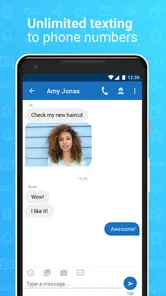
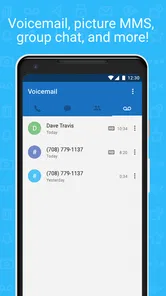
One of the coolest aspects of Talkatone is its versatility. Not only can you text and call, but you can also send picture messages. It’s like having your own mini telecom service in your pocket. The call quality is surprisingly good for a VoIP app, and texts go through without a hitch. Plus, you can earn credits to make international calls by watching ads or purchasing them, which is a nice touch if you’re trying to keep your costs down.
Talkatone also keeps things secure by not sharing your actual phone number. It's a great way to keep your identity safe, especially when communicating with strangers or using public Wi-Fi networks.
Is It All Smooth Sailing?
Now, no app is perfect, and Talkatone does have its quirks. Occasionally, the call quality can take a dip if your internet connection is unstable. But hey, it’s free, right? Sometimes you get what you pay for, and a little hiccup here and there is a small price to pay for the convenience it offers.
Another thing to keep in mind is the ads. They’re not too intrusive, but they are present. You can opt for a premium version to remove them if they really bug you. Personally, I didn’t find them to be a deal-breaker.
Choosing it for the right reasons
I’d recommend Talkatone to someone who wants a spare way to contact friends, keep a casual marketplace conversation away from a personal number, or message while connected to Wi-Fi during a trip. For example, if I’m staying with relatives and my carrier signal is unreliable, I can use the home network to send a picture or arrange a pickup. The practical win is having another route ready before I need it, not expecting the app to rescue every dropped connection.
Compared with standard messaging apps, Talkatone’s appeal is that it gives you a phone number and supports calling and texting rather than requiring every contact to use the same chat service. That can make it more convenient for people who prefer ordinary calls and texts. A familiar messaging app may be the better choice for an established group chat or when everyone already uses it; a carrier line is the safer primary option when consistent reachability matters more than having a separate number.
Costs, limits, and a sensible next step
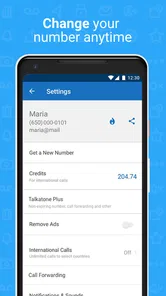
The app itself is free, though in-app purchases range from $0.99 to $14.99 per item. Since international calling credits and optional paid choices can affect what you spend, I’d check the in-app price before making a purchase and start with the free functions to see whether they cover my needs. The ad-supported approach is a real trade-off: it keeps basic use accessible, but anyone who wants an uninterrupted experience may find the ads irritating.
I would skip Talkatone if I need a dependable emergency line, want every contact to reach me without an internet connection, or dislike managing a separate app number. I’d also be cautious about making it the sole number attached to important accounts. For a first week, I’d use it for low-stakes calls and texts, notice which Wi-Fi networks give clear calls, and decide whether the extra number earns a permanent place in my routine. The app was released on February 21, 2012, and its long-running presence does not remove the need to judge it by how well it works on my own connection.
Keeping a second line organized
The best way I’ve found to make a second number useful is to give it a narrow, memorable purpose. For instance, I might reserve it for a neighborhood sale, a short-term project, or arranging a delivery, while keeping family and close friends on my usual number. That simple rule helps me recognize why someone is contacting me and avoids turning two inboxes into a confusing jumble. If the app becomes part of my routine, I’d also tell regular contacts which number to use for casual messages and which one is best for anything time-sensitive.
For a marketplace exchange, the workflow is practical: use the app number in the listing conversation, agree on a meeting place and time, and send a quick confirmation before setting out. If the other person stops responding, I still have my main number for personal contacts rather than having exposed it to a stranger. I would not treat this as a security guarantee; it is simply a way to limit how widely I share my everyday contact details.
Choosing the right network and expectations
Wi-Fi calling is most useful when the network is stable, not merely when a Wi-Fi symbol appears on the screen. At a busy café, hotel, or shared home, several people may be using the same connection, so I’d avoid judging the app from one brief call in a crowded moment. I’d test from the room or spot where I expect to use it, and keep a text as a fallback if a voice conversation becomes choppy. A short, low-stakes trial gives a more realistic answer than assuming every connection behaves the same.
There’s a useful distinction between having an internet connection and having a dependable phone service. Talkatone can be a sensible way to reach someone when Wi-Fi or mobile data is available, but it cannot make an unavailable network available. If I’m heading somewhere with uncertain connectivity, I’d tell the person I’m meeting how to reach me through my regular line as well, or make plans before I leave. That small bit of planning matters more than expecting an app-based number to work in every location.
Who benefits most, and who may prefer another option
I see the strongest fit for someone who wants to keep a personal number out of casual exchanges, has reliable Wi-Fi at home or work, or needs a separate way to make ordinary calls and send texts. It can also suit a traveler who wants to contact people over an available internet connection without handing every new acquaintance a primary number. The appeal is less about replacing a phone plan and more about having a separate channel that is convenient when its conditions are right.
On the other hand, I’d choose a carrier line as my main contact if I need predictable reachability while away from Wi-Fi, and I’d lean toward a group messaging service if my friends already coordinate there and rely on its shared conversations. Someone who dislikes ads, doesn’t want to keep track of another number, or expects a second line to receive every verification text should think carefully before making Talkatone central to their routine. It works best when the user’s expectations match its internet-dependent design.
What I would check before paying
Basic use is free, so I’d first decide whether calls and messages over my usual connections solve the problem. If I’m considering an in-app purchase, I’d pause at the purchase screen, read what that particular item provides, and compare it with how often I actually expect to call internationally or use paid options. The available in-app items range from $0.99 to $14.99, but that range alone does not tell me which purchase is worthwhile; my own calling pattern should make that decision.
I’d also make a small habit of checking whether the other person can respond to the number before using it for a longer conversation. That is especially helpful when contacting a business or a service that may treat app-based numbers differently from a conventional mobile number. If a message does not arrive as expected, I’d switch to another contact route rather than repeatedly sending the same text and assuming the recipient has seen it.
Settling into a useful routine
After the first successful test, I’d keep the app for a few ordinary tasks instead of immediately moving every contact over. A quick picture message to someone I know, a short call from my home Wi-Fi, and a casual exchange using the separate number are enough to show whether it fits my habits. I’d notice where calls are clear, where they are not, and whether the ads or extra inbox create enough friction to outweigh the convenience. That is a better basis for deciding than installing it only during a moment of poor coverage.
For a first-time user, the reassuring part is that there is no need to make the app your main phone service on day one. I can start with one trusted contact, confirm that texting and calling work on my connection, and then decide what kinds of conversations belong on the second line. If it saves me from sharing my personal number in a few everyday situations, it has a clear role; if I need universal availability, a conventional mobile plan or a messaging app my contacts already use is likely the better fit.
Final Thoughts
All in all, Talkatone: Texting & Calling is a solid app for anyone looking to stay connected without breaking the bank. It’s perfect for frequent travelers, budget-conscious users, or anyone who wants an extra layer of privacy. While it has its minor downsides, the upsides far outweigh them. Give it a shot, and you might just find it becomes your go-to communication tool!
Talkatone: Texting & Calling Frequently Asked Questions
Does Talkatone need an internet connection to make calls and send texts?
Yes. Talkatone uses Wi-Fi or mobile data for calls and texts, so it is not a substitute for a connection to the internet. The app’s description highlights connecting with others over Wi-Fi, which can be useful when cellular coverage is limited. For a smoother experience, use a reliable connection; a weak or inconsistent signal can affect call quality and message delivery.
Can I use Talkatone to contact people who do not have the app?
Talkatone is intended for calling and texting phone numbers, rather than only connecting users inside the app. Its description promotes contacting people over an internet connection, and the existing calling and texting options include U.S. numbers. The person you contact does not necessarily need to use Talkatone, though your ability to reach a number can depend on the type of call and any applicable paid features.
Is Talkatone suitable for travel or for a tablet without cellular service?
It can be a practical option when you have Wi-Fi or mobile data available. Talkatone’s internet-based calling and texting can help travelers stay in touch without relying on a traditional cellular connection, and a SIM card is not required when using Wi-Fi. Remember that an internet connection is still necessary, and international calling may involve charges, so check the app’s options before relying on it abroad.
What should I check before creating an account or giving Talkatone permissions?
Before getting started, consider what information and device access the app requests during setup, and review its privacy policy so you understand how your information is handled. Talkatone assigns users a U.S. phone number, which can help keep a personal number private when communicating. As with any communication app, use a strong account password and grant only permissions that make sense for the features you plan to use.
Is Talkatone compatible with my device?
Talkatone is available for Android and iOS users, and its listed minimum operating system requirement is version 6.0. Before downloading, check that your device runs a compatible system version and has enough space for the app. Talkatone is a communication app designed for calls and texts over an internet connection, so you will also need Wi-Fi or mobile data to use those features.
Pros
- Free text and calls with WiFi.
- Easy-to-use interface.
- Supports international calls.
- No SIM required.
- Offers group chat functionality.
Cons
- Ads in free version.
- Limited call minutes in free plan.
- Occasional app crashes.
- Requires internet connection.
- Not available in all countries.