Talk360: International Calling
- 1.15K
- 4.4
- Installs
- 5.00M
- Price
- Free

Screenshots


Analysis by Reviewed
When I need to reach someone abroad, the first question is whether they can take an internet call or need an ordinary phone call. That small distinction changes the best tool for the job. Talk360: International Calling is built for the second situation: it lets me call international mobile and landline numbers without arranging an eSIM or asking the other person to install the same calling app. That makes it useful for a very particular kind of connection, rather than a replacement for every messaging and calling service.
Start with the person you need to reach
A practical example is arriving in another country and needing to call a family member who uses a basic mobile phone, or contacting a hotel or office on a landline. If both people already use an internet-calling app and have data, that may be simpler. But when the recipient is offline, unfamiliar with apps, or reachable only through a regular number, Talk360’s approach makes more sense. I’d choose the method based on the person on the other end, not just on what is installed on my phone.
Talk360 is a free communication app from Talk360 Group B.V., and it has been available since Nov 18, 2013. It has a 4.4 average from around 40,000 ratings and more than 5 million installs. Those figures suggest it has found a substantial audience, but I’d still judge it by whether its calling model fits my own destinations and habits. The app is rated for Everyone, and its current version is 8.27.1, with Android 6.0 or later required.
Getting Started with Talk360
First things first, downloading Talk360 is a breeze. Available on both Android and iOS, it’s just a matter of a few taps and you’re good to go. Once you’ve got it installed, setting up is straightforward. You just sign up using your mobile number and, voila, you're ready to start calling over 196 countries. No need for a new SIM card or a new number, which is a huge plus!
User Experience
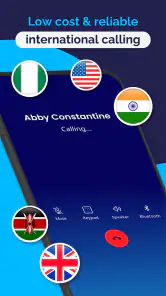
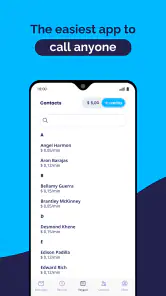
The interface of Talk360 is as simple as it gets. The home screen welcomes you with a user-friendly design, where everything is laid out clearly. Even if you're not a tech-savvy person, you'll find it easy to navigate. The call quality? It's top-notch. I’ve tried calling friends in Europe and Asia, and the clarity was impressive with no drops or lags. The app uses local lines to connect your calls internationally, which ensures that your calls are clear and stable.
For a smoother first call, I’d check the destination and the type of number before adding credit, then make a short test call while I have a reliable internet connection. That’s a useful habit when travelling: it helps separate a problem with the connection from confusion about the number or the call setup. I would also keep the contact’s full international number handy, especially if I’m calling from a different country than usual.
Features That Stand Out
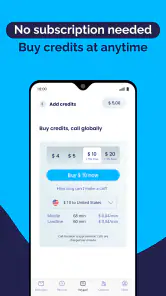
What sets Talk360 apart from other calling apps is its pay-as-you-go model. You don't need to commit to a monthly subscription, which is fantastic if you're only making occasional calls. You just purchase credits as needed. Plus, they offer a free call once you sign up, so you can test the waters without spending a dime.
You May Like

Clash of Clans Is Won Between the Battles

Android Auto Makes the Case for Quieter Car Software

MobiOffice: Transforming Mobile Productivity with Seamless Integration

EA SPORTS FC™ Mobile Soccer: Redefining Mobile Sports Gaming

How Microsoft OneDrive Became a Mobile Productivity Giant

How Google Translate Breaks Language Barriers Effortlessly
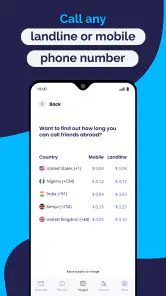
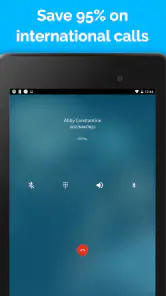
Another cool feature is the ability to call landlines and mobile numbers. This isn’t something all apps offer, and it gives you more flexibility in reaching people who might not have a smartphone or internet access.
Moving from app to ordinary phone line
The main handoff is straightforward in concept: I use the app and an internet connection on my side, while the person I call answers on their usual phone. That is the point of this kind of service, but it also means I should not assume the recipient can call me back through the same setup. If a conversation needs a reply, I make sure they know which number to return the call to, or agree on another way to follow up.
This is also where Talk360 differs from free app-to-app calling. A service such as a messaging app can be the better choice for a long conversation when both people are online and comfortable using it. Talk360 is more compelling when I need to reach a regular number, including a landline, or when I do not want the other person to download anything. I see it as a practical backup in a travel toolkit, not a reason to abandon internet calls altogether.
Before you travel, decide what the call needs to accomplish
I find it helpful to sort likely calls into two groups before leaving: conversations that can wait until I have internet and contacts that may need a conventional call. That keeps me from treating every overseas call as the same problem. A family catch-up can often happen through a familiar app, while a quick question for a guesthouse, clinic, or workplace may involve a number that cannot receive an app call.
For the second group, I would save the number in full international format and write down any useful context beside it, such as the person’s name or why I might call. This is less about a special Talk360 feature than about reducing mistakes when I am tired, navigating a new place, or switching between a local SIM and Wi-Fi. A correctly saved number also makes it easier to tell whether a failed attempt is likely a dialing issue or a temporary connection problem.
Security and Reliability
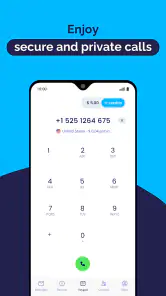
In terms of security, Talk360 assures its users of data protection. Your calls are encrypted, making sure your conversations remain private. Reliability-wise, I’ve found it pretty dependable. The app has been consistent with minimal downtime or technical glitches.
One thing that could be improved is the pricing transparency. While the rates are generally cheaper than traditional international calling, it would be helpful to have a clearer breakdown of costs directly in the app.
For cost control, I’d treat credits as a calling budget rather than assume every destination costs the same. The app offers in-app purchases from $3.99 to $40.00 per item, so I’d check the relevant rate and expected call length before topping up, particularly if I’m planning a lengthy conversation. That little bit of preparation matters more than the headline claim of a low-cost call: a brief check helps me avoid spending credits faster than I intended.
Think through the recipient handoff
A useful detail to settle before pressing call is what the person will see and how they should respond afterward. Since the other person answers on an ordinary phone, I would not assume they can open a chat, share a photo, or use a call-back feature from the same app. If the conversation is about an address, booking detail, or document, I would arrange a separate follow-up channel rather than trying to make a voice call do everything.
That distinction also helps when calling someone who is not comfortable with technology. They do not have to install Talk360 or learn its interface, which is a genuine advantage; I still need to explain who is calling if my number is unfamiliar to them. For a relative who tends to ignore unknown calls, I would send a short message beforehand through whatever channel we already use, then place the call at an agreed time.
Where the call can fall short
Talk360 depends on the connection and on the recipient’s number being reachable, so I would not make it my only plan for an urgent conversation while travelling. If mobile data or Wi-Fi is weak, a call may be less convenient than a standard call through a local SIM. Conversely, if the other person has reliable internet and uses a familiar calling app, that app may be cheaper or easier for both of us. The useful choice is situational: Talk360 fills the gap between internet calling and reaching a conventional phone number.
I’d recommend it most to travellers, people with relatives abroad who use ordinary phones, and anyone who makes occasional international calls without wanting a monthly commitment. It is less suited to someone who only calls contacts through free app-to-app services, or who needs a predictable recurring plan and dislikes checking call costs. Before relying on it for an important call, I’d test a short conversation and make sure I understand the credit balance and destination rate.
Choosing between credits, a local SIM, and internet calling
The alternatives solve different problems. A local SIM can be preferable when I expect to make many calls in one country and want ordinary mobile service, although getting one may involve extra setup. Internet calling is hard to beat for regular conversations when both people already use the same service and have a stable connection. Talk360 earns its place when the target is a normal phone number and I want to avoid coordinating an app installation with the person I am calling.
For an occasional call, buying credits can be simpler than committing to a recurring plan. For frequent long conversations, however, I would compare the destination rate and my likely call time with what a local plan or internet option can offer. I would not top up merely because I am travelling; I would first identify a real call I need to make. That way the credit balance stays tied to a practical purpose instead of becoming an unused expense.
A realistic travel-day workflow
Imagine I have just checked into a hotel and need to confirm a detail with a family member whose phone is not set up for internet calls. I would connect my phone to dependable Wi-Fi or mobile data, open the contact’s saved international number, and check that I am selecting the intended country and number type. If I have not used the service for that destination before, I would start with a brief call rather than assume a long conversation will fit my budget.
If the person answers, I can handle the immediate question without asking them to install anything. Before hanging up, I would confirm the next step aloud: whether I should call again, send a message through our usual channel, or wait for them to contact me another way. This small handoff matters because a successful call does not automatically establish a shared app or a convenient return route.
If the call does not connect, I would avoid repeatedly redialing without checking the basics. I would verify the number format, confirm that my internet connection is working, and consider whether the recipient’s line can accept calls. If those checks do not resolve it, I would switch to a local phone option or an internet call if one is available. Having that fallback ready is more sensible than depending on a single route for time-sensitive plans.
Who is likely to get the most from it?
I think the strongest fit is someone who makes international calls now and then, especially when the person they need is not an active smartphone-app user. It can also suit a traveller who wants one route to reach a hotel, office, or family member without arranging a new eSIM just for that conversation. The key benefit is not that every call becomes free or effortless; it is that the person receiving the call can answer on a regular phone.
I would skip it if almost all my calls are already free through a shared messaging app, or if I need frequent, predictable calling and do not want to monitor usage. It is also a weaker choice when I cannot count on internet access on my own phone. In those cases, a local SIM or the communication service both parties already use may be the more natural tool.
Final Thoughts
So, is Talk360 worth it? If you frequently make international calls and are looking for an affordable and reliable option, then yes, it’s definitely worth checking out. It merges the convenience of app-based calls with the reliability of traditional telephony. Give it a try, and you might just find yourself sticking to it for all your international calling needs.
In summary, Talk360: International Calling is an app designed for simplicity and efficiency. Whether you’re calling family, friends, or business contacts abroad, it offers a practical solution to keep those connections alive without breaking the bank.
Talk360: International Calling Frequently Asked Questions
Can I use Talk360 without replacing my regular SIM card?
Talk360 is designed for international calling over an internet connection, so it can be used without getting a new SIM card or eSIM for calls. You can connect through Wi-Fi or mobile data and use the app to call regular phone numbers. The person receiving your call does not need to install Talk360, though you will need credits to place calls.
Is Talk360 suitable for contacting people who do not use smartphones?
Yes. Talk360 lets you call mobile and landline numbers, so the person you contact does not need to own a smartphone, use the app, or have an internet connection. This is useful when family members or other contacts rely on a regular phone. You do need internet access on your own device to place and maintain the call.
Can I use Talk360 while traveling without getting an eSIM?
Talk360 is presented as a way to make international calls during trips without an eSIM card. You still need an internet connection to place a call, such as Wi-Fi or mobile data, so it can be useful when you have internet access but do not want to rely on an eSIM for calling. The app is free to download, while calls use purchased credits.
Who can I call with Talk360?
Talk360 lets you place calls to mobile and landline numbers, including numbers whose owners do not have the app or an internet connection. This can make it convenient for reaching family, friends, or contacts who use a regular phone. You will need an internet connection on your own device to start and maintain a call.
What is Talk360 and how does it work?
Talk360 is an international calling app that allows you to make affordable calls to any mobile or landline number worldwide. The app uses VoIP technology to connect calls over the internet, ensuring high-quality connections at low rates. You simply download the app, purchase credits, and start calling without needing a new SIM card or contract.
Pros
- Affordable international calls
- User-friendly interface
- High-quality voice calls
- Supports multiple languages
- No need for internet
Cons
- Limited free trial period
- May incur connection fees
- Ads in free version
- Requires phone number registration
- Limited customer support

- Category
- Communication
- Version
- 8.27.1











