Surfshark: Secure VPN service
- 9.44K
- 4.6
- Installs
- 10.00M
- Price
- Free

Screenshots
Analysis by Reviewed
Hey there, fellow internet wanderers! Today, we're diving into the world of virtual private networks with a close look at the ever-popular Surfshark. If you're like me, you probably spend a lot of time online and want to keep your data secure, right? Let's see how this app stacks up in the VPN ocean.
Why Choose Surfshark?
So, you might be wondering, why should you even consider using Surfshark? For starters, this app promises to safeguard your online presence by encrypting your data and hiding your IP address. It's like having a cloak of invisibility for your internet activities. But is it all it's cracked up to be?
Features That Stand Out
First off, Surfshark offers a no-logs policy. This means they don't keep any records of your online actions, which is a huge plus for privacy enthusiasts. Moreover, it allows unlimited simultaneous connections. Yes, you heard that right! You can protect all your devices at once without any extra cost.
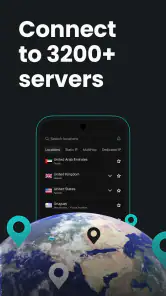
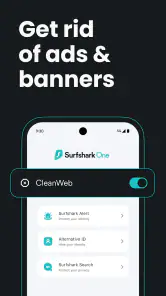
Another nifty feature is the CleanWeb. This blocks ads, trackers, and malware, making your browsing experience not only safer but also faster. Plus, with servers in over 65 countries, you can easily bypass geo-restrictions and access content from around the world. Binge-watching your favorite shows has never been easier!
Ease of Use
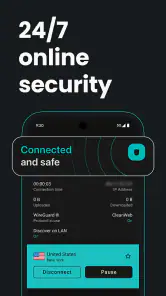
Now, I know what you're thinking. All these features sound great, but what about usability? Well, fear not! The user interface is incredibly friendly. Even if you're not tech-savvy, you'll find it a breeze to navigate. The app is straightforward, with a simple connect button that gets you protected in seconds.
Moreover, Surfshark is available on multiple platforms, including Android, iOS, Windows, and macOS. This cross-compatibility ensures you can stay secure no matter what device you're using.
Performance and Speed
Let's talk speed. We all know that some VPNs can slow down your connection, but Surfshark manages to keep things snappy. In my experience, streaming and browsing were smooth, with minimal buffering. The app's performance seems to hold up well even with multiple devices connected.
Of course, speed can vary based on server location and your own internet connection, but overall, Surfshark delivers a reliable performance. It's definitely a strong contender in the VPN market.
Final Thoughts
In conclusion, Surfshark is a solid choice if you're looking for a VPN that combines robust security features with user-friendly design. Its unlimited connections, no-logs policy, and CleanWeb feature make it a compelling option for anyone wanting to enhance their online privacy.
Whether you're a seasoned VPN user or a newbie, this app is worth checking out. So, give it a whirl and see how it can transform your digital life. Until next time, stay safe and happy browsing!
Pros
- Fast connection speeds for streaming
- Unlimited simultaneous connections
- Strong encryption protocols
- User-friendly interface
- Affordable pricing plans
Cons
- Limited server locations
- Occasional connection drops
- No free version available
- Some features require premium
- Limited customer support options

- Category
- Tools
- Version
- 3.22.3











