

Super Funny Ringtones & Sounds
- 259.00
- 4.6
- Installs
- 1.00M
- Price
- Free

Screenshots
Analysis by Reviewed
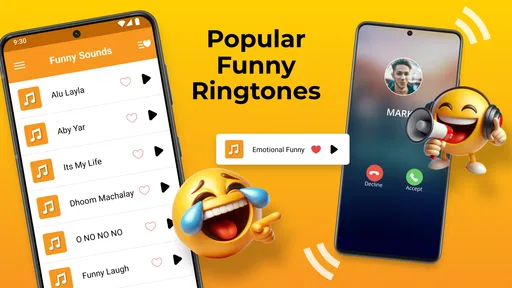
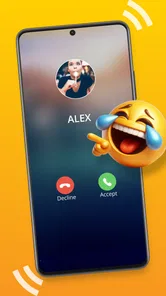
When I want a phone to sound less like everyone else’s, I start by asking where a playful tone will actually work: at home, among friends, or in a busy place where a loud joke might be more distracting than funny. Super Funny Ringtones & Sounds is aimed at that lighthearted kind of personalization, with a focus on amusing sounds for calls, texts, and notifications. It is a free Android personalization app from GeniusTools Labs, rated for Everyone, and it has an average rating of 4.5 from around 24,000 ratings, with over a million installs.
Start with the sound you actually need
Before browsing, I’d decide which phone moment I’m trying to change. A call ringtone has a different job from a text alert: the first needs to be noticeable across a room, while the second is usually better when brief and unobtrusive. That distinction helps narrow the choice and avoids turning every alert into a punchline. If I only want to make incoming calls more personal, there’s little reason to replace sounds I already recognize for messages and other notifications.
This is also where the app’s humor-focused approach is most useful. Instead of treating every sound as a practical signal, I can look for one that gives a familiar part of the day a lighter mood. The best choice is not necessarily the loudest or most surprising one; it’s the sound I’ll still find pleasant after hearing it repeatedly. I’d listen with that repeated use in mind, rather than choosing purely for the first laugh.
Choose a tone that fits the moment
My first step with a sound app is to listen before setting anything. A ringtone that makes me laugh in a quiet room may become irritating after a full day, while a brief notification sound can stay amusing because I hear it less often. I’d treat the library as a set of options to audition, not assume every funny sound belongs on every alert. The app is free to try, though in-app purchases range from $0.99 to $99.99 per item, so I’d check the specific purchase details before paying for anything.
For a realistic everyday setup, I’d pick one distinctive sound for calls from close friends, keep message alerts shorter, and leave work or essential notifications easy to recognize. That way, the joke has a place without making every buzz compete for attention. If you share a home, commute, or spend time in quiet settings, previewing tones at a modest volume before using them publicly is a small but useful courtesy.
Why Choose Super Funny Ringtones?
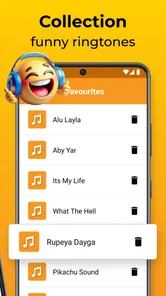
So, you might be wondering, why should I choose Super Funny Ringtones & Sounds over the plethora of other ringtone apps out there? Well, let me spill the beans. First off, this app boasts an extensive library of funny sounds and ringtones that cater to all sorts of humor. Whether you’re into classic comedy sounds or modern meme-inspired tones, this app has got you covered.
A Dive into the Features
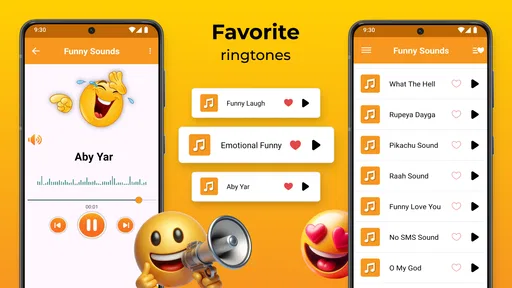
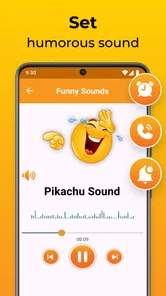
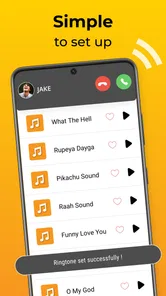
Let’s dive into the features that make this app stand out. One of the coolest things is the user-friendly interface. Even if you’re not the most tech-savvy person, navigating through the app is a breeze. You can easily preview and set ringtones directly from the app. Plus, it’s super easy to assign different tones to specific contacts, so you’ll know who’s calling just by the ringtone.
More From Our News Desk

 Gmail
GmailGmail in a Busy Inbox: Who Benefits Most?
From first account to crowded workday, Gmail earns its place through dependable search and flexible sorting—but its best fit depends on how much inbox maintenance you can tolerate.

 Prime Video
Switching to Prime Video: What Changes in Your Viewing Routine
Prime Video can make a compelling second home for streaming, but switching means learning a different catalog, rental layer, and route from browsing to playback.

 Universal TV Remote Control
Universal TV Remote Control Works Best as a Reliable Backup
A phone remote earns its place through quick setup and reliable habits. Here is how to get more from Universal TV Remote Control—and where its limits show.

 Weather - By Xiaomi
Weather by Xiaomi Review: Clear at a Glance, Less Clear Up Close
Xiaomi’s weather app makes everyday forecasts quick to scan, but its calm surface can leave useful details and recovery paths harder to find than they should be.

 X
XX Under Pressure: Can It Recover When Posting Goes Wrong?
A resilience-focused review of X, examining setup, mistaken posts, interruptions, weak connections, and the gaps that matter when recovery needs to be dependable.

 Clash of Clans
Clash of Clans Is Won Between the Battles
Its raids are quick; its community is a long-term project of coordination, teaching, rivalry, and shared responsibility—with all the friction that entails.
Latest News



That contact option is most useful when I keep the number of custom tones small. I’d reserve one sound for a person I hear from often, rather than assigning a different joke to everyone; too many choices can make calls harder to identify, not easier. It also gives me a practical fallback: if a tone feels awkward after a day or two, I can switch that contact back to a familiar sound instead of changing the whole phone setup.
Make a small, workable sound plan
One useful way to approach personalization is to give each sound a clear role. I’d keep an everyday call tone distinct from a contact-specific one, then use a shorter funny sound for less urgent messages. That creates a simple pattern I can learn by ear. If every alert is unusual, the phone may sound entertaining but I lose the practical benefit of knowing what needs attention without looking at the screen.
A realistic example is a weekend with friends followed by a workday in a shared office. I might use a comic ringtone for calls from a close friend during personal time, but switch back to a quieter choice before heading into work. The point is not to keep changing the entire phone; it’s to use one or two custom sounds where they fit and keep a familiar fallback ready. That small bit of planning makes the joke feel intentional rather than like an interruption.
Another feature I absolutely love is the ability to create your own ringtones. Yes, you heard that right! You can mix and match sounds to concoct a ringtone that’s uniquely yours. It’s like being a DJ, but for ringtones. And if you’re someone who likes to keep things fresh, the app regularly updates its sound library, ensuring that you always have new content to explore.
From app to everyday phone use
Setting a sound is only one handoff in the process: the app helps choose it, then the phone has to use it for the alert you intend. I’d check the selected tone by placing a test call or sending a test message when convenient, rather than discovering a mismatch during a meeting. I’d also keep the phone’s ordinary system settings in mind; a custom sound won’t help if the device is muted or the relevant alert is turned down.
Compared with the usual alternatives—choosing a built-in system tone or searching for a single sound elsewhere—this app makes sense if I want a collection centered on humor and want to preview options in one place. Built-in tones are often the simpler choice for a subtle, dependable alert, while a standalone sound file can suit someone who only wants one exact clip. The app’s appeal is the playful selection and personalization, not a replacement for every sound setting on the phone.
When a funny sound needs a handoff
There’s a practical difference between selecting a tone and being able to recognize it in the moment. I’d try the sound at the volume I normally use, from a short distance away, and check that it doesn’t blend into ordinary background noise. A tone can be amusing through the phone speaker during browsing but less useful when heard from a bag or across a room. If I can’t identify it quickly, I’d choose a clearer option for calls that matter.
I’d also treat contact assignments as a lightweight signal, not a complete caller-identification system. They help when I know who is likely to call and can tell the sounds apart, but they do not replace checking the screen when an unknown number rings. For people who depend on highly consistent alerts or need a specific sound for accessibility, the phone’s built-in controls may offer a more predictable setup. A humorous library is valuable when enjoyment is the goal; reliability should lead when the alert carries more weight.
The Fun Factor
Now, let’s talk about the fun factor. Using Super Funny Ringtones & Sounds is genuinely a joyful experience. Imagine being in a crowded place, and suddenly your phone goes off with a hilarious ringtone. It’s an instant icebreaker and a guaranteed way to make heads turn. The app brings a light-hearted vibe to your daily routine, making mundane tasks like answering calls a lot more entertaining.
That public reaction can go either way, which is why I’d choose a tone with the setting in mind. A silly call sound might be welcome among friends but distracting in a classroom, shared office, or waiting room. For those situations, a quieter or more conventional alert is the better pick. People who want a polished, discreet soundscape—or who rarely change their settings—may be happier sticking with the phone’s built-in choices.
Moreover, it’s not just about ringtones. The app also includes a variety of funny notification sounds. From quirky alerts to laugh-out-loud notifications, your phone will never sound boring again. It’s these little touches that keep the app exciting and engaging.
Who will get the most from it
I’d recommend this app to someone who enjoys playful customization and likes having more personality in their calls and alerts than the standard phone tones provide. It can also suit a person who wants to distinguish a few frequent callers by sound, or who enjoys trying different comic effects without searching for each one separately. The strongest use case is modest: choose a handful of tones, assign them thoughtfully, and keep the rest of the phone familiar.
I’d skip it if I want a quiet phone, a highly restrained set of tones, or a tool whose main purpose is precise audio editing. It is also not the obvious choice for someone who dislikes novelty sounds or never changes default settings. In those cases, the built-in sound options are likely quicker and less distracting. The humor is the reason to try this app, so it only pays off if that style genuinely appeals to you.
Where the playful setup can fall short
The main trade-off is that funny sounds depend on taste and timing. A joke that lands once can become tiring when it repeats, especially as a frequent message alert. I’d use the more unusual sounds sparingly, keep important alerts recognizable, and change a tone if it stops feeling fun. The app is best for someone who enjoys experimenting with phone sounds; it is less compelling if the goal is simply to make a phone quieter or easier to manage.
There is also a difference between wanting more choice and needing more choice. Browsing a large collection can be part of the entertainment, but it can also make a simple task take longer if I keep auditioning sounds without deciding what each one is for. I’d set a limit for myself: pick a call sound, a message sound if I want one, and perhaps a contact tone. That keeps the setup easy to remember and makes later changes less of a chore.
The app is listed as free, but the presence of optional purchases means I would browse and preview before deciding whether any paid item is worth it. Its current version is 19.1 and it supports Android 7.0 or later, making that operating-system requirement worth checking before installing. Those details help set expectations: this is an Android personalization choice for people who want comic audio, rather than a general-purpose sound editor or a necessity for everyday phone use.
What to check before settling on a tone
If a sound seems right, I’d give it a short real-world trial rather than deciding from the preview alone. Use it for a day, notice whether it is easy to recognize, and pay attention to whether it becomes annoying at the frequency it plays. For a contact-specific ringtone, I’d check that the assignment is limited to the person I intended. For a notification, I’d make sure it does not make routine messages feel as urgent as calls.
That trial also answers the question of whether the app belongs in my everyday setup or is better treated as a source of occasional novelty. If I enjoy the chosen tone after repeated use, I can keep it; if not, reverting to a standard sound is a sensible outcome, not a failed experiment. The phone should still be comfortable to use when the initial amusement wears off.
Final Thoughts
In conclusion, if you’re looking for an app that adds a dash of humor to your daily life, Super Funny Ringtones & Sounds is a solid choice. It’s easy to use, packed with features, and most importantly, it’s fun! So go ahead, give it a try, and let your phone be the life of the party. Just a heads up – you might find yourself eagerly waiting for calls and notifications, just to hear your new ringtone!
My practical recommendation is to start with one sound, try it in the places where you actually use your phone, and only add more if the first choice remains enjoyable. With an average rating of 4.5 and around 188 written reviews, it has found an audience among people looking for this kind of lighthearted personalization. I’d approach it as a playful option rather than an essential utility: the best result is a phone that feels a little more like yours without making ordinary alerts harder to live with.
Super Funny Ringtones & Sounds Frequently Asked Questions
Can I preview a sound before using it as a ringtone or notification?
Yes. Previewing a sound before assigning it is a sensible way to check that its humor and volume suit the situation. Super Funny Ringtones & Sounds focuses on funny audio for calls, texts, and notifications, so a sound that feels amusing at home may be distracting in a shared space. Listen first, then choose where you want it to play.
Can sounds be used for calls, text messages, and other notifications?
The app is designed to offer funny sounds for calls, SMS, and notifications, giving you options for more than just incoming calls. You can choose a sound that suits the alert you want to personalize, then use it for that purpose on your phone. Before setting one, preview it and consider whether it will be appropriate wherever that alert might sound.
Can I use the sounds as alarms as well as ringtones?
The app’s original description focuses on sounds for calls, texts, and notifications, while its existing feature description also mentions setting selected sounds as alarms. If you want a humorous wake-up sound, choose one that you can hear clearly and that you will still find tolerable when it plays repeatedly. Previewing options first can help you avoid an alarm you quickly tire of.
Will the app work on my Android phone?
Super Funny Ringtones & Sounds requires Android 7.0 or later. If your phone meets that requirement, you can consider installing it and browsing its funny ringtone and sound options. It is a personalization app, so its main purpose is to customize the sounds your phone uses for calls and alerts rather than provide a general music player or audio-editing tool.
Can I use downloaded sounds when my phone is offline?
Once a ringtone or sound effect has been downloaded, you can use it offline without an internet connection. You will need an internet connection to download new sounds, and occasional access is useful for getting updates and using the latest features. If you expect to be offline, download and select the sounds you want beforehand.
Pros
- Wide variety of funny ringtones available.
- User-friendly interface makes navigation easy.
- High-quality sound effects enhance experience.
- Regular updates with new content.
- Supports both Android and iOS platforms.
Cons
- Contains ads that can be intrusive.
- Limited customization options for ringtones.
- Some sounds may not suit all tastes.
- Free version lacks certain premium features.
- Occasional bugs in the iOS version.













