Stylish Name Art Maker
- 208.00
- 4.9
- Installs
- 1.00M
- Price
- Free

Screenshots
Analysis by Reviewed
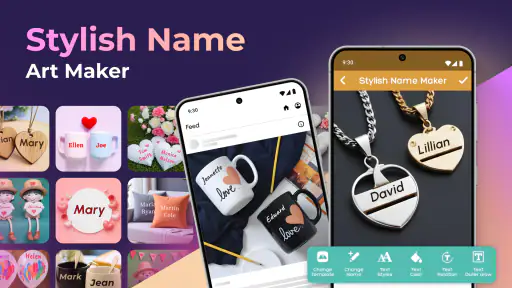
When I want to turn an ordinary name into something that feels ready for a profile picture, greeting card, or quick social post, I usually do not need a full design suite. I need a focused tool that gets me from plain text to a decorative image without making me learn a complicated editor. That is where Stylish Name Art Maker makes sense. It is a free Art & Design app from Prometheus Interactive LLC, built around one clear idea: making a name the visual center of an image.
After using it, my impression is that its strongest quality is not endless creative control. It is speed. The app is aimed at people who want a name to look more personal and eye-catching, rather than people who want to build a complete visual identity from scratch. That distinction matters, because it explains both why I found it convenient and why a professional designer may outgrow it quickly.
The app has been available since May 11, 2018, and its current version is 13.1.0. It is suitable for Everyone and works on devices running Android 6.0 or later. With a 4.9 average from around 18 thousand ratings and over a million installs, it has clearly found an audience among people who prefer quick name-based decoration over a blank canvas.
Making a name the main design element
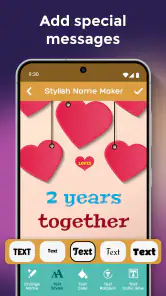
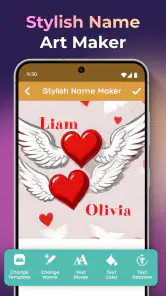
The central capability is simple but useful: the app lets me treat a name as artwork instead of leaving it as plain lettering. That sounds like a small distinction, yet it changes the way I approach a quick design. Rather than opening a general image editor, searching for a font, arranging layers, and trying to make the result look balanced, I can begin with the exact word I want to highlight.
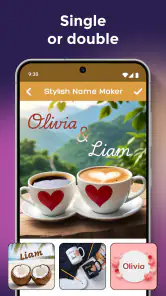
This works especially well for short text. A first name, nickname, couple’s name, team label, or small greeting has enough visual weight to become the subject of the image. The result is more personal than typing a name over a random background, while still being much faster than building a composition manually.
I would describe the app as a name-decoration tool rather than a complete graphic-design workstation. That is an important expectation to set before installing it. Its appeal comes from the narrow focus: the name is not an afterthought placed on top of a finished poster. It is the starting point around which the image is shaped.
In everyday use, that focus removes a lot of decisions. I am not forced to begin by choosing a document size, creating multiple layers, or figuring out which editing tools matter. I can concentrate on the mood I want the name to communicate. A bright, playful treatment can suit a child’s greeting, while a darker or more restrained style may work better for a profile image or a personal signature.
More From Our News Desk

Clash of Clans Is Won Between the Battles

Android Auto Makes the Case for Quieter Car Software

MobiOffice: Transforming Mobile Productivity with Seamless Integration

EA SPORTS FC™ Mobile Soccer: Redefining Mobile Sports Gaming

How Microsoft OneDrive Became a Mobile Productivity Giant

How Google Translate Breaks Language Barriers Effortlessly
The real benefit is reduced design friction: the app turns a vague request such as “make this name look special” into a short, visual task. That is more valuable than it may seem when I am designing from a phone, working with one hand, or preparing something at the last minute.
What the focused approach changes
Most general alternatives begin with a wide range of possibilities. That flexibility is useful, but it can also slow me down. A full editor may offer photo adjustments, shapes, layouts, stickers, drawing tools, and text controls all at once. For a person who only wants decorative lettering, that abundance can feel like unnecessary setup.
Here, the name remains the anchor. I can judge the design by asking a straightforward question: does this treatment make the name more attractive and readable? That makes the app approachable for users who are not comfortable with design terminology. I do not need to understand typography theory to notice whether the result feels balanced.
There is also a practical advantage for repeat work. If I regularly create small graphics for several people, I can keep the same basic workflow and change the name or visual direction each time. That consistency is helpful for birthday messages, informal group images, or a set of personalized posts where every person needs a separate version.
The trade-off is that a narrow tool cannot replace the flexibility of a broader one. If I need a carefully controlled brand mark, a multi-page invitation, precise alignment across several objects, or detailed photo retouching, I would rather use a more capable editor. This app is strongest when the name itself is the main subject, not when it is only one small element in a complex composition.
How I use it in practice
My usual workflow begins with the text, not the background. I first decide what the name needs to feel like: friendly, celebratory, dramatic, soft, or simply more noticeable than ordinary lettering. Starting with that intention prevents me from choosing a decorative look just because it is colorful.
Next, I compare the available visual treatments with the length of the name. This is one of the most useful habits I developed while using a name-focused app. A style that looks attractive on a short nickname may become crowded when applied to a long full name. Conversely, a restrained treatment can look empty if the text is very brief. I always judge the complete word rather than the sample appearance alone.
I also check readability at the size where I expect to use the image. A name that looks impressive while zoomed in may lose clarity when used as a small avatar or shared inside a messaging app. Decorative effects should support the letters, not bury them. When the design is intended for a profile picture, I leave enough visual breathing room around the text so it does not feel cramped after cropping.
For a quick personal image, I do not try to keep changing the style indefinitely. I choose a few options that match the intended mood, compare them side by side, and select the one where the name remains easiest to recognize. This is a better use of the app than treating every available choice as something I must include.
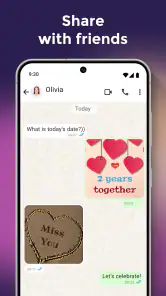
Another useful approach is to create the name first and decide on the destination afterward. If I begin by thinking only about a social profile, I may overdo the decoration. If I first make a clear, attractive name image, I can later use it in a message, a simple post, or a personal graphic without redesigning it from the beginning.
A realistic everyday scenario
Imagine that a friend’s birthday is approaching and I want to send something more personal than a standard message. I can use the person’s name as the visual focus, choose a style that feels cheerful, and create an image that is recognizably made for that individual. The important part is not technical complexity; it is the small amount of effort needed to make the greeting feel intentional.
The same workflow can help when preparing a welcome image for a new group member, a name graphic for a family chat, or a simple display image for a hobby team. In these situations, a full design application may offer more tools than I need. The name is already decided, and the goal is to make it presentable quickly.
I can also see value for parents or younger users who want a playful name image without navigating a professional interface. The Everyone age rating makes the app broadly approachable, although I would still supervise younger children when they are installing apps or considering optional purchases. The creative task itself is easy to understand: enter a name, explore the visual result, and decide whether it fits.
For a small online seller, the app could be useful for informal personalized posts, such as highlighting a customer name or making a short announcement feel less generic. I would not use it as the only tool for a polished business identity, but it can help create quick supporting graphics when speed matters more than strict brand consistency.
Where the convenience has limits
The first limitation is control. A focused name-art app is convenient because it makes many design decisions for me, but that also means I may not be able to fine-tune every detail the way I could in a full editor. If I need exact spacing, a carefully matched color system, or a precise arrangement of several independent elements, I would likely finish the work elsewhere.
The second limitation is suitability for long text. Decorative name treatments generally work best when the wording is short enough to remain visually clear. A long name, phrase, or sentence can make the design feel busy. In that situation, I would shorten the wording, use initials, or switch to a general poster editor that gives me more room to manage typography.
There is also a difference between making something attractive and making something original. A ready-made visual treatment can produce a pleasing result quickly, but it may not deliver the distinctive identity that a designer needs. For a personal greeting, that is usually fine. For a logo, a professional portfolio, or a business system that must look consistent across many formats, I would choose a tool with deeper control and export-oriented design features.
The app is free to install, which makes trying it low-risk. It does include optional in-app purchases ranging from $0.99 to $99.99 per item. I would pay attention during the creative process so I know which choices are available without payment and which ones require an additional purchase. The broad range means the cost can matter much more to one user than another, depending on what they want to unlock and how often they use the app.
That purchase model is not automatically a problem, but it affects how I evaluate the app. For occasional name graphics, the free starting point may be enough. If I expect to use premium-looking options frequently, I would first decide whether the convenience justifies the potential spending. A general editor with a different payment model may be better for someone who wants one predictable tool for many kinds of projects.
Another trade-off is that speed can encourage over-decoration. When a design is easy to generate, it is tempting to keep adding visual intensity until the letters become harder to read. My advice is to treat the decoration as a frame for the name. If I notice the background or effect before I notice the word, I simplify the choice rather than assuming more style will improve it.
Who gets the most from it
I think the best audience is people who regularly create small, personal images and want the name to be the main point. That includes casual social-media users, families preparing greetings, people making profile graphics, and hobby groups that want quick personalized visuals. The app is especially appealing if opening a full design suite feels like too much work for a single name.
It can also suit users who are not confident with design. The focused purpose gives them a clear starting point, and the visual result is easier to judge than an empty canvas. I do not need to know how to build a typography system to decide whether a name looks friendly, festive, or dramatic.
People who create content in short bursts may appreciate the same quality. If I have only a few minutes before sending a birthday message or posting an announcement, a name-centered workflow is more practical than assembling a design from unrelated components. The app’s history and current version show that it remains an established option in this narrow area, while its large install base suggests that the basic use case is easy for many people to understand.
I would recommend skipping it if the name is only a minor part of the project. Someone designing a detailed flyer, editing a product photo, building a logo, or preparing a multi-element campaign will probably be happier with a broader graphics app. The same is true for users who need precise professional typography or repeatable brand templates. In those cases, the app may be a useful source of inspiration, but not the main production tool.
I would also think twice if I dislike browsing decorative choices or if I need complete control over every visual decision. The app’s strength is guided simplicity, and guided simplicity always involves compromise. Users who want to manipulate each element independently may find that the convenience no longer outweighs the restrictions.
Small decisions that improve the result
One practical tip is to choose the name according to the final use, not just according to what I want to type. For a profile image, a nickname or first name may be clearer than a full name. For a greeting, the full name may feel warmer. For a group graphic, initials or a short team label can prevent the lettering from becoming crowded.
I also recommend checking the design in both a large and small view. Large viewing helps me notice awkward spacing and distracting decoration. Small viewing tells me whether the name will remain recognizable in a chat preview or profile circle. This two-step check catches a problem that is easy to miss when I only inspect the image at editing size.
Color and mood should follow the person or occasion. A bright treatment may be perfect for a child’s celebration but unsuitable for a quiet memorial message or a professional contact image. Since the app makes styling quick, it is worth pausing before selecting the most dramatic option. The best result is not always the most elaborate one; it is the one that feels appropriate.
Finally, I save time by deciding what I will not add. If the name already has a strong visual treatment, extra decoration can weaken the composition. I prefer one clear focal point and enough empty space for the letters to stand out. That approach makes the finished image more adaptable when I share it in different places.
My recommendation after using it
Stylish Name Art Maker is a useful specialist rather than an all-purpose design app. Its value comes from making one task approachable: turning a name into a decorative visual that feels more personal than plain text. I like it for quick greetings, profile images, informal group graphics, and other situations where the name deserves attention but the project does not justify a full editing workflow.
The free entry point and Everyone age rating make it easy to try, while the 4.9 average and over a million installs indicate strong user interest. Still, I would not confuse popularity with universal suitability. Optional purchases can affect the experience, and users who need exact typography control or complex compositions will find better tools elsewhere.
My final advice is straightforward: install it when your project begins with a name and ends with a simple shareable image. Start with a short, readable word, judge the design at its real display size, and resist adding effects that compete with the lettering. If that describes what you need, this app can save time and make a small personal gesture look deliberately made. If your project begins with a full layout, a brand system, or detailed photo work, choose a broader editor instead.
Stylish Name Art Maker Frequently Asked Questions
What languages or characters can I use when creating name art?
If you plan to design with a name that uses accented letters, symbols, or characters from a particular writing system, check how those characters appear in the editor before spending time on a finished design. The app focuses on decorating names and text, so experimenting with a short sample first can help you see whether the chosen font and decorative style suit your intended wording.
Is Stylish Name Art Maker suitable for children and families?
Stylish Name Art Maker is rated Everyone, making it suitable for a broad audience. Its creative focus on decorating names and making visual designs can appeal to families, students, and casual users. As with any app that offers optional purchases, parents may wish to review purchase settings on the device and supervise transactions so children do not buy extras unintentionally.
Who develops Stylish Name Art Maker, and what kind of app is it?
Stylish Name Art Maker is an Art & Design app developed by Prometheus Interactive LLC. It is centered on decorating names and creating name art, making it relevant for anyone looking for a visual way to personalize text. Its age rating is Everyone, so it is presented as suitable for a broad audience. The app is free to download, with optional in-app purchases available.
What is Stylish Name Art Maker used for?
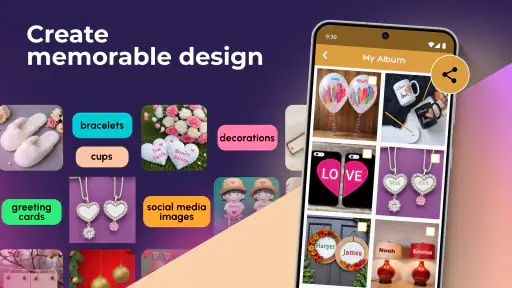
Stylish Name Art Maker is a creative design app for making personalized name images, profile pictures, greeting cards, social media posts, and decorative text. Its main tools focus on stylish typography, colorful backgrounds, symbols, frames, stickers, and visual effects. It can be useful for users who want attractive designs without needing advanced graphic-design experience.
Can I create custom name designs without professional design skills?
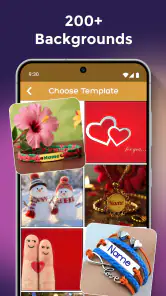
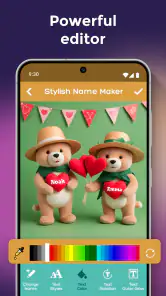
Yes. The app is designed for beginners and provides ready-made templates, font styles, colors, backgrounds, stickers, and decorative elements that can be combined with a few taps. You can type a name or short message, select a preferred style, and adjust the appearance before saving. More experienced users may also enjoy experimenting with layering, alignment, and additional effects.
Pros
- Offers many stylish fonts for creating personalized names.
- Includes decorative symbols
- emojis
- and artistic text elements.
- Simple interface makes basic designs quick to create.
- Useful for social media bios
- profiles
- and messaging apps.
- Lets you preview designs before copying or sharing them.
Cons
- Some designs may look repetitive or similar to other name generators.
- Advanced decorations may require watching ads or making purchases.
- Export options can be limited compared with full graphic design apps.
- Text compatibility may vary across different phones and platforms.
- The app may request permissions that are unnecessary for basic editing.

- Category
- Art & Design
- Version
- 13.1.0