Smart Watch app - BT Notifier
- 2.17K
- 4.1
- Installs
- 10.00M
- Price
- Free
Screenshots
Analysis by Reviewed
I use my watch notification setup most when I want to stay reachable without repeatedly pulling out my phone. Smart Watch app - BT Notifier is a communication app from Tech that app, built around passing phone alerts to a smartwatch. That simple purpose is its main appeal: it can make a compatible watch a quick checkpoint for incoming updates, rather than another place to manage conversations.
A practical routine, not a second inbox
The most useful way to approach notification mirroring is to decide what deserves a glance on your wrist. I’d begin with the alerts I genuinely need to notice while my phone is tucked away, then see how that feels during an ordinary day. A watch is handy for spotting an incoming message or call, but it is a cramped place to read at length or deal with every social update. Treating it as a filter for attention makes the experience more useful than expecting it to replace the phone.
For example, imagine carrying groceries or walking between appointments. A brief glance can tell you whether an alert needs attention now or can wait until you’re settled. That small interruption is often easier than stopping to unlock a phone, while keeping the phone available for replies and anything that needs a fuller screen. In my view, this is where a notification companion earns its place: it reduces unnecessary phone checks without pretending that every task belongs on a watch.
Choosing what earns a wrist alert
I’d make the first few days a quiet experiment rather than trying to send every phone alert to the watch. Start with calls and the messages you would regret missing, then observe whether other notifications add useful context or merely create more buzzes. A watch is always close, so duplicating every low-priority update can make it feel more demanding than the phone it is meant to keep out of sight.
There is a useful distinction between an alert that needs awareness and one that needs action. A short message from someone coordinating a pickup may deserve a glance; a stream of routine app updates may not. Keeping that difference in mind helps make the watch a triage tool. It also prevents a common disappointment: expecting notification mirroring to decide what matters on your behalf. The better workflow is to make those choices on the phone, then let the watch provide a quick signal.
Getting Started with BT Notifier
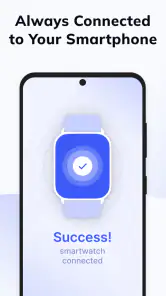
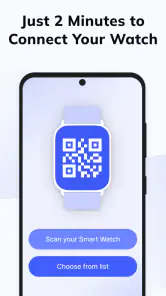
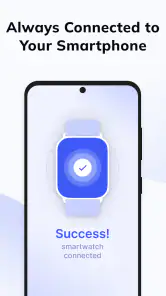
First things first, let’s talk setup. The Smart Watch app - BT Notifier is super easy to install and get running. Just download it onto your phone, and with a few taps, you connect your smartwatch via Bluetooth. It’s seamless and takes just a few minutes. The app allows your watch to communicate directly with your phone, so all those important notifications are instantly at your fingertips—or rather, your wrist.
Because the watch and phone are a pair, I’d test the connection in the places and situations where I actually plan to rely on it. Check that an expected alert arrives while the phone is nearby, then try again when the phone is in a bag or pocket. This gives a more useful sense of the everyday experience than judging setup by the first successful notification. If you use more than one phone or watch, check which devices are currently paired before treating an alert delay as an app problem.
You May Like

Clash of Clans Is Won Between the Battles

Android Auto Makes the Case for Quieter Car Software

MobiOffice: Transforming Mobile Productivity with Seamless Integration

EA SPORTS FC™ Mobile Soccer: Redefining Mobile Sports Gaming

How Microsoft OneDrive Became a Mobile Productivity Giant

How Google Translate Breaks Language Barriers Effortlessly
Features that Make Life Easier
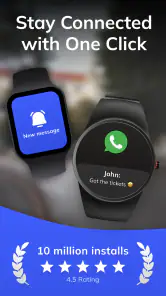
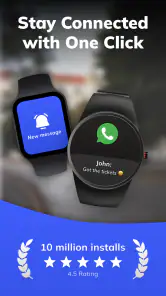
Now, let’s dive into the cool stuff. What makes this app shine is its ability to mirror notifications from your phone to your smartwatch. Whether it's messages, calls, or social media alerts, everything is right there. No more digging around for your phone when you hear a ding; just glance at your watch.
One feature I absolutely love is the real-time notifications. The app ensures that notifications are updated instantly, so you’re always in the loop. Plus, it supports a wide range of apps, so whether you’re a social butterfly or someone who just wants to stay connected professionally, BT Notifier has you covered.
That kind of convenience is most valuable when looking at the watch is genuinely easier than reaching for the phone. At a desk, for instance, the phone might be just out of view; during a short walk, it may be zipped away. In both cases, a quick wrist check can help me decide whether I need to stop and respond. I would not treat it as a reliable way to read long threads, though: watch screens vary, and the phone remains the sensible place for context-heavy conversations.
Small checks that prevent daily annoyance
When a notification doesn’t appear as expected, I’d troubleshoot in a simple order rather than reinstalling immediately: check that the watch and phone are still connected, confirm that the phone itself is receiving the alert, then review the relevant notification settings on both devices. A watch cannot mirror an alert the phone never produces, and a quiet or restricted notification setting can make a working connection seem broken. This basic check is especially useful after changing phones or adjusting how an app sends alerts.
I’d also make a habit of noticing which alerts are useful on the wrist and which are just noise. If a busy group chat keeps pulling your attention, the practical fix may be to adjust that chat’s notification behavior on the phone rather than blame the watch companion. This is a small but important trade-off: mirroring can save phone checks, but it can also carry over interruptions you would rather leave in your pocket.
Another sensible habit is to test one change at a time. If you adjust a phone’s notification behavior, check whether the alert still appears on the phone before deciding whether the watch connection is at fault. If you change several settings at once, it becomes harder to tell which one affected the result. This is not an advanced trick so much as a way to avoid unnecessary troubleshooting and keep a dependable routine.
For a day with an important appointment, I’d also avoid making the watch the only place I expect to notice a reminder. Treat it as a convenient extra signal, not a substitute for checking that the phone’s alert settings are correct. That approach is particularly helpful when a missed notification would have consequences: the watch can make awareness easier, while the phone remains the source to verify.
The User Experience
In terms of user interface, this app is a breeze. It’s intuitive and straightforward, which means you don’t need to be a tech guru to navigate it. The design is clean, with everything clearly laid out. Even if you’re new to the smartwatch scene, you’ll find it easy to use.
Another thing worth mentioning is the battery efficiency. Unlike some other apps that drain your watch’s battery, BT Notifier is optimized to keep things running smoothly without guzzling power.
My practical advice is to judge battery impact over your own normal routine rather than from a brief test. How often notifications arrive and how you use the watch can shape your experience, so I would avoid assuming that every person will see the same result. If you notice that the watch needs charging sooner than you expect, try reducing the alerts you send to it and see whether that makes the setup more comfortable. A narrower notification routine can improve focus as well as reduce needless activity.
The simple interface also suits people who do not want to spend their first session configuring a complicated watch ecosystem. The trade-off is that a straightforward companion should not be confused with a highly customizable notification manager. If your main aim is to get a few important alerts onto a compatible watch, simplicity is a plus; if you want detailed control over how each alert behaves, the built-in settings on your phone or watch may be more relevant.
Where it fits among watch options
Compared with relying on the phone alone, a wrist notification companion is more convenient when your phone is in a bag, across the room, or temporarily awkward to reach. Compared with a watch’s own built-in notification tools, a separate companion app may be worth trying when you’re looking for a straightforward connection workflow. The right choice depends on your watch and phone pairing: if their native setup already handles alerts reliably, adding another layer may not improve anything. I’d choose the simplest arrangement that consistently delivers the notifications I care about.
This is also not a substitute for a full smartwatch platform. If your priority is composing long replies, managing detailed schedules, or controlling a broad set of watch apps, I’d look at the watch’s native capabilities instead. BT Notifier makes the most sense when the goal is brief awareness, not doing phone-sized work on a tiny display.
There is a real decision to make between a manufacturer’s standard pairing and a separate companion. A native setup is the better first choice when it already connects your particular devices and delivers the alerts you want; it avoids adding another app to the routine. A companion can be worth testing if you want a simple alternative workflow, but it cannot make an incompatible pairing suitable or turn a basic watch into a full-featured smartwatch. I’d only keep it if the result is noticeably more convenient in daily use.
It is also less suited to someone who wants the watch to operate independently of the phone. The purpose here is to relay phone notifications, so the phone remains central to the experience. People who need to manage detailed conversations from the wrist, or who want a broader set of watch functions, should prioritize the features built into their watch rather than expect this app to provide them.
When I’d use it—and when I wouldn’t
A realistic use case is a busy morning when I’m moving between the kitchen, the door, and the car. With the phone in a bag, a glance at the watch can tell me whether an incoming call or message deserves immediate attention. Once I’m safely stopped, I can use the phone to read more or reply. That division of labor is simple, but it is exactly why notification mirroring can be worthwhile.
I’d also consider it for someone who works with their hands or frequently keeps a phone tucked away, provided their watch and phone work well together. The benefit is not that the watch does more; it is that checking a short alert takes less effort. Conversely, if you already keep your phone in your hand, rarely wear the watch, or find wrist notifications distracting, this setup may add little. In those cases, the phone’s normal notification system is likely the cleaner choice.
For a shared or particularly noisy notification environment, I would be selective rather than switching everything on and hoping the watch sorts it out. Prioritize direct calls and messages, then decide whether social alerts deserve space on your wrist. That small bit of planning can make the difference between a watch that quietly helps and one that becomes another source of interruption.
Worth trying if the fit is right
The app is free to install, is rated for Everyone, and has an average rating of 4.1 from around 229,000 ratings, with more than 2,000 written reviews and over 10 million installs. It was released on May 5, 2020, and requires Android 6.0 or later. Optional in-app purchases range from $0.99 to $79.99 per item, so I’d check the purchase details before choosing anything paid rather than assume every part of the experience is free. Those details make it accessible to try, but the best test is still whether it works smoothly with your particular watch and notification habits.
It’s a good fit for someone who wants quick awareness of calls and app alerts and is comfortable keeping the phone as the place for longer tasks. I’d skip it if you rarely wear your watch, prefer a quiet wrist, or already get dependable notifications through your watch’s standard pairing. That is not a flaw so much as a matter of avoiding an extra step you don’t need.
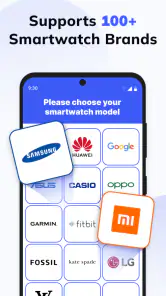
For someone wondering whether it will work with a specific watch, I’d treat a successful pairing and a few real notifications as the useful test, rather than rely on a broad promise that every combination behaves identically. Confirm that the phone receives the alert, connect the devices, and try the types of notifications you actually care about. If that everyday check is reliable, the app has a clear role; if it is not, the phone’s or watch’s standard notification tools are a reasonable alternative.
The purchase range is also worth keeping in perspective. The app costs nothing to install, but optional purchases are available, so I would review any purchase screen carefully and only pay for something that addresses a need I have. A user who only wants basic awareness should not assume a purchase is necessary, while someone considering a paid option should judge it on its stated purpose rather than on the general promise of easier notifications.
So, is the Smart Watch app - BT Notifier worth downloading? In my opinion, absolutely. It’s a small download that packs a big punch in terms of convenience. Whether you're a busy professional, a fitness enthusiast, or just someone who loves gadgets, this app can make life a whole lot easier.
In today’s fast-paced world, having information at your fingertips is crucial, and BT Notifier ensures you’re always connected without being glued to your phone. It’s that little bit of tech that makes a big difference.
So, give it a go and see how it changes the way you interact with your gadgets. You might just wonder how you ever managed without it!
Smart Watch app - BT Notifier Frequently Asked Questions
Can BT Notifier show alerts from apps on my phone, or only basic notifications?
BT Notifier is described as a way to sync and receive notifications on a smartwatch. That makes it useful for people who want phone alerts to appear on their watch, rather than having to check the phone every time. The notifications you see can depend on your phone’s notification settings, the apps you use, and how your smartwatch handles alerts.
What should I check before pairing BT Notifier with my watch?
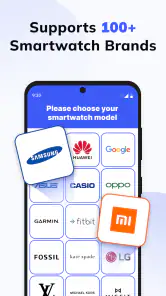
Before setting it up, make sure Bluetooth is enabled on both devices and that your phone and smartwatch can pair with each other. Keep the devices close while connecting, then check that notifications are allowed on the phone and that the watch is connected. Compatibility can vary by model, so testing your own setup is a sensible first step.
Can I use BT Notifier if I have never paired a smartwatch with my phone before?
You can try it as a smartwatch notification companion, but the phone and watch need to be paired and connected for notifications to pass between them. Pairing is generally handled through Bluetooth and the relevant device settings. If this is your first smartwatch setup, complete the watch’s pairing process first, then check whether alerts reach the watch as expected.
Does BT Notifier work without an internet connection?
BT Notifier’s core purpose is to transfer phone notifications to a smartwatch over a Bluetooth connection. That connection is separate from internet access, although the apps producing the notifications may need internet to receive their own updates. For example, a message or service alert may not arrive on the phone if that underlying app is offline.
Can I control which notifications appear on my smartwatch?
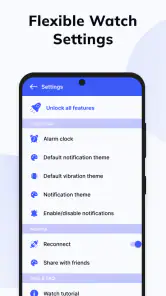
The alerts delivered to your watch are affected by the notification access and settings available on your phone and smartwatch. Review which apps are allowed to send notifications on the phone, as well as any alert controls on the watch. This lets you decide which phone notifications you want to see and can help keep your wrist from receiving unwanted alerts.
Pros
- Seamless smartwatch connectivity
- User-friendly interface
- Real-time notifications
- Efficient battery usage
- Wide compatibility
Cons
- Limited customization options
- Occasional sync issues
- Requires constant Bluetooth
- Ads in free version
- Limited support for older devices

- Category
- Communication
- Version
- Varies with device











