Smart Remote - Easy TV Control
- 607.00
- 4.6
- Installs
- 1.00M
- Price
- Free
Screenshots
Analysis by Reviewed
If you're anything like me, fiddling with multiple remotes to control your TV, soundbar, and streaming devices can be a real hassle. That's where Smart Remote - Easy TV Control comes in, promising to revolutionize the way we interact with our home entertainment systems. I've spent some time with this app, and let me tell you, it's a game-changer.
Seamless Setup and User-Friendly Interface
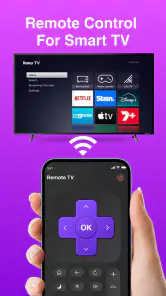
The first thing I noticed about the Smart Remote - Easy TV Control app is how easy it is to set up. Once you download it from your app store, the installation process is straightforward. The app guides you through connecting your devices via WiFi or infrared. It even identifies compatible devices automatically, saving you the headache of manual configuration.
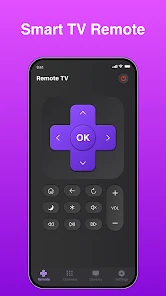
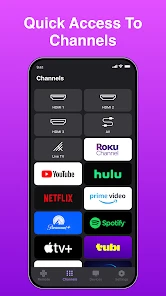
The interface is sleek and intuitive. Everything is laid out in a way that’s easy to navigate, even for those who aren't particularly tech-savvy. You can customize the layout according to your preferences, which means you can have all your most-used controls right at your fingertips. The app supports a wide range of devices, from smart TVs to older models, making it a versatile choice for any household.
Performance and Features
Performance-wise, the app is pretty impressive. Commands are executed almost instantaneously, and the app rarely crashes or lags. One feature I particularly appreciate is the voice control function. It allows you to change channels, adjust the volume, and even search for your favorite shows just by speaking. It's like having a virtual assistant dedicated to your entertainment needs.
Another standout feature is the app's ability to create personalized shortcuts. For instance, you can set up a "Movie Night" button that dims the lights, adjusts the sound system, and switches to your preferred streaming service—all with a single tap. This level of customization enhances the viewing experience and makes using the app a delight.
Compatibility and Connectivity
One of the concerns I initially had was whether the app would work seamlessly across different brands and models. Thankfully, Smart Remote - Easy TV Control supports a wide array of devices from major manufacturers like Samsung, LG, Sony, and more. Whether you have a cutting-edge smart TV or an older model, this app has you covered.
The connectivity is robust, with both WiFi and infrared options ensuring that you're not left hanging if one method fails. Plus, the app regularly updates its database, so even if you get a new gadget, chances are it will be supported.
Final Thoughts
In a world where convenience is king, Smart Remote - Easy TV Control stands out as a must-have app for anyone looking to simplify their home entertainment setup. Its user-friendly interface, impressive performance, and extensive compatibility make it a worthy addition to your app arsenal.
So, if you're tired of juggling multiple remotes and want a smarter, easier way to control your TV and other devices, give this app a try. It might just change the way you watch TV forever.
Pros
- User-friendly interface for quick navigation.
- Compatible with a wide range of TV brands.
- Customizable remote layout options.
- Supports voice commands for ease of use.
- Fast setup with easy-to-follow instructions.
Cons
- Requires constant internet connection.
- May have occasional connectivity issues.
- Advertisements can be intrusive at times.
- Limited advanced features for tech-savvy users.
- Not all TVs are fully supported.
- Category
- Tools
- Version
- 1.3.9











