Smart Printer App & Scanner
- 1.51K
- 4.5
- Installs
- 500.00K
- Price
- Free

Screenshots

Analysis by Reviewed
Ever found yourself in a pinch, needing to print a document straight from your phone but without a clue on how to make it happen? Well, welcome to the world of the Smart Printer App & Scanner. I took this app for a spin, and let me tell you, it’s like having a mini office right in your pocket. If you're like me, always juggling between work and personal stuff, this app is a lifesaver.
Getting Started with Ease
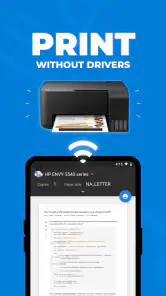
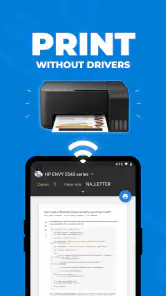
Kicking things off, installing the Smart Printer App & Scanner was a breeze. A quick download from the App Store or Google Play, and I was ready to roll. The interface? Super intuitive. Even if you’re not tech-savvy, navigating this app is as easy as pie. The setup is a straightforward process, guiding you through connecting your phone to any printer over Wi-Fi. No need for complex configurations or tech wizardry. Just a few taps and voila!
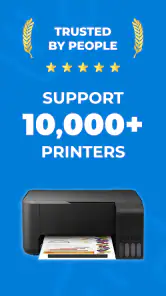
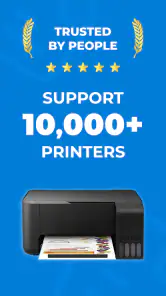
The app supports a wide range of printers, so chances are, yours is on the list. I connected mine in just under a minute. It’s like the app does all the heavy lifting for you. Who doesn’t love that?
Printing on the Go
The real magic happens when you start using the printing features. Whether you’re printing a PDF, a Word document, or even photos, this app handles it all with finesse. I was particularly impressed with how smoothly it printed images. The quality was top-notch, retaining all the vibrant colors and details. It’s perfect for those last-minute photo gifts or work presentations.
Another feature that stands out is the ability to print directly from cloud services like Google Drive, Dropbox, and more. This means no more fussing about transferring files back and forth. Just sync your accounts, and you’re ready to print whatever you need, whenever you need it.
Scanner Features That Wow
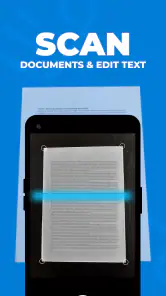
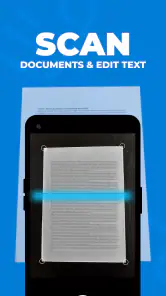
Moving on to the scanner part of the app, I have to say, it does not disappoint. The app turns your phone into a portable scanner, allowing you to digitize documents in a snap. Whether it’s receipts, notes, or any document, the scanner captures everything clearly and precisely. The app also offers some neat editing features, like cropping and filters, to ensure your scans look professional.
One thing I found super handy is the ability to save scanned documents as PDFs or images. You can also share them directly from the app via email or other apps. It’s like having a Swiss Army knife for document handling.
Security and Privacy
In today’s digital age, security is a big deal. The Smart Printer App & Scanner has you covered with encryption and secure connections to ensure your documents remain private. I appreciate that attention to detail, especially when handling sensitive documents.
Additionally, the app doesn’t store any of your documents on their servers, which adds an extra layer of peace of mind. You can scan and print without worrying about where your data ends up.
Final Thoughts
At the end of the day, the Smart Printer App & Scanner is a must-have tool for anyone who needs to manage documents on the fly. It combines the functionality of a printer and a scanner, all in the palm of your hand. Whether you’re a student, a business professional, or just someone who likes to keep things organized, this app simplifies everything.
With its user-friendly interface, reliable performance, and robust features, it’s hard to find a reason not to have it. I’ve found it incredibly useful and I’m sure you will too. So, if you’re looking to streamline your document workflow, give it a shot. You can thank me later!
Pros
- Intuitive interface simplifies printing tasks.
- Supports a wide range of printer models.
- Offers cloud storage integration for easy access.
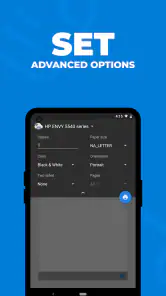
- High-quality scanning with adjustable settings.
- Quick setup process with step-by-step guidance.
Cons
- Limited free version features.
- Occasional connectivity issues reported.
- High-quality scans may take extra time.
- Some advanced features require subscription.
- In-app ads can be intrusive at times.

- Category
- Tools
- Version
- 2.2.40











