Safe QR OCR AI Scanner Creator
- 69.00
- 3.7
- Installs
- 1.00M
- Price
- Free

Screenshots

Analysis by Reviewed
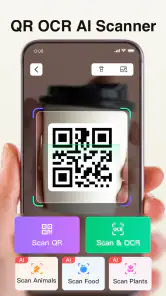
Have you ever found yourself in a situation where you need to quickly scan a QR code in a crowded subway or during a busy day at work? Well, I stumbled upon an app that might just be your new best friend. Let me introduce you to the Safe QR OCR AI Scanner Creator. This nifty little app has taken the mundane task of scanning QR codes and turned it into something quite extraordinary.
Why Safe QR OCR AI Scanner Creator Stands Out
The first thing that caught my attention about the Safe QR OCR AI Scanner Creator is its simplicity and efficiency. You know those apps that seem to do everything but end up doing nothing particularly well? This isn’t one of them. Right off the bat, I was impressed by how quickly it scanned even the most complex QR codes. And it doesn’t stop there.
Features that Make Life Easier
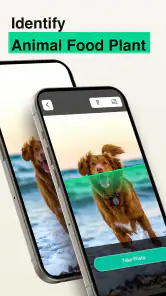
One of the standout features is the OCR (Optical Character Recognition) capability. I was genuinely surprised at how accurately it converted images of text into editable text. This is a game-changer for anyone who needs to digitize printed documents or save contact information from a business card without the hassle of manual entry.
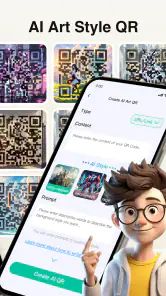
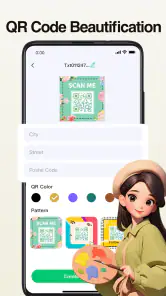
Another feature that I found particularly useful is the app’s AI-powered creator mode. Imagine being able to create your own QR codes on the fly! Whether you're sharing your Wi-Fi password with a friend or setting up an event invitation, the process is seamless and intuitive.
User Experience and Design
Let’s talk about the user interface. If you’re anything like me, you appreciate an app that is not only functional but also visually appealing. The Safe QR OCR AI Scanner Creator boasts a clean, user-friendly interface with straightforward navigation. It’s designed to be intuitive, so even if you’re not tech-savvy, you’ll find it a breeze to use.
The app also respects your privacy, something that’s increasingly important in today’s digital age. It doesn’t store your data in the cloud, which gives you peace of mind knowing your information is safe and secure.
Final Thoughts
All in all, the Safe QR OCR AI Scanner Creator is more than just a QR scanner. It’s a versatile tool that integrates seamlessly into your daily routine. Whether you're a student, a business professional, or just someone who loves staying organized, this app offers something for everyone.
If you're looking for an app that combines functionality with ease of use, then give this one a try. It's like having a personal assistant right in your pocket, ready to scan and create QR codes whenever you need. So, next time you find yourself fumbling with a QR code, remember there's an easier way with the Safe QR OCR AI Scanner Creator.
Pros
- Fast scanning speeds
- User-friendly interface
- Supports multiple file formats
- Secure data management
- Offline functionality
Cons
- Limited free features
- Occasional ad interruptions
- Requires camera permissions
- No batch processing
- Subscription needed for premium features

- Category
- Tools
- Version
- 1.4.8











