RSA Authenticator (SecurID)
- 1.16K
- 3.2
- Installs
- 10.00M
- Price
- Free
Screenshots
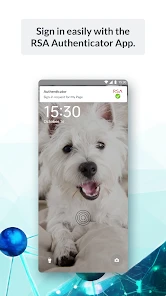
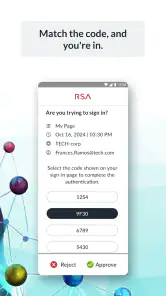
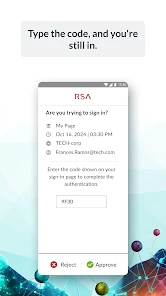
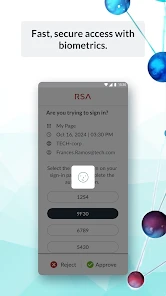
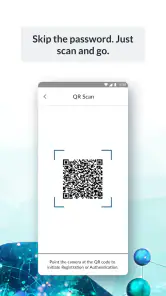
Analysis by Reviewed
If you're someone who's concerned about security, then you’ve probably heard of the RSA Authenticator (SecurID). This app is like having a digital bodyguard that keeps your personal information safe and sound. I decided to give it a whirl and see if it lives up to the hype, and let me tell you—it’s quite the intriguing companion.
Setting Up: A Breeze or a Bother?
One of the first things I noticed when I downloaded the RSA Authenticator was how straightforward the setup process was. I mean, who doesn’t love an app that doesn’t make you jump through hoops just to get started? After downloading it, the app walked me through setting up my account with easy-to-follow instructions. You don’t need to be a tech wizard to figure things out here, which is definitely a plus in my book.
Features That Stand Out
Now, onto the features. What makes this app a keeper in the sea of security applications? For starters, multi-factor authentication is at the core of its functionality. This means that it adds an extra layer of security by requiring not just a password, but also a code generated by the app itself. It’s like having a lock with a key and a password—double the protection!
Another cool feature is the token-based authentication. This allows you to authenticate your identity even when you’re offline, which can be a lifesaver if you find yourself somewhere without internet access but need to prove who you are.
Is It User-Friendly?
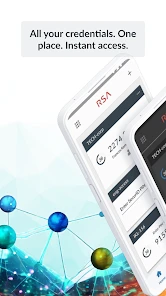
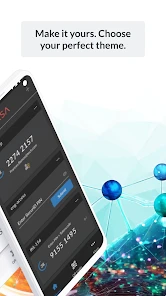
Security apps often have a reputation for being complicated, but I found the RSA Authenticator to be quite user-friendly. The interface is simple and intuitive. You don’t have to dig through layers of confusing options to get to what you need. Plus, the app doesn’t bombard you with unnecessary notifications, which is always a nice touch.
A Few Considerations
While I’m a fan, it’s worth noting that the app does require you to have a certain level of trust in the service. After all, you’re entrusting the app with some pretty sensitive information. But, given RSA’s reputation in the security field, I felt comfortable doing so.
Additionally, the app is primarily geared towards those who need robust security measures, so if you’re someone who’s just looking for a simple password manager, this might be more than what you need.
You May Like

Clash of Clans Is Won Between the Battles

Android Auto Makes the Case for Quieter Car Software

MobiOffice: Transforming Mobile Productivity with Seamless Integration

EA SPORTS FC™ Mobile Soccer: Redefining Mobile Sports Gaming

How Microsoft OneDrive Became a Mobile Productivity Giant

How Google Translate Breaks Language Barriers Effortlessly
In conclusion, the RSA Authenticator (SecurID) is a powerful tool for anyone who needs to ensure their digital identity is protected. It’s easy to set up, packed with solid features, and user-friendly enough to not cause a headache. Whether you’re a tech newbie or a seasoned pro, this app is definitely worth considering if security is a top priority for you. So, if you’re on the lookout for a digital guardian, give it a try and see for yourself!
RSA Authenticator (SecurID) Frequently Asked Questions
Does RSA Authenticator work with any account or website?
RSA Authenticator is designed to support sign-ins that use RSA SecurID, rather than functioning as a universal authenticator for every website or personal account. Before downloading, check whether your employer, school, or service specifically supports RSA SecurID and whether you need to enroll through its administrator. Having the app installed by itself does not activate access to an account.
Do I need an account or an invitation before I can use the app?
In most cases, you need your organization or service to arrange the appropriate account setup or enrollment before the app can be used for its sign-in process. The app is an authentication tool, not a way to create access to an organization’s systems on your own. If you are unsure how enrollment works, contact the administrator responsible for your account before relying on the app.
Can I use RSA Authenticator on more than one phone?
Whether you can use RSA Authenticator on multiple phones depends on the authentication setup managed by your organization or service. Do not assume that installing the app on a second device will automatically copy your existing access or credentials. If you need to change phones or use another device, ask your administrator how to enroll it so you do not lose access to important accounts.
Does RSA Authenticator replace my password manager?
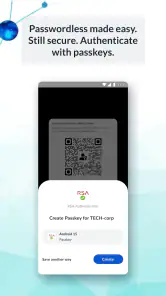
No. RSA Authenticator is intended to help authenticate sign-ins, not to store and organize your passwords as a password manager would. Depending on your organization’s configuration, it can provide methods such as passkeys, biometrics, or one-time passcodes as part of the sign-in process. You should still follow your organization’s guidance for managing passwords and account credentials.
Is RSA Authenticator available for both Android and iPhone?
RSA Authenticator is offered for Android and iOS devices, making it useful for people who use either mobile platform. Compatibility can depend on the operating system version and device capabilities, and authentication options may vary accordingly. Before installing, check that your device meets the platform’s requirements and confirm that your organization supports the app for the account you need to access.
Pros
- Easy two-factor authentication setup
- Supports multiple tokens for accounts
- Secure and reliable access
- User-friendly interface
- Offers offline authentication options
Cons
- Requires initial setup time
- Limited to RSA-supported platforms
- No backup for lost tokens
- Interface might feel outdated
- Offline mode limited to certain features
- Category
- Communication
- Version
- 4.6.0.16











