Raytunnel فیلترشکن قوی امن
- 509.00
- 4.4
- Installs
- 1.00M
- Price
- Free

Screenshots
Analysis by Reviewed
When I judge a connection app, I care less about a promise of speed than about what happens when I actually need a page to load: whether the app is straightforward to start, whether browsing feels usable, and whether I can tell when the connection is no longer helping. Raytunnel فیلترشکن قوی امن is a free Android tools app from Adana team, aimed at people who want another route to websites that may be restricted on their network. Its appeal is practical, but the experience still depends on the quality of the internet connection underneath it.
Where it fits into a mobile day
A VPN-style tool is most useful when access changes with the network you are using. For example, if I move from home Wi-Fi to mobile data and a site stops opening, trying the app can be a reasonable next step. I would treat it as a way to test a different connection route, not as a guarantee that every blocked page, video, or service will work. The app cannot make a weak signal strong, and a remote route may feel slower than a direct one.
That distinction matters for everyday use. If I need to check a message or read a page, a brief connection test may be enough. For a long video call or a large download, I would first check whether the underlying network is stable, then decide whether routing through a VPN is worth the extra step. When reliability matters more than access, a familiar, dependable network may be the better choice.
Choosing the right moment to connect
For a commute or a quick errand, I would avoid turning a VPN on automatically without a reason. Start with the service you need, notice whether it is reachable, and connect only if access is the problem. This keeps the decision simple and makes it easier to tell whether the change helped. If the same page remains unavailable, repeatedly disconnecting and reconnecting is unlikely to solve a poor signal or a service-side outage.
On Android, a useful habit is to check which connection is active before sensitive tasks. A VPN can change the route your traffic takes, but it does not replace careful choices about passwords, app permissions, or the trustworthiness of a website. I would also avoid assuming that a VPN makes every public Wi-Fi network safe. It is one privacy tool in a broader set of sensible habits, not a reason to ignore the basics.
Breaking Down Barriers
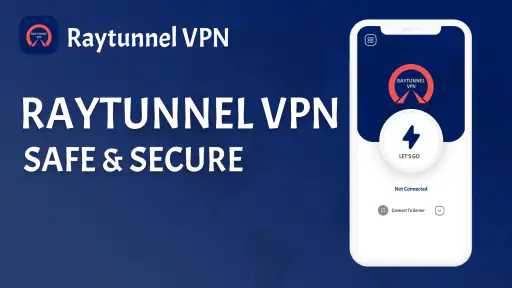
First off, let's talk about what Raytunnel فیلترشکن قوی امن brings to the table. This app is designed to help you bypass internet censorship and access blocked websites securely. It's like having a magic key to the internet, letting you explore without borders. How cool is that?
Easy Peasy Setup
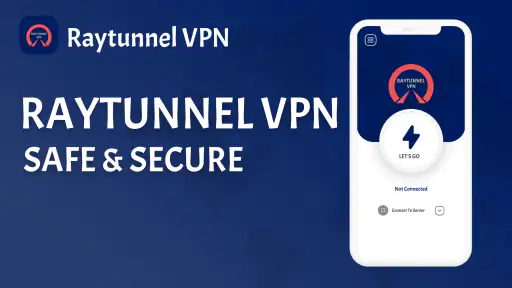
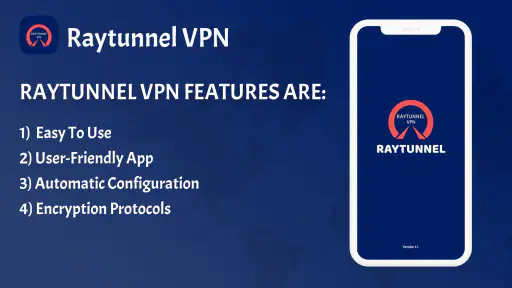
One of the things I love about this app is how user-friendly it is. Setting it up is a breeze - you don’t need to be a tech wizard to get it up and running. Just install, launch, and you’re pretty much good to go. The app guides you through the process, and in no time, you’re connected to a secure network.
More From Our News Desk

Weather by Xiaomi Review: Clear at a Glance, Less Clear Up Close

X Under Pressure: Can It Recover When Posting Goes Wrong?

Clash of Clans Is Won Between the Battles

Android Auto Makes the Case for Quieter Car Software

MobiOffice: Transforming Mobile Productivity with Seamless Integration

EA SPORTS FC™ Mobile Soccer: Redefining Mobile Sports Gaming
In practical terms, that kind of simple start suits someone who wants to test access without first learning a complicated set of network options. I would still pause at any connection prompt and read it rather than tapping through automatically. After connecting, try the specific site or service that prompted you to open the app; that is a more useful check than judging the VPN only by whether its screen says it is connected.
Performance That Packs a Punch
Now, I know what you’re thinking: “Does it slow down my internet speed?” Surprisingly, it doesn’t! The app maintains a solid speed while ensuring your connection is secure. You can stream your favorite shows, download files, and browse without any hiccups. It’s like having the best of both worlds.
In real use, I would be more cautious about expecting the same result every time. A VPN adds another step between your device and the destination, so the route, signal strength, and congestion can affect how responsive a page feels. If a stream buffers, I would compare the same task with the VPN off when it is safe and appropriate to do so. That quick comparison helps separate an app issue from a weak mobile connection, and it avoids wasting time changing settings at random.
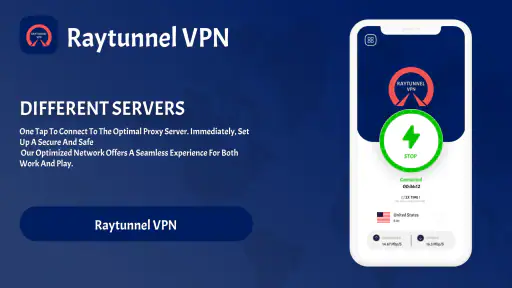
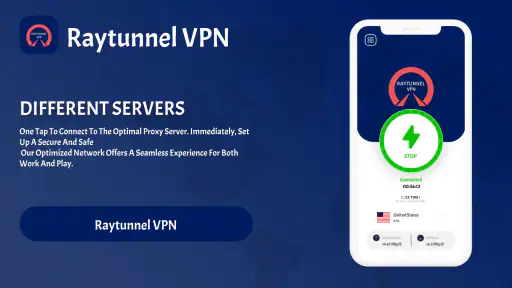
Additionally, Raytunnel فیلترشکن قوی امن offers multiple server locations, allowing you to choose the best one for your needs. Whether you want to appear like you’re surfing the web from another country or just want a faster connection, this app has got you covered.
Making a sensible server choice
When choosing among locations, I would begin with the one that seems most relevant to the site or task, then change it only if the result is poor. A farther-away location is not automatically more private or faster; it can simply add distance to the route. For ordinary browsing, consistency is often more useful than chasing the theoretical fastest option. If one location connects but a particular service still refuses to load, switching once is a fair test; cycling through choices over and over is not a reliable fix.
This is also where Raytunnel differs from a browser’s built-in privacy settings or a basic ad blocker. Those tools can help with tracking or page clutter, but they do not serve the same purpose as changing the network route. Conversely, if your main concern is blocking ads or limiting tracking inside a browser, a VPN may be more tool than you need. I would pick the option that addresses the actual problem rather than keep several layers running without a clear reason.
Security That You Can Trust
Security is a big deal, right? With all the cyber threats out there, it’s crucial to have a reliable app that protects your data. Raytunnel فیلترشکن قوی امن uses strong encryption protocols to ensure your online activities remain private and secure. It’s like having your own personal bodyguard on the internet.
Moreover, it doesn’t log your data, which is a huge plus in my book. Knowing that your browsing history isn’t being tracked gives you peace of mind. You can surf the web without worrying about leaving a digital footprint.
When a connection falters
If a page stalls after connecting, I would first check whether other apps can reach the internet. If none can, the issue may be the local connection rather than the destination. If only one service fails, I would try loading a different page before changing the server location. This small sequence—check the network, test another destination, then consider one location change—keeps troubleshooting grounded instead of turning into guesswork.
For an important task, I would not rely on a VPN as the only route to a deadline. Keep a normal connection option available when possible, and do not assume an interrupted session has automatically resumed securely. If the app stops helping, disconnecting and returning to a known-working network can be the more sensible choice than insisting on a tunnel that is not delivering what you need.
Data use and practical trade-offs
Because traffic still travels over Wi-Fi or mobile data, a VPN should not be treated as a way to save a data allowance. Streaming and downloads can consume substantial mobile data whether or not a VPN is involved, so I would save those tasks for Wi-Fi if my plan is limited. A useful low-effort habit is to connect for the blocked task, finish it, and then disconnect if I no longer need the alternate route. That reduces unnecessary background routing and makes it easier to notice when ordinary connectivity returns.
The app is rated for Everyone, has an average rating of 4.4 from around 22 thousand ratings, and has passed one million installs. It runs on Android 6.0 or newer, and version 104.0 is the current version. Those details make it approachable for many Android users, but they do not tell me whether it is the right fit for every network or every privacy need. I would particularly avoid treating any VPN as a substitute for reviewing the trust and security needs of work accounts or highly sensitive activity.
Who I would recommend it to
I can see this being useful for someone who wants a straightforward way to try another route when a site is inaccessible, especially if they are comfortable checking whether the connection actually improves. The free price makes it easy to consider for occasional use, while its simple setup should suit people who do not want to tune advanced network settings. If you need a VPN for a specific workplace, regulated task, or demanding performance requirement, I would choose a service that clearly meets those requirements rather than assuming this one does.
Everyday trade-offs before you rely on it
A realistic use case is a quick stop between errands: I open a page I need, discover that it is not reachable on the current network, then try Raytunnel and check whether that exact page loads. If it does, I can complete the small task and disconnect afterward. If it does not, I have learned that changing routes did not solve this particular problem, so I can try another connection or return to it later instead of burning time on repeated reconnects.
That workflow also answers a practical question: should I leave a VPN connected all day? I would not make that the default just because the app is available. For a short access problem, connecting only when needed keeps the cause and result easier to judge. Someone who wants a permanent, managed setup for every app or a specific device-wide policy should compare services designed around those requirements rather than assume a simple tool is a full network-management solution.
Choosing it over other kinds of tools
Among common alternatives, the first distinction is purpose. A browser’s private mode changes what is saved locally in that browser; it does not provide the same route change. A DNS or content filter may help with particular lookups or unwanted material, but it is not interchangeable with a VPN. Raytunnel makes most sense when the obstacle appears to be network access itself. If the issue is an account restriction, a broken website, or an unreliable signal, a VPN may not address the cause.
I would also consider the consequences of changing apparent location. A service may respond differently, ask for another sign-in, or treat the connection as unusual. For a casual page visit, that may be manageable; for a payment, work login, or account recovery, I would prioritize a familiar network and the service’s own security checks. The useful question is not simply whether the app connects, but whether using an alternate route fits the task.
Small checks that save time
Before a long session, I would test one ordinary page and the specific service I need, rather than assume that one successful connection means everything will behave normally. If a video is the goal, check playback before settling in; if it is a form, confirm that it submits before entering a lot of information. These quick checks matter because connectivity can be uneven across services, even when the phone itself appears online.
When using mobile data, I would keep an eye on the task’s actual size rather than expect a VPN to compress it. A short text page and a high-resolution stream are very different demands on a data plan. If the connection is metered, avoid leaving a media-heavy task running while troubleshooting. One deliberate test is more useful than several repeated attempts that all consume data without clarifying what is wrong.
Who may want a different fit
Raytunnel is a better match for an Android user who wants an accessible way to test another route for ordinary browsing than for someone who needs documented guarantees, detailed controls, or a service selected under formal workplace rules. People who depend on uninterrupted calls, sensitive business access, or predictable performance should choose a solution that has been evaluated for those exact needs. Likewise, if a direct connection already works well and access is not an issue, adding a VPN may introduce friction without solving anything.
For a first-time user, the main question is manageable: can I connect, and does the site I care about work better afterward? The answer should come from that task, not from a general feeling that a VPN must improve every aspect of browsing. I would keep expectations modest, use it selectively, and be ready to switch back when the alternate route is slower or less dependable.
Final Thoughts
In conclusion, if you’re looking for a reliable VPN that offers both speed and security, Raytunnel فیلترشکن قوی امن might just be the app for you. It’s easy to use, performs exceptionally well, and most importantly, keeps your data safe. Whether you’re a casual browser or someone who needs a secure connection for work, this app is definitely worth checking out.
So, what are you waiting for? Give it a try and let me know what you think. Happy browsing!
Raytunnel فیلترشکن قوی امن Frequently Asked Questions
What should I check before installing Raytunnel on my phone?
First, make sure you are choosing the Raytunnel app by Adana team and that the app name matches Raytunnel فیلترشکن قوی امن. Check that your device is compatible and review the permissions requested during installation. It is also sensible to read recent user comments and the app’s current store details before deciding whether it suits your needs.
Can I use Raytunnel on a slow or unstable internet connection?
A VPN-style app still depends on the quality of the internet connection available to your phone. If your connection is weak or keeps dropping, browsing through Raytunnel may also feel slow or become interrupted. Try it with a stable connection first, then compare how it works for the activities you care about; results can vary by network and device.
Does Raytunnel work on iPhone as well as Android?
Raytunnel is primarily described as an app for Android and iOS, so users may encounter it on phones and tablets using either platform. Before downloading on a particular device, check that the version offered for its operating system is compatible. On Android, the minimum requirement is version 6.0; compatibility and performance can still differ between devices.
Is Raytunnel free to download, and what should I know about its cost?
Raytunnel is a free Tools app from Adana team, so you can download it without an upfront purchase. Its free status makes it accessible to users who want to try a VPN-style app, but it should not be taken as a guarantee that every feature or service is included at no cost. Review the app’s current store details before installing and check any prompts shown within the app.
What Android version does Raytunnel require?
Raytunnel requires Android 6.0 or later. Before downloading, check the Android version in your device settings to make sure it meets that minimum. The app is listed as version 104.0, and its content rating is Everyone. These details can help you judge basic compatibility and suitability, though the app’s performance may still vary depending on your device and connection.
Pros
- High-speed connection for seamless browsing.
- User-friendly interface with easy navigation.
- Supports multiple protocols for flexibility.
- No logs policy ensures user privacy.
- Compatible with a wide range of devices.
Cons
- Limited free version with fewer features.
- Occasional connection drops reported.
- Customer support can be slow to respond.
- Some servers have inconsistent speeds.
- App contains ads in free version.
- Category
- Tools
- Version
- 104.0








