PureLink:Phone&Location Track
- 59.00
- 4.4
- Installs
- 500.00K
- Price
- Free

Screenshots
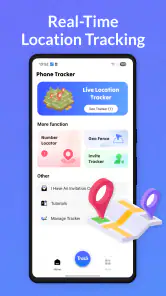
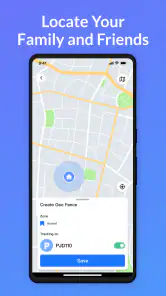
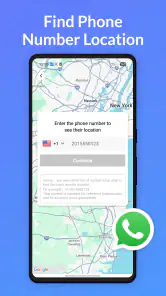
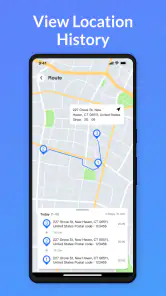
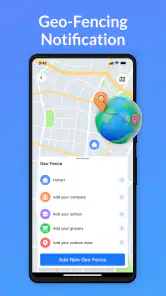
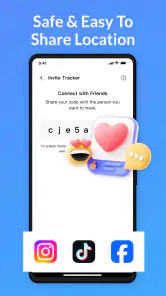
Analysis by Reviewed
PureLink: Phone & Location Track is a free tools app from easysoft that focuses on making everyday sharing feel less awkward. I approached it as the kind of utility you open when someone needs to reach you, find you, or follow a changing location without turning a simple exchange into a long chain of messages. Its store short description is simply “PureLink,” while the broader promise is easier communication, and that narrow focus is important: this is not an all-purpose messenger or a replacement for every location service on your phone.
After spending time with it, I see the appeal most clearly in situations where a clean link or direct sharing action is more useful than explaining what to tap next. The experience depends heavily on the phone’s connection at the moment you use it, so the app feels strongest when everyone involved has reliable mobile data or Wi-Fi. When the connection becomes unstable, the convenience can quickly turn into waiting, checking, and trying again.
How PureLink feels when sharing depends on the network
The central strength here is immediacy. A location-related exchange often happens while people are already moving: one person is leaving a station, another is waiting outside a building, and neither wants to type a detailed description. In that moment, a focused sharing tool can be more practical than opening a full chat app, composing a message, copying a map position, and explaining which entrance to use.
That convenience is also tied to connectivity. PureLink is most useful when the action can be completed promptly and the recipient can open what you send. If the sender has a weak signal, the process may feel unfinished even when the phone appears responsive. If the recipient is underground, travelling through a poor-coverage area, or switching between networks, the shared information may not be immediately useful at the other end.
I would therefore treat the app as a communication shortcut rather than a guarantee that a location exchange will work in every environment. Before relying on it for a time-sensitive meeting, I would check that my connection is active and send a brief message alongside the location when the situation matters. That small habit gives the other person context if the link or shared view takes time to load.
A realistic example is meeting a friend at a crowded shopping centre. Instead of writing “I’m near the north side, beside the café, opposite the escalators,” I can share my current position and add a short note identifying the entrance. The app handles the location part, while the message handles the human detail. That combination is more dependable than expecting a map view alone to explain a complicated public space.
Useful in motion, but not equally useful for every trip
PureLink makes the most sense for short, changing journeys. It can help when a delivery handoff changes, when a group is trying to regroup, or when a family member wants a clearer idea of where someone is during a commute. These are moments where the value comes from reducing back-and-forth communication, not from building a permanent record of movement.
I am less convinced it should become the default tool for long-running coordination. If several people need schedules, conversation history, files, and detailed planning, a conventional messaging app is still the better home. A dedicated map service may also be preferable when the main need is navigation, saved places, route planning, or a broad map ecosystem rather than quick sharing.
The distinction matters because PureLink’s usefulness is situational. It can remove friction from one specific exchange, but it does not automatically replace the wider tools people already use for group communication. I like it best as a small utility kept ready for location-sharing moments, not as the centre of my digital communication.
Mobile use, recovery, and practical limits
On a phone, the most important design test is whether I can use the app without stopping to think about the interface. Location sharing usually happens when attention is divided: I may be walking, carrying bags, waiting for transport, or trying to coordinate with someone who is already asking where I am. A focused tool earns its place when it keeps the number of decisions low.
That mobile context creates a trade-off. A simple workflow is helpful, but simplicity can leave less room for correcting mistakes before information is shared. I would slow down long enough to check the intended recipient and the location context, especially in a busy place where the phone’s position may not match the exact point where I want the other person to meet me. The best shared location is not always the most technically precise one; sometimes the entrance, street corner, or pickup area is what matters.
One useful habit is to pair a location share with a landmark. For example, I would write “I’m at the west entrance” rather than sending a position with no explanation. This is a non-obvious but important improvement because maps can place a person near a large building without telling the recipient which side is accessible. PureLink can simplify the exchange, but it cannot replace the judgment needed to describe the final meeting point.
The app is available for Android devices running version 8.0 or later, which makes it accessible to people using older phones as well as newer models. Its current version is 1.2.9, so I would keep it updated through the relevant app store, particularly for a tool whose usefulness depends on smooth interaction with the phone and the recipient’s device.
Its Everyone age rating also makes the app approachable for a broad household audience. That does not remove the need for sensible sharing habits. A location is personal information, and the fact that an app is easy to use should not encourage someone to send it casually to every contact or leave a sharing action running longer than necessary.
What happens when the connection fails
The most revealing test for an app like this is not the perfect handoff; it is the awkward one. If a share appears delayed, I would first check whether the phone has a working connection, then confirm that the app has finished the action before repeating it. Tapping repeatedly can create confusion, especially if the first attempt eventually completes after a delay.
If the recipient says nothing arrived, I would use a fallback message with a plain-language description of my location. This is not a criticism of PureLink so much as a realistic rule for any network-dependent communication tool: a second channel can be more valuable than another round of identical taps. For an urgent meeting, a phone call or ordinary text may be faster than troubleshooting a stalled exchange.
Another recovery step is to move to a clearer signal area before trying again. In a basement, lift, underground platform, or dense event venue, the problem may be the environment rather than the app. I would avoid judging the tool from one failed attempt in a place where other connected services are also struggling.
There is also a privacy angle to recovery. If I am unsure whether a share succeeded, I would verify before sending it again, rather than assuming failure and creating multiple active or confusing messages. A quick confirmation from the recipient is often the cleanest solution. This approach keeps the exchange understandable and reduces accidental oversharing.
Using it without wasting mobile data
Location sharing is not usually the same as streaming video, but data-conscious users still benefit from deliberate habits. I would use the app when the share has a clear purpose, avoid repeatedly refreshing the same action, and close the task once the recipient has what they need. On a limited plan, the bigger concern may be the surrounding map or messaging activity rather than the basic share itself, so I would pay attention to what else the phone is loading at the same time.
For group outings, I would avoid sending separate, repeated updates to everyone unless the group genuinely needs them. One clearly worded share in the group’s existing conversation may be enough, followed by a landmark or arrival note. This keeps the communication readable and prevents a stream of near-identical location updates from becoming harder to follow than the original problem.
I would also think about the difference between a temporary coordination need and ongoing tracking. If someone only needs to know where I am for a pickup, I would share for that moment and then stop communicating once we meet. If the requirement is continuous supervision or a detailed travel history, I would compare PureLink with a service specifically designed for persistent sharing and make sure everyone understands what is being shared.
The app’s free status lowers the barrier to trying it, but optional in-app purchases range from around seven dollars to around thirty dollars per item. I would not pay simply because a location exchange feels inconvenient; I would first establish that the app fits my routine and that any paid option addresses a need I actually have. For occasional sharing, the free entry point may be enough. Frequent users should examine the value of any purchase carefully rather than assuming it is necessary for basic communication.
Who will get the most from PureLink?
I can recommend it to people who regularly need a fast way to coordinate physical meetings. Parents arranging pickups, friends finding one another at busy venues, commuters meeting after a route change, and small teams handling mobile work can all understand the benefit quickly. The app is also a sensible option for someone who finds full-featured communication platforms distracting and wants a tool aimed at one practical task.
It is less suitable for people who need robust navigation, detailed trip planning, or a rich conversation space. A mapping application is better when turn-by-turn directions and saved destinations are central. A messaging platform is better when the location is only one part of a larger discussion. Someone who expects reliable communication in areas with poor connectivity should also keep a dependable fallback method available.
The rating of 4.4 from around five thousand ratings suggests that many users find the general idea worthwhile, and the app has passed half a million installs. I read those figures as signs of established interest rather than proof that it will suit every phone, network, or sharing habit. The real question is whether my own use involves enough location-based coordination to justify adding another tool.
Developer easysoft has kept the product positioned as a straightforward utility rather than presenting it as a complete social network. That focus is a positive in my experience, because I can understand why I would open it. The limitation is equally clear: when my needs expand beyond a quick location exchange, I have to move back to tools built for the broader task.
My connectivity verdict
PureLink: Phone & Location Track is a focused free app that can make a small but recurring communication problem easier. I like it for moments when a person needs a clear location exchange while both sides are using their phones, and I appreciate that its purpose is easier to grasp than a crowded all-in-one platform. Its best results come from pairing the shared position with a short landmark note and confirming that the recipient received it.
My main reservation is not about the idea itself, but about dependence on the conditions around it. A weak connection, a crowded venue, or an unclear meeting point can undermine the experience. That means I would not rely on it alone for a critical pickup, a safety-sensitive situation, or any moment where a delayed share could create serious trouble.
For ordinary meetups and changing travel plans, I think it is worth trying, especially if I already find conventional location sharing too many steps. The free starting point makes that decision easy, while the optional purchases mean I would evaluate extra spending only after using the app in real situations. My practical recommendation is to treat PureLink as a quick communication shortcut, not as a substitute for judgment, navigation, or a backup contact method.
In short, the app succeeds when connectivity, timing, and purpose line up: I need to share a location, the recipient can receive it, and neither of us needs a full messaging or mapping system. When those conditions are present, it can save a surprising amount of explanation. When they are not, a normal message, call, or dedicated map service may be the more dependable choice.
Pros
- Simple interface makes location sharing easy to understand.
- Useful for coordinating family members or friends in real time.
- May help locate a misplaced phone when location access is enabled.
- Supports quick check-ins without requiring lengthy messages.
- Location updates can provide reassurance during trips or commutes.
Cons
- Continuous GPS use may noticeably reduce battery life.
- Accurate tracking depends on GPS
- mobile data
- and clear permissions.
- Some features may require a subscription or in-app purchases.
- Sharing location data creates privacy concerns if access is not managed.
- Background tracking may be limited by iOS or Android battery settings.

- Category
- Tools
- Version
- 1.2.9











