Proxy Browser
- 3.33K
- 3.9
- Installs
- 100.00M
- Price
- Free

Screenshots
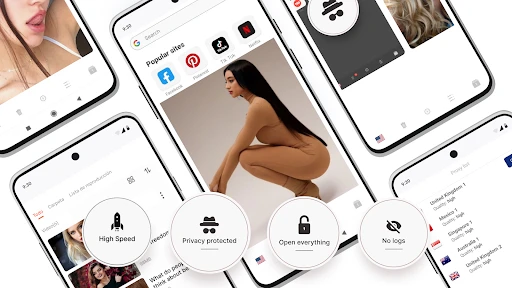
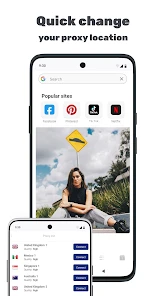
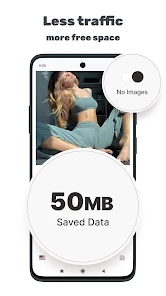
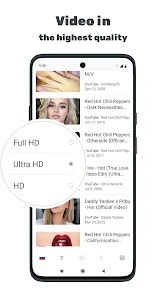
Analysis by Reviewed
When a proxy browser fails to open a page, it can be hard to tell whether the problem is the connection, the site, or the app itself. I’d treat Proxy Browser as a practical way to route some web browsing through a proxy, not as a guarantee that every restriction disappears or every connection becomes private. That distinction makes it easier to set realistic expectations before relying on it.
Where browsing can get stuck
Proxy-based browsing can behave differently from opening the same page in your usual browser. A site may load slowly, reject the connection, or show a page that does not work as expected. If that happens, I would first try another ordinary website, then return to the original page. If only one site fails, the issue may be specific to that site rather than a general problem with browsing.
This kind of tool is most useful for a quick web task where you want a proxy involved, such as reading a public page while away from your usual network. It is less suitable when you need every app on your phone to use the same connection route: a browser is not a system-wide network tool. For that broader need, I’d compare it with a VPN app instead, while remembering that the two serve different purposes.
Simple checks before you browse
Before troubleshooting, check that the phone has a working internet connection and that the app is up to date. Proxy Browser is a free Tools app from DS tools, rated for Everyone, with a minimum Android requirement of version 5.0 and a current version listed as 5.0 RC1. Its average rating is 3.9 from around 707,000 ratings, and it has over 100 million installs. Those figures suggest a widely used app, but they do not tell me whether a particular page or network will work smoothly on your device.
Also be clear about what you want protected. A proxy can mask your IP address from sites you visit, but that alone should not be treated as complete anonymity or a substitute for careful account and password habits. I would avoid entering sensitive information on a page simply because I opened it through a proxy. For banking or other high-stakes tasks, I prefer a trusted connection and the service’s own recommended security measures.
Recovering a stalled session
If a page hangs, I’d close that page and try a fresh one rather than repeatedly tapping reload. Then check whether other sites load and whether the phone’s connection is stable. If browsing still behaves oddly, restarting the app is a sensible next step. These checks help separate a temporary connection hiccup from a problem limited to one destination, without assuming that a proxy can fix every network block.
For everyday use, bookmarks can make a small but useful difference: save pages you revisit so you do not have to search for them each time. The app also includes ad-blocking capabilities, although I would not assume every advertisement or pop-up will disappear. If a page looks incomplete, temporarily consider whether the content itself depends on elements that are being blocked before deciding the site is broken.
More From Our News Desk

Weather by Xiaomi Review: Clear at a Glance, Less Clear Up Close

X Under Pressure: Can It Recover When Posting Goes Wrong?

Clash of Clans Is Won Between the Battles

Android Auto Makes the Case for Quieter Car Software

MobiOffice: Transforming Mobile Productivity with Seamless Integration

EA SPORTS FC™ Mobile Soccer: Redefining Mobile Sports Gaming
When another option makes more sense
Compared with a standard browser, Proxy Browser is appealing when you specifically want a proxy-oriented browsing option and do not want to configure a separate network tool. A regular browser may be the simpler choice for everyday sites, saved passwords, or workflows built around your existing browser. And if your goal is to route traffic from multiple apps, a browser alone is not the right category of solution.
I’d skip it if you need guaranteed access to every region-restricted service, complete online anonymity, or a dependable fix for a slow connection. A proxy may change how a site sees a connection, but it cannot make an unavailable website reliable or improve a weak network by itself. The app is free to install, with in-app purchases listed from $4.99 to $54.99 per item, so I’d check the purchase details carefully before choosing anything paid.
A Smooth Sailing Setup
First things first, getting started with the Proxy Browser is a breeze. You don’t need to be a tech wizard to navigate this app. Once you download it from your app store, the installation process is straightforward. Within minutes, you're ready to surf the web with a newfound freedom.
User Interface: Simple and Elegant
I must say, the user interface is quite intuitive. It sports a clean design that doesn’t overwhelm you with unnecessary clutter. Everything you need is right where you expect it to be. This is especially handy if you’re like me and prefer to just get on with your browsing without fiddling around.
Performance and Speed
Now, let's talk speed. You might think that using a proxy would slow down your browsing, but the Proxy Browser pleasantly surprised me. Pages load quickly, and switching between different sites is smooth as butter. It genuinely feels like you’re using a regular browser, but with the added benefit of increased security and privacy.
Privacy and Security
Speaking of privacy, this is where the Proxy Browser truly shines. Whether you're trying to access content that might be restricted in your region or simply want to keep your online activities under wraps, this app has got you covered. Your IP address is masked, adding an extra layer of anonymity which is a huge plus in today’s digital age.
Extra Features Worth Mentioning
Apart from the basic proxy features, the browser also offers some nifty extras. It includes ad-blocking capabilities, which means no more pesky pop-ups disrupting your experience. There's also a handy bookmark feature for those sites you frequently visit.
One realistic way I’d use it is on a café break: open a public page through the proxy, save a useful reference with a bookmark, and come back to it later. That keeps the task contained to the browser rather than changing how other apps connect. If the page refuses to load, I’d switch to my normal browser to check whether the site itself is available, then return here only if the proxy route is useful. That quick comparison is more informative than repeatedly refreshing the same stalled tab.
For someone who rarely changes browser settings and wants a straightforward place to try proxy browsing, the simple layout is a genuine advantage. The trade-off is that a focused browser may not replace the conveniences accumulated in a daily driver, such as familiar sign-in habits or an established browsing routine. I’d use it for specific sessions and keep my regular browser for tasks where continuity matters.
Choosing the right browsing routine
I’d make the decision based on the job, rather than trying to turn one browser into a solution for every online task. Proxy Browser is a reasonable fit for short, self-contained visits: checking a public article, looking up opening hours, or reading a page when you want to try a proxy route without changing the network behavior of the rest of your phone. It is less compelling as a replacement for a browser you already rely on for work, synced tabs, or a carefully organized set of logins.
A useful habit is to decide in advance what success looks like. If the goal is simply to read a page, reaching the text may be enough even if a video, embedded map, or sign-in flow behaves differently. If you need a site’s full interactive experience, compare it with your usual browser rather than assuming the proxy route will reproduce every part of the page. That distinction can save time and help you avoid entering account details into a workflow you have not tested.
Small choices that prevent repeat problems
When you find a page that works well, bookmarking it is more helpful than relying on a trail of open tabs. I’d keep bookmarks for destinations I actually revisit and use ordinary search for one-off browsing. That keeps the browser’s saved material purposeful and makes it easier to tell whether a later problem affects one particular destination or the whole session.
If an ad-blocked page looks incomplete, I would not immediately conclude that the proxy connection has failed. Some pages rely on scripts or other page elements for menus, sign-in prompts, or embedded content. Try the same page in a normal browser to compare what is missing, and use the browser that completes the task reliably. The point is not to keep switching settings blindly; it is to identify whether the issue is the site’s design, the filtering, or the connection path.
Who will appreciate it—and who may not
I can see this app suiting someone who wants a separate place for occasional proxy browsing and does not need a complicated setup. It also makes sense for a person who would rather keep that activity inside one browser than install a network-wide tool for a narrowly defined task. The free entry point makes it easy to try, while the listed optional purchases mean I’d take a moment to inspect what a paid choice offers before committing.
On the other hand, I would not choose it as my main answer for sensitive work, broad device privacy, or access that has to be dependable every time. If you need all phone traffic routed consistently, compare network-level options and understand their scope. If you mostly want familiar password handling, synced history, and a browser that fits an established routine, your current browser may be the more convenient choice. Proxy browsing is useful precisely when its narrower purpose matches the task.
It is also worth keeping expectations modest around location-based services. A proxy route can affect how a website sees a connection, but that does not ensure a service will accept the visit or present the same features everywhere. Some sites make their own decisions about access and functionality. I would treat a successful visit as useful when it happens, not as a promise that the same destination will always behave identically.
Getting unstuck without guessing
If the app opens but a particular page does not, I’d use a simple comparison: test a different public page in Proxy Browser, then try the original destination in the usual browser. If multiple pages fail only in the proxy browser, restart it and recheck the phone’s connection. If just one destination fails in both places, there is little value in repeatedly reopening the same page; the site or its availability may be the limiting factor.
For a page that partly loads, note what is actually missing before taking action. Text appearing while an embedded feature does not points to a different problem than a blank page or a connection error. A bookmark can preserve the address, but it cannot preserve a working session or guarantee that the destination will load later. I’d save the page only when I expect to revisit it, then keep an alternate route available for anything time-sensitive.
The app has been available since December 22, 2018, and its current release is 5.0 RC1. It has around 3,300 written reviews alongside its much larger rating count, so I would read individual experiences with the same care I use for any browser: look for details that match my phone, network, and intended task rather than treating a broad average as a personal guarantee. A large audience is reassuring as a sign of adoption, but it cannot settle whether a specific site will cooperate.
Keeping privacy expectations realistic
One question I would ask before using any proxy browser is whether the task truly needs a different connection route. For casual reading, that may be a reasonable experiment. For anything involving payment, confidential messages, or an account that matters, I would prioritize the site’s secure connection and my own cautious sign-in habits instead of treating an IP change as a complete privacy plan. A proxy changes one aspect of a visit; it does not remove the need to judge the page and the information being shared.
Another practical question is whether the app can replace a VPN. Not if the requirement is to route several apps through one protected connection: this is a browser, so its useful scope is web browsing inside the app. A VPN may be the better category for wider routing needs, while a standard browser remains more convenient for everyday browsing that depends on existing habits. Choosing the right tool starts with defining which traffic and which task matter.
Finally, I would not pay simply to resolve a page that has already failed once. First check whether other sites work, restart the browsing session, and compare the destination in another browser. If you later consider an in-app purchase, make the decision based on a feature you actually need and the purchase terms shown at that point. That is a more sensible approach than assuming a paid option will overcome site restrictions or weak connectivity.
Overall, Proxy Browser is a fantastic tool for anyone looking to enhance their browsing privacy without sacrificing speed or usability. It’s perfect for both tech-savvy users and those who just want a simple, effective solution. So, if you're in the market for a more secure browsing experience, give it a try—it's definitely worth it!
Proxy Browser Frequently Asked Questions
Will Proxy Browser work with my existing Wi-Fi or mobile data connection?
Proxy Browser is a browser app that routes browsing through a proxy service, so you still need an internet connection on your device to use it. It is intended to provide proxy access while browsing rather than replace your Wi-Fi or mobile data service. Your experience may vary with the network you use and the proxy connection.
Can I use Proxy Browser to access websites that are unavailable on my network?
Proxy Browser is designed to route browsing through a proxy server, which may help when a network or regional restriction prevents direct access to a website. Whether a particular site loads can depend on the proxy connection and the restriction involved. A proxy does not guarantee access to every blocked website, so results may vary.
Is Proxy Browser suitable for everyday web browsing?
Proxy Browser is a Tools app built around browsing with proxy access, making it an option for people who want that feature as part of their web browsing. As with any browser, suitability depends on your preferences, network, and the sites you visit. Consider how a proxy fits your routine, particularly if you frequently use services that rely on your location or connection.
Does Proxy Browser require an account or setup before I can browse?
Proxy Browser is a Tools app from DS tools, described as a web proxy browser for protecting your privacy. Before downloading, keep in mind that using a proxy browser involves routing your browsing connection through a proxy service rather than connecting directly. The app is free to download, and it is intended for users who want a browser experience with proxy access.
What is Proxy Browser and how does it work?
Proxy Browser is an app designed to provide users with anonymous, secure, and unrestricted access to the internet. It works by routing your internet connection through a proxy server, which masks your real IP address. This allows you to bypass regional restrictions, keep your browsing activity private, and protect your personal information from potential online threats.
Pros
- Fast and reliable connection
- Easy-to-use interface
- Supports multiple proxy servers
- Enhances online privacy
- Minimal data usage
Cons
- Limited free version features
- May slow down some websites
- Not all proxies are secure
- Ads in free version
- Occasional connection drops
- Category
- Tools
- Version
- 5.0 RC1








