Plus Messenger
- 6.50K
- 3.9
- Installs
- 50.00M
- Price
- Free

Screenshots




Analysis by Reviewed
Hey there! So, let me tell you about my experience with Plus Messenger, which I've been playing around with for a while. If you're not familiar yet, it's a messaging app that offers some cool features over the regular Telegram app, which it’s based on. Now, let's dive into what makes this app stand out.
Customization Galore
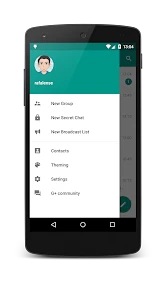
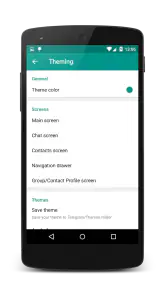
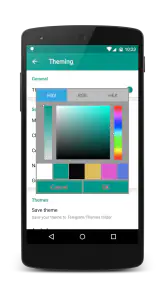
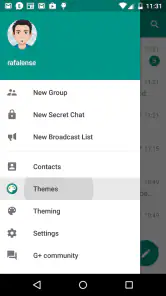
One of the biggest perks of using Plus Messenger is the sheer level of customization it offers. I mean, who doesn't love a little personalization in their apps, right? From themes to fonts and even colors, you can tweak almost every visual aspect to make it truly yours. I spent a good half-hour just exploring the different themes available, and it was like dressing up my app for a party! Plus, the ability to change icons and notifications keeps things fresh and exciting.
Enhanced Privacy Features
Privacy nowadays is a big deal, and Plus Messenger doesn't skimp on protecting your data. I felt more at ease knowing that I could hide my phone number in groups and control who sees my online status. The app also comes with an option to lock chats, so you can add that extra layer of security if you’re sharing your device with others. It’s like having your own personal bouncer for your chats!
Improved User Interface
Let's talk about the user interface. If you're already using Telegram, you’ll feel right at home. But Plus Messenger spices things up with a few nifty tweaks. The interface is intuitive, and the added tabs for different categories like groups, channels, and contacts make navigation a breeze. I found it quite handy to have everything neatly organized, saving me time when trying to locate a particular chat or group.
Additional Features Worth Mentioning
Apart from the usual messaging capabilities, Plus Messenger adds some features that I found pretty useful. For example, the app lets you schedule messages, which is perfect for those "Oh, I’ll forget to send that later!" moments. There's also the option to translate messages within the app, which is a lifesaver if you're in a multilingual group. Oh, and did I mention the ability to pin more than five chats? For someone who juggles multiple conversations, it’s a game-changer!
In conclusion, if you’re looking for a messaging app that offers more than just the basics, Plus Messenger is definitely worth a try. It takes the solid foundation of Telegram and elevates it with features that cater to those who love customization, privacy, and efficiency. Whether you're chatting with friends, family, or colleagues, this app has you covered with style and security. So, go ahead and give it a whirl—you might just find your new favorite messaging app!
Pros
- Highly customizable interface.
- Fast and reliable performance.
- Secure with end-to-end encryption.
- Supports multiple accounts.
- Rich media sharing capabilities.
Cons
- Lacks certain advanced features.
- Occasional bugs in updates.
- Limited support for older devices.
- Can be resource-intensive.
- Notifications can be inconsistent.

- Category
- Communication
- Version
- 12.2.3.2











