Personal stickers StickerMaker
- 498.00
- 4.7
- Installs
- 10.00M
- Price
- Free

Screenshots
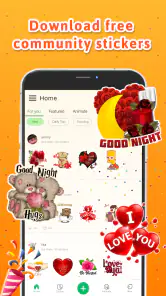
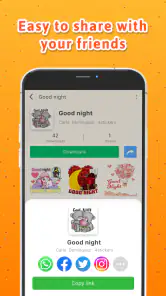
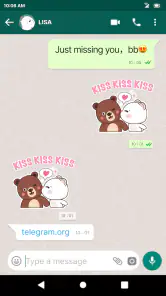
Analysis by Reviewed
My first bit of advice with Personal stickers StickerMaker is to decide what you want a sticker to do before you start editing. A picture can be funny on its own, but it becomes much more useful when it captures a reaction you send often or a running joke your friends already understand. That purpose-first approach makes the app feel less like a place to collect random images and more like a practical companion to everyday chats.
Keep the sharing step separate from the creative one
When I make a sticker, I think of creation and delivery as two different tasks. Cropping and adding a short caption are the creative part; moving the result into a conversation depends on the messaging app and, at times, the network connection. If delivery seems delayed, I check the intended chat before editing again. That simple pause can prevent a pile of near-duplicates and makes it easier to tell whether the issue is the image or the handoff.
This distinction is especially useful when a photo is tied to a moment that is hard to repeat. I would keep the original image in my gallery until I have confirmed that the sticker is available where I want it. That is not a complicated backup routine; it is just a sensible way to avoid having to recreate a one-off expression or an amusing scene because a conversation did not refresh as expected.
Choose images that survive a small display
Stickers are usually seen quickly, among other messages, so a strong source photo matters more than elaborate editing. I look for one subject, a clear expression, and enough space around the edges to crop without cutting off the detail that makes the image funny. A few words can explain an otherwise ambiguous reaction, but tiny text and busy decoration can make the final image harder to read.
There is a useful trade-off here: a close crop gives a reaction more impact, while a wider crop preserves context. For a pet’s face, I would favor the expression; for a snapshot that depends on a recognizable object or gesture, I would leave more of the scene visible. Trying both approaches before adding decoration is a quick way to find out which version reads better in a chat.
A small collection is easier to use than a huge one
I get more value from a handful of stickers with distinct purposes than from a folder full of images that all communicate roughly the same thing. A useful starter set might cover a few reactions you actually send—delighted, confused, or “I’m on my way”—using familiar faces or objects. Grouping your ideas by audience, such as family or close friends, also helps you avoid sending a joke that only makes sense in another chat.
Before making another version, I would ask whether it fills a gap in the collection. That check sounds minor, but it cuts down on the time spent browsing later. It also helps keep personal photos intentional: a sticker set can be a playful way to communicate, but not every image from your camera roll needs to become a permanent chat reaction.
More From Our News Desk

Weather by Xiaomi Review: Clear at a Glance, Less Clear Up Close

X Under Pressure: Can It Recover When Posting Goes Wrong?

Clash of Clans Is Won Between the Battles

Android Auto Makes the Case for Quieter Car Software

MobiOffice: Transforming Mobile Productivity with Seamless Integration

EA SPORTS FC™ Mobile Soccer: Redefining Mobile Sports Gaming
Network-dependent moments
Sticker creation feels personal, but the payoff depends on where you share the result. I found it most useful when I already knew which chat I wanted to brighten: make a sticker from a photo, then send it into a conversation where the joke or memory makes sense. That small bit of planning saves me from making images that look amusing in isolation but never get used.
Because stickers are meant to travel into messaging apps, a shaky connection can interrupt the handoff or delay a chat from showing the result. I treat creation and sharing as separate steps: finish the image first, then try sending it when the conversation is ready. If a sticker does not appear immediately, I check the receiving chat before repeating the edit, so I do not accidentally make several near-identical versions.
Useful on the move, with a little preparation
This is a handy fit for short mobile moments: turning a freshly taken pet photo into a reaction, or making a quick sticker from a picture already in the gallery while waiting for someone. The app is approachable enough for casual use, and the photo-based workflow gives a sticker a specific context that a standard emoji cannot carry.
For a smoother result, I would choose a photo with one clear subject and leave enough space around it to crop without losing the expression. Adding a short word or a simple doodle can clarify the joke, but piling on decoration may make a small sticker harder to read in a busy chat. I also prefer to make a few useful reactions from one theme—such as a pet’s different expressions—rather than filling my collection with one-off images I will forget.
When a different tool makes more sense
Compared with ordinary emoji, custom stickers are more expressive because they can use your own photos and in-jokes. Compared with a general-purpose image editor, this app keeps the job focused on making something for a conversation rather than polishing a full graphic. That focus is convenient, though anyone who needs precise design controls or a carefully branded set may prefer a dedicated graphics editor and a more deliberate export workflow.
I would also skip it if you rarely send stickers or do not want to spend time choosing, cropping, and organizing personal images. For a quick reaction that already exists as an emoji, the extra steps are not worthwhile. And for work messages, I would keep personal photos out unless the group and context make that kind of humor welcome; a sticker can feel more informal than intended.
Unleashing Your Creativity
Let's dive into what makes StickerMaker stand out. From the moment you open the app, you're greeted with a clean, user-friendly interface that screams simplicity. You don't need to be a tech wizard to navigate your way through this app, which is a breath of fresh air.
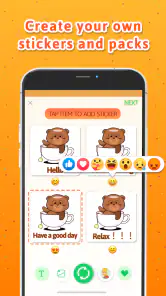
The app allows you to create stickers from your own photos. Yes, you heard that right! Just snap a picture or choose one from your gallery, and you can turn it into a sticker in mere seconds. The editing tools are pretty intuitive. You can crop, add text, or even doodle over your images. The possibilities are endless, and it’s a fantastic way to let your creativity run wild.
Seamless Integration
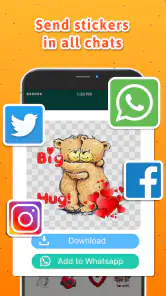
One of the features I absolutely love about this app is its seamless integration with WhatsApp. Once you've crafted your masterpiece, a few taps are all it takes to add your stickers directly to WhatsApp. No more tedious exporting processes. It’s all about making life easier, and this app nails it.
But it doesn't stop there. The app also supports other messaging platforms, making it versatile for all your communication needs. Whether you're on iOS or Android, StickerMaker has got you covered.
Planning around everyday connectivity
In a realistic everyday run, I might take a photo of my dog before leaving home, crop it into a reaction, and share it with family later when I have a steady signal. If the chat is slow to update, I would first reopen the conversation or wait a moment rather than rebuild the sticker. That distinction matters: the creative step and the network-dependent act of sharing are not the same thing.
For data-conscious use, I would avoid repeatedly sending the same image while trying to diagnose a delay. A single check in the destination chat is more useful than making another copy, and choosing a compact, clear image is practical when a conversation is already busy. I would also keep the original photo in my gallery until I know the sticker is available where I need it, especially if it is a one-time image I cannot easily recreate.
When a chat is slow to catch up
If a sticker seems missing, I would work through the least disruptive checks first: confirm I am looking at the right conversation, give the chat a moment to refresh, and then try the sharing step again if needed. I would not immediately crop the photo a second time, because that creates uncertainty about which version I sent. If a delay happens repeatedly, making the sticker when the connection is steadier is a more reliable routine than rushing through the same handoff several times.
This is one reason I would not treat a sticker maker as a substitute for the messaging app itself. StickerMaker helps prepare the image, while the receiving conversation is where I can tell whether it arrived and how it reads in context. Keeping those roles clear makes troubleshooting simpler and avoids blaming the editing process for a chat or connectivity delay.
Who it suits, and what to expect
Personal stickers StickerMaker is a free communication app from Personal Sticker Meme Developer. It has a 4.7 average from around 123,000 ratings, with more than 10 million installs, and its Teen content rating is worth keeping in mind for family use. It was released on January 5, 2019; version 1.6.28.2 supports Android 7.0 and later.
The app’s name and store summary point to a large sticker and meme collection as well as personal creations, which makes it appealing if you want both ready-made material and your own images. The key question is whether you will actually use those options in chats. I would recommend it to people who enjoy recurring group jokes, pet reactions, or small personal touches; someone who only sends plain text may get little from installing another communication tool.
One useful habit is to make stickers around a clear purpose: a family reaction set, a few event reminders, or a small collection for friends who share the same humor. That is easier to browse and more likely to be reused than creating images without a destination. The trade-off is that personal humor depends on context, so a sticker that works brilliantly among friends may be confusing in a work group or with someone who does not know the story behind it.
Making a set for a real routine
A practical use case is a family chat where the same questions come up every week. I might create a small set of recognizable reactions for “running late,” “looks good,” or “that made me laugh,” using photos that the family will immediately understand. The benefit is not just novelty: a familiar visual shorthand can make a busy conversation feel more personal. The limit is that the images need to remain legible and appropriate for everyone in that group.
For a small business or community group, I would be more cautious than the app’s creative possibilities might suggest. A casual sticker can add warmth to a message, but a promotional graphic that must look consistent across channels is better prepared in a design tool with stronger control over layout and brand details. I would use this app for informal reactions, not as the final production step for polished marketing assets.
Why You'll Love It
If you're like me and enjoy spicing up your chats, this app is a game-changer. Imagine being able to send a sticker of your pet's goofy face or that epic sunset you captured last summer. It adds a personal touch to your conversations that standard emojis just can't match.
The app is not just about fun; it's also practical. It’s perfect for creating stickers for business promotions or just to add a dash of personality to your professional communications.
And let's not forget the app's regular updates. The developers are always adding new features and improvements, keeping it fresh and relevant. It's nice to know that your feedback could potentially shape future updates.
Who should leave it off their phone
I would pass on it if my messages are mostly logistical, if I prefer not to turn personal photos into chat material, or if I need advanced control over cutouts and typography. In those cases, emoji are quicker, while a full image editor gives more room to refine a graphic. StickerMaker makes most sense in the middle: when I want a personal image to become a quick, reusable reaction without taking on a larger design project.
It is also worth thinking about the audience before making a set. A close friend may recognize the expression behind a blurry photo, while a larger group may need a clearer image or a short caption. I would test a sticker in the kind of chat where I expect to use it and keep the design simple if people need to understand it at a glance.
Final Thoughts
At the end of the day, Personal stickers StickerMaker is more than just an app—it’s a tool for expression. Whether you're a casual texter or a social media guru, this app has something to offer. It's fun, it's easy, and it's incredibly versatile.
So if you're ready to take your messaging game to the next level, give StickerMaker a try. It's like having a mini art studio in your pocket. Trust me, once you start creating, you won't want to stop!
My connectivity verdict
I see this as a lightweight creative step attached to a connected habit, not as a replacement for a chat app. The strongest results come from choosing a useful photo, making a simple sticker, and sharing it in the conversation where it has meaning. A steady connection makes the handoff less frustrating, but a little preparation—keeping the original image and checking the destination chat before editing again—helps when a message is slow to appear.
Overall, I would recommend it to people who regularly exchange playful images and want their reactions to feel more personal than standard emoji. If you want precision design tools, rarely use stickers, or prefer to keep photos out of messaging, another approach will suit you better. For everyone in between, the best way to judge it is to make one small, purposeful set and see whether it earns a place in your everyday conversations.
Personal stickers StickerMaker Frequently Asked Questions
Can I make stickers from photos already saved on my phone?
Yes. Personal stickers StickerMaker is designed to let you import your own images and turn them into custom stickers. You can crop and refine a photo with the app’s editing tools, then save the finished sticker for messaging. Using your own pictures makes it easier to create something personal, whether you want a reaction image, a familiar face, or a playful addition to a conversation.
Is Personal stickers StickerMaker suitable for younger users?
The app has a Teen content rating, so families should consider that guidance when deciding whether it is appropriate for a younger child. Its focus is on creating and sharing personal stickers, and the images users choose can shape the experience. Parents may want to review the app together and talk about which photos are suitable to use or share.
Does the app include ready-made stickers, or do I have to create everything myself?
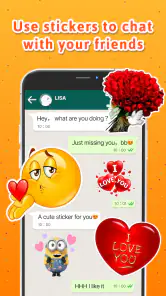
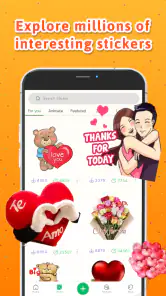
You can create stickers from your own photos, and the app’s store summary also highlights a collection of more than 5,000 HD stickers and funny memes. That gives you the choice of making something personal or exploring ready-made content. If you mainly want to use your own images, the editing tools provide a straightforward way to crop and refine them before saving.
What devices can run Personal stickers StickerMaker?
Personal stickers StickerMaker is an app in the Communication category, with a minimum operating-system requirement of Android 7.0. Before downloading, check that your device meets this requirement and has enough available storage for the app and the images you plan to use. The app is free to download and is intended for making personal stickers.
What is Personal stickers StickerMaker and how does it work?
Personal stickers StickerMaker is a mobile app designed for both Android and iOS that allows users to create custom stickers from their own photos. Users can import images, use the built-in editing tools to crop and refine their stickers, and then save them for use in messaging apps like WhatsApp. It's an easy way to add a personal touch to your conversations.
Pros
- Easy to use interface for creating stickers.
- Wide variety of customization options.
- Integrates well with messaging apps.
- Lightweight app
- doesn't take much space.
- Allows importing images from gallery.
Cons
- Limited editing tools for advanced users.
- Occasional crashes on older devices.
- Ads can be intrusive at times.
- No option for collaborative sticker creation.
- Limited free sticker packs available.
- Category
- Communication
- Version
- 1.6.28.2











