PDF Reader & File Recovery
- 16.00
- 3.9
- Installs
- 100.00K
- Price
- Free
Screenshots
Analysis by Reviewed
My first question with PDF Reader & File Recovery is whether combining a document reader with file recovery makes everyday tasks simpler or just puts unrelated tools together. I see its appeal for someone who wants to open PDFs and also have a way to try to retrieve misplaced media or files. Whether it earns a place on your phone depends on how comfortable its reading and navigation feel, and on whether you treat recovery as a possibility rather than a promise.
Putting the app through a useful first test
I’d begin with a familiar, non-sensitive PDF and a clear goal: find a page, check a detail, or see whether the text is comfortable to read. Then I’d try a second document with a different layout, such as a form or a manual. This quick comparison helps reveal whether the app suits the documents you actually encounter, rather than just opening one simple file successfully.
That test is useful for another reason: a tool that combines several jobs can be handy without being the best choice for every job. I would try its document workflow first, then explore conversion and file recovery separately. Keeping those trials distinct makes it easier to judge what works for you and avoids confusing a successful PDF read with an effective recovery result.
Reading and finding your way through a PDF
For someone who mainly needs to open and read PDFs, the app’s clearest role is straightforward: it is a document tool, not a full office suite. That distinction matters if you want to inspect a form, read a manual, or check a document sent to your phone without moving between several apps. The app is free, and its developer is GLOBAL MEDICAL LTD.
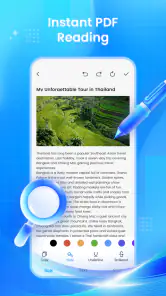
I would start by testing a document you know well rather than immediately relying on it for important paperwork. Check whether the text is comfortable at your usual viewing size, whether you can return to the page you were reading, and whether the controls are easy to locate. Those small details decide whether a reader feels dependable in everyday use, especially when a PDF is long or has dense text.
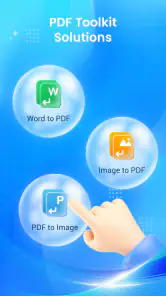
The product is described as able to convert PDFs as well as read and manage them. Conversion can be useful when a document needs to fit a different workflow, but it is worth checking the result before sharing or submitting it. Formatting can shift when a file changes form, and a converted document may not preserve every visual detail. I would keep the original and compare important pages rather than treating conversion as a guaranteed like-for-like replacement.
Another practical habit is to organize documents before a deadline. If you use the app for receipts, travel papers, or forms, give files clear names in the place where you keep them and open the exact document once before you need it. This reduces the chance of fumbling through a phone while someone is waiting. It is a simple workflow improvement, not a special feature claim, and it applies particularly well to a reader that also presents file-management tools.
More From Our News Desk

Clash of Clans Is Won Between the Battles

Android Auto Makes the Case for Quieter Car Software

MobiOffice: Transforming Mobile Productivity with Seamless Integration

EA SPORTS FC™ Mobile Soccer: Redefining Mobile Sports Gaming

How Microsoft OneDrive Became a Mobile Productivity Giant

How Google Translate Breaks Language Barriers Effortlessly
The app is listed in the tools category and has a 3.9 average from around 716 ratings, with 16 written reviews. That gives a prospective user some context, but ratings cannot tell you whether the reading controls match your needs. The listing also shows over 100,000 installs. I would treat that as evidence that people have tried it, not as a substitute for checking how it behaves with your own PDFs.
When conversion helps—and when it can create extra work
Conversion is most useful when the aim is access or convenience: for example, making a document easier to pass into another compatible workflow. It is a weaker fit when the exact layout is critical, as with signed forms, tables, or documents whose spacing carries meaning. In those cases, inspect the output closely and preserve the source. If you regularly edit complex documents, a dedicated office or PDF-editing app is likely a better choice than expecting a general reader to cover every specialist need.
There is also a useful distinction between reading a PDF and editing its contents. A reader can be enough for checking information, but people who need to annotate, sign, redact, or collaborate should confirm that their particular task is supported before making it their main tool. I would not build a work process around an assumed capability: test the exact action on a nonessential copy first.
Motor and sensory considerations
PDF reading can place very different demands on users. Someone who has difficulty with precise taps may find small toolbar controls frustrating; someone with low vision may need text resizing or strong contrast; and a person sensitive to busy screens may prefer a minimal reading view. I can’t infer those options from the app’s short description, so my practical advice is to evaluate the actual interface on your device rather than assume that the word “reader” means it will suit every reading style.
A useful test is to open a page with small print and try the controls one-handed, then repeat while holding the phone in the position you usually read in. See whether you can enlarge the content without losing your place and whether page movement takes deliberate, predictable input. For motor comfort, predictable navigation is often more important than a long list of tools. If reaching controls or making precise selections is difficult, your device’s built-in accessibility settings may help, but the experience will depend on how the app works with them.
For sensory access, try both a text-heavy PDF and one with scanned pages or complex layouts. A document that looks clear to one reader may be hard for another because of tiny labels, low contrast, or image-based text. If you rely on screen reading, test a document with selectable text and one that appears to be a scan; those can behave differently. A dedicated accessible document reader may be a safer choice when reliable spoken navigation is essential.
These checks are especially important because accessibility is not a single switch. Larger text may help with a simple document but not with a fixed-page form; voice input may help with navigation yet do little for content that is only an image. I’d judge the app by the complete task—opening, moving through, and understanding the document—not by whether one setting seems helpful.
Using it in everyday situations
Imagine receiving a PDF appointment instruction while you are away from home. You can open it to check the address, then keep the document available alongside other files you may need. In that moment, a combined reader and file tool can save switching between apps. But if you are in bright sunlight, on a crowded bus, or trying to read while walking, the limiting factor may be the phone screen and your surroundings rather than the software. I would download or open the document before leaving and avoid relying on a weak connection at the last minute.
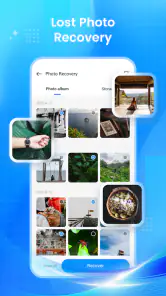
The recovery side suggests another practical use: trying to find media or files that have gone missing. That can be appealing after an accidental cleanup, but recovery is not the same as a guaranteed restore. If a file matters, stop creating or downloading unnecessary content before attempting recovery, since continued use can make a lost item harder to retrieve in some situations. Keep separate backups for irreplaceable photos and documents; a recovery tool is best treated as a possible second chance, not as a backup plan.
People often ask whether a combined app can replace both a dedicated PDF reader and a recovery utility. For light, occasional use, it may be convenient to try one place first. For frequent document work, specialized readers usually offer a more focused experience, while recovery tools are better assessed on the precise file type and loss scenario. I would not assume that one general-purpose app will outperform both specialists simply because it covers both tasks.
Another question is whether it suits a shared or family device. The content rating is Everyone, which describes the intended audience, but it does not say anything about privacy controls or how files are handled. If you open sensitive records, check the app’s current permissions and keep private documents in a location and account you trust. On a shared phone, remember to close the document and consider who can access the device afterward.
Where the experience may fall short
The main trade-off is breadth versus clarity. Putting reading, conversion, file management, and recovery under one roof sounds convenient, but each extra task can add choices to the interface. If you only want to read a PDF quickly, an app designed solely for documents may feel more direct. If your primary need is restoring deleted files, a focused recovery tool may provide clearer guidance about what it can and cannot recover.
There is also a risk of expecting recovery to undo every kind of loss. Files deleted long ago, overwritten data, or content stored somewhere the app cannot reach may not be recoverable. I would test the feature with modest expectations and avoid paying attention to dramatic assumptions about what any recovery app can bring back. The most dependable protection remains keeping another copy of valuable material.
The current version is 2.0.3, and the app requires Android 8.0 or later. It was released on June 12, 2026, so anyone using an older device should check compatibility before planning around it. A version number alone does not tell me how smooth a particular phone will feel; performance and readability can vary with screen size, Android configuration, and the documents you open.
If you use assistive technology, don’t wait until an urgent task to find out whether the controls work for you. Try opening a non-sensitive PDF, moving between pages, and locating the conversion or management actions you expect to use. If those steps are tiring or unclear, switching to a reader already familiar to you is a sensible choice—not a failure to make this app work.
An inclusive verdict for the right kind of user
I’d recommend PDF Reader & File Recovery to someone who wants a free, general-purpose tool for occasional PDF reading and would also like the option to manage or attempt to recover files. It is most persuasive as a convenience app: useful for checking a document on the go and keeping a recovery attempt close at hand, provided you verify important results and maintain backups.
I would steer away from it as a sole solution if your work depends on advanced PDF editing, consistent handling of complex layouts, dependable recovery of irreplaceable files, or a clearly established accessibility workflow. In those cases, choose a specialist app that you can test against your exact requirements. For readers with vision, motor, or sensory needs, make the decision by trying real documents and real controls on the device they use every day.
Overall, this is a practical option to explore rather than an app I would trust blindly with every document problem. Its mix of PDF tools and recovery makes sense for casual, varied needs, while its broad scope calls for a little checking before you depend on it. The app is rated for Everyone, and I’d describe its best audience similarly: people who want a simple starting point, are comfortable verifying conversions and recovery results, and know when a more focused tool would serve them better.
A sensible fit for occasional, mixed needs
One everyday case where I’d consider keeping it installed is sorting out a cluster of documents and photos after travel. I might open a ticket or receipt PDF, check the details while packing, then use the recovery option only if a file has genuinely disappeared. Keeping the tasks separate in my mind matters: the reader helps with information I already have, while recovery is an attempt to find something missing. Neither should become the only copy of a document I need to prove a purchase or attend an appointment.
For a student or household user who opens PDFs now and then, that all-in-one convenience may be enough. Someone who annotates lecture material daily, signs contracts for work, or needs to search and manage a large archive will probably benefit more from a dedicated PDF app whose workflow is built around those habits. Likewise, if a lost photo is emotionally or practically irreplaceable, I’d first look to a backup made before the loss and treat any recovery attempt as secondary.
A small but useful precaution is to try conversion on a duplicate of a low-stakes file before using it for anything official. Compare page order, headings, tables, and any signature or date fields, not just whether the converted file opens. For recovery, avoid repeatedly running broad searches without a clear reason; first identify what went missing and where it was stored, then decide whether this tool is a plausible place to look. That makes the process more deliberate and helps avoid mistaking a tool’s availability for certainty of success.
Before installing, I’d also check the practical fit of the phone itself: the app is free, rated Everyone, and requires Android 8.0 or later. Its June 12, 2026 release and current version, 2.0.3, give a useful point of reference when checking compatibility, but they do not settle whether its controls will feel comfortable on your particular screen. If navigation is difficult or a document is hard to perceive, a reader you already know—or one designed around your accessibility needs—is the more sensible choice.
PDF Reader & File Recovery Frequently Asked Questions
What can PDF Reader & File Recovery do?
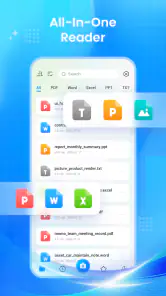
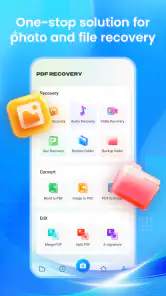
PDF Reader & File Recovery is intended to combine two practical tools: opening and reading PDF documents, and attempting to recover files that have been deleted or lost. PDF features may include browsing documents stored on your device and viewing pages, while recovery results depend on what happened to the files and how your device manages storage. Check the app’s current description and permissions to confirm which features are available in your version.
Can PDF Reader & File Recovery recover every deleted file?
No recovery app can guarantee that every deleted file will be restored. Success can depend on the file type, how long ago it was deleted, whether new data has overwritten its storage space, and the device’s operating system and storage settings. If you have lost something important, avoid saving new files or installing unnecessary apps before trying recovery, and keep realistic expectations about what a scan may find.
Does the app need access to my files, and is that safe?
A PDF reader generally needs permission to find and open documents, while file recovery may request broader access to scan eligible content. Review each permission prompt and grant only access that makes sense for the feature you plan to use. Before installing, also read the app’s privacy policy and store listing to understand how files or scan results are handled; avoid scanning sensitive material if those details are unclear.
Is PDF Reader & File Recovery free to use?
Pricing and feature limits can vary by app version, region, and platform. Some apps offer basic reading or scanning at no cost but place advanced tools behind a subscription, one-time purchase, or advertising. Check the Google Play or Apple App Store listing for current in-app purchases, trial terms, and cancellation details before downloading. A free download does not necessarily mean every recovery or document feature is free.
Will PDF Reader & File Recovery work on my Android or iPhone?
Compatibility depends on the specific release and the operating system version installed on your device. Confirm that the app is listed for your platform and that your phone meets its current requirements before downloading. Recovery capabilities can also differ between Android and iOS because each system controls access to storage differently, so do not assume that file recovery works the same way on both platforms. Check the store listing for supported devices and features.
Pros
- Opens PDFs quickly for convenient access to documents.
- Useful file recovery tools can help locate deleted files.
- Combines PDF reading and file management in one app.
- Search makes it easier to find text within supported PDFs.
- Simple features suit users who need basic document access.
Cons
- Recovery results may vary
- especially if files were overwritten.
- Some recovery features may require broad storage permissions.
- Advanced PDF editing tools may be limited or unavailable.
- Ads or upgrade prompts can interrupt the experience.
- Recovered files may not retain their original names or folders.
- Category
- Tools
- Version
- 2.0.3








