NumberBox: Caller ID
- 615.00
- 4.2
- Installs
- 1.00M
- Price
- Free

Screenshots
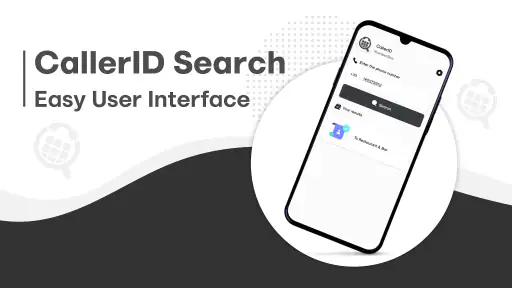
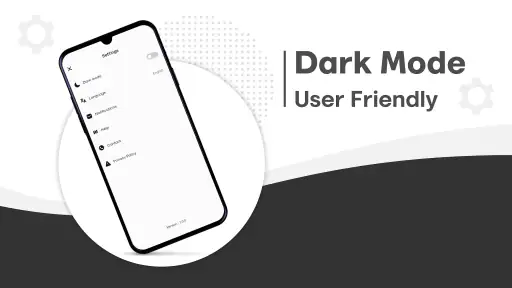
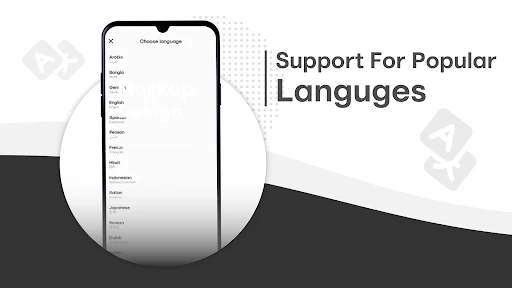
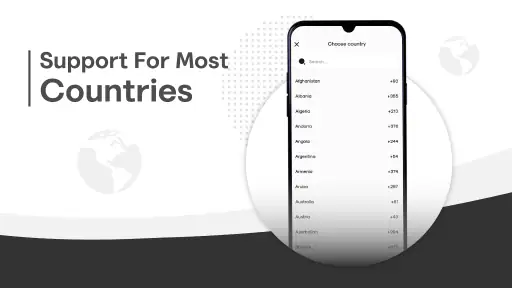
Analysis by Reviewed
I like caller ID apps most when they help me make a quick decision without turning every incoming call into a research project. NumberBox: Caller ID is aimed at that everyday problem: identifying unfamiliar callers and reducing unwanted interruptions. Its promise is appealing, though I’d treat any caller label as a useful clue rather than proof of who is calling.
Why a quick identity check matters
Unknown calls create a small but persistent dilemma: answer and risk a sales pitch or scam, or ignore the call and possibly miss something important. A caller ID tool is useful when it narrows that choice without asking me to stop what I’m doing and investigate every number manually. NumberBox is best understood in that practical role—as a screening aid, not as a guarantee that a displayed name is accurate.
That distinction affects how I would use it. I’d let the caller label influence whether I answer, but I wouldn’t use it to verify a person’s authority or intentions. Caller information can be incomplete or misleading, so a familiar-looking identity is not a reason to share account details, one-time codes, or payment information. For anything sensitive, I’d end the call and contact the organization using a number I already trust.
Where a caller ID tool earns its place
The practical value is clearest when I’m expecting a delivery, a service call, or a reply from someone whose number I haven’t saved. Instead of ignoring every unknown ring, I can use the displayed identity as one signal and decide whether to answer. That is a small convenience, but it matters when missing a legitimate call would be more frustrating than screening a suspicious one.
There is a trade-off here: caller identification depends on the information available to the app, and a name on screen can’t guarantee that a call is genuine. I’d still avoid sharing payment details or personal codes with an unexpected caller, even if the number looks familiar. For a sensitive matter, hanging up and contacting the organization through a number I already trust is the safer habit.
A useful routine for busy days
Picture a workday with several calls arriving while I’m helping a customer or trying to focus. I can let an unfamiliar number wait, check its label, and call back only if it seems relevant. If it looks like spam, I can avoid interrupting what I’m doing. This is where a caller ID app can be more useful than a long list of blocked numbers: it helps me make a decision in the moment instead of requiring me to recognize every number in advance.
My tip is to keep expectations modest and use the app as a screening aid, not an automatic trust system. If a caller claims to represent a bank, delivery company, or government office, I would verify the request independently. Caller identification may help me decide what deserves attention, but it cannot judge the caller’s intentions for me.
More From Our News Desk

Weather by Xiaomi Review: Clear at a Glance, Less Clear Up Close

X Under Pressure: Can It Recover When Posting Goes Wrong?

Clash of Clans Is Won Between the Battles

Android Auto Makes the Case for Quieter Car Software

MobiOffice: Transforming Mobile Productivity with Seamless Integration

EA SPORTS FC™ Mobile Soccer: Redefining Mobile Sports Gaming
Unmasking Unknown Callers
One of the standout features of NumberBox: Caller ID is its ability to reveal the identity of unknown callers. You know those moments when your phone rings with an unfamiliar number, and your heart skips a beat thinking it might be someone important? Well, this app takes away all that anxiety by displaying the caller’s ID right on your screen. It’s like having your very own detective agency in your pocket!
Seamless Integration
What I absolutely love about this app is its seamless integration with my contacts. It doesn’t just stop at identifying unknown numbers; it even helps organize and manage all your contacts with ease. The interface is intuitive, making it super easy for anyone to navigate. Whether you’re tech-savvy or not, you’ll find this app a breeze to use.
That contact-management angle may suit someone who wants caller screening and a tidier address book in one place. I would still keep important contacts saved clearly on the phone itself, so familiar people remain easy to recognize if I change apps or devices. If all I need is a basic way to silence unknown calls, the phone’s built-in call controls may be enough; a separate tool makes more sense when I want its identification and contact features together.
Keeping Spam at Bay
Nobody likes spam calls, right? With NumberBox, you can say goodbye to those pesky interruptions. The app is equipped with a robust spam filter that automatically blocks unwanted calls and messages. I noticed a significant drop in spam calls after just a few days of using it. Finally, some peace and quiet!
Another cool feature is the community-based spam reporting. Users can report spam numbers, which helps improve the app’s overall efficiency. It’s a bit like a neighborhood watch program but for your phone!
Community reports can be especially helpful for numbers that bother many people, but I wouldn’t expect every nuisance call to be identified immediately. A new or rarely reported number may not have much history, and legitimate callers can sometimes be mistaken for unwanted ones. I’d review how blocking behaves before relying on it for calls I cannot afford to miss, and I’d be cautious about treating a report as conclusive evidence.
Making the most of identification and blocking
A useful way to start is to separate “identify” from “block” in my own decision-making. If I’m waiting for a callback, I’d rather see an unfamiliar number and decide for myself than have an aggressive blocking rule silence it first. Once I recognize a repeat nuisance caller, blocking becomes more practical. That distinction matters for people who receive appointment calls, job inquiries, or customer follow-ups from numbers that change frequently.
I’d also avoid assuming that a spam label will answer every question. It can help me prioritize, but it cannot tell me whether a call is urgent, whether a caller has a legitimate reason to reach me, or whether a claimed identity is genuine. When in doubt, letting the call go to voicemail and returning it through a known contact route gives me more control than reacting to the label alone.
Personal Experience
I was initially skeptical about how effective the app would be, but after using it for a week, I’m thoroughly impressed. The app does what it promises and more. I’ve been able to screen calls effectively, and the app even helped me avoid a scam call that could have potentially been a nightmare.
The app also offers some nifty customization options. You can choose how you want to be notified of calls and messages, which is a nice touch. Plus, it’s light on battery usage, so your phone won’t feel like it’s running a marathon every time you use it.
For someone comparing options, the choice is between a dedicated caller ID app and the simpler protections already available on a phone. Built-in tools can be a better fit if you mainly want to mute unknown callers and prefer fewer moving parts. NumberBox is more compelling if identifying numbers, handling spam, and managing contacts are all part of the same problem for you. I’d also check that its call alerts behave the way I want before depending on it during work or family hours.
How it compares with familiar alternatives
The usual alternative is not necessarily another app; it may be the phone’s own call screen, voicemail, or a manually maintained block list. Those options are straightforward and avoid adding another layer to call handling, but they offer less help when I want context about a number I don’t recognize. A dedicated caller ID tool is more useful when unknown calls are frequent enough that checking each one becomes a chore.
There is also a trade-off between convenience and reliance. A manually blocked number is a decision I made about a specific caller, while an identification label is information to interpret in real time. If I need a very simple “silence unknown callers” routine, the built-in control is likely the cleaner choice. If I want identification alongside spam handling and contact organization, NumberBox has a more relevant role.
Who should choose it
NumberBox is a sensible fit for people who regularly receive calls from new numbers and want help deciding which ones deserve attention. It may also suit anyone who wants contact organization alongside caller identification, rather than installing a tool for only one occasional task. HotCodes develops this free Tools app, which is rated for Everyone and has a 4.2 average from around 11,000 ratings. Its reach is substantial, with over 1 million installs, but popularity alone does not tell me whether its approach suits your phone habits.
The app was released on February 10, 2023, and version 7.8.0 supports Android 6.0 and newer. Those details make it relevant to people using older Android phones, although I’d still check that the current device and call setup work smoothly before making it part of my routine. If you rarely get unknown calls, already trust your phone’s spam controls, or prefer not to use a separate caller ID service, you may be better off sticking with the built-in option.
When I would skip a separate caller ID app
If unknown calls are rare, or if I already use a phone’s built-in screening settings and feel comfortable with them, NumberBox may add more steps than value. The same goes for anyone who wants every call handled automatically without checking labels or reviewing what gets blocked. A caller ID app can assist with judgment, but it does not remove the need to decide whether a call is worth answering.
I’d also think carefully about my contact habits before relying on its organization features. People who keep a carefully maintained address book and rarely receive calls from unsaved numbers may see little benefit. On the other hand, someone coordinating deliveries, appointments, or work calls from unfamiliar numbers has a stronger reason to try it. The best fit is not simply “anyone who dislikes spam”; it is someone who wants more context at the moment an unknown call arrives.
Small habits that make it more useful
For a busy household, I’d agree on a simple rule: use caller information to decide whether to answer, but don’t treat it as identity verification. That keeps a helpful label from becoming a false sense of security. If a call might be important but arrives at a bad time, letting it ring and checking voicemail can preserve the chance to respond without interrupting a meeting or family routine.
For work, I’d test the notification and blocking behavior during a quiet period before relying on it through a full day. That is a practical way to learn whether the app’s alerts fit my schedule and whether I am comfortable with its screening approach. The aim is not to block the most calls possible; it is to reduce interruptions without losing the calls I actually need.
Final Thoughts
In a world where staying connected is essential, NumberBox is like having a security guard for your phone. It’s reliable, efficient, and surprisingly easy to use. Whether you’re tired of spam calls or just want to know who’s trying to reach you, this app has got you covered.
If you’re looking for a solution that offers peace of mind and greater control over your incoming calls, give NumberBox a try. Trust me, once you do, you’ll wonder how you ever lived without it. Happy calling!
NumberBox: Caller ID Frequently Asked Questions
What Android version does NumberBox: Caller ID require?
NumberBox: Caller ID is an Android tools app from HotCodes, and it requires Android 6.0 or later. Before downloading, check your device’s Android version in its settings to make sure it meets that requirement. The app is free and intended for a general audience, so compatibility is the main practical point to consider before installing it.
What is NumberBox: Caller ID and how does it work?
NumberBox: Caller ID is a mobile application designed to identify incoming calls and provide additional information about the caller. It works by accessing a vast database of phone numbers and matching them with caller information to display the caller's name or business, even if they aren't saved in your contacts. This helps users avoid spam calls and know who's calling before answering.
Is NumberBox: Caller ID free to use or does it require a subscription?
NumberBox: Caller ID is free to download and use. The free version provides basic features like caller identification and spam detection. The app has attracted over a million installs, and its 4.2 average rating reflects feedback from users. Check the app itself for the features available to you before relying on it for a particular calling task.
Does NumberBox: Caller ID have a good reputation among users?
NumberBox: Caller ID has an average rating of 4.2 from around 11,000 ratings, with 615 written reviews. These figures can offer a useful snapshot of user opinion, but they do not guarantee that the app will suit every person or device. Reading recent reviews before installing can help you judge whether its caller-identification tools match what you need.
How does NumberBox: Caller ID protect user privacy?
NumberBox: Caller ID is committed to protecting user privacy by ensuring that personal data, such as contact lists, is not shared without consent. The app uses encryption to secure data and complies with privacy regulations. Users can review the privacy policy within the app to understand how their information is handled and what measures are in place to safeguard their data.
Pros
- Accurate caller identification
- Easy-to-use interface
- Minimal battery consumption
- Frequent app updates
- Customizable settings
Cons
- Ads can be intrusive
- Limited free features
- Occasional lag in caller ID
- Requires internet connection
- No dark mode option
- Category
- Tools
- Version
- 7.8.0








