Noticias Locales
- 931.00
- 4.6
- Installs
- 5.00M
- Price
- Free

Screenshots

Analysis by Reviewed
I like the idea behind Noticias Locales: local news is most useful when it reaches you quickly, without requiring a tour through several sites. The app is free to install and sits in the news and magazines category, where its focus on nearby headlines gives it a more specific purpose than a general news reader. Its promise is most appealing when you want a quick sense of what is happening around you, rather than a deep dive into national or international coverage.
What to expect from its pace
For a brief check between errands or before leaving home, a local-news app can be more convenient than opening several publishers one by one. Noticias Locales is positioned around timely alerts, so I would treat it as a way to notice a developing story and then decide whether it deserves more attention. That distinction matters: a notification is a prompt to look, not a substitute for reading the full context or checking an important claim against the reporting itself.
NEWSDELIVER LIMITED develops the app, and its current version is 2.11.0. It has an average rating of 4.6 from around 26,000 ratings, with more than 5 million installs. Those figures suggest it has found an audience, but they cannot tell me whether its local coverage will be equally useful in every town. The practical test is whether the headlines it brings forward match the place and subjects you actually care about.
Busy days and alert trade-offs
The strongest use case is a day when local information could change your plans: for example, checking for a neighborhood disruption before choosing a route, or noticing an announcement that affects a community event. If you enable alerts, I would start with only the topics or areas that genuinely influence your day. That gives you a chance to judge their relevance before letting more notifications compete for your attention.
There is a trade-off between speed and detail. A short alert can help you notice something early, but it may leave out the background that explains why it matters. When a headline affects travel, safety, or a decision involving other people, open the story and look for the fuller account rather than acting on the alert alone. For ongoing coverage, a publisher’s own reporting may also be a better place to follow updates and context.
Using it as part of a local-news routine
Compared with a general news app, Noticias Locales has a narrower job: helping you keep an eye on local headlines rather than balancing every subject and region. Compared with visiting local publisher websites directly, an aggregator can make a quick scan feel simpler, while direct sites may be preferable when you want to follow one outlet closely. I would use this app for discovery and quick awareness, then go to the original coverage when a story needs careful reading.
Simple ways to make it more useful
A practical routine is to check the feed at a natural pause, such as before heading out, instead of treating every alert as urgent. If a story matters, note its source and revisit it later to see whether the picture has changed. For event planning, use local coverage to discover what is happening, but confirm the essentials with the event organizer before making a special trip. These habits help turn a fast headline feed into a useful starting point without asking it to do every job.
More From Our News Desk

Weather by Xiaomi Review: Clear at a Glance, Less Clear Up Close

X Under Pressure: Can It Recover When Posting Goes Wrong?

Clash of Clans Is Won Between the Battles

Android Auto Makes the Case for Quieter Car Software

MobiOffice: Transforming Mobile Productivity with Seamless Integration

EA SPORTS FC™ Mobile Soccer: Redefining Mobile Sports Gaming
The app is likely to suit people who want a lightweight way to keep local stories on their radar, especially readers who otherwise check several sources sporadically. It is less suitable if you want extensive investigative reporting, a carefully curated national digest, or a feed that never interrupts you. In those cases, direct subscriptions, publisher apps, or a general reader with manually chosen sources may fit better. The app is free, though it includes in-app purchases priced from $1.99 to $39.99 per item, so check any purchase details before committing. Its Everyone age rating makes it broadly accessible, and it requires Android 8.0 or later.
One useful way to judge whether it belongs on your phone is to try it during an ordinary week: see whether its local stories help you make a decision, find something nearby, or understand a change in your area. If alerts feel noisy, narrow what you follow or rely on occasional checks instead. Performance expectations should stay modest: the app’s purpose is quick access to news, but speed and stability can depend on your device and connection. If it stalls, reopening it or checking the same publisher directly is a sensible fallback rather than assuming a headline feed is the only route to the story.
Choosing a useful first-week test
I would make the first few days an intentional trial rather than switching on every alert and judging the app by the volume of notifications. Pick one practical reason to use it, such as keeping an eye on neighborhood changes before a commute, and check whether the stories are specific enough to help. If you are mainly interested in community events, judge it by whether it surfaces leads worth verifying, not by expecting it to replace an organizer’s own schedule or announcements.
That test also helps answer a common question: does a local feed make sense if I already follow news on social media? It can, if you want a separate place to scan headlines without relying on posts that happen to appear in a social feed. But it is not automatically a better source for every story. Social posts can provide immediate eyewitness context, while an established local publisher may offer more complete reporting; I would use the app as a discovery layer between those habits, not as a reason to abandon them.
When the app is not the right tool
Readers in a place with sparse local coverage may find that a nearby-news focus produces fewer useful discoveries than a broader regional source. Likewise, if you need a comprehensive archive, long-form journalism, or a dependable single-outlet relationship, a publisher’s own app or website is likely a better fit. Noticias Locales makes most sense when convenience and awareness matter more than controlling every source or reading every story in depth.
There is also a small but important distinction between staying informed and receiving operational information. A headline about a road issue or public event can alert you to something worth checking, but it should not be your sole basis for time-sensitive decisions. Confirm changing details with the relevant organization or source before rerouting, attending, or passing information along. That extra step is not a criticism of the app; it is sensible handling for any short-form news alert.
Have you ever found yourself wanting to stay updated with the latest happenings in your local area but don't know where to start? Well, let me introduce you to Noticias Locales, an app that's got you covered. This handy little tool brings all the local news you could ever need right to your fingertips, making it easier than ever to keep up with what's going on around you.
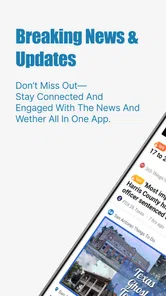
One of the things I love most about Noticias Locales is how it aggregates news from various sources into one easy-to-use platform. Instead of hopping from one website to another, you can find everything you need right here. Whether it’s local politics, weather updates, or community events, it's all just a tap away. And the best part? It updates in real-time, so you're always in the loop.
Easy Navigation and User-Friendly Interface
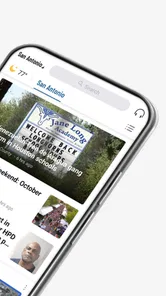
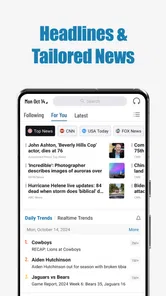
The app's interface is sleek and intuitive, making navigation a breeze. Even if you're not particularly tech-savvy, you won't have any trouble finding your way around. The main screen features neatly categorized sections, and each article is just a tap away. Plus, there's a search function if you're looking for something specific.
Customizable Alerts to Suit Your Needs
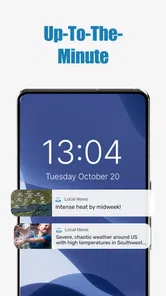
Another feature worth mentioning is the customizable alerts. You can set up notifications for specific topics or areas you’re interested in. So, if there's a traffic update or a breaking news story in your neighborhood, you'll be the first to know. This feature is perfect for those who like to stay informed without being overwhelmed by information.
The app's ability to personalize the news feed based on my interests has been a game changer for me. It feels like having my own personal news curator.
Stay Connected with Community Events
Beyond just news, the app also keeps you updated on upcoming community events. It’s a great way to discover local markets, festivals, and other happenings. If you're someone who likes to get involved in community activities, this app is a must-have.
What to check before relying on it
One question I would settle early is whether the mix of stories reflects the area I actually mean by “local.” A neighborhood, a town, and a wider county are not interchangeable, especially when a headline could affect a journey or plans with family. Spend a little time noticing which places and subjects appear in the feed, then compare a few important items with their original coverage. That gives you a more realistic sense of its usefulness than a quick glance at the newest headlines.
Another practical point is how the app fits into a busy day. If you read news in short bursts, alerts can be useful; if you prefer a quiet morning scan, checking the app yourself may be less distracting. I would avoid treating notification volume as a measure of quality. A handful of relevant prompts can be more helpful than frequent interruptions, and adjusting what you follow—or turning alerts off and opening the feed when convenient—keeps the routine under your control.
Speed, stability, and device limits
I would expect a news app to feel most useful when it opens promptly and makes the headline easy to reach, but perceived speed is not just an app issue. A weak connection can delay a feed or the full article, and a notification may arrive before a page is ready to read. If a story does not load, I would try again when the connection is steadier, then visit its source directly if the information is urgent. This is a more sensible recovery path than repeatedly refreshing and assuming the headline itself is complete.
On the device side, the Android requirement is version 8.0 or later. That makes it accessible to many Android users, though older or heavily loaded phones can still feel different from newer devices. I would keep expectations practical rather than assuming a small news app has no resource impact at all: frequent alerts can affect how often you interact with it, while background behavior and battery use depend on device settings and usage. If you are conserving battery or data, use fewer notifications and open stories selectively instead of letting every update pull you back in.
For people who ask whether it works as a complete replacement for local newspapers, my answer is no—not if you depend on depth, a consistent columnist, or a complete record of one outlet’s reporting. Its advantage is convenience across local headlines; the trade-off is that a quick aggregated view may not provide the continuity or editorial relationship you get from following a publication directly. I would keep both options available if local affairs matter to you: use the feed to spot developments, then choose the source that can explain them properly.
For casual readers, commuters, newcomers trying to learn what is happening nearby, or residents who rarely remember to check several local sites, this narrower focus can make news feel easier to fit into the day. It is less compelling for someone who already has a trusted, comprehensive local-news routine and wants no extra alerts or sources. A sensible decision is to try it for one ordinary week, keep only the parts that prove useful, and remove it from that routine if the stories do not match your area or needs.
In conclusion, Noticias Locales is a fantastic app for anyone who wants to stay updated with local news and events. Its user-friendly design and customizable features make it a standout choice for keeping informed about your community. So why not give it a try? You might just find it becomes your go-to source for all things local.
Noticias Locales Frequently Asked Questions
Is Noticias Locales free to download, and what should I know about optional purchases?
Noticias Locales is free to download, so you can try the app without paying upfront. Some optional in-app purchases are available, with prices ranging from $1.99 to $39.99 per item. Check the description and price shown for any purchase before confirming it, and review your device’s purchase settings if you want to avoid accidental transactions.
Who develops Noticias Locales, and where can I download it safely?
Noticias Locales is developed by NEWSDELIVER LIMITED and is listed in the News & Magazines category. Download it through the official app store for your device, where you can check the developer name and app details before installing. Using the official store also gives you a place to review the app’s current version and compatibility information.
Is Noticias Locales suitable for readers who want news from their own area?
The app is focused on local headlines, and its store summary describes daily last-minute news alerts for local news. That makes it a natural option for readers who want to keep an eye on nearby developments rather than only national or international stories. Its usefulness will depend on whether the local coverage and topics available match the areas you want to follow.
Can Noticias Locales send breaking-news alerts, and can I control them?
Noticias Locales is described as offering daily last-minute alerts for local headlines, which can help you notice important updates without opening the app each time. If you prefer fewer interruptions, check your device’s notification settings and any alert controls available in the app after installing it. You can adjust notifications to suit how closely you want to follow local news.
What devices and operating systems can run Noticias Locales?
Noticias Locales is available for Android and iOS devices, so you can use it on either of the two major mobile platforms. On Android, the minimum operating system requirement is version 8.0. Before downloading, check your device’s software version and available storage, and use the relevant app store for your platform. The app is developed by NEWSDELIVER LIMITED.
Pros
- User-friendly interface
- Real-time news updates
- Customizable notifications
- Wide range of local news
- Offline reading feature
Cons
- Ads can be intrusive
- Limited international news
- Occasional app crashes
- Requires internet for updates
- Battery consumption












