Nike SNKRS: Shoes & Streetwear
- 35.84K
- 3.9
- Installs
- 10.00M
- Price
- Free
Screenshots
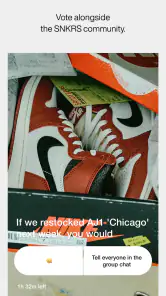
Analysis by Reviewed
I use sneaker-shopping apps differently from ordinary retail apps: the important question is not just whether a pair looks good, but whether I can keep track of a release and make a decision without scrambling. Nike SNKRS: Shoes & Streetwear is built around Nike and Jordan footwear, apparel, and release culture, so it makes most sense if those are already the brands you follow. It is a free shopping app from Nike, Inc., rated for Everyone, and its focus is much narrower than a general marketplace’s.
How quickly it gets me to the useful details
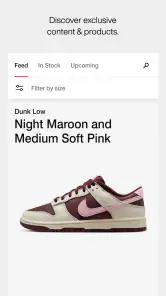
For browsing, the experience feels straightforward rather than overloaded. I can look through release information, product images, and descriptions without first learning a complicated navigation system. That matters when I am checking a pair in a short break or comparing options before deciding whether to buy. Still, a clear interface cannot make a highly sought-after release easier to obtain; I would treat the app as a convenient place to follow and shop releases, not as a promise that a particular size will be available.
The app has an average rating of 3.9 from around 125,000 ratings, and it has been installed over 10 million times. Those figures suggest a widely used service, but they do not tell me whether a specific launch will feel smooth on every phone or network. My practical advice is to browse ahead of time: check the item details and your preferences before a release you care about, rather than trying to work out what you want while making a quick purchase decision.
Getting Sneaker-Savvy with SNKRS
So, I downloaded the Nike SNKRS app with my fingers crossed, hoping for a smooth ride in the world of sneaker releases. And let me tell you, this app is not here to play games. It's your ultimate hub for all things Nike sneakers and streetwear, and it does an impressive job keeping you in the loop for the latest and greatest drops.
Design and User Experience
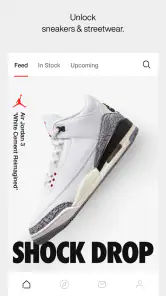
First things first, the design is as sleek as the sneakers it showcases. Navigating through the app is a breeze, thanks to its intuitive layout. You know how some apps make you feel like you need a degree in rocket science just to find the menu? Not this one. The interface is clean, and everything you need is right at your fingertips.
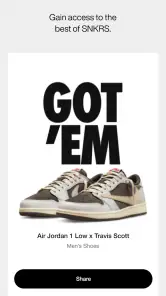
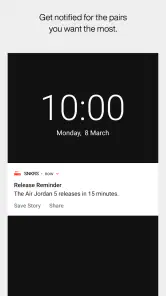
What I love is how the app lets you set your preferences. You can choose to get notifications for specific sneaker releases or streetwear collections. So, if you're eyeing that new pair of Dunks, you won't miss out when they drop. Plus, the app includes detailed images and descriptions, so you're not just buying shoes; you're buying a piece of art.
Features that Stand Out
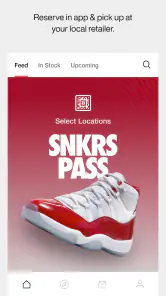
One of the coolest features is the SNKRS Pass, which lets you reserve coveted pairs and pick them up in-store. It's like having VIP access to sneaker heaven. And if you're into the stories behind the sneakers, the app has a section dedicated to just that. You get to dive deep into the inspiration and history behind each release, which is pretty neat for any sneakerhead.
More From Our News Desk

Weather by Xiaomi Review: Clear at a Glance, Less Clear Up Close

X Under Pressure: Can It Recover When Posting Goes Wrong?

Clash of Clans Is Won Between the Battles

Android Auto Makes the Case for Quieter Car Software

MobiOffice: Transforming Mobile Productivity with Seamless Integration

EA SPORTS FC™ Mobile Soccer: Redefining Mobile Sports Gaming
Also, for those moments when you're not quite sure if you want to splurge, the app provides a wishlist feature. This way, you can keep track of all the sneakers you're drooling over and make your decision when the time is right.
Using it when the launch is busy
The most demanding moment is likely to be a release that draws a lot of attention. I would open the product page early, read the details, and decide whether the design and intended use are right for me before the launch rush. That small bit of preparation is more useful than repeatedly switching between product pages at the last minute. Notifications can help me notice a release, but I would not rely on an alert alone as my entire plan; checking the app when I have time to act is a more sensible routine.
For an everyday example, imagine I am choosing shoes for regular wear rather than collecting. I can use the imagery and description to narrow down a style, save a pair to the wishlist, then return when I have considered whether it suits my wardrobe and budget. The wishlist is not a substitute for comparing fit or deciding what I actually need, but it helps keep browsing from turning into an impulsive purchase. For someone who follows launches closely, that blend of release updates and deliberate saving is a real advantage.
Reliability and the trade-offs of a focused shop
SNKRS is more specialized than a typical shopping marketplace. That focus is useful if I want Nike and Jordan releases, their related stories, or the chance to reserve a pair through SNKRS Pass. It is less useful if I want to compare several brands, search broadly for the lowest price, or buy a basic everyday shoe without paying attention to release culture. In those cases, a general footwear retailer or marketplace is a better starting point, with SNKRS serving as a brand-specific companion rather than a complete replacement.
I also separate the app’s reliability from the outcome of a launch. A page that is easy to navigate does not guarantee that a sought-after size will be obtainable, and a notification cannot remove the competition around a popular drop. If a purchase attempt feels uncertain, I would avoid assuming that repeated tapping will improve the result; I would check the information presented in the app and make a calm decision instead. For ordinary browsing, the clean layout and saved wishlist offer a more predictable experience than the pressure of a launch moment.
Who will get the most from it
I would recommend it to people who already care about Nike or Jordan, like following new releases, and enjoy learning why a design looks the way it does. It can also suit someone who wants to keep a few possible purchases in one place and use notifications as reminders. I would skip it if I rarely shop those labels, prefer a broad comparison across brands, or simply want the fastest route to a generic pair of trainers. The app’s narrow focus is its strength for fans and its main limitation for everyone else.
For a new user, I would start by choosing only the notifications that match genuine interests, then use the wishlist to separate “maybe later” from “I want this now.” Before relying on an in-store reservation, read the terms shown for that particular opportunity and make sure the location and timing fit your day. That is a small but useful habit: a reservation is only practical if collecting the item works for you. The app is free, but the purchase decisions it supports still deserve the same attention I would give any footwear order.
Device fit and day-to-day performance
The current version is 7.7.0, and the minimum operating-system requirement is 9. I would check that my device meets that baseline before planning around the app, especially if I use an older phone. For smoother browsing, I would also keep the app and operating system in a healthy state and use a dependable connection when checking a release. Those are sensible precautions, not a guarantee that every launch will behave identically across devices.
As a shopping app, its resource demands are not the main reason to install it; the value is in access to Nike-focused browsing and release tools. If I only want occasional product research, I can use it selectively instead of keeping notifications active for every launch. If I follow releases closely, alerts and a prepared wishlist can make it easier to stay organized, while a general retailer remains the better tool for broad shopping comparisons.
Stepping into the Future
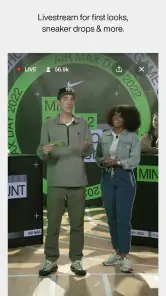
The Nike SNKRS: Shoes & Streetwear app isn't just about buying sneakers. It's about being part of a community. The app often hosts live events, exclusive content, and even surprise drops that keep you on your toes (literally!). It's a place where sneaker culture thrives, and each user gets to be a part of it.
In conclusion, if you're a sneaker enthusiast or just someone who appreciates good design and a seamless shopping experience, this app is definitely worth a download. It's more than just an app; it's a ticket to the sneaker world, right in the palm of your hand. Happy sneaker hunting!
A calmer way to plan a purchase
I find the app most useful when I treat it as a place to research first and shop second. If I spot a release while commuting, I can save it and come back later rather than trying to decide on a small screen with distractions around me. Before committing, I would compare the product description with what I need the shoes for: a striking design may appeal to me, but the right choice still depends on how often I will wear it and whether it fits my existing wardrobe.
There is also a practical difference between following a release and being ready to act on one. Notifications can bring an item to my attention, but they do not make the timing convenient or guarantee that a reservation suits my schedule. I would check the release information when I have a moment to read it properly, then decide whether an in-store pickup or purchase attempt is realistic. That approach keeps the app helpful without letting a launch dictate my day.
When SNKRS is the wrong shopping tool
If I am shopping for a family member who has not chosen a style, or I need to compare prices across different brands, I would start somewhere broader. A multi-brand shoe retailer is better for weighing alternatives side by side, while SNKRS is more rewarding when Nike or Jordan is already the destination. The distinction matters: this is not a universal shoe finder, and its curated focus will feel limiting if I arrive with no brand preference.
I would also be cautious about using release excitement as a reason to buy. The app’s stories and product imagery can make a design feel especially compelling, but they cannot answer practical questions such as whether it will work with my usual outfits or whether I need another pair at all. I use the wishlist as a cooling-off step: if I still want the item after leaving it saved and revisiting it, I have a clearer reason to consider it than if I am reacting to a countdown or a busy launch.
What to expect from busy periods
For regular browsing, I would expect the app to feel more like a focused Nike catalogue than a demanding tool I need to monitor constantly. The pressure changes when a release attracts a lot of attention. At that point, my connection, timing, and the app’s response all affect how smooth the moment feels, so I would avoid making a last-minute launch my only route to finding footwear. If a particular item is essential rather than simply exciting, keeping a broader shopping option in mind is the sensible backup.
That is also why I do not judge reliability only by whether a purchase succeeds. A release can be difficult to obtain even when the app is functioning as a shopping interface. I would distinguish between trouble navigating the app and the uncertainty of a sought-after drop, and I would not interpret an unsuccessful attempt as proof that the app is unusable for ordinary product discovery. Its everyday value is easier to assess through browsing, saved items, and the usefulness of its Nike-focused information.
Making the app fit your routine
For someone new to sneaker releases, I would begin with a small set of notification preferences instead of turning every alert on. Too many prompts can make an app designed to keep me informed feel like noise, especially if I only care about a few styles. I would then use the wishlist as a short shortlist, not an endless archive: keeping it focused makes it easier to remember why each pair caught my eye and to revisit those choices with a clearer head.
SNKRS is available free, and the current version is 7.7.0. Its audience is broad, but the best fit is quite specific: people who want a direct connection to Nike and Jordan releases, rather than shoppers who need a neutral marketplace. With an average rating of 3.9, it has plenty of users and a sizeable range of opinions, which is a useful reminder to judge it by the job you need it to do. I would install it for focused brand browsing and release tracking, then keep other retailers available for wider comparisons.
My performance verdict
For speed, I would expect ordinary browsing to be the less stressful part: product pages, images, and descriptions are useful when I can explore before deciding. A high-interest release is a different test, and I would not confuse a quick interface with a guaranteed outcome. I cannot promise identical responsiveness on every device or connection, so preparing ahead is more valuable than assuming the app can remove launch-day uncertainty.
On the device side, the operating-system requirement gives older-phone users a clear point to check before installing, while keeping the app updated and limiting unnecessary alerts can make day-to-day use feel more manageable. I would not choose SNKRS because I expect it to replace every shopping app or solve every purchase decision. I would choose it because it puts Nike and Jordan releases, product context, a wishlist, and reservation opportunities in one focused place. If that is the part of sneaker shopping I care about, it earns a place on my phone; if I want broad brand comparisons or a straightforward everyday pair, another retailer is likely to serve me better.
Nike SNKRS: Shoes & Streetwear Frequently Asked Questions
Is Nike SNKRS free to download, and do I have to pay to use it?
Nike SNKRS is free to download and use. You can browse Nike and Jordan footwear, apparel, and style without paying a membership fee. Products you choose to buy have their own prices, so the cost depends on what you select. If you are mainly interested in following releases or looking through the shopping experience, downloading the app does not itself require a purchase.
What kind of products can I shop for in Nike SNKRS?
Nike SNKRS is a shopping app for Nike and Jordan footwear, apparel, and style for men and women. It focuses on sneaker releases and streetwear, so it may suit people who want to browse Nike products and keep up with launches in one place. The app is free to download, while items selected for purchase have their own prices.
What is Nike SNKRS and what does it offer?
Nike SNKRS is an official app from Nike that focuses on providing users with the latest information about upcoming sneaker releases, exclusive streetwear, and limited edition footwear. The app offers a seamless shopping experience by allowing users to purchase exclusive sneakers directly from the app, participate in special events, and access insider news and content.
Do I need an account to shop or enter a sneaker release in Nike SNKRS?
The app’s shopping flow may ask you to set up an account before you can proceed with a purchase or participate in a release. Having your account details ready can make it easier to browse products and follow the steps shown in the app when something you want becomes available. Review your choices carefully before completing an order, especially when shopping for limited releases.
How can I purchase sneakers through the Nike SNKRS app?
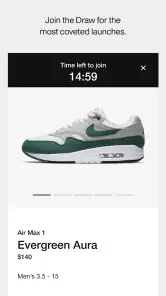
Purchasing sneakers through the Nike SNKRS app involves setting up an account, browsing the upcoming releases, and selecting the desired product. Users can enter draws for limited edition sneakers or purchase available stock directly. It's crucial to have payment information ready, as popular releases may sell out quickly. Stay alert to notifications for the best chance to secure your desired pair.
Pros
- Exclusive sneaker releases and updates.
- User-friendly interface for easy navigation.
- Access to limited edition streetwear.
- Engaging community and event features.
- Secure payment and order tracking.
Cons
- App can be slow during peak times.
- Notifications can be overwhelming.
- Limited availability of popular items.
- Occasional bugs in the app.
- High competition for limited releases.
- Category
- Shopping
- Version
- 7.7.0












