Nike: Shoes, Apparel & Stories
- 104.99K
- 4.7
- Installs
- 50.00M
- Price
- Free

Screenshots

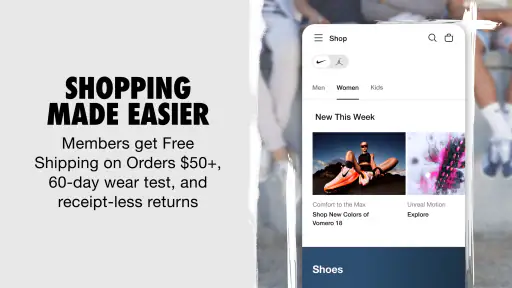
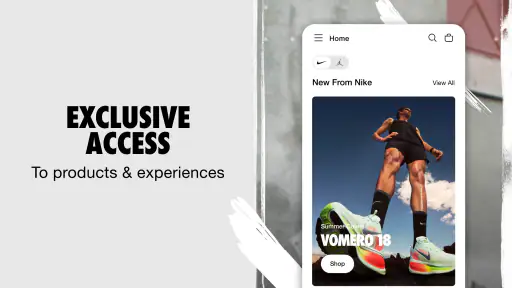
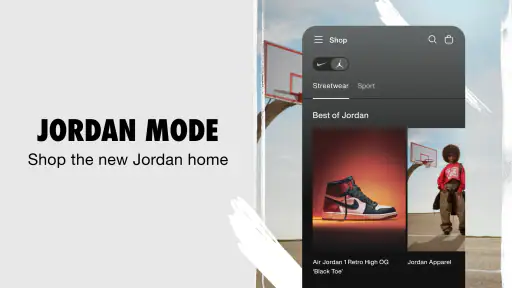
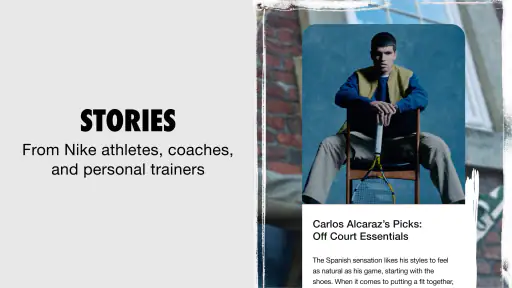
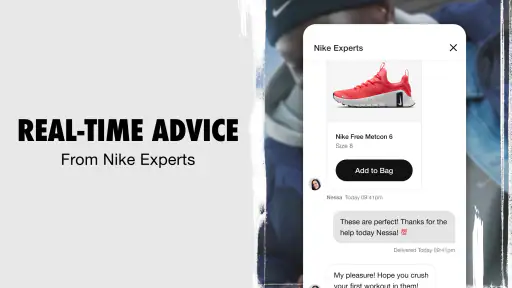

Analysis by Reviewed
I usually open a sportswear shopping app with a specific item in mind, then get sidetracked by recommendations and stories. With Nike’s app, that mix is part of the appeal, but it also means I get the best results when I decide what I’m looking for before I start browsing. It’s a free shopping app from Nike, Inc., focused on its shoes and apparel, and I’d recommend it most to people who already like the brand and want a convenient way to explore its range.
Where browsing can get frustrating
The abundance of product discovery can make it harder to compare items efficiently. If I’m shopping for a particular type of shoe, I try a direct search first rather than scrolling through the home experience and hoping the right thing appears. Recommendations and editorial content can be enjoyable, but they are not a substitute for a clear shortlist when I’m comparing colors, styles, or intended uses.
There is also a trade-off between staying informed and getting too many prompts. Notifications can be useful if I care about a release or a sale, but they can become noise when I’m only browsing casually. I’d treat alerts as something to enable selectively, not as a requirement for using the app. The app is rated for Everyone, has a 4.7 average from around a million ratings, and has passed 50 million installs, so it has a broad audience; that popularity does not mean every shopper will enjoy its discovery-first approach.
Simple checks before you shop
When the app seems slow or a product page does not behave as expected, I start with ordinary checks: confirm the connection is working, close and reopen the app, and make sure the installed version is current. The current version is 25.50.0, and the app requires iOS 11 or later. If an update is available through the relevant app store, installing it is a sensible first step before assuming something is wrong with the account or a particular item.
I also find it useful to separate browsing from decision-making. Before opening the app, I’ll note the item type, intended activity, and any color or style preference that matters to me. That small step keeps the visual feed from steering me toward something unrelated. If I’m shopping for everyday trainers rather than performance gear, for example, I keep that distinction in mind while comparing options instead of relying on a recommendation to make the choice for me.
Recovering your shopping flow
If a search or browsing session goes off track, I return to a specific product query and narrow my attention to the details I actually need. I avoid repeatedly tapping when a page is still loading; waiting briefly and then reopening the screen is a calmer way to check whether it has recovered. If the same issue continues, restarting the app and checking the connection are reasonable next moves.
A practical routine is to browse when I have time, save my decision for a second look, and revisit the item before buying. That pause helps me catch a mismatch between an appealing image and what I actually need, particularly when I’m comparing a new style with shoes or clothing I already own. For a time-sensitive release, alerts may help me keep an eye on updates, but I would not rely on a notification alone as proof that an item is available or right for me.
More From Our News Desk

Weather by Xiaomi Review: Clear at a Glance, Less Clear Up Close

X Under Pressure: Can It Recover When Posting Goes Wrong?

Clash of Clans Is Won Between the Battles

Android Auto Makes the Case for Quieter Car Software

MobiOffice: Transforming Mobile Productivity with Seamless Integration

EA SPORTS FC™ Mobile Soccer: Redefining Mobile Sports Gaming
When the problem may be outside the app
Not every frustrating shopping moment is an app fault. A product that is difficult to find may simply not match the words I searched, while a slow page can reflect a weak connection rather than a broken feature. I try another search term and give the screen a moment before repeating the same action. If the issue is tied to a particular product or account step, I avoid making assumptions based on a single failed attempt.
The app is less useful if you want to compare a wide range of brands side by side or choose mainly by the lowest price. A general retailer or a multi-brand shopping app is a better fit for that kind of decision. Nike’s own shopping experience makes more sense when the brand is already on your list and you value seeing its products alongside its editorial content.
For an everyday example, I might open it after work to look for a running top, search for the kind of item I want, and browse the related suggestions only after checking the basics. If nothing feels right, I can leave without turning casual browsing into an impulse purchase. That approach suits the app better than treating every recommendation as a must-buy.
The app was released on August 2, 2016, and its steady presence in shopping makes sense for people who return to Nike for footwear or apparel. Still, brand loyalty is the key question: if you rarely buy Nike, the stories and tailored discovery may not add enough value to justify another shopping app. The experience is strongest as a focused way to explore one brand, not as a complete marketplace.
All in all, I’d choose Nike: Shoes, Apparel & Stories when I want a brand-specific browse and already have a rough idea of what I need. It is free to download, but the more important decision is whether its mix of shopping, recommendations, and storytelling matches how you like to shop. I’d skip it if my priority were comparing many labels or finding the cheapest option, and I’d use a broader retailer for that instead.
Making the most of the shopping experience
The first thing that struck me about the Nike: Shoes, Apparel & Stories app was its clean and user-friendly interface. From the moment you launch the app, you're greeted with vibrant visuals and easy navigation, making the shopping experience a breeze. Whether you're looking for the latest sneaker drop or a comfy pair of joggers, the app's search functionality feels intuitive and personalized, almost as if it knows exactly what you're after.
Seamless Shopping Experience
One of the features I absolutely loved was the stories section. It’s not just about shopping; it's about understanding the brand's ethos and the inspiration behind each product. This section adds a whole new dimension to the shopping experience, allowing users to engage with the brand on a deeper level. Plus, the integration of personalized recommendations means I was constantly discovering items that matched my style and preferences.
Customization and Personalization
Nike has truly embraced personalization with this app. You can customize your profile, indicating your favorite sports and styles, and the app cleverly tailors its suggestions accordingly. This aspect of the app makes it feel like a personal shopping assistant, helping you find exactly what you need without any hassle.
Keeping Up with the Latest Trends
Another fantastic feature is the notification system. I’m sure I'm not the only one who hates missing out on a good deal or the latest release. With timely updates and alerts, the app ensures you're always in the loop. Whether it's a new collection or a sale, you’ll be the first to know, which is perfect for those of us who love staying ahead in the fashion game.
In everyday use, I’d make the app work as a two-pass shopping tool rather than a place to make an instant decision. On the first visit, I’d search for a specific garment or shoe and inspect the options that match the activity I have in mind. Later, I’d revisit my shortlist with a clearer head and ask whether the item fits what I already wear. This is especially helpful when an eye-catching color or silhouette is tempting but may be difficult to combine with the rest of my wardrobe.
Choosing the right way to compare products
For a shopper who already knows they want Nike, the focused catalogue is an advantage: there is less brand-hopping and more room to explore variations within the label. But that focus changes the comparison. I can weigh Nike styles against one another here, while a multi-brand retailer is more useful if I want to compare competing labels, look across a broader range of price points, or keep a purchase open to alternatives. I would use both types of app for different decisions rather than expect one to do everything.
One useful habit is to define the job the product needs to do before browsing. “Something comfortable for commuting” is a different brief from “a shoe for training,” even if both searches begin with similar-looking footwear. The app’s visual discovery can help me notice options I might not have searched for by name, but I still need to judge whether an item suits my use. Recommendations are a prompt to explore, not a substitute for deciding what matters.
Making recommendations work for you
Personalized suggestions are most helpful when I treat them as a secondary route through the catalogue. If I am browsing without a firm item in mind, they can spark ideas; if I have a precise need, I start with search and use suggestions only after I have checked the relevant options. Setting sports and style preferences can make the experience feel more tailored, although that does not guarantee every recommendation will be useful. I would adjust what I tell the app to reflect what I actually shop for, rather than selecting interests simply to fill out a profile.
There is a small but worthwhile trade-off here: a more tailored feed may be convenient, yet it can also keep attention within familiar styles. When I want to challenge my usual choices, I look beyond the first suggestions and search by the practical purpose of the item. That keeps personalization from turning into a narrow loop where I only see versions of what I have already considered.
Keeping alerts useful rather than noisy
Notifications make the most sense when I have a particular reason to follow something. If I am interested in a release, an alert can make it easier to notice an update; if I am simply looking for ordinary workout clothes, constant prompts are less valuable. I would start with the alerts that matter to me and reduce them if they distract from daily use. A notification can bring me back to the app, but I would still open the product details and make my own decision instead of treating urgency as a reason to buy.
For someone who does not want another stream of shopping reminders, the app can still be useful as an on-demand catalogue. I can open it when I have a real need, search directly, and leave when I am done. That is a better fit for casual shoppers than feeling obliged to monitor every update. The app’s discovery content is an option to enjoy, not a task I need to complete before finding a product.
Who will get the most from it
I think it suits regular Nike shoppers, people who prefer browsing a single brand’s footwear and apparel in one place, and anyone who enjoys product stories as part of shopping. It can also be handy when I have seen a Nike item elsewhere and want to explore the brand’s range more directly. The app is free, and its established audience is reflected in the high average rating and large number of installs, but those figures are only useful context; the deciding factor for me is whether I expect to shop this brand often enough.
I would be less enthusiastic about it for someone who buys sportswear only when it is discounted, needs to compare several labels before choosing, or dislikes visually led shopping. In those cases, a broader retailer can make side-by-side comparison easier, while a store with a stronger emphasis on price may suit a budget-first search better. If you rarely want Nike products, installing a dedicated brand app may add little beyond occasional browsing.
A realistic shopping routine
Imagine I need a top for a regular training session and have only a short break to shop. I would search for the item first, compare a few relevant options, and note the details that separate them instead of drifting through unrelated stories. If I have time later, I would return to the one that seems most practical and check it against what I already own. This gives the editorial side room to inspire me without letting a quick browse turn into a rushed purchase.
That routine also answers a common practical concern: do I need to follow every section to use the app? I don’t think so. I can treat it as a straightforward shopping destination when I know what I want, then explore the stories and recommendations when I am in the mood. People who enjoy a more direct, no-discovery buying process can stick to search; people who like browsing can let the editorial material guide them, while keeping their original needs in view.
If something does not load or a search feels unhelpful, I would first check the connection, wait before tapping again, and restart the app if necessary. I would also make sure the version is current and that the device meets the stated minimum operating system requirement. If the same problem appears only on one product or account step, I would avoid assuming that reinstalling or changing unrelated settings will solve it; a product-specific issue and a general browsing problem may call for different next steps.
Overall, the app works best when I use its strengths deliberately: focused access to Nike products, discovery for fresh ideas, and alerts only when I genuinely want them. Its main limitation is also its defining choice—it is built around one brand, so it cannot replace a broad marketplace for every shopping mission. If Nike is already on your shortlist, I’d find it a convenient place to explore and compare. If you want an impartial sweep across brands or a bargain-first search, I’d start elsewhere.
Nike: Shoes, Apparel & Stories Frequently Asked Questions
Can I use the Nike app to shop for both Nike and Jordan products?
Yes. The app is designed for discovering and shopping for Nike and Jordan shoes and apparel, so it brings both brands into one shopping experience. You can browse the latest products and explore the app’s stories alongside shopping. If you are mainly interested in one brand, you can still use the app to focus your browsing on the products and content that appeal to you.
What should I check before downloading the Nike app on Android?
Before installing, check that your Android phone runs Android 11 or later, which is the minimum operating system required. The app is free to download, and it is developed by Nike, Inc. If your device meets the operating-system requirement, you can install it and browse Nike and Jordan shoes, apparel, and stories. The app is also available for iOS.
Do I need a Nike account to browse the app?
The Nike app is a shopping app for exploring Nike and Jordan shoes and apparel, and browsing the latest products is a central part of the experience. Creating or signing into an account can make shopping more personal and help you use member-focused features. If you mainly want to look around, the app may still be useful as a place to discover products and Nike stories.
What features does the Nike app offer?
The Nike app provides users with a personalized shopping experience, offering the latest in Nike shoes and apparel, exclusive deals, and early access to new products. Additionally, the app offers personalized workout plans, guided runs, and expert tips through Nike Training Club and Nike Run Club. Users can also track their fitness progress and engage with stories about athletes and new product innovations.
Is the Nike app free to use?
Yes, the Nike app is free to download and use. However, while the app itself does not require a subscription fee, purchases made through the app for shoes, apparel, or other merchandise will incur costs. Additionally, certain exclusive content or features might only be available to NikePlus members, which is also a free membership.
Pros
- Wide range of products available.
- User-friendly and intuitive interface.
- Exclusive member discounts offered.
- Detailed product descriptions provided.
- Seamless checkout process.
Cons
- Limited customer support options.
- Occasional app crashes reported.
- No offline browsing capability.
- Some features require sign-up.
- High data usage reported.
- Category
- Shopping
- Version
- 25.50.0












