Nielsen Pulse
- 0.00
- 0.0
- Installs
- 500.00K
- Price
- Free

Screenshots
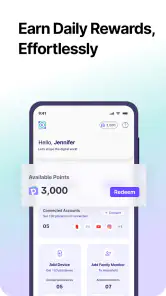
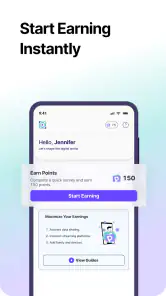
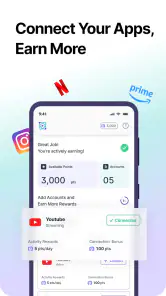
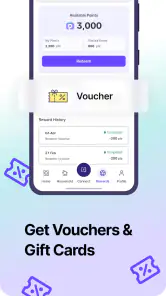
Analysis by Reviewed
I approached Nielsen Pulse less like a typical entertainment download and more like a small participation tool that sits quietly on a phone. Its purpose is to let people join Nielsen Pulse, contribute valuable usage data, and receive rewards in return. That makes it a very different proposition from the usual tools category apps, where the main benefit is usually immediate control over your device or a shortcut for a daily task.
The app is free, aimed at Everyone, and comes from Nielsen Streaming Panel. It has passed the 500K+ installs mark, which suggests that the idea has reached a substantial audience. In my experience, though, the important question is not simply whether it installs. It is whether the participation process fits comfortably into your routine and whether you are happy with the exchange between sharing data and earning rewards.
Where the real friction appears during first use
The first thing I would tell a friend is not to expect a conventional app dashboard packed with tools. Nielsen Pulse is built around participation. You are not downloading it to edit photos, manage files, or change a phone setting. You are joining a panel, so the useful experience depends on completing the initial steps correctly and understanding what the app expects from you.
That difference explains why some people may feel stuck even when the installation itself goes smoothly. A panel app can appear quiet or limited compared with a normal utility because its job is to support an ongoing research process rather than provide a long list of buttons. If you open it looking for a conventional productivity feature, you may wrongly assume that something is missing.
Another likely sticking point is the transition between downloading the app and actually becoming an active participant. The store summary invites users to join Nielsen Pulse, but joining a panel is a process, not just a tap on an install button. I found it more helpful to treat the first launch as an enrollment checkpoint: read each screen, complete the requested information carefully, and avoid rushing through prompts simply because the app looks simple.
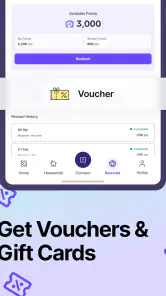
There is also a practical expectation to set around rewards. The app presents rewards as part of the participation arrangement, but that does not mean the experience should be judged like a cash-back shopping app or a game with instant prizes. The value here is tied to taking part in the panel. If your only goal is immediate payment for a quick action, this is probably the wrong category of app for you.
The main trade-off is straightforward: you may receive rewards, but participation involves sharing valuable data. I would make that decision before spending time on setup. Anyone uncomfortable with research panels or data contribution should skip the app rather than install it first and reconsider later.
What to check before blaming the application
When an enrollment screen does not advance, I start with the basics. I check that the phone is running a supported operating system, that the app came from the official app store, and that the internet connection is stable. Nielsen Pulse requires Android 10 or newer, so an older Android phone is an immediate compatibility concern rather than an app failure.
I also close other applications before trying again, especially if the phone has very little free storage or has been running for a long time without a restart. These are ordinary checks, but they matter more during registration than during casual browsing. A stalled page can be caused by a temporary connection problem, a busy device, or an interrupted session rather than by the panel app itself.
It is worth checking the phone's date and time settings as well. Incorrect system time can interfere with sign-in and secure connections in many mobile apps. I would leave automatic date and time enabled, reconnect to a reliable network, and then reopen the app instead of repeatedly tapping the same button.
Notifications and background activity deserve a practical look, too. I would not assume that every setting is required, but I would avoid placing the app under an aggressive battery-saving mode before understanding how participation works. Some Android phones restrict background activity to preserve battery, and that can make an app appear inactive or delay a prompt. The safe approach is to review the phone's battery controls and avoid disabling normal operation by accident.
Privacy settings should be considered deliberately rather than treated as an obstacle to click past. Nielsen Pulse is specifically about providing data to a panel, so I would read the consent language and decide whether the arrangement suits me. If a permission or consent request feels unacceptable, changing unrelated phone settings will not solve the underlying concern. The correct choice may simply be not to continue.
A calmer setup workflow
My preferred setup method is to use a stable Wi-Fi connection, make sure the device has enough free space for ordinary app operation, and keep the phone available while completing the enrollment screens. I would not begin the process while traveling through areas with unreliable reception or while switching repeatedly between networks. A short interruption at the wrong moment can create confusion about whether the registration finished.
After each important step, I would pause long enough to see whether the app confirms progress. If the screen appears unchanged, I would avoid submitting the same information repeatedly. Duplicate attempts can make it harder to tell whether the original request worked. Closing and reopening the app once is more sensible than tapping through several times in frustration.
For people who use more than one phone, consistency is especially important. I would complete the process on the device I intend to keep using rather than enrolling on one phone and immediately moving to another. Even without assuming any specific technical rule, changing devices during setup adds an unnecessary variable and makes later troubleshooting harder.
I would also keep the app updated through the normal store process. The current version is Confluence1.0.6, and using the current release is a sensible first step when diagnosing a problem. An update can resolve ordinary compatibility issues, while an outdated installation can leave you chasing a fault that has already been addressed.
Recovering when the workflow stops halfway
If enrollment stops, my recovery sequence is deliberately simple. First, I note the last screen I successfully completed. Then I check the connection, leave the app, reopen it, and see whether it resumes or asks me to continue. This is better than immediately clearing everything because wiping local app information can remove useful progress and force the process to start again.
If reopening does not help, I restart the phone and try once more under stable network conditions. I would also check for an available app update and confirm that the Android version meets the requirement. These steps address the common causes without inventing complicated fixes or changing sensitive device settings unnecessarily.
Clearing the app cache can be reasonable on Android when the interface repeatedly behaves as though it has loaded incorrectly, but I would distinguish cache clearing from clearing storage. Cache clearing is a lighter reset. Clearing storage or uninstalling may remove local session information, so I would use those options only when I am prepared to repeat setup.
A useful habit is to record what happened in plain language: the screen title, the action that was tapped, whether the page loaded, and whether the app displayed an error. That note is far more useful than saying only that “it does not work.” If support is available through the app or the relevant panel channel, a clear description gives them a better starting point.
I would not repeatedly reinstall the app as a first response. Reinstallation can help with a damaged local installation, but it also consumes time and may not affect a problem caused by the network, phone settings, or an enrollment condition. Use it as a later reset, not as an automatic ritual.
When Nielsen Pulse may not be the cause
One of the most important distinctions is between an app problem and a participation problem. If the application opens normally but does not offer the experience you expected, that may be because Nielsen Pulse is a panel tool rather than a general-purpose rewards marketplace. The app's role is connected to joining and taking part in Nielsen Pulse, not to providing a broad catalog of unrelated tasks.
Likewise, if the phone becomes slow only after many other applications are running, I would test the device itself before blaming this installation. Restarting the phone, closing unused apps, and checking available storage can reveal whether the issue is system-wide. If multiple apps are freezing, the cause is unlikely to be specific to this one.
Network behavior can also be misleading. A page that loads on mobile data but not on a particular Wi-Fi network points toward the connection or its filtering rather than the application. Conversely, if other apps work normally while Nielsen Pulse repeatedly fails at the same step, documenting that pattern is useful before attempting a reset.
Battery concerns deserve a balanced view. Any app involved in ongoing participation may make users more aware of background activity, but I would not assume heavy battery use without observing it on the actual phone. Check the system battery screen over normal use instead of judging from a single short session. If the app is not being used and the phone is under strict battery limits, a restriction may reduce activity, but it could also affect participation. That is a trade-off to consider rather than a setting to change blindly.
Privacy is the clearest reason the app may be the wrong choice even when it works perfectly. Nielsen Pulse asks users to provide valuable data in exchange for rewards. I would read the consent details in the app and decide whether that exchange matches my comfort level. No amount of troubleshooting changes the nature of the service. For someone seeking a private offline utility, a standard device tool is a better alternative.
How it compares with ordinary rewards and utility apps
Compared with a typical rewards app, Nielsen Pulse appears more focused and less like a place to browse many offers. That can be a strength if you prefer a single panel relationship over constantly choosing surveys, shopping tasks, or promotional activities. It can also feel restrictive if you want control over exactly which tasks you complete and when.
Compared with ordinary tools, the benefit is less immediate. A calculator, file manager, or password utility solves a visible problem each time you open it. Nielsen Pulse asks you to participate in a longer arrangement, so its usefulness is measured by whether the panel experience suits you, not by how many functions appear on screen.
For a user who already understands research panels, this focused design may be easier to live with than a crowded rewards platform. For a newcomer, the lack of familiar utility features may create confusion. I would recommend it to someone who is comfortable reading enrollment information and making a considered data-sharing decision, not to someone who installs every free tool casually.
Who will get the most from it
I see Nielsen Pulse working best for people who want a low-effort way to participate in a recognized streaming-focused panel and are willing to exchange data for rewards. It may suit a person who prefers a background-style contribution over completing a long list of manual surveys. The important word is “willing”: the rewards should be viewed as part of participation, not as a reason to ignore the privacy side.
A realistic example would be someone who uses an Android phone daily, has a compatible system, and wants to join the panel during a quiet evening at home. They install the app, use reliable Wi-Fi, read the consent screens, complete enrollment on the phone they plan to keep using, and then leave the app alone unless it requests attention. That workflow is more sensible than repeatedly opening it expecting a new task list every few minutes.
It is less suitable for someone who needs an offline tool, wants instant rewards, dislikes background participation, or is uncomfortable contributing usage information. It is also a poor match for an older Android device that cannot meet the minimum operating-system requirement. In those cases, a conventional utility or a rewards service with clearly chosen tasks would better match the user's expectations.
What I would do before and after joining
Before joining, I would decide what data-sharing arrangement I am comfortable with and read the in-app explanations rather than relying only on the short store wording. I would also make sure the phone is the one I expect to use consistently, update the app, and avoid starting setup during a poor connection.
After joining, I would watch how the app fits into normal phone use instead of checking it obsessively. I would review battery behavior through Android's own settings, keep an eye on notifications, and avoid disabling background operation until I understood whether that affected participation. If something stopped working, I would record the exact step and try the light troubleshooting sequence before reinstalling.
I would also keep expectations realistic about rewards. The app is free to download, but the meaningful value comes from the panel arrangement rather than from the installation itself. If the process feels like too much effort for the rewards or if the privacy exchange no longer feels right, uninstalling is a reasonable decision.
My practical verdict
After looking at Nielsen Pulse as a real participation tool rather than a generic rewards app, I think its appeal is specific but genuine. It offers a straightforward path for people who want to join Nielsen Pulse, contribute data, and receive rewards without searching through a large collection of unrelated activities. The free price and Everyone rating make it approachable, while the 500K+ install base shows that it is not an obscure experiment.
Still, I would not recommend it automatically to every Android user. The app's value depends on accepting the panel relationship, reading the consent information, and tolerating the occasional setup or connectivity friction that can accompany participation apps. It is not the right replacement for a normal device utility, and it should not be chosen by anyone who wants instant, fully controllable rewards.
The current release, Confluence1.0.6, supports devices running Android 10 or newer. My advice is to install it only after deciding that the data-for-rewards exchange makes sense for you. If it does, use a stable connection, complete setup patiently, keep your phone settings from blocking normal operation, and troubleshoot the exact point of failure instead of repeatedly reinstalling. For the right user, Nielsen Pulse is a focused panel companion; for everyone else, its participation model is the reason to pass.
Pros
- Passive tracking requires little daily effort from users.
- Provides insights into digital media and browsing habits.
- Runs quietly in the background without interrupting normal use.
- May support research that improves online products and services.
- Participation can offer rewards
- depending on the available program.
Cons
- Requires extensive permissions to monitor device and internet activity.
- Background tracking may increase battery or data consumption.
- Availability and rewards can vary by country and research panel.
- Some users may find the privacy trade-off uncomfortable.
- Technical issues may cause tracking gaps or delayed reward credit.

- Category
- Tools
- Version
- Confluence1.0.6











