Microsoft Outlook Lite: Email
- 1.18K
- 4.3
- Installs
- 10.00M
- Price
- Free
Screenshots
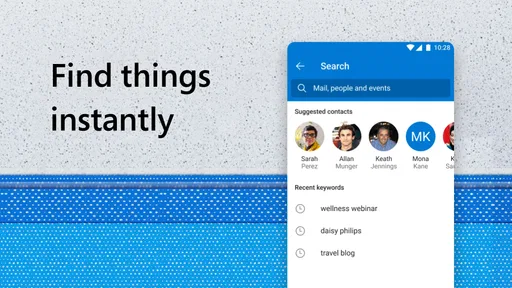
Analysis by Reviewed
When it comes to handling emails, Microsoft Outlook Lite is like that trusty friend who never lets you down, especially when you’re on the go. If you're anything like me, you want your email app to be lightweight, responsive, and still packed with features. That's where Microsoft Outlook Lite comes into play.
First Impressions
So, let’s dive right in. The first thing you’ll notice after downloading Microsoft Outlook Lite is its compact size. I mean, this baby is designed to be super light, taking up minimal space on your device. But don’t let its size fool you; it’s got all the essential features you need to keep your email game strong. The installation is a breeze, and once you're in, the interface feels familiar yet refreshingly uncluttered.
Interface and Usability
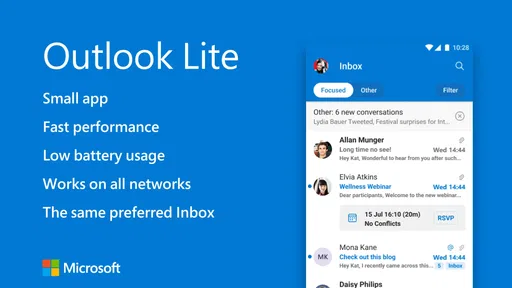
The user interface is where this app truly shines. It’s clean, straightforward, and intuitive. You won’t find yourself lost in a sea of buttons and menus. Instead, everything is laid out in a way that just makes sense. Whether you’re a tech newbie or a seasoned pro, you’ll appreciate the ease of navigation. Plus, the app is optimized for speed, meaning those emails load faster than you can say "inbox zero."
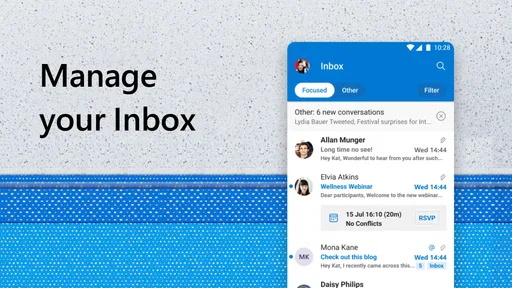
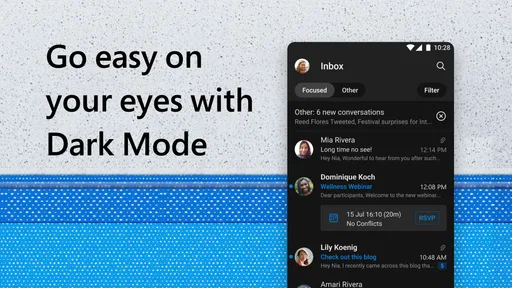
One of my personal favorite features is the focused inbox. It intelligently sorts your important emails from the rest, so you can focus on what really matters. It’s like having a personal assistant who knows exactly what you need to see first. And for those of us who are constantly switching between mailboxes, the seamless account switching is a godsend.
Features and Performance
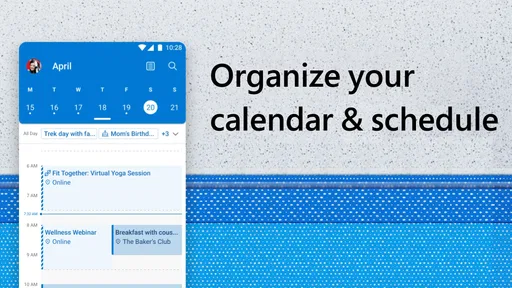
Now, let’s talk features. Despite being the "lite" version, this app doesn’t skimp on functionality. You get all the core features you’d expect from a full-fledged email app. Syncing is smooth across devices, calendar integration is spot-on, and let’s not forget the handy notifications that keep you in the loop without being intrusive.
The performance is nothing short of stellar. Even on older devices, the app runs smoothly, which is a big win for anyone not rocking the latest smartphone. Battery consumption is minimal, so you can keep your emails at your fingertips without draining your juice.
Final Thoughts
In a world where email apps are a dime a dozen, Microsoft Outlook Lite manages to stand out by offering a perfect balance of functionality and simplicity. It’s like the Goldilocks of email apps—not too heavy, not too light, but just right. Whether you're managing personal emails or handling work correspondence, this app has got your back.
More From Our News Desk

Weather by Xiaomi Review: Clear at a Glance, Less Clear Up Close

X Under Pressure: Can It Recover When Posting Goes Wrong?

Clash of Clans Is Won Between the Battles

Android Auto Makes the Case for Quieter Car Software

MobiOffice: Transforming Mobile Productivity with Seamless Integration

EA SPORTS FC™ Mobile Soccer: Redefining Mobile Sports Gaming
So, if you’re in the market for an email app that’s fast, efficient, and easy to use, give Microsoft Outlook Lite a whirl. Trust me, your inbox will thank you.
Microsoft Outlook Lite: Email Frequently Asked Questions
What is Microsoft Outlook Lite and how does it differ from the regular Outlook app?
Microsoft Outlook Lite is a streamlined version of the regular Outlook app, designed for users who need essential email functionalities while using less storage and system resources. It maintains core features such as email access, calendar integration, and contact management, making it ideal for devices with limited storage or slower internet connections.
Is Microsoft Outlook Lite compatible with all email providers?
Yes, Microsoft Outlook Lite supports multiple email providers, including Outlook.com, Hotmail, Live, MSN, and Office 365. Additionally, it is compatible with other popular email services such as Gmail and Yahoo Mail, allowing users to manage various email accounts within a single, lightweight application.
What are the system requirements for installing Microsoft Outlook Lite on my device?
Microsoft Outlook Lite is designed for Android devices with limited storage and processing power. It requires Android version 5.0 (Lollipop) or higher. The app is optimized to run smoothly on devices with lower RAM and slower processors, making it accessible to a wide range of smartphones and tablets.
How does Microsoft Outlook Lite ensure the security and privacy of my emails?
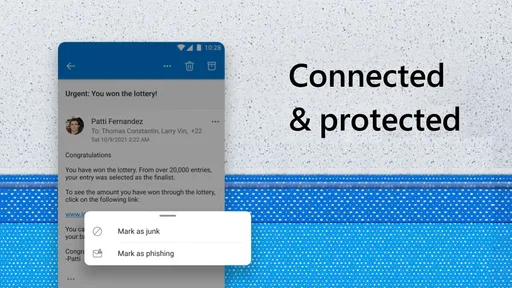
Microsoft Outlook Lite incorporates robust security measures to protect your emails and personal information. It includes features like secure login, spam filtering, and phishing protection. Additionally, Microsoft regularly updates the app to address potential security vulnerabilities, ensuring users' data remains safe and private.
Can I use Microsoft Outlook Lite offline, and what features are available in offline mode?
Yes, Microsoft Outlook Lite offers offline functionality, allowing users to access previously downloaded emails and manage their inbox even without an internet connection. While offline, users can read and compose emails, which will be sent once connectivity is restored. However, real-time features like syncing new emails or calendar updates require an active internet connection.
Pros
- Lightweight and fast performance.
- User-friendly interface.
- Supports multiple email accounts.
- Low data usage.
- Reliable synchronization.
Cons
- Limited features compared to full version.
- No calendar integration.
- Basic security features.
- Occasional sync delays.
- No offline mode for emails.













