Meme Maker & Meme Creator
- 109.00
- 3.9
- Installs
- 500.00K
- Price
- Free
Screenshots
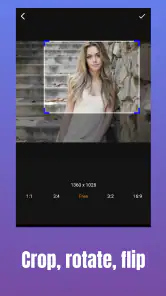
Analysis by Reviewed
I’d judge a meme editor less by how many buttons it shows and more by how quickly it turns a passing joke into something I’m happy to send. Meme Maker & Meme Creator is a free Android app from Galaxy studio apps, aimed at quick, casual creation rather than a full editing workflow. It sits in the video players and editors category, has an Everyone age rating, and is currently at version 0.3.9. Its 3.9 average from around six thousand ratings and over 500,000 installs suggest a sizeable audience, though that doesn’t tell me whether its particular tools will suit your style.
Choose it for quick, familiar meme-making
The main decision is whether you want a focused way to make a joke or a more flexible editor for polished social content. The app is most appealing when you already have a simple idea and want to get it into an image without learning a complicated design tool. It is free to download, but it also offers in-app purchases ranging from $0.99 to $99.99 per item, so I’d check any purchase prompt before confirming it.
For a realistic everyday use, imagine a funny moment in a group chat that needs a caption before the conversation moves on. A template-based editor can be more convenient than opening a general-purpose design app, choosing a canvas and building everything from the beginning. I’d keep the caption short, preview how it sits on the image, and save a copy before sharing; that small pause helps avoid sending a joke with cramped text or an accidental typo.
What to check before committing to a workflow
I’d start by asking what I want to make most often: a quick image joke, a post with a consistent look, or a short video that depends on timing. That choice matters more than a long feature checklist. A meme-focused tool makes sense when the idea and caption are already clear; a general graphics editor is a better match when the design itself needs careful construction.
There is also a useful distinction between making something for friends and making something for a public account. In a private chat, a familiar format and a rough-edged caption can be part of the charm. For a public post, I’d spend more time checking legibility, tone and whether the image still makes sense outside the context where the joke started. The same editing shortcut can be an advantage in one situation and a limitation in another.
If I were trying it for the first time, I’d make one simple image with a short line, then another using a different template or a custom starting point. That small test reveals whether the app’s approach suits my instincts without making the first session feel like a commitment. It also helps separate a tool that is genuinely convenient from one that only looks easy before I begin.
Getting Started with Creativity
Right off the bat, the app is incredibly user-friendly. Whether you’re a meme-making veteran or someone just dipping their toes into the waters of meme culture, you’ll find the interface intuitive and easy to navigate. I downloaded it on my phone, and within minutes, I was ready to unleash my creativity.
More From Our News Desk

Clash of Clans Is Won Between the Battles

Android Auto Makes the Case for Quieter Car Software

MobiOffice: Transforming Mobile Productivity with Seamless Integration

EA SPORTS FC™ Mobile Soccer: Redefining Mobile Sports Gaming

How Microsoft OneDrive Became a Mobile Productivity Giant

How Google Translate Breaks Language Barriers Effortlessly
A Variety of Templates
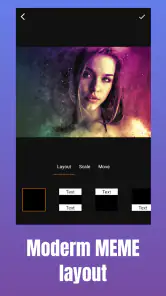
One of the things I love about Meme Maker & Meme Creator is the plethora of templates it offers. From the classic "Distracted Boyfriend" to the ever-popular "Drake Hotline Bling," the app has all the viral favorites. You can also start from scratch if you’re feeling particularly inventive. The templates are neatly organized, so it’s super easy to find what you’re looking for.
Templates are useful for more than recreating a familiar joke: they give me a quick visual structure when I have a punchline but no layout in mind. I’d treat them as a starting point rather than a guarantee that a meme will feel fresh. If a familiar image is already everywhere in your feed, changing the wording or choosing a custom starting image can make the result feel more personal. That flexibility is handy for private chats and light social posts, but it won’t replace a dedicated design workflow when exact alignment or a consistent visual identity matters.
Making a template feel like your own
One practical trade-off with recognizable formats is that the image can do too much of the work. If the caption merely repeats the familiar joke associated with a template, the result may feel predictable. I get more mileage from using the layout to set up a different observation, or from starting with my own image when the humor depends on a specific moment. The point is not to customize every detail; it is to make the visual serve the punchline.
For a small recurring joke among friends, I’d also keep a simple mental record of which formats and caption styles have already landed well. That can make the next creation faster without turning meme-making into a production schedule. If the same image is being reused for a group or page, though, I’d be careful not to assume that everyone will understand the original context. A template can make a joke instantly recognizable to some people and confusing to others.
Customization Galore
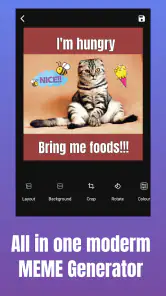
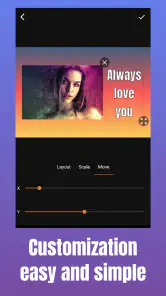
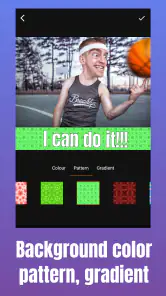
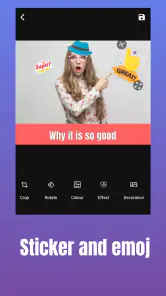
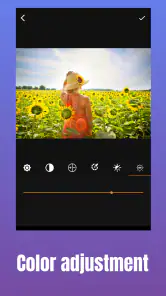
Now, let’s talk about customization. The app doesn’t just stop at templates; it lets you tweak almost every aspect of your meme. Want to change the text? Go ahead. Need to adjust the font size or color? Not a problem. You can even add stickers and emojis to give your meme that extra flair. I spent a good amount of time playing around with these features, and trust me, it’s a lot of fun!
A practical tip is to make the caption readable before adding decoration: stickers and emojis can add character, but they can also compete with the joke. I’d use color changes to separate a punchline from setup text, then check the design at the size it will appear on a phone screen. That final glance is especially worthwhile for a meme intended for a quick scroll, where small text or busy details can disappear. If your goal is precise typography, layered graphics or a polished campaign asset, a broader graphics editor is likely the better fit.
Small design checks that save a redo
Before I call a meme finished, I’d read the caption in the order someone will see it rather than only checking the text box I just edited. A punchline can be grammatically clear and still land poorly if the setup is visually separated from it or if decoration draws the eye elsewhere. Previewing the whole image at ordinary phone-screen size is a quick way to catch that mismatch.
I’d also keep a clean version before experimenting with extra stickers or alternate wording. That gives me an easy fallback if the more embellished option makes the image harder to read. It is a simple workflow, but it suits a fast editor: try one change at a time, compare the result, and stop when the joke is clear. Adding more effects is not automatically an improvement.
Sharing and Saving
Once you’ve crafted your masterpiece, sharing it with the world is a breeze. The app has direct sharing options to all major social media platforms. I posted a few of my creations on Instagram and got quite a few laughs from friends. If you want to save your memes for later, the app also allows you to download them to your device.
Saving first can be the smarter route if you want to reuse a creation, keep it outside a social feed, or decide where to post after checking the finished image. It also gives you a chance to compare a couple of caption versions without rushing into sharing. For animated or video ideas, the app’s focus on meme creation may be attractive, but I’d choose a video editor instead when timing, multiple clips or detailed audio work is central to the result. The right alternative depends less on the meme itself than on how much control the finished post needs.
Choosing between a meme maker and broader editors
Compared with a general-purpose design app, the appeal here is a more direct path from a joke to a shareable image. Those broader tools are often the better choice when I need a particular canvas, a more deliberate visual system or detailed control over several elements. A dedicated video editor is a stronger fit when a joke relies on clip order, sound or precise timing. Neither alternative is automatically better; each suits a different amount and kind of work.
For someone who mainly wants to put a line of text onto a familiar visual, moving between a meme maker and a full editor can feel like using a large toolbox for a tiny repair. But if I repeatedly hit the same limit—such as needing more exact composition or a consistent series of posts—that extra workspace can be worth the learning curve. I’d choose based on the task I actually repeat, not on which app appears to offer the most controls.
Who will get the most from it
I’d recommend this app to someone who wants an approachable place to make familiar, funny images and share them without turning the process into a project. It’s also a reasonable first stop for a beginner who would rather experiment with templates, text, stickers and emojis than learn a full graphics suite. People who make memes only occasionally can benefit from that low-friction approach, while frequent creators may value a more specialized editor if they need repeatable layouts or more exact control.
A good fit is the person who thinks of a caption while chatting, wants to try it against a recognizable format, and is satisfied when the image communicates the joke clearly. It can also suit someone who is curious about making memes but does not yet know which design controls they will need. The best way to learn that is to make a few deliberately simple examples first, instead of judging it by whether it can replace every other creative app.
I’d be more cautious if I were preparing frequent branded posts, working with detailed visual layouts or building a video around multiple edits. In those cases, simplicity may become friction: the quick route is useful only until the job demands controls that belong in a broader editor. Likewise, if I rarely share image jokes and already have a comfortable design workflow, adding another app may not save meaningful effort.
Costs, expectations and changing tools
The app is free to install, which makes a low-stakes trial reasonable, but optional in-app purchases run from $0.99 to $99.99 per item. I would not assume that paying is necessary to find out whether the basic workflow works for me. If a purchase prompt appears, I’d read it carefully and consider whether the specific item solves a real problem rather than treating an upgrade as part of getting started.
Its rating is 3.9 from around six thousand ratings, and it has passed 500,000 installs. I read those figures as signs that it has found an audience, not as a promise that every person will like its editing style. Individual expectations vary: someone seeking a quick template-based joke may judge it very differently from someone looking for precise control over a polished post.
Switching away later should be straightforward if you save finished creations to your device: you can keep those files even if you try another editor for future work. The trade-off is that moving to a more advanced app may mean rebuilding a familiar workflow, while staying here may mean accepting fewer options for specialized editing. I’d make the switch only when I can name the specific control I’m missing, not simply because another editor looks more elaborate.
One question I’d answer before sharing is whether the finished image is meant to stay in a private conversation or travel to a wider audience. A joke that works among people who know the story may need a clearer caption when posted publicly. Another is whether I want a still image or a video whose humor depends on motion and sound; that distinction points me toward the right kind of editor before I spend time building the wrong format.
For everyday use, I’d keep the process deliberately light: choose a template or image, write the essential line, check readability, save the result, and share only when it looks right. If that sequence feels natural, this app’s focused approach is doing its job. If I find myself repeatedly wanting more control over layout, timing or a repeatable visual style, that is a useful signal to move to a tool designed around those needs.
In conclusion, Meme Maker & Meme Creator is a fantastic tool for anyone looking to dive into the world of meme creation. It’s simple, fun, and loaded with features that allow you to express yourself in hilarious ways. Whether you’re making memes to share with friends or to grow your social media following, this app has got you covered. So why not give it a try? You might just create the next viral sensation!
Meme Maker & Meme Creator Frequently Asked Questions
Can Meme Maker & Meme Creator create video, GIF, and photo memes?
Yes. Meme Maker & Meme Creator is presented as a tool for making video, GIF, and photo memes, so it suits more than static image jokes. You can choose the format that fits your idea and make a creation to share. The app is free to download, and its age rating is Everyone, making it accessible to a broad audience.
Which devices can run Meme Maker & Meme Creator?
Meme Maker & Meme Creator runs on Android devices with version 7.0 or later. Before downloading, check the Android version on your device to make sure it meets that requirement. The app is listed in the Video Players & Editors category, which reflects its tools for creating and editing visual content rather than serving only as a meme viewer.
Does Meme Maker & Meme Creator add a watermark to finished memes?
The app’s store description says it can create video, GIF, and photo memes without a watermark. That can be useful if you want your finished work to look clean when you share it. As with any editing app, it’s worth checking the export options as you create a meme so you know how your chosen format is saved.
What is Meme Maker & Meme Creator?
Meme Maker & Meme Creator is a user-friendly app designed for creating, editing, and sharing memes. It offers a wide range of templates, fonts, and stickers to help users create the perfect meme. Whether you want to create something humorous, political, or just for fun, this app provides all the tools necessary to bring your ideas to life. It is developed by Galaxy studio apps and is listed in the Video Players & Editors category.
Is Meme Maker & Meme Creator free to use?
Yes, Meme Maker & Meme Creator is free to download and use. However, it also offers in-app purchases for additional features and content. These may include premium templates, fonts, and ad-free experience. Users can choose to enjoy the free version with basic features or upgrade for more options. In-app purchases are priced from $0.99 to $99.99 per item, so review any purchase details before confirming.
Pros
- User-friendly interface for quick meme creation.
- Wide variety of templates available.
- Supports custom image uploads.
- Easy text editing with various fonts.
- Share directly to social media platforms.
Cons
- Contains ads that can be disruptive.
- Limited free features
- many require purchase.
- Occasional glitches when uploading images.
- Text alignment options are limited.
- Lacks advanced editing tools.
- Category
- Video Players & Editors
- Version
- 0.3.9













