Max: Stream HBO, TV, & Movies
- 54.82K
- 4.8
- Installs
- 100.00M
- Price
- Free

Screenshots





Analysis by Reviewed
My first impression of Max: Stream HBO, TV, & Movies is that it makes a strong case for a spot on your phone when you already know what you want to watch: a familiar series, a film for tonight, or something new to browse. The first-week appeal is easy to understand, but I judge a streaming app by whether I still open it once the initial browsing rush is over. Max is an entertainment app developed by WarnerMedia Global Digital Services, LLC, and its appeal rests on a broad mix of series, films, reality programming, and HBO titles rather than one single viewing mood.
Why the first week feels inviting
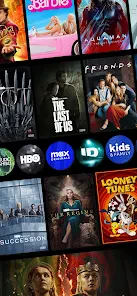
When I first downloaded Max: Stream HBO, TV, & Movies, I was immediately struck by the sheer variety of content it offers. From blockbuster movies to critically acclaimed TV shows, this app has it all. And let’s not forget the exclusive HBO content – think of all those epic series like Game of Thrones, Westworld, and Chernobyl. It’s like having a VIP pass to some of the best entertainment out there.
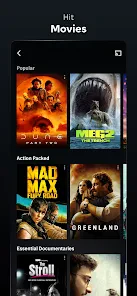
The breadth matters most when I’m choosing for a group. If one person wants a film and another would rather start a series, having different kinds of entertainment in the same app can make the decision less of a negotiation. It also helps when I don’t arrive with a specific title in mind: I can browse by mood instead of switching between services straight away. Still, a large library can make choosing harder, so I find it useful to decide whether I want a quick watch or something I’m willing to follow for several evenings before I start scrolling.
Navigation that helps, with a small browsing trade-off
One of the things I appreciate most about this app is how user-friendly it is. Navigating through the vast library is a breeze, thanks to its intuitive design. Whether you’re a tech-savvy millennial or someone who’s still figuring out how to set up a smartphone, you’ll find this app incredibly easy to use. The search function is particularly impressive, allowing you to find your favorite shows and movies in no time.
For a practical routine, I use search when I have a title in mind and browsing when I have time to explore; those are different jobs, and treating them separately saves me from endlessly sampling trailers or scrolling past options. If you share viewing decisions with family or friends, checking the Teen content rating before handing over the device is a sensible habit. The app is free to download, but access to the entertainment itself involves in-app purchases, with listed purchase amounts ranging from about $2.49 to $229.99 per item. I’d check the offer and terms shown in the app before committing, rather than assuming every title is included just because it appears in the catalog.
Streaming is convenient, but depends on your connection
Now, let’s talk about the streaming quality. I’ve had my fair share of buffering issues with other platforms, but with Max, it’s smooth sailing. The video quality is top-notch, and I’ve rarely encountered any issues with lag or buffering. Plus, the app’s adaptive streaming ensures you’re always getting the best quality for your internet speed. It’s like the app just knows what you need!
In everyday use, I’d still keep expectations realistic: a streaming service cannot make a weak or unstable connection disappear. If playback struggles, I first check whether other devices are using the network, then try again on a steadier connection. That simple check helps separate a temporary home-network problem from an app issue. For someone who mainly watches on mobile data, the trade-off is worth considering before settling in for a long film.
More From Our News Desk

Weather by Xiaomi Review: Clear at a Glance, Less Clear Up Close

X Under Pressure: Can It Recover When Posting Goes Wrong?

Clash of Clans Is Won Between the Battles

Android Auto Makes the Case for Quieter Car Software

MobiOffice: Transforming Mobile Productivity with Seamless Integration

EA SPORTS FC™ Mobile Soccer: Redefining Mobile Sports Gaming
Offline viewing for trips and interrupted routines
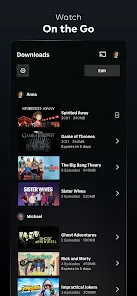
Another feature that’s worth a mention is the offline viewing option. We’ve all been there – stuck on a long flight or road trip with nothing to watch. With Max, you can download your favorite shows and movies to watch offline, making those boring commutes and trips a whole lot more bearable. Trust me, it’s a lifesaver!
I find downloads most useful when I plan ahead: choose a couple of episodes or a film while connected, then check that the downloads are ready before leaving. That turns offline viewing into a dependable travel routine instead of a last-minute hope. It’s less compelling if I rarely travel or usually have a reliable connection, because downloading and managing a queue becomes another small task. For an upcoming journey, though, having something selected in advance is more useful than browsing while signal is poor.
Does it earn a place after the novelty?
I use the novelty test to separate a fun first browse from a service that genuinely fits my routine. The useful question is not how much there is to explore, but whether I can name a few things I’d choose on an ordinary evening or a trip. That gives me a clearer basis for judging its recurring value, and for noticing when another kind of viewing app would suit me better.
The month-to-month value and its limits
Max has an average rating of 4.8 from around 4.8 million ratings, and it has been installed over 100 million times. Those figures suggest that it has broad appeal, but they don’t decide whether it fits my own habits. I’d keep it in regular rotation if I were following a series or often choosing from its mix of films and reality shows. If I only want one specific title, or already get enough variety from another service, I’d compare the available options before adding another recurring entertainment expense. The app is rated Teen, and it was released on May 23, 2023; it requires Android 5.0 or later.
Compared with a free video platform, Max is better suited to someone looking for a curated entertainment library rather than a stream of user-uploaded clips. Compared with subscribing to several services, its strongest argument is having HBO programming alongside other formats in one place; the trade-off is that no single catalog will suit every household or taste. The key question I ask is whether I can name a few things I genuinely plan to watch in the coming weeks. If not, the large catalog alone is not enough reason to keep returning.
A realistic weeknight test
Imagine getting home after work, with only enough energy for one episode or a film and no appetite for a long search. I’d decide the format first, then search for a title or browse with that limit in mind. If I’m watching with someone else, I’d ask what kind of mood they’re in before opening the app; that small step makes its variety useful rather than turning it into a debate over options. The same approach helps me decide whether to continue a series or choose a self-contained film when I don’t want another commitment.
That distinction matters because a large catalog can make the app feel more valuable than it is in practice. I’d keep a short mental list of shows or films I’m genuinely interested in, not a never-ending queue of things that merely look appealing. If I repeatedly open Max and leave without choosing, the issue may not be a lack of content; it may be that my routine calls for quick, low-effort viewing instead. In that situation, a short-video app or a familiar free platform is often the easier choice.
Making the catalog work for a real routine
For a typical weeknight, I’d make the choice before I’m tired: search for the series I’m following or settle on a film, rather than opening the app with no idea and letting browsing become the evening. That small decision makes the library feel useful instead of overwhelming. If I’m choosing with someone else, I’d agree on a format first—one episode, a full film, or something light—then use the search function to narrow the options. It’s a simple workflow, but it avoids turning a shared night in into a long debate over thumbnails.
For travel, I’d treat downloads as preparation rather than a feature to test at the station or airport. Select the episodes or film at home, allow them to finish, and check the device before leaving. That is especially helpful when a trip has a stretch without reliable service. If I only need a few minutes of distraction, a short-video platform may be more convenient; Max makes more sense when I want to commit to a longer watch.
Who I’d recommend it to
I’d recommend Max to viewers who enjoy planned, longer-form watching: a series after dinner, a film picked for a quiet evening, or a reality show shared with someone at home. It is also useful for travelers who will take advantage of offline viewing. I’d be less enthusiastic about it for someone who mainly watches short clips, wants a free source of casual videos, or dislikes choosing from a large catalog. In those cases, a different kind of video app may match the habit better and involve less browsing.
It is also a weaker fit if the household rarely watches the kinds of titles it carries, or if viewers expect one app to satisfy every taste all the time. I’d ask each regular viewer to name something they actually want to watch before making Max a routine choice. If that list is short or vague, a service with a different catalog—or a free platform for casual viewing—may be the more sensible option. The app’s Teen rating is a useful prompt to consider whether its content suits the person using the device, rather than assuming the same choice works for everyone at home.
What to check before settling in
If a title appears in the catalog, I wouldn’t assume that its presence alone tells me what access will cost. The app is free to install, while in-app purchases are listed from about $2.49 to $229.99 per item, so I’d read the specific offer presented before confirming anything. That quick check is more useful than making a decision based on the app’s download price. It also helps avoid confusion between browsing the service and having access to a particular viewing option.
When playback is poor, I’d troubleshoot in a practical order: check the connection, reduce other network use if possible, and try again before concluding that the app itself is the problem. When offline viewing is the goal, confirm the files are ready before disconnecting. These habits won’t make every session perfect, but they reduce two common frustrations: arriving somewhere without a usable download and blaming the service for a shaky connection.
When another viewing option makes more sense
Max is strongest when I want a finished story or a show I can follow over time. That makes it different from feeds built around short clips, where I can dip in and out without deciding what to watch. It also has a different role from a general video platform: I’m opening it for curated entertainment rather than relying on a stream of individual creators’ uploads. Neither alternative is automatically better; the right choice depends on whether I want a planned evening watch or quick, casual viewing.
I’d also compare it with other paid streaming services by looking at the titles I actually intend to watch, not by comparing library size in the abstract. A service can seem full of possibilities and still be poor value for me if its programming rarely matches my taste. Conversely, a focused stretch of viewing—such as following a series and then choosing a film—can make Max feel worthwhile for that period. I’d treat that as a reason to review my habits occasionally, rather than assuming that installing an entertainment app means it has earned permanent space.
Maintenance without turning viewing into a chore
The upkeep is fairly ordinary, but it still affects whether I enjoy using the app. Before a trip, I need to choose downloads early and verify that they are ready; during a normal evening, I get more from search if I already have a title in mind. Those are small actions, yet they prevent the two moments when streaming feels least convenient: trying to plan offline viewing at the last minute and spending a tired evening browsing without direction.
I wouldn’t over-organize my viewing just to justify keeping the app. A short note of titles I want to try, or simply remembering the next series episode, is enough to make a return visit purposeful. If I need elaborate planning to get value from a service, that is a sign my habits may not fit it. The best recurring use is the kind that naturally slots into an evening, a shared movie night, or a journey—not another list I feel obliged to maintain.
Final Thoughts
In conclusion, Max has quickly become my go-to app for streaming. With its extensive library, user-friendly interface, and excellent streaming quality, it’s hard not to love it. Whether you’re an HBO aficionado or just someone looking for a reliable streaming service, Max has something for everyone. So why not give it a try? You might just find your next favorite show!
My longer-term verdict is more measured: it earns space when its particular mix keeps finding its way into my evenings, not simply because there is always more to browse. I’d make a quick check of what I actually watched before deciding whether it still deserves regular use. For me, that habit turns a tempting catalog into a practical choice—and makes it easier to pause in spirit when my viewing routine changes.
Max: Stream HBO, TV, & Movies Frequently Asked Questions
Can I create separate profiles for different members of my household?
Separate profiles can make a streaming app easier to use when people in the same household have different interests. Before downloading Max, consider whether each viewer will want their own personalized experience and check the profile options available with your subscription. The app brings together varied entertainment, so individual profiles may help family members find programs that suit them.
Can I use Max while traveling or in a different country?
If you expect to use Max while traveling, check the service’s current availability and account terms for your destination before relying on it. Streaming access and the catalog can vary by region, so a title you watch at home may not be available elsewhere. Planning ahead is especially useful if you hope to watch during a trip or away from your usual location.
Does Max offer captions or audio options for viewers who need them?
Viewing preferences and accessibility options can matter as much as the content library when choosing a streaming app. Before settling on Max, explore the playback settings on your device and within the app to see which options are available for a particular title. Features may differ from one program to another, so check the specific show or film you plan to watch.
Can I cancel a Max subscription whenever I want?
Subscription management is worth reviewing before you sign up, particularly if you only plan to watch for a short time. Check the terms shown at purchase and the place where you start the subscription to understand how cancellation works and when changes take effect. The app is free to download, but streaming access is tied to a paid subscription or purchase.
Can I watch Max on more than one screen or share an account with family?
Whether you can stream on multiple screens or share access depends on the subscription plan and its current terms. Before downloading, consider who will use the account and check the plan details shown when you sign up. If several people in your household want to watch at once, confirm that the selected plan suits that viewing arrangement.
Pros
- Extensive library of popular shows.
- High-quality video streaming.
- User-friendly interface.
- Download option for offline viewing.
- Multiple profiles for family use.
Cons
- Requires subscription for full access.
- Not all content available offline.
- App can occasionally crash.
- Ads present in free version.
- Limited regional availability.
- Category
- Entertainment
- Version
- Varies with device












