LED Scroller - LED Banner App
- 27.00
- 3.5
- Installs
- 1.00M
- Price
- Free
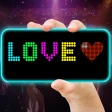
Screenshots
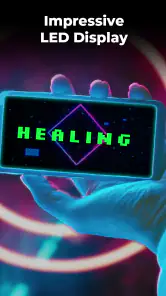
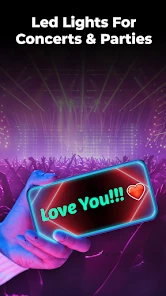
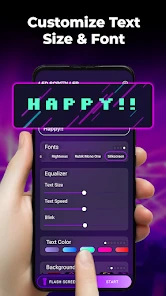
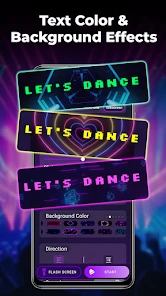
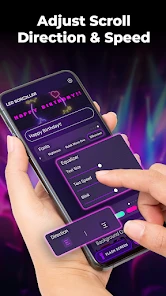
Analysis by Reviewed
Ever wanted to grab attention in a crowd or send a message without uttering a word? Well, let me introduce you to the fun world of LED Scroller - LED Banner App! This app is like having a digital billboard right in your pocket, and trust me, it’s a blast to use.
Getting Started with LED Awesomeness
From the moment I installed the LED Scroller - LED Banner App, I was hooked. The app is super user-friendly, and you don’t need a tech manual to get it up and running. Just open it up, and you’re greeted with a clean interface that screams simplicity. You can start crafting your LED message by typing in any text you want to display. And the best part? You get to choose from a variety of colors, speeds, and effects to make your message pop!
Features That Shine
Let’s talk about features because this app is packed with them. Whether you’re at a concert, trying to catch the attention of a friend across the room, or just want to have some fun, the app’s got you covered. You can adjust the scrolling speed from a gentle crawl to a rapid race, depending on how flashy you want to get. Plus, there’s a bunch of cool effects like flashing, neon, and even a mirror effect that adds an extra layer of pizzazz. It’s like having a mini Times Square in your hand!
What’s more, the app supports multiple languages, which means you can send messages in any language you fancy. This is a nifty feature, especially if you’re multilingual or want to impress your friends with your language skills.
Customizing Your Experience
Customization is key when it comes to personalizing your LED display. The app lets you tweak everything from font size to background color, ensuring your message stands out just the way you want it. And if you’re in the mood for something extra, you can even add emojis to your message. It’s all about making your text as eye-catching as possible.
Another cool feature is the ability to save your favorite messages. This comes in handy when you have a few go-to phrases that you use often. Just save them and whip them out whenever you need to communicate in style!
Wrapping It Up
All in all, the LED Scroller - LED Banner App is a fantastic tool for anyone who loves to express themselves in a fun and creative way. Whether you're using it for practical purposes or just to have a good time, it’s sure to light up your day. With its easy-to-use interface and plethora of customization options, this app is a must-have for anyone who enjoys a bit of digital flair.
So why not give it a whirl? Download it today and start scrolling your way to some serious attention-grabbing fun!
Pros
- Customizable text and colors.
- User-friendly interface.
- Supports various languages.
- Lightweight and fast.
- Offline functionality.
Cons
- Limited animation options.
- No text effects.
- Ads in free version.
- No integration with other apps.
- Occasional bugs.
- Category
- Tools
- Version
- 20.0











