JLab
- 1.32K
- 4.1
- Installs
- 1.00M
- Price
- Free

Screenshots
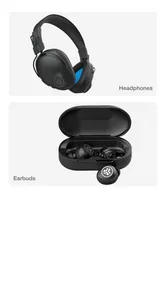
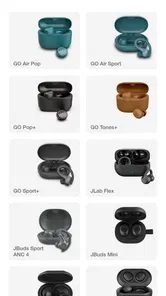
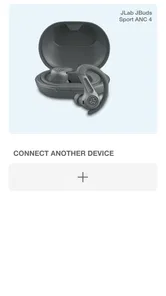
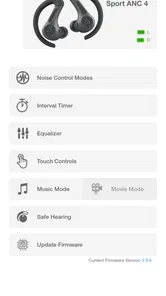
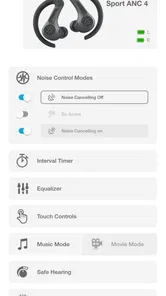
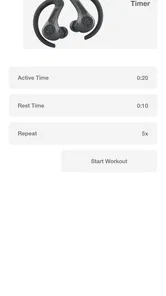
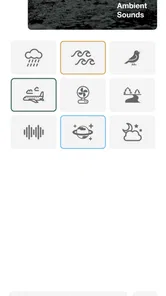
Analysis by Reviewed
In a household where several people use the same headphones or earbuds, I’d treat JLab as a companion for managing compatible JLab audio gear, not as a general-purpose learning app. That distinction matters: its usefulness depends on whether someone at home owns a supported device and wants to use the app alongside it. If the family shares audio equipment, it can be a practical place to check the available app experience, while everyone should still be clear about whose phone and settings they are using.
Start with the device, then decide who sets it up
Before making this part of a shared routine, I’d identify the exact JLab model and check whether it works with the app. Support has expanded over time, but compatibility is still the first thing that determines whether installing it will help. If one person handles setup, it’s sensible to let them connect and configure the device on the phone they normally use, rather than passing a partially configured phone around and losing track of which settings belong to whom.
That approach is especially useful when a household has more than one pair of JLab products. I’d check each device separately rather than assuming one model’s options apply to another. The app is a free tools app from JLab Audio, and its current release is version 1.9.7.5; it runs on Android 7.0 and later. Those details make it easy to try on a compatible Android phone, but they don’t replace checking the device itself.
Keep shared listening simple
A realistic use is a family member setting up their own compatible earbuds before a commute, then handing them to someone else later. In that case, the app may be most helpful to the person who owns and maintains the earbuds, while other listeners can use the audio device without needing to make the app part of every listening session. I’d avoid changing settings casually on someone else’s phone: even a small adjustment can make the next person think the earbuds have changed or stopped behaving as expected.
Compared with the basic Bluetooth settings built into a phone, a manufacturer’s companion app is worth opening when you want device-specific support or controls. For simply connecting audio and listening, the phone’s normal Bluetooth menu may be enough. I wouldn’t install another app just to repeat a step the phone already handles; I’d use JLab when its options are relevant to the particular device in hand.
Age, trust, and realistic expectations
The app is rated for Everyone, which makes its age context straightforward, but that doesn’t mean every child needs their own setup or that the app manages family accounts. I’d have a parent or the device owner take responsibility for installing it and handling any setup, especially on a shared phone. JLab Audio is the developer, and the app has more than a million installs; that broad use may reassure someone considering it, though it doesn’t guarantee that a specific pair of earbuds is supported.
Its average rating is 3.6 from around 3,300 ratings, alongside about 1,100 written reviews. I’d read that as a reason to keep expectations measured: the app may be useful when your device is compatible, but it is not automatically essential for every JLab owner. If you prefer not to add a companion app, or you only need ordinary Bluetooth playback, sticking with your phone’s built-in tools is a reasonable choice.
More From Our News Desk

 Lark Player:Music Player & MP3
Switching to Lark Player: A Better Fit for Music Stored on Your Phone?
Lark Player makes sense if your music already lives on your phone. Here is what changes, what does not transfer by assumption, and how to test the switch without regret.

 Tile Master® - Matching Game
Tile Master Finds Its Place in the Gaps of a Noisy Phone
OS changes rarely transform a tile puzzle, but they reshape the small rituals around it. Tile Master’s appeal lies in how well its brief, tactile rounds fit the modern phone.

 Google Docs
 Shows What Mobile Writing Still Gets Wrong
Google Docs still makes a strong case for the shared document, but its real significance is how it exposes the gap between cloud convenience and genuinely capable mobile work.

 YouTube Studio
 Is Becoming a Creator’s Daily Control Room
As publishing turns into a daily, data-led habit, YouTube Studio is becoming the control room creators reach for between uploads—not another tool for making videos.

 Tiles Hop Music & Ball Game
Tiles Hop Review: When the Beat Is Clear, Every Miss Counts
Tiles Hop turns a simple bouncing-ball premise into a sharp test of timing. Its best design is immediate and readable; its weakest moments come when recovery feels less clear than the beat.

 Piano - Music Keyboard & Tiles
: Inviting Rhythm, Unproven Recovery
A tile-tapping piano game lives or dies by timing. This resilience-focused review separates what its format promises from what players still need to verify.
Latest News



What is JLab?
So, what exactly is JLab? In a nutshell, it’s an innovative application designed to streamline your learning experience. Whether you're a student, a professional looking to upskill, or just someone curious about the world, this app has something for everyone. The app is packed with features that make learning not just easy, but also engaging.
Features That Make JLab Stand Out
Let’s dive into what makes this app unique. First off, the user interface is incredibly intuitive. Remember those apps that make you feel like you need a degree just to navigate them? Well, JLab isn’t one of them. The clean and straightforward design ensures that you spend more time learning and less time figuring out how to use the app.
Another thing I love about JLab is its vast library of courses. From coding to cooking, there’s a little something for everyone. What’s more, the app allows you to learn at your own pace. Busy week at work? No problem, you can pick up right where you left off whenever you have the time.
Learning Made Engaging
One of the standout features is the interactive quizzes and challenges. These aren’t your run-of-the-mill, boring quizzes. They’re designed to test your knowledge in a fun and engaging way. Plus, who doesn’t love a little friendly competition? The app’s leaderboard lets you see how you stack up against other users, adding a layer of motivation to keep you going.
Moreover, the app provides personalized recommendations based on your learning history and preferences. It’s like having a personal tutor in your pocket, guiding you to the next step in your learning journey.
Why You Should Give JLab a Try
If you’re tired of apps that promise the world but deliver little, JLab might just be what you’re looking for. It’s not just about learning; it’s about making learning a part of your everyday life in the most seamless way possible. With its user-friendly interface, extensive course library, and engaging learning methods, it’s an app that truly puts the joy back into learning.
So, if you’re on the hunt for an app that’s worth your time, give JLab a try. It might just be the perfect companion in your quest for knowledge. And hey, who knows? You might even find yourself at the top of the leaderboard!
Choosing one phone as the household reference
For shared gear, I’d make one phone the reference point for setup rather than treating every household member’s device as an equal control panel. That keeps the practical routine clear: the owner checks compatibility, installs the app if it is useful, and makes any device-specific adjustments there. Other people can still pair the earbuds through their own phone’s Bluetooth settings when they borrow them, without needing to inherit the owner’s app configuration.
This is a useful distinction if a partner or teenager borrows earbuds for a short trip. They may only need to connect and listen; they do not necessarily need access to the owner’s phone or to change anything in the companion app. Keeping setup and everyday playback separate reduces accidental changes and makes it easier to work out what happened if the audio behaves differently next time.
A practical check before installing
I’d approach installation as a short compatibility check, not as a commitment to make the app part of every listening session. First, identify the exact product name or model from the device or its packaging. Then check whether that model is supported by the app before spending time trying to connect it. The latest listed release, 1.9.7.5, adds compatibility for more models, a helpful sign for owners whose gear was not covered by an earlier version, but it still makes sense to verify the specific model rather than infer support from the brand alone.
If the app recognizes the device and offers something you actually want to adjust, it has a clear role. If all you need is to pair headphones once and play audio, the regular Bluetooth route is simpler. I’d also avoid troubleshooting by repeatedly changing phone and device settings at random; make one change at a time, test the result, and note which phone was used. That small habit is especially helpful in a home where several people take turns with the same pair.
Where the companion app fits among alternatives
The closest alternative is not necessarily another download. For basic pairing, a phone’s built-in Bluetooth menu is usually the more direct tool, while a manufacturer app makes sense when you want options tied to a particular product. JLab belongs in the second camp: its value is linked to compatible JLab audio gear, not to replacing the phone’s normal audio controls or serving as a universal manager for every brand of headphones.
That makes the choice fairly personal. Someone who likes to set up their own gear and keep it consistent may appreciate having the manufacturer’s app available. Someone who uses several brands, avoids extra apps, or rarely changes device settings may prefer to rely on the system tools already on their phone. I would not install it on every family member’s device by default; I’d start with the person who owns the compatible product and expand only if another user has a clear reason to use it.
Who is likely to get the most from it?
I see the strongest case for people who own supported JLab products and want a dedicated place to interact with them, especially if they are comfortable checking settings rather than leaving everything at its default. It can also suit a household with one person who handles shared equipment: that person can keep track of which product is being used and avoid making every listener learn a separate setup routine.
It is a weaker fit for someone who does not own compatible JLab gear, expects one app to manage unrelated audio products, or wants a shared family account with separate personal profiles. The app’s Everyone rating addresses its age classification, not household account management. If a child borrows a parent’s earbuds, I’d keep responsibility for the phone and settings with the parent or device owner, rather than assuming the app creates boundaries between users.
Small trade-offs that matter in daily use
One non-obvious trade-off with a shared pair is that the person who changes a setting may not be the person who notices the result. If one listener prefers one configuration and another prefers something else, the household can end up treating a normal setting change as a fault. Before adjusting anything, I’d ask whether the earbuds are primarily one person’s device or genuinely shared equipment. If they belong to one person, let that person maintain the setup; if they are communal, agree on a simple default and avoid casual changes between uses.
Another useful habit is to record which phone was used for the initial setup, particularly when a device is paired with more than one household phone over time. This is not a special app feature; it is simply a way to prevent guesswork. When a connection issue arises, knowing which device was last configured helps you decide whether to check the earbuds, the phone’s Bluetooth connection, or the app’s compatibility before trying a string of unrelated fixes.
What I would expect before making it routine
A reasonable first session is modest: confirm that the exact audio product is supported, install the app on the phone used by its owner, and see whether the available controls solve a real need. If they do, keep that phone as the main place for device adjustments. If not, remove the app from the routine and use normal Bluetooth playback instead. Since it is free, trying it on a compatible Android device has a low financial barrier, but your time and willingness to maintain another app still matter.
For iPhone users, the key decision is the same even though the Android minimum version is not relevant: does the particular JLab product work with the companion app, and does the app offer something useful for the way you listen? I would check the relevant device and app compatibility before building a setup around it. The product is best judged as an optional companion, not a necessary step for every person who owns JLab headphones.
A sensible household verdict
My recommendation is to keep the arrangement simple: one owner or household member checks compatibility and handles setup, while everyone else uses the audio gear without changing settings unless they have a good reason. That approach suits a shared pair kept by the front door, a spare set used for travel, or earbuds passed between family members on an occasional basis. It gives the app a defined job without turning it into a requirement for ordinary listening.
JLab is worth considering when you have compatible JLab gear and want the manufacturer’s companion experience on hand. It is not the right choice if you only need basic Bluetooth playback, expect it to manage family accounts, or want one app to control headphones from different brands. I’d try it with the owner’s phone, keep expectations focused on audio-device support, and let the household decide from actual use whether it deserves a permanent place in the routine.
JLab Frequently Asked Questions
What kind of app is JLab, and who develops it?
JLab is a Tools app developed by JLab Audio. It is intended for users looking to use the JLab app with compatible JLab products. The app has an Everyone age rating, making it suitable for a broad audience. Before downloading, it is worth checking that the app fits the JLab device or product you want to use it with.
What is JLab and what does it offer to users?
JLab is an innovative app designed to enhance your productivity and creativity by offering a suite of tools for project management, collaboration, and brainstorming. It provides features such as task tracking, team collaboration, and real-time updates, making it ideal for both individual users and teams looking to streamline their workflow and foster creative thinking.
Is JLab available for both Android and iOS devices?
Yes, JLab is available for download on both Android and iOS platforms. This cross-platform availability ensures that users can enjoy a seamless experience regardless of their device preference. The app is designed to work optimally on smartphones and tablets, allowing users to manage their projects and collaborate with others on the go.
Does JLab require a subscription or is it free to use?
JLab is free to download. JLab offers a freemium model where users can access basic features at no cost, but to unlock premium features such as advanced analytics, custom templates, and priority support, a subscription is required. The subscription plans are flexible and cater to different needs, making it accessible for individuals as well as large organizations.
How secure is my data on JLab?
JLab takes data security very seriously and implements robust measures to protect user information. It uses end-to-end encryption, secure cloud storage, and regular security updates to ensure that your data is safe from unauthorized access. Users can have peace of mind knowing their sensitive information is well-protected while using the app.
Pros
- User-friendly interface for all ages.
- Customizable sound settings.
- High-quality audio output.
- Compatible with various devices.
- Regular app updates.
Cons
- Limited free features.
- Occasional connectivity issues.
- Requires modern OS versions.
- In-app purchases can be pricey.
- Battery consumption is high.