Jewel-Osco Deals & Delivery
- 7.74K
- 4.8
- Installs
- 1.00M
- Price
- Free

Screenshots

Analysis by Reviewed
Before I decide whether a grocery app deserves a place on my phone, I ask a practical question: will it make the way I already shop easier, or will it add another routine to manage? Jewel-Osco Deals & Delivery is a free shopping app from Albertsons Companies, Inc. for people who shop at Jewel-Osco and want to handle store shopping, pickup, and delivery in one place. It’s rated for Everyone, and its 4.8 average from around 108,000 ratings suggests many shoppers find it useful. I’d still judge it by whether the store and ordering options suit your household.
Shopping Made Easy
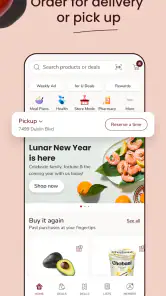
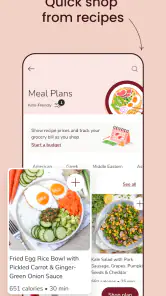
First off, if you’re like me and always on the lookout for ways to save a buck, the Jewel-Osco app is a game changer. The app is designed to streamline your shopping experience with a user-friendly interface. Navigating through the categories is a breeze, and finding the deals that matter to you takes no time at all. From fresh produce to household essentials, everything is just a tap away.
Start with your store and your actual list
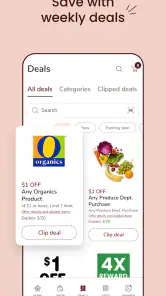
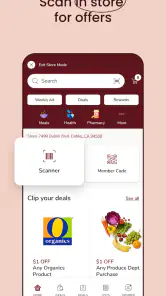
One of the features I absolutely adore is the personalized deals section. The app tailors discounts based on your shopping habits, so the more you use it, the better the deals. I also love the "My Store" feature which lets you set your preferred store location, making it easier to check stock availability and local deals.
That store choice is worth setting before you build a basket. A deal or item’s availability can be local, so checking the selected location early may save you from planning around something your preferred store doesn’t carry. I’d also treat personalized offers as a prompt to compare against your list, not as a reason to add extras: a discount only helps if the item is something you would use.
For a busy weekday, I’d use the app to check offers while making a list, then choose pickup or delivery according to the day’s constraints. If I’m already passing the store, pickup may suit me better than waiting at home; if I’m juggling work or family responsibilities, delivery can be the more practical choice. The useful habit is deciding the fulfillment method before filling the basket, so the plan matches the time I actually have.
When delivery earns its place
For those times when stepping out isn’t an option, the delivery feature is a lifesaver. You can schedule deliveries at your convenience, and I found the delivery timing to be quite reliable. Plus, the tracking feature keeps you updated on your order status, which is great for planning your day.
I’d still leave a little breathing room around a delivery rather than arranging an important commitment right at the expected arrival time. Tracking helps me follow the order, but it doesn’t remove the need to be available for the handoff. For produce or other items where I like to choose each one myself, an in-person shop may feel more reassuring; delivery is strongest when convenience matters more than inspecting every item personally.
More From Our News Desk

Weather by Xiaomi Review: Clear at a Glance, Less Clear Up Close

X Under Pressure: Can It Recover When Posting Goes Wrong?

Clash of Clans Is Won Between the Battles

Android Auto Makes the Case for Quieter Car Software

MobiOffice: Transforming Mobile Productivity with Seamless Integration

EA SPORTS FC™ Mobile Soccer: Redefining Mobile Sports Gaming
Compared with a general grocery marketplace, a retailer’s own app makes the most sense when Jewel-Osco is already part of your routine and you want its local offers alongside your order. A broad shopping service may be more convenient for comparing several retailers in one place, while a simple paper list or notes app can be better for someone who wants no account-based shopping workflow. I’d choose based on where I shop, not on the assumption that one format is best for everyone.
Make offers work for your real basket
I find it helpful to separate “things I planned to buy” from “things the app has put in front of me.” A quick mental check before adding a deal—would I buy this at its ordinary price, and will I use it before it goes to waste?—keeps a promotion from quietly expanding the shop. This is especially useful for households buying for one or two people, where a larger quantity can be less of a saving if some of it is never used.
For a shared household, one person can use the app to check offers and prepare the order while another confirms the list against what is actually running low. That small handoff can prevent duplicate staples and help keep the basket focused. I’d still do a final review before submitting it: an online list is convenient, but it doesn’t automatically know what has already been tucked into the pantry or fridge.
Easy on the Wallet
We all know how quickly grocery bills can add up, but with this app, I genuinely felt like I was getting more bang for my buck. The app frequently updates its deals, and the savings really add up over time. Plus, there’s something satisfying about seeing your weekly savings tally up in the app.
To make those savings useful, I’d review the offers before checkout and keep a short list of the items I genuinely need. That makes it easier to notice whether a promotion changes my plan in a worthwhile way or simply encourages an unplanned purchase. The app works best as a shopping aid, not as a guarantee that every basket will cost less than shopping elsewhere.
There is a small setup trade-off: choosing a store and using personalized offers takes more effort than walking in and grabbing familiar items. If you shop at several stores depending on what you need, keeping this app’s offers straight alongside other loyalty programs may also take attention. For a regular Jewel-Osco shopper, that routine can pay off; for someone who rarely visits, the setup may not be worth it.
A useful fit for a particular kind of shopper
I’d recommend it to shoppers who already buy groceries at Jewel-Osco, want to check local deals, and sometimes need pickup or delivery. It can also suit someone planning around a packed day: for example, I might check the offers while making a list in the evening, arrange pickup on the way home from another errand, and reserve delivery for a day when leaving the house is difficult. The point is that the app gives those choices a shared starting place.
I’d skip it if you don’t shop at Jewel-Osco, prefer choosing every item in person, or mainly want one app to compare multiple grocery chains. If your main goal is to compare prices across retailers, a multi-store service or checking each retailer separately may be a better match. And if you only need a reminder of what to buy, a basic notes app or paper list is simpler; you don’t need a store-specific shopping workflow just to remember milk.
The practical question of whether you need to pay for the app is straightforward: it is free to download. That doesn’t make every shopping choice free of cost, so I’d still review the order and its fulfillment details before placing it. It has more than a million installs, and the current version is 2025.37.0; it requires Android 7.0 or later. Those details make it easy to assess basic compatibility, while the store-specific workflow is what should decide whether it belongs on your phone.
What to check before placing an order
If you’re new to ordering groceries this way, I’d start with a small, familiar basket rather than trying to plan the entire week at once. Set your preferred store first, look for the items you normally buy, and then decide whether pickup or delivery fits the day. That gives you a low-pressure way to understand the process before relying on it for a time-sensitive shop.
It’s also worth asking whether you need to be present for the chosen option and whether the timing suits your schedule. Delivery tracking is useful, but I wouldn’t treat it as a substitute for leaving room in the day. For pickup, the main benefit is tying the shop to a route you are already taking; if the store is out of your way, the convenience may be less compelling than delivery or shopping in person when you have time.
Another sensible question is whether an advertised deal applies to the store you selected and to something you genuinely want. Since offers and availability can be tied to the local store, I’d use the app to make a shortlist, then verify the basket before checking out. This avoids planning a meal around an item that isn’t available at your chosen location and makes it easier to distinguish a useful saving from an impulse.
Downloading the app is straightforward from both the Google Play Store and the Apple App Store, which is super convenient. A quick search and you’re ready to go. If you’re someone who values efficiency and savings, this app is definitely worth checking out.
Final Thoughts
All in all, the Jewel-Osco Deals & Delivery app has become a staple in my weekly routine. It’s packed with features that not only make shopping easier but also help me save money. Whether you’re looking to streamline your grocery shopping or simply love catching a good deal, this app has something for everyone. So why not give it a try and see how much you can save?
My recommendation is more specific: give it a try if Jewel-Osco is already one of your regular grocery stops and you can see yourself using its offers or ordering options more than once in a while. I’d begin with the store setting and a small planned shop, then decide whether the convenience is worth keeping the app in your routine. If you prefer browsing several chains, choosing every item yourself, or avoiding store accounts altogether, another approach will probably feel more natural. For the right shopper, though, it brings local deals and practical ways to shop together without asking you to change where you buy groceries.
Jewel-Osco Deals & Delivery Frequently Asked Questions
Can I browse Jewel-Osco before creating an account?
You can use the app to explore Jewel-Osco’s shopping options, browse products, and look through available deals. To place an order, the app’s ordering process asks you to create an account or log in if you already have one. Browsing first can help you see whether the app fits the way you shop before deciding to set up an account.
Can I choose between grocery delivery and pickup?
Yes. Jewel-Osco Deals & Delivery brings delivery and pickup options into its shopping experience, and you can select one at checkout when placing an order. The right option depends on how you want to receive your groceries. Before confirming, review the order details and any costs shown for your selected option so you know what to expect.
Who makes Jewel-Osco Deals & Delivery?
Jewel-Osco Deals & Delivery is a shopping app from Albertsons Companies, Inc., with Jewel-Osco as its focus. It is designed to bring store shopping options, deals, and grocery ordering together in one mobile experience. If you are looking specifically for Jewel-Osco, the app’s focus makes it a direct way to browse its offerings and choose delivery or pickup.
Is Jewel-Osco Deals & Delivery free to download?
Jewel-Osco Deals & Delivery is free to download, so you can install the shopping app without paying an upfront purchase price. Keep in mind that downloading the app and placing an order are separate things: delivery or other order-related fees may apply. Review the costs shown in checkout before you confirm a purchase, especially if you are comparing delivery with pickup.
What should I know about the app’s age rating and device compatibility?
The app is rated Everyone and is intended for a general audience. On Android, it requires version 7.0 or later, so check your device’s operating system before downloading. Jewel-Osco Deals & Delivery is also available for iOS. Once installed, you can use it to browse the store’s shopping options and decide whether its ordering features suit your routine.
Pros
- User-friendly interface for easy navigation.
- Exclusive deals and discounts available.
- Convenient home delivery service.
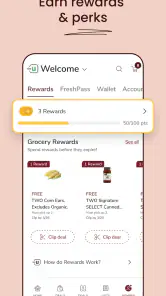
- Loyalty rewards for frequent users.
- Real-time tracking of orders.
Cons
- Limited delivery areas.
- Occasional app crashes.
- Delayed customer support responses.
- Inconsistent product availability.
- Requires a stable internet connection.
- Category
- Shopping
- Version
- 2025.37.0













