IPVanish VPN: Fast & Secure
- 6.83K
- 4.4
- Installs
- 10.00M
- Price
- Free

Screenshots
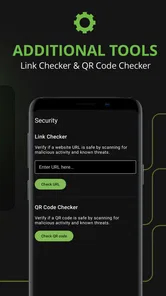
Analysis by Reviewed
I find a VPN most useful when it fits into a routine rather than becoming another task to remember. That is the practical appeal of IPVanish: VPN Location Changer: it gives me a way to route a connection through a chosen location and add a privacy layer when I want one. It is a tools app from IPVanish VPN, and its focus is straightforward enough for a first-time VPN user while leaving room to make connection choices more deliberate.
A repeatable routine for everyday connections
My preferred baseline is simple: decide whether I need a VPN before opening apps that handle sensitive activity, connect, then check that the connection is active before carrying on. On a phone, that habit is more useful than changing locations repeatedly just because the option is there. A VPN can protect traffic between the device and the VPN service, but it does not make every site trustworthy or replace careful account and password habits.
For example, if I’m settling into a café and need to check email or manage an account, I’d connect before signing in and leave the session alone unless I have a reason to change location. When I get home, I’d reconsider whether I still need the VPN for that activity. This keeps the tool purposeful and avoids treating a location change as a general fix for online privacy.
Settings to check before relying on it
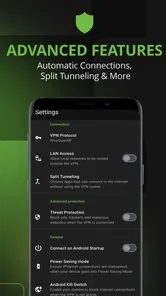
The app includes an auto-connect option, a kill switch, and server bookmarks. I’d take a moment to understand how the kill switch behaves on my device rather than assuming every interruption will be handled exactly as I expect. Its purpose is to cut internet access if the VPN connection drops, which can reduce the chance of traffic continuing outside the tunnel; the trade-off is that a connection interruption may also interrupt whatever I was doing.
Bookmarks are worth setting up after trying a few locations for the tasks I actually do. Keeping a familiar choice handy can save taps, but I wouldn’t assume that one saved server is always the best option. If a connection feels sluggish, choosing another available location is a sensible troubleshooting step. Auto-connect can make routine use easier, though it is worth checking when it activates so the VPN does not surprise you during a task where location matters.
Faster choices without needless switching
A small, repeatable setup is usually better than constantly chasing a new server. I’d save only locations I have a clear reason to revisit, then use the automatic option when I simply want a VPN connection without choosing manually. That gives me two practical paths: a known location for a specific need, or a quick connection when the location itself is not important.
Location changing can help when a service offers different regional experiences, but access is never guaranteed just because a server appears in a country. Services may use their own checks, and their terms still apply. If a site stops working after a change, I’d first return to a nearby or previously reliable location rather than cycling through servers at random. That is quicker and avoids making the VPN the first suspect for every app problem.
More From Our News Desk

 Lark Player:Music Player & MP3
Switching to Lark Player: A Better Fit for Music Stored on Your Phone?
Lark Player makes sense if your music already lives on your phone. Here is what changes, what does not transfer by assumption, and how to test the switch without regret.

 Tile Master® - Matching Game
Tile Master Finds Its Place in the Gaps of a Noisy Phone
OS changes rarely transform a tile puzzle, but they reshape the small rituals around it. Tile Master’s appeal lies in how well its brief, tactile rounds fit the modern phone.

 Google Docs
 Shows What Mobile Writing Still Gets Wrong
Google Docs still makes a strong case for the shared document, but its real significance is how it exposes the gap between cloud convenience and genuinely capable mobile work.

 YouTube Studio
 Is Becoming a Creator’s Daily Control Room
As publishing turns into a daily, data-led habit, YouTube Studio is becoming the control room creators reach for between uploads—not another tool for making videos.

 Tiles Hop Music & Ball Game
Tiles Hop Review: When the Beat Is Clear, Every Miss Counts
Tiles Hop turns a simple bouncing-ball premise into a sharp test of timing. Its best design is immediate and readable; its weakest moments come when recovery feels less clear than the beat.

 Piano - Music Keyboard & Tiles
: Inviting Rhythm, Unproven Recovery
A tile-tapping piano game lives or dies by timing. This resilience-focused review separates what its format promises from what players still need to verify.
Latest News



Getting Started with IPVanish
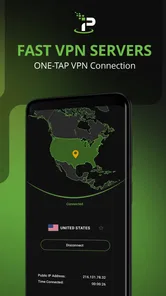
First off, installing the app was a breeze. Seriously, it’s available on both Android and iOS, which is a win-win in my book. After downloading, you just need to create an account or log in if you already have one. The interface is super intuitive, so even if you’re new to VPNs, you won’t feel lost at all. I felt like I was in control from the get-go.
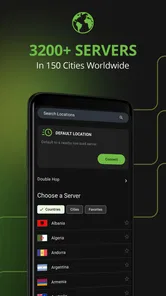
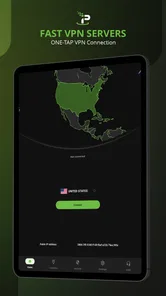
Now, what makes IPVanish: VPN Location Changer stand out is its ability to switch your location. Imagine having access to a network of servers from places like Japan, Germany, or the US, all from the comfort of your couch. It’s like having a digital passport!
Privacy and Security at its Best
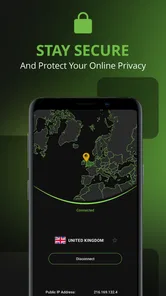
Let’s talk about why you’d want to use a VPN in the first place. Security, right? Well, IPVanish delivers on that front. It uses top-notch encryption to keep your data safe from prying eyes. Whether you’re on public Wi-Fi or just want to keep your browsing history private, this app has got you covered.
One of the things I loved was the kill switch feature. It’s like a safety net that automatically disconnects your internet if the VPN connection drops. This means no accidental exposure of your data. It’s little features like these that make a big difference.
Speed and Performance
Okay, I know what you’re thinking. Does using a VPN slow down your internet? With IPVanish, I was pleasantly surprised. The speed was consistent and reliable, whether I was streaming videos or just browsing. The app claims to offer unlimited bandwidth, and from my experience, it didn’t disappoint.
Switching between servers was also seamless. There was no noticeable lag, which is crucial if you’re like me and can’t stand buffering. It’s a huge plus for those who love streaming shows from different regions.
User-Friendly Features
Besides the basics, IPVanish has some neat extras. You can bookmark your favorite servers for quick access, which I found quite handy. Also, there’s an option to auto-connect to the best available server. It’s perfect for those moments when you just want to get online without fiddling with settings.
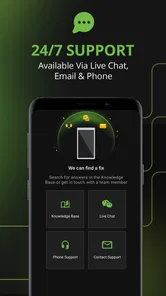
The app also supports multiple connections, so you can secure all your devices simultaneously. Whether it’s your phone, tablet, or laptop, you’re covered. And if you ever run into issues, their customer support is responsive and helpful.
Making a location choice work in practice
A useful way to think about location selection is to separate privacy from regional access. If I’m connecting on unfamiliar Wi-Fi, I care more about getting a dependable connection than choosing a faraway country. If I’m checking how a service behaves in another region, then a specific location matters—but I’d treat that as an experiment, not a promise that the service will present different content or accept the connection.
For a realistic travel routine, I’d bookmark a location I have already tested, connect before handling personal accounts at an airport or hotel, and avoid changing servers in the middle of a payment or login. If a site asks me to verify my identity after the location changes, I’d stop and consider whether the change is causing the extra security check. Returning to my usual connection may be more practical than repeatedly trying new locations.
One small habit helps when moving between Wi-Fi and mobile data: give the connection a moment to settle, then check the VPN status before resuming a sensitive task. A network handoff can be a more likely source of interruption than a bad server choice. If the app’s protection has paused, I would reconnect before continuing rather than assuming the phone restored everything automatically.
Who will get the most from it
I see IPVanish as a good fit for people who travel, use public Wi-Fi, or want a familiar way to choose a VPN location without learning a technical dashboard. It is rated 4.4 on average, with around 68 thousand ratings, and has over 10 million installs. Those figures suggest a well-established app, but they are not a substitute for deciding whether its workflow suits you.
The app is free to install, but in-app purchases range from $4.99 to $89.99 per item, so I would check the current plan details and renewal terms before committing. It is suitable for Everyone, and it has been available since September 11, 2013. If you only need occasional protection, compare the cost of a paid VPN plan with your actual usage rather than assuming you need a subscription year-round.
It is especially useful for someone who wants a mobile VPN they can set up once and use with a modest number of repeatable choices. Bookmarks reduce the temptation to search from scratch, while auto-connect can help when the same kind of protection is needed regularly. I would still decide in advance which activities justify connecting; leaving a VPN on without considering location, speed, or the task can create avoidable friction.
Where it differs from simpler alternatives
A browser’s private mode is not the same thing as a VPN: it can limit what is saved locally in that browser, but it does not route the device’s connection through a VPN service. A VPN app is more appropriate when you want to protect traffic beyond one browser, while a built-in or basic VPN option may be enough if your needs are modest and you do not care about selecting locations. IPVanish’s appeal is that the location choice, bookmarks, and auto-connect sit together in a dedicated app.
There are trade-offs. A VPN can add connection overhead, and distance to a chosen location can affect responsiveness. Streaming performance may also depend on the service, network conditions, and the particular server, so I would not treat a past smooth session as a guarantee. If low latency is the priority for competitive gaming or a local video call, I would test the connection first and disconnect if the VPN makes the experience worse.
Compared with a browser-only privacy feature, the main difference is scope: a VPN can cover traffic from more than one app, while browser controls are narrower and may be simpler when all you want is less local browsing history. Compared with a VPN that automatically chooses a connection and offers little reason to select a region, IPVanish’s bookmarks and location choices are more appealing if you revisit particular locations. That flexibility is only useful when you know why you are choosing one.
Limits worth keeping in mind
A VPN is one layer, not a complete privacy plan. Signing into a personal account still identifies you to that service, and cookies or other tracking methods can link activity across sessions. I would not use location switching as a substitute for reviewing app permissions, using unique passwords, or avoiding suspicious links. It can help with the connection path, but it cannot fix risks that come from the accounts and sites I choose to use.
There is also a practical cost to the kill switch: if the VPN connection drops and internet access is cut, a message may fail to send or a page may stop loading until the connection returns. That behavior can be useful when avoiding traffic outside the VPN matters more than uninterrupted access. For a task where staying online is more important, I’d consider whether I need the VPN at that moment rather than disabling protection blindly or repeatedly retrying the same action.
When I would skip it
I would not recommend choosing a VPN solely to make every website accessible or to hide all online activity. It cannot stop tracking methods that identify you through accounts, cookies, or device behavior, and it cannot make unsafe downloads safe. Someone who needs only to avoid saving browsing history on a shared device may be better served by browser privacy controls; someone who needs a VPN for a particular workplace should use the service and setup their organization approves.
It may also be the wrong choice if you rarely need location selection and your priority is the simplest possible connection with no extra subscription decision. If your main concern is a stable, low-latency connection for calls or games, compare the experience with and without the VPN before making it part of your routine. A tool that is useful on public Wi-Fi can still be unnecessary for every activity at home.
For everyday use, my most useful tip is to keep the routine boring: connect before sensitive browsing, use a saved location only when you have a reason, and recheck the connection after a network change. That is more dependable than switching servers every time a page loads slowly. The app’s location controls are useful, but restraint is part of using them well.
Why I Think You Should Try It
In a world where online privacy is becoming increasingly important, having a reliable VPN like IPVanish is a game-changer. It’s not just about changing your location; it’s about taking control of your online presence. Whether you’re a frequent traveler, a digital nomad, or just someone who values privacy, this app is definitely worth a shot.
So, if you’re considering enhancing your online security and exploring content from around the world, give IPVanish a try. It’s user-friendly, feature-rich, and most importantly, it keeps your data safe. Download it from the app store and see for yourself. You might just wonder how you ever lived without it!
IPVanish VPN: Fast & Secure Frequently Asked Questions
What does the “VPN Location Changer” name mean in practice?
The name points to the app’s central purpose: using a VPN to change the virtual location shown to online services. That can be useful when you want a different apparent location while browsing. It is still a privacy tool rather than a guarantee that every website or service will behave differently, so results can depend on the service you are using.
Is IPVanish suitable for someone who has never used a VPN before?
IPVanish is presented as a Tools app for people seeking a VPN location changer and added privacy while using the internet. Its broad Everyone content rating makes the listed age classification suitable for a wide audience. If you are new to VPNs, consider what you want from one—such as changing your virtual location or adding a layer of privacy—and review the app’s available options before relying on it.
Can I use IPVanish on more than one type of device?
IPVanish is available across several kinds of devices, including Android and iOS phones and tablets, as well as Windows, macOS, and Linux computers. It can also be used with routers. That range may suit people who want VPN access beyond a single mobile device, but availability on a platform does not by itself explain which subscription terms or setup steps apply to each device.
Is IPVanish free to download, and does it include in-app purchases?
IPVanish is free to download, so you can install the app without paying upfront. It also offers in-app purchases, with options ranging from $4.99 to $89.99 per item. Before choosing a purchase, review the available terms and options in the app store so you can decide whether the service fits your needs and budget.
Who is IPVanish intended for, and what kind of app is it?
IPVanish is a Tools app from IPVanish VPN, designed for people who want a VPN location changer and added privacy while using the internet. Its store summary highlights fast app VPN speeds and ad blocker protection. The app has an Everyone content rating, making its listed age classification suitable for a broad audience.
Pros
- Fast connection speeds for seamless browsing.
- Wide range of global server locations.
- Strong encryption ensures privacy and security.
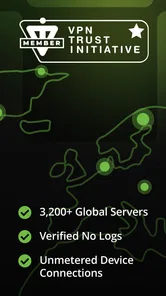
- No-logs policy protects user data.
- Supports multiple devices simultaneously.
Cons
- Occasional connectivity issues reported.
- App interface can be confusing for beginners.
- Premium pricing compared to competitors.
- No free version available for testing.
- Limited customer support options.