Imprivata ID
- 234.00
- 3.0
- Installs
- 500.00K
- Price
- Free

Screenshots
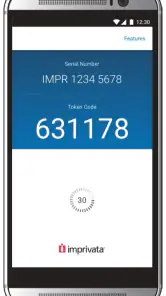
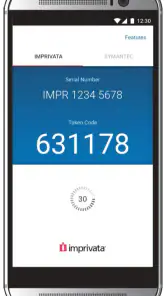
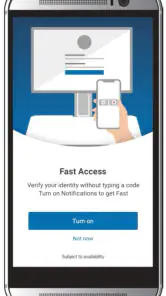
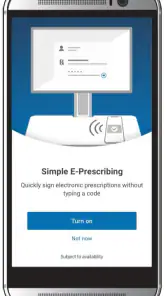
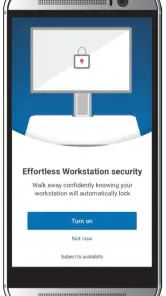
Analysis by Reviewed
Imprivata ID is the kind of medical app I would judge less by visual polish and more by whether it removes friction at the exact moment a healthcare professional needs secure access. Developed by Imprivata, Inc, it is designed for clinical authentication workflows rather than general personal use. In my experience, that distinction matters: this is not an app I would install simply because I want another way to sign in, but it can make sense when my workplace already uses Imprivata’s authentication environment.
The app is free to download, carries an Everyone age rating, and supports Android devices running version 6.0 or later. Its current version is 2026.1.1.144, while the application itself first appeared on May 27, 2016. Those details show that it is an established tool rather than a newly released experiment, although its usefulness still depends heavily on how an organization has configured its clinical systems.
How Imprivata ID fits into a normal clinical workflow
The basic idea is straightforward. A medical professional uses Imprivata ID as part of a secure authentication process when accessing workplace resources. Instead of treating the app like a standalone productivity tool, I see it as one piece of a larger identity and access workflow. That means the first question is not “What can this app do by itself?” but “Does my hospital, clinic, or employer use the Imprivata system that this app supports?”
That dependency is important for anyone considering a download. A person working independently, a student looking for a generic authenticator, or a patient trying to access a health portal may find very little value here. The app is aimed at medical professionals and clinical environments, so its practical benefit appears when an organization has already set up the corresponding authentication service.
In a realistic shift, I would expect the app to sit alongside the workstation or clinical application I need to use. I might arrive at a nursing station, prepare to access a protected system, and use the phone as part of the organization’s sign-in procedure. The value is not entertainment or personal convenience in isolation. It is the reduction of repeated authentication friction while preserving the security expectations of a healthcare setting.
That makes the first setup step more important than it may seem. I would not install it casually and expect it to work immediately. I would first confirm that my employer supports Imprivata ID, check which account or enrollment process is required, and make sure I am using the phone allowed by workplace policy. If the organization has not enrolled me, the app cannot substitute for that administrative step.
The strongest use case is an existing Imprivata workflow, not general two-factor authentication. This is the main point I would explain to a colleague before recommending it. A familiar authenticator app may be more suitable for personal accounts or services that simply accept standard verification codes. Imprivata ID belongs in a more specific clinical access environment.
What the first few uses feel like
When an authentication app is used during a busy shift, small delays become noticeable. I would pay attention to whether the phone is easy to reach, whether the app opens reliably, and whether I can complete the expected action without searching through unrelated screens. Those practical details affect the workflow more than the app’s store presence or download count.
There is also a human factor. Healthcare workers may already be moving between patients, workstations, medication areas, and shared clinical spaces. Keeping a phone available for authentication can be convenient, but it can also become one more object to manage. I would use a consistent location for the device and avoid leaving it buried under personal items or in a bag during a shift.
Another sensible habit is to test access before the busiest part of the day. If enrollment, device replacement, or account changes are involved, discovering a problem at the start of a shift is far more disruptive than checking the workflow beforehand. Imprivata ID can support secure access, but it does not remove the need for account administration, device readiness, or local support.
Settings and phone habits worth checking
The most useful preparation is often outside the app itself. I would check that the phone can receive the organization’s expected authentication prompts or complete the required interaction, that notifications are not being silently blocked, and that battery-saving behavior is not interfering with timely access. These are ordinary phone settings, but they can decide whether a security tool feels dependable.
I would also review screen-lock behavior and device security with workplace rules in mind. A clinical authentication app should not encourage careless shortcuts such as leaving the phone unlocked in a shared area. Faster access is valuable only when it remains compatible with the organization’s security requirements. If my employer requires a particular lock method, timeout, or device-management arrangement, I would follow that rather than optimizing for convenience.
Notification handling deserves special attention. If Imprivata ID relies on an action presented through the phone, a muted notification, restricted background activity, or an aggressive battery mode could create confusion. I would keep the app’s notifications visible enough to recognize while avoiding unnecessary exposure of sensitive information on the lock screen. The right balance depends on workplace policy and the phone’s privacy controls.
Device changes are another area where experienced users plan ahead. Replacing a phone, restoring a backup, changing a number, or resetting the device can affect authentication access. I would not assume that moving the app to a new handset automatically preserves enrollment. Before changing devices, I would ask the organization’s support team about the approved migration or re-enrollment process.
This is also why I would avoid treating the app like a disposable utility. If it is tied to work access, uninstalling it, clearing its storage, or resetting the phone may have consequences beyond losing a casual app preference. A short conversation with local IT before making a major device change is a better shortcut than trying to repair access during clinical work.
Repeatable patterns that make authentication less disruptive
After the initial setup, the best improvements come from repeatable habits rather than complicated tricks. I would keep the phone charged before a shift, use the same physical location for it, and open the app only when I am ready to complete the authentication step. These habits reduce the small pauses that accumulate when access is needed repeatedly.
I would also avoid tapping through the process automatically. In a clinical environment, it is worth checking that the request corresponds to the action I just initiated. Approving an unexpected authentication request is a serious security mistake, even if the phone is in my hand and I am in a hurry. Speed should come from recognizing the normal workflow, not from approving everything immediately.
A useful pattern is to separate troubleshooting from active patient care whenever possible. If a request fails, I would first check the obvious conditions: network availability, notification visibility, device lock state, and whether I am using the correct enrolled phone. If the problem continues, I would use the organization’s support route rather than repeatedly retrying without understanding the cause.
Another practical tip is to learn the local fallback procedure before needing it. The fallback may be defined by the healthcare organization rather than by the app, so I would ask a supervisor or IT contact what to do if the phone is unavailable, the battery is empty, or the authentication request does not arrive. Knowing that process prevents a single device problem from becoming a full workflow stoppage.
These habits reveal an important trade-off. Imprivata ID can make secure access smoother, but it also makes the phone part of the work routine. For some professionals, that is a reasonable exchange. For others, especially those who cannot reliably carry or maintain a personal device during work, the organization’s alternative authentication method may be more practical.
Where the app is more specialized than usual authenticator tools
Compared with a general authenticator, Imprivata ID is more closely associated with clinical workflows and organizational access. A general app may be better when I need one place for personal email, shopping, finance, and unrelated online accounts. Those tools are usually chosen for broad compatibility and individual control.
Imprivata ID makes more sense when the employer has selected the Imprivata platform and expects staff to use it. In that situation, choosing a generic alternative may not be possible, even if it looks simpler. The relevant comparison is therefore not only which app has the nicest interface, but which one matches the organization’s identity system and support process.
This specialization can be a strength because the app is focused on a professional need. It can also be a limitation because someone outside that environment may not be able to make meaningful use of it. I would skip it as a general-purpose authenticator and choose a broader tool for personal accounts. I would recommend it to a healthcare worker whose employer specifically directs them to use it.
Limits that experienced users should understand
The biggest limitation is that the app is not a complete solution to every access problem. It cannot replace an active workplace account, correct an incorrectly configured clinical system, or resolve an organization-wide outage by itself. When authentication fails, the cause may involve enrollment, network access, device management, or the service being accessed rather than the app alone.
That distinction helps set realistic expectations. I would not judge the application solely by whether it can solve every sign-in issue. I would judge it by whether it performs its role reliably inside the configured workflow and whether the organization gives staff clear instructions for setup and recovery. The surrounding support experience matters greatly for a medical authentication tool.
There is also a privacy consideration. Because the app participates in work authentication, I would be careful about using a shared phone, lending the device to someone else, or exposing notifications in public areas. The Everyone rating describes the app’s age classification, not a reason to treat clinical authentication casually. The professional context demands more care than the label alone suggests.
Older Android devices may meet the stated minimum operating-system requirement, but meeting that requirement does not guarantee the best everyday experience. I would still keep the phone updated where permitted, maintain enough free storage for normal operation, and avoid relying on a device with an unreliable battery or unstable connectivity. A minimum requirement is a starting point, not a promise that every compatible phone will be equally convenient.
The public reception is mixed rather than universally enthusiastic. Imprivata ID holds an average rating of 3.0 from around 509 ratings, with around 234 written reviews, and it has passed 500,000 installs. I read those figures as a sign that the app has a substantial working audience but that the experience is not consistently smooth for everyone. For an enterprise authentication app, complaints may reflect setup and organization-specific conditions as much as the software itself, so I would interpret the rating with that context in mind.
Who should use it, and who should choose something else
I would consider Imprivata ID a good fit for a doctor, nurse, technician, administrator, or other healthcare professional whose organization explicitly uses Imprivata authentication. It is also suitable for someone who values a repeatable sign-in routine and is comfortable keeping a phone ready as part of the workday.
I would be more cautious if I were working in a setting with strict restrictions on personal phones, unreliable connectivity, or limited access to charging. In that case, I would ask whether the employer offers a supported alternative before depending on the app. The right authentication method is the one that remains available during real work, not merely the one that installs successfully.
I would also skip it for personal online accounts unless a service specifically requires it. A conventional authenticator is usually a better match for broad personal use because it is designed around many unrelated services rather than one professional access ecosystem. Installing Imprivata ID without that organizational connection is unlikely to provide the flexibility most people expect.
My final assessment after looking at the complete workflow
Imprivata ID is a focused medical authentication app with a clear purpose. I like that its role is tied to improving access routines for clinical professionals rather than trying to become an all-purpose account manager. When it is properly enrolled and supported by an employer, it can reduce repeated sign-in friction and make a demanding workday a little more manageable.
At the same time, I would not describe it as universally useful. Its success depends on the organization behind it, the phone’s readiness, and the user’s habits. The best results come from checking notifications, protecting the device, planning for phone replacement, confirming unexpected requests, and learning the local fallback process before an emergency.
My recommendation is therefore conditional but positive: use Imprivata ID when your healthcare organization requires or supports it, and build a consistent routine around it. Do not choose it as a replacement for a general authenticator simply because it is free. For the right clinical environment, it is a practical part of secure access; outside that environment, a broader authentication option will usually serve you better.
Pros
- Fast
- secure push approvals for supported workplace logins.
- Works with biometric authentication on compatible devices.
- Helps reduce reliance on passwords and hardware tokens.
- Useful for organizations managing many employee identities.
- Clear prompts make login verification easy to understand.
Cons
- Requires an Imprivata-enabled organization account to be useful.
- Some features depend on employer configuration and licensing.
- Push approvals require an internet or mobile data connection.
- Changing phones may require account re-enrollment by IT.
- Not intended as a general-purpose authenticator for personal accounts.

- Category
- Medical
- Version
- 2026.1.1.144