Hyde App Hider - Hide Apps
- 1.71K
- 4.6
- Installs
- 10.00M
- Price
- Free

Screenshots


Analysis by Reviewed
I think the best reason to consider Hyde App Hider - Hide Apps is simple: sometimes you want to lend someone your phone without making every app on it part of the conversation. It is a personalization app from ZipoApps, built around keeping selected apps out of sight. That can be useful for personal boundaries, but I would treat hiding as a layer of privacy rather than a guarantee that information inside an app is protected.
What to expect from an app hider
Hyde App Hider has a 4.6 average from around 325,000 ratings, and it has passed 10 million installs. It is free to download, rated for Everyone, and its current version is 1.4.8. Optional in-app purchases range from $0.99 to $279.99 per item, so I would check the purchase details carefully before paying for anything. The app first appeared on November 27, 2019, and requires Android 5.0 or later.
The basic idea is different from simply moving an icon into a folder: you choose apps to hide and manage them through Hyde. That makes it most relevant when the issue is someone browsing your home screen or casually tapping around while borrowing your phone. It is not a substitute for a strong screen lock, account security, or a separate user profile when you need a more robust boundary.
Getting Under the Hood
Setting up Hyde App Hider is a breeze. Once you download the app, it guides you through a simple setup process. I was impressed by how user-friendly the interface is. The app doesn’t just hide apps; it allows you to clone them. This means you can have a version of the app for others to see, while the original stays tucked away in your hidden folder. Pretty cool, right?
Make the first setup deliberate
Before adding anything, I would decide what you actually need to keep out of casual view. A private messaging app, a finance app, or a work tool may be a sensible starting point; hiding a long list immediately can make it harder to remember where you put things. Keep a note of the apps you move and the way you plan to open them again, especially if you rely on them every day.
There is an important practical distinction here: hiding an app icon does not automatically hide notifications, messages on the lock screen, or information someone can see after opening the app through another route. Review your phone’s notification previews and lock-screen settings separately. For a shared device, that small check can matter as much as the hider itself.
Features That Stand Out
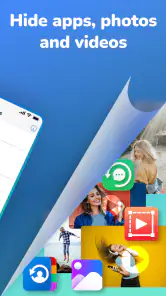
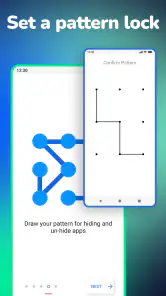
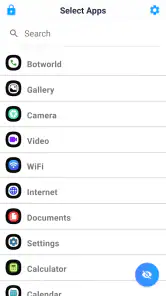
One of the standout features of this app is its ability to hide and manage multiple apps with ease. You can easily drag and drop apps into your hidden folder, and voilà, they're out of sight. Plus, you can set up a password to ensure only you can access the hidden apps. The app even supports fingerprint and face recognition for that extra layer of security.
You May Like

Clash of Clans Is Won Between the Battles

Android Auto Makes the Case for Quieter Car Software

MobiOffice: Transforming Mobile Productivity with Seamless Integration

EA SPORTS FC™ Mobile Soccer: Redefining Mobile Sports Gaming

How Microsoft OneDrive Became a Mobile Productivity Giant

How Google Translate Breaks Language Barriers Effortlessly
A useful first success, and a sensible test
For a first run, I would choose one nonessential app, hide it, then check that I can still get back to it through the access method I selected. Try this before putting away a banking or work app; it is a low-stress way to learn the routine and catch any confusion while the stakes are small. Also make sure you can remember the password or use the authentication method you set up. Privacy tools are only helpful if you can reliably reach your own apps.
That workflow is especially practical in an everyday situation like handing your phone to a friend to choose music or show a photo. You can keep unrelated apps from being immediately visible, while still using the phone normally yourself. If the other person needs to use the device for longer, or needs access to settings, hiding icons alone is a weak boundary; I would use a separate device profile or avoid lending the phone instead.
Another neat feature is the ability to disguise the Hyde App Hider itself. Once hidden, it can appear as a calculator or any other boring app you choose, so no one will suspect a thing. This feature was a game-changer for me, offering a seamless blend of privacy and practicality.
Disguise is most useful against a quick glance, not someone deliberately inspecting the phone. I would also avoid choosing a disguise that creates everyday confusion: if you regularly use a calculator, for example, you may find yourself second-guessing which icon to open. A less frequently used disguise can be easier to live with, provided you remember how to reach the hidden area.
Where it differs from built-in options
Compared with the usual alternatives, Hyde is aimed at managing visibility from a dedicated app rather than relying only on folders or rearranging a home screen. A folder is simpler and makes no special privacy promise; it merely takes icons off the main page. Phone-level app locks or separate user profiles can be a better fit when you need stronger access separation, though they may change how convenient it is to switch between everyday apps. I would choose based on whether your goal is discreet organization or a firmer barrier.
Cloning may also appeal if you want a separate-looking copy of an app, but I would not assume that two copies share the same settings, accounts, or data. Check how the particular app behaves before depending on a clone for important messages or work. This is a case where a quick test with a low-stakes app can prevent a frustrating surprise later.
Performance and Reliability
During my time using Hyde App Hider - Hide Apps, I found it to be reliable and efficient. The hidden apps ran smoothly without any noticeable lag. The app itself is lightweight, ensuring it doesn’t hog your device’s resources, which is a big plus if you’re already running low on storage.
My main reservation is that convenience and privacy are not the same thing. Hiding an app can reduce casual discovery, but it cannot stop someone who knows your device well from looking through settings or other access points. If your concern is sensitive data, secure the account itself, use the app’s own lock options where available, and keep your phone’s system protection enabled.
Who it suits, and when I would skip it
I can see this working well for someone who lends out a phone now and then, wants a tidier home screen, or prefers a discreet way to keep a few personal apps apart from the ones they show other people. It is less suitable if you need guaranteed secrecy from a determined person, depend on strict work-device controls, or dislike remembering a separate access routine. In those cases, built-in device profiles, app-specific security, or simply not sharing the device may be the better answer.
Living with a hidden-app routine
Once the first app is tucked away, I would think about how often you need to use it. A tool you open several times a day should be easy for you to reach and should not become a source of friction every time you unlock your phone. By contrast, an app you only check occasionally may be a better candidate for hiding, because the extra step is less likely to interrupt a routine. That simple distinction helps keep the feature useful rather than turning every launch into a small puzzle.
For example, imagine you are showing a relative vacation photos and they ask to scroll through the gallery. You may want your everyday home screen to contain only the apps you are comfortable displaying, while keeping personal messaging or account tools out of casual view. Hyde can help with that narrow situation. I would still keep notification previews private and stay nearby while someone uses the phone; hiding icons is not a reason to hand over unrestricted access.
Cloning calls for a separate check
The clone option deserves a little more care than simply hiding an icon. If you are considering it for two accounts, first test with an app where losing a session or mixing up notifications would be harmless. Confirm which copy you are opening and check whether the account you expect is signed in. I would not make a cloned copy the only route to an important service until you know how it behaves in your own day-to-day use.
This is also where a dedicated hider differs from a basic launcher folder. A folder changes presentation but leaves you with the same app and its usual entry points; Hyde offers a more purposeful place to manage hidden apps and includes cloning and disguise options. That extra control can be handy, but it also means there is another routine to remember. If all you want is a cleaner screen, a folder or a simpler launcher change may be easier.
What to check before relying on it
Before hiding an app you cannot afford to lose track of, confirm that you know how to open it again and that your sign-in details are available. Keep important account recovery options current, too. The most useful privacy setup is one that does not lock you out when you change phones, forget a password, or need to use an app in a hurry. I would treat the first few days as a trial period and avoid moving every sensitive app at once.
It is also worth separating three different goals: making an icon less visible, preventing another person from opening an app, and protecting the information stored in an account. Those goals overlap, but they are not interchangeable. Hyde is most compelling for the first and for a more discreet access routine; a strong device lock and the security tools inside each service matter for the others. Knowing which problem you are solving makes it much easier to decide whether this app is enough.
Final Thoughts
Overall, if privacy is a concern for you and you’re looking for a solid app to keep your digital life under wraps, Hyde App Hider is worth considering. It’s packed with features that cater to both casual users and those who need a bit more security. The app is free, with an optional premium version that unlocks even more functionality. So, why not give it a try and see if it fits your needs?
In a world where privacy feels increasingly hard to come by, having a tool like this at your disposal can make all the difference. Whether you’re hiding apps from nosy friends or protecting sensitive work applications, Hyde App Hider has got you covered. Just remember to keep your password safe and enjoy the peace of mind that comes with knowing your apps are secure.
Hyde App Hider - Hide Apps Frequently Asked Questions
Can I use Hyde App Hider on an iPhone or iPad?
Hyde App Hider is an Android app, so it is intended for compatible Android phones and tablets rather than iPhones or iPads. If you use an Apple device, this app will not be the right download for hiding apps there. Android users should also check that their device meets the app’s minimum operating-system requirement before installing.
What Android version do I need, and where can I download Hyde App Hider?
Hyde App Hider requires Android 5.0 or later. Before downloading, check the Android version in your device settings and use a trusted source, such as Google Play, to get the app. Installing from a trusted source helps you avoid unofficial copies and gives you a straightforward way to find the current release for your device.
Is Hyde App Hider compatible with my Android phone?
Hyde App Hider is an Android personalization app for devices running Android 5.0 or later. If your phone meets that requirement, you can consider it for hiding apps without rooting your device. Compatibility with a particular handset can still depend on its Android setup and the apps you want to hide, so check that the app works as expected on your device.
Is Hyde App Hider free to download, and are there in-app purchases?
Hyde App Hider is free to download, so you can try it without paying upfront. The app also offers in-app purchases, with listed prices ranging from $0.99 to $279.99 per item. Those purchases may matter if you plan to use paid features, so review the purchase options shown in the app before confirming anything.
What is Hyde App Hider, and how does it work?
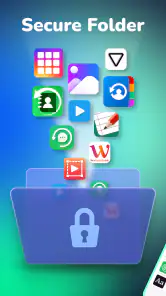
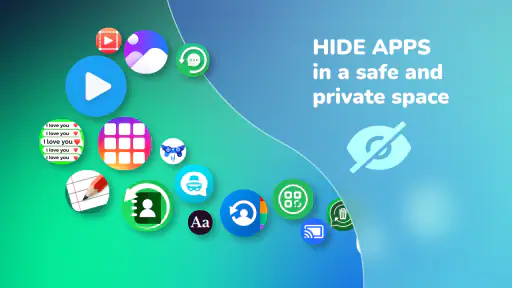
Hyde App Hider is an Android application designed to help users hide apps on their devices for privacy reasons. It works by creating a secure environment within your phone, where selected apps can be hidden from the home screen and app drawer, making them accessible only through the Hyde App Hider interface. This ensures your private apps remain discreet and protected from prying eyes.
Pros
- Easy to use interface
- Supports multiple accounts
- Keeps apps hidden securely
- No root required
- Lightweight and fast
Cons
- Contains ads
- Limited features in free version
- Not compatible with all devices
- Occasional bugs
- Privacy concerns due to permissions

- Category
- Personalization
- Version
- 1.4.8













