GPS Camera with Time Stamp
- 236.00
- 3.5
- Installs
- 5.00M
- Price
- Free
Screenshots
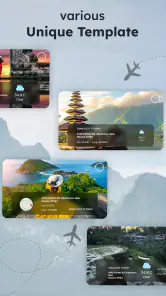
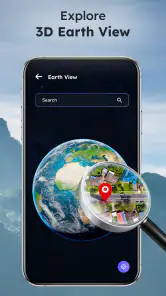
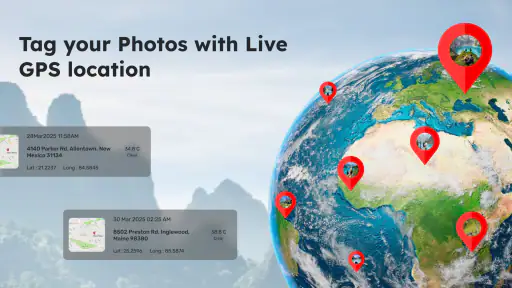
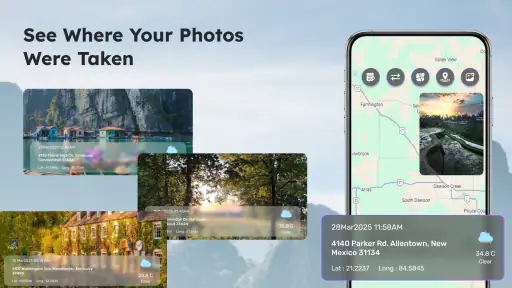
Analysis by Reviewed
I see GPS Camera with Time Stamp as a practical tool for people who want a photo to carry useful context, not just a visual memory. Its appeal is straightforward: capture an image with a location and a time marker attached to the picture. That can help when I’m documenting a repair, keeping track of a trip, or recording the condition of something I may need to revisit later. It is less compelling as an everyday camera replacement, because a stamped image is a deliberate record rather than a clean, flexible photo for every occasion.
The key trade-off is convenience versus a permanent visual label. A location and timestamp can make a picture easier to understand weeks later, but they also become part of how the image is presented. I’d use this app when proof or recall matters more than an uncluttered composition, and switch back to my regular camera for portraits, social posts, or images I might want to crop and edit freely.
What to check before a documentation session
Before relying on a run of stamped images, I’d take one test shot and inspect both the picture and its visible context. This is a small step, but it can catch an unhelpful framing choice or a location that does not make sense before I have repeated it across a whole job. I’d also make sure the phone is ready for the session rather than stopping halfway through to reorganize images or clarify what each one was meant to show.
For a series, consistency matters more than sheer volume. I’d use the same order each time—an establishing view, close details, then a follow-up image if something changes. That makes it easier to compare records without relying on a perfect memory of why each photo was taken. If the subject is small, I’d keep the detail shot close enough to be legible while capturing a separate wider view that explains where it belongs.
Choosing between a stamp and a clean original
A practical question is whether I need the context to appear on the photo itself or simply remain associated with it. When the image will be passed around as a quick reference, a visible label can save explanation. When I expect to crop, annotate, or reuse the image in different settings, a clean original is more adaptable. For important work, I’d lean toward taking both kinds of picture rather than asking one image to serve two conflicting purposes.
That approach does mean more files to sort, so I’d use it selectively: keep the stamped image for the record and the clean one only when later editing is genuinely likely. For a casual travel note, the stamped version may be enough. For a property issue that could be discussed with someone later, a clean detail shot alongside the contextual record gives me more options without making the stamp carry every job.
Where a stamped photo earns its place
Useful context at the moment of capture
GPS Camera with Time Stamp is a free tools app from Wanda Gallery Studio, built around taking photos with geographic and time information visible on the image. That focused purpose is its strongest argument. Instead of relying on memory, a handwritten note, or a separate record that may get separated from the photo, I can keep the context alongside the picture itself.
You May Like

Clash of Clans Is Won Between the Battles

Android Auto Makes the Case for Quieter Car Software

MobiOffice: Transforming Mobile Productivity with Seamless Integration

EA SPORTS FC™ Mobile Soccer: Redefining Mobile Sports Gaming

How Microsoft OneDrive Became a Mobile Productivity Giant

How Google Translate Breaks Language Barriers Effortlessly
Imagine checking a rental property before moving in. I could photograph a scuff on a wall, a loose handle, and a mark on the floor, then use the stamped images as a straightforward visual record. The same approach suits a delivery check, a garden project, a site visit, or a collection of travel stops. In each case, the image is more useful because it answers not only “what did I see?” but also “where and when did I see it?”
That is a different job from adding a caption after the fact. A caption depends on remembering to write one and matching it to the correct image. A camera that places context into the picture makes the record easier to scan later, especially when a phone’s gallery contains many similar shots. The benefit is modest for a single vacation photo, but more meaningful when I’m gathering a series of observations.
A sensible workflow for records, not keepsakes
I’d treat the app as a capture step in a larger record-keeping routine. Before starting, decide what the photos need to establish: a location, a moment, or a sequence of changes. Then take a wide image that shows the setting and closer images that show the detail. A location stamp on a tight shot of a small scratch may not make the object obvious; a wider establishing photo can make the set easier to interpret later.
For a repair visit, for example, I would photograph the room or exterior first, then the specific issue, and take another picture after the work is complete. Keeping the before-and-after images together makes the visual comparison more useful than collecting isolated stamped photos. This is a practical strength of the format, but it also exposes a limitation: the stamp supplies context, not a full filing system. I would still sort important images into an album or another organized record rather than assuming the camera alone will manage a long project.
There is also a useful judgment call about framing. A stamp can compete with the subject, so I would leave some uncluttered space near an edge when composing a record photo. That small adjustment can keep a label from obscuring the very detail I’m trying to document. For casual snapshots, I would not want to compose around a permanent overlay; for evidence-style images, it is an easy trade-off to plan for.
How it compares with a regular phone camera
A standard camera app is usually the better choice when I want the cleanest image and the most freedom afterward. It keeps the photograph visually neutral, which matters if I plan to crop, print, edit, or share it widely. GPS Camera with Time Stamp is more specialized: its value is that location and time are visible in the captured result, rather than merely being information I might have to look up later.
That distinction affects how I would use the two tools together. I would reach for the regular camera for family pictures, food, or anything where appearance is the priority. I’d choose this app for a progress log, a travel note where place is central, or a practical record I expect to review. If I need a formal, carefully controlled record, I would also keep the original files and any related notes rather than treating a visible stamp as conclusive proof on its own.
Compared with writing details in a notes app, the camera-based approach is quicker for someone already taking pictures as they work. Notes can hold longer explanations, however, and are easier to revise without altering an image. My preferred workflow would be to use the stamped photo to anchor a record and add a short note separately when the reason for the picture is not self-evident.
Where the friction shows up
The same visible stamp that makes these pictures easy to identify can make them less versatile. Once text is part of the image, it may take up space, distract from the subject, or be awkward if I later want a clean copy. I would avoid using stamped captures as my only version of anything I expect to edit or present professionally. Taking a separate ordinary photo is the safer choice when both documentation and visual polish matter.
Location-based capture also depends on the phone being able to determine where it is. In a place where positioning is unreliable, I would not assume every stamp will be equally useful. For a record that matters, I’d check the first image before taking a full batch and confirm that its context looks sensible. That quick check is more reliable than discovering later that a set of photos does not communicate what I thought it did.
There is a privacy trade-off, too. A picture that displays a location can reveal more than intended if it is shared beyond the people who need it. I would be cautious with images of a home, a child’s regular destination, or a private appointment, and use a normal camera for posts meant for a broad audience. The app’s core convenience is also the reason to think carefully about where a stamped image will end up.
Finally, the format is not a substitute for careful documentation. A timestamp and location can help orient the viewer, but they do not explain why the photo was taken, what changed, or whether the image has been reviewed. For workplace or property records, I would pair the pictures with a brief written note and preserve them in a consistent folder. That extra discipline matters more than collecting a large number of images without a clear sequence.
Who is likely to get the most from it?
I’d recommend GPS Camera with Time Stamp to people who regularly need to connect photos with places and moments: travelers making a visual itinerary, homeowners tracking maintenance, field workers collecting reference images, or anyone comparing the state of an object over time. It is especially useful when the photo will be reviewed later by someone who was not there. The visible context can reduce the back-and-forth that comes from an unlabeled image.
It is less suitable for someone looking for a general-purpose camera with a polished creative workflow. If most of your pictures are portraits, social content, or scenes you intend to edit, an ordinary camera app is likely a better default. I would also skip it as the sole record-keeping solution for a complicated project: the app helps with capture, while albums, notes, and backups still have their own jobs.
The app is rated for Everyone, costs nothing to try, and is currently at version 4.8.0, with Android 8.0 as its minimum operating system. It has reached over five million installs and holds a 3.5 average from around six thousand ratings, alongside 236 written reviews. I take that reception as a reason to approach it with practical expectations: it has a clear use, but the appeal depends heavily on whether stamped images fit the way you work.
My verdict: a focused camera companion
For me, GPS Camera with Time Stamp makes the most sense as a dedicated documentation camera rather than a replacement for the camera I use all day. Its strongest advantage is also its defining constraint: it turns location and time into visible parts of a photo, making records easier to understand while reducing the image’s flexibility. Used selectively, that is a worthwhile exchange.
I would keep it handy for inspections, progress tracking, and trips where remembering exactly where a picture was taken matters. I would use a regular camera for images that need to stay clean, private, or editable, and pair stamped photos with notes when a project needs more than basic context. If that distinction matches your needs, this free app is worth trying; if you mainly want attractive everyday pictures, the stamp is more likely to get in the way than to help.
A realistic day-to-day use
On a home-maintenance day, I might notice a small leak under a sink and need to show someone what I found. I’d take a broad picture that identifies the cabinet, then a close one of the affected area, and add a short note elsewhere about what I noticed. If I return after a repair, the stamped images can help me place the issue in time and location without depending on a vague gallery memory. The useful part is not that the app explains the problem; it gives the photos a clearer starting point for that conversation.
The same workflow works for travel, but I’d be selective. A stamped shot can help me remember which entrance, viewpoint, or street corner a picture came from, especially when several stops look alike in a camera roll. I would not put the stamp on every scenic image, though. One or two contextual records can orient the trip, while ordinary photos keep the album visually consistent.
Who should choose another approach?
If you need a polished camera experience for spontaneous photography, this is not the tool I’d leave as my default. The visible context is useful only when I want it, and the overlay creates a lasting presentation choice. Likewise, if a project requires a complete audit trail, precise written descriptions, or a controlled evidence process, a stamped picture alone is too limited; use the appropriate documentation workflow and treat the image as one supporting piece.
For people who only need to remember where a photo was taken, a regular camera’s location information or a note attached afterward may be less intrusive. That route avoids placing text across the image, though it asks me to keep metadata or notes associated with the right file. GPS Camera with Time Stamp makes more sense when I value immediate, visible context enough to accept less flexibility later.
My recommendation is therefore narrow but positive: keep it available for inspections, field notes, and location-based progress records, rather than expecting it to replace a normal camera. Its usefulness comes from a deliberate choice at capture time. When that choice matches the job, the stamped image is easier to interpret; when it does not, a clean photo is the better result.
GPS Camera with Time Stamp Frequently Asked Questions
What does GPS Camera with Time Stamp do?
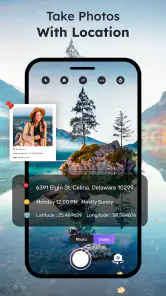
GPS Camera with Time Stamp adds information such as the date, time, and location to photos taken with the app. Depending on the available settings, a photo may also show coordinates, an address, a map, or other camera details. The exact labels and layout can vary by app version, so check the preview and settings before taking photos you plan to share or use as records.
Does GPS Camera with Time Stamp require an internet connection?
The camera can generally take photos without a constant internet connection, but some location features may work better when GPS and network-based location services are available. An internet connection may be needed to look up a readable address or map information, depending on the app’s implementation. If location details matter, enable location services, grant the requested permission, and verify the stamp before relying on the image.
What permissions does the app need, and is my location private?
A camera app of this kind may request access to the camera, location, and photo storage or media library so it can capture, stamp, and save pictures. Location information embedded in a photo can reveal where it was taken, especially if the image is shared publicly. Review the app’s permission prompts and privacy information, and avoid including precise location details when you do not want them disclosed.
Can I change or remove the timestamp and GPS information?
Many GPS timestamp camera apps provide settings for choosing which details appear and adjusting the stamp’s format, position, or appearance. Available controls vary by version, and information printed directly onto a photo may be difficult to remove cleanly later. Check the preview and configuration options before capturing important images. If you need an unstamped original, look for an option to save a separate original or disable the stamp.
Are photos from GPS Camera with Time Stamp suitable as official proof?
A visible date, time, or location stamp can make a photo easier to organize and may provide useful context, but it does not automatically verify that the information is accurate or make the image legally authoritative. Location readings can be imprecise, and displayed details may be changed or edited. For insurance, workplace, legal, or other formal records, confirm the recipient’s requirements and keep original files where possible.
Pros
- Adds GPS coordinates
- date
- and time directly to photos.
- Useful for documenting travel
- fieldwork
- or site visits.
- Location details can make photo records easier to verify.
- Camera-style interface keeps capture and stamping in one place.
- Can help organize images by when and where they were taken.
Cons
- Accurate location stamps depend on GPS availability and permissions.
- Indoor or obstructed locations may produce imprecise coordinates.
- Stamped details can clutter photos
- especially in tight compositions.
- Sharing stamped images may reveal sensitive location information.
- Battery use may increase when location services stay active.
- Category
- Tools
- Version
- 4.8.0











