Go Browser - Fast & Safe
- 88.00
- 4.8
- Installs
- 100.00K
- Price
- Free

Screenshots


Analysis by Reviewed
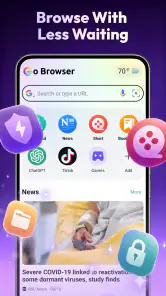
When I need to look something up quickly without turning a spare minute into a whole browsing session, I want a browser that stays out of my way. Go Browser - Fast & Safe is a free tools app from DBK Entertainment, positioned for people who want everyday web access alongside news and weather. Its appeal is straightforward: open it, find what you came for, and move on. I see it as a lightweight option to consider, not an automatic replacement for a browser that already handles every part of your digital life.
A sensible first test for everyday browsing
I’d try it when I have a specific, low-stakes task rather than making it my default immediately. For example, I might check a forecast before heading out, look up a café’s hours, and read one news story during a break. Those tasks show whether the app’s basic flow suits me without requiring me to reorganize bookmarks, saved passwords, or long-running research.
That trial also helps answer a practical question: can I return to what I was doing without losing track of the day? I’d keep the test focused, note whether the pages I use are comfortable to read, and see if I naturally reach for the app again. A browser can sound convenient in principle but still feel like an extra step in a real routine.
From a quick question to a useful result
Starting with a small, practical need
Picture checking a forecast before leaving home, then searching for a shop’s opening hours while you’re on the way. Those are the kinds of short tasks that make a browser’s convenience matter more than an elaborate feature set. Go Browser’s focus on browsing, news, and weather makes it relevant to that routine: rather than treating every visit as a deep research session, it aims to serve the quick checks that crop up throughout the day.
I’d start by using it for one or two familiar searches rather than moving all my saved pages and habits over at once. Search for a nearby place, read a page, and see whether the basic rhythm feels comfortable. Then try returning to a news or weather check when you have a reason to open the app again. This small trial tells you more about whether it suits your routine than a long list of browser claims would.
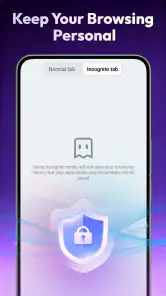
The word “private” in its positioning is worth treating carefully. It can make the app sound like a complete privacy solution, but a privacy-minded browser is only one part of safer browsing. I would still avoid entering sensitive information on unfamiliar pages, check that a site is the one I intended to visit, and use account security settings for accounts that matter. The app’s name alone is not a substitute for those habits.
Moving through a typical browsing session
For an everyday session, I’d open Go Browser with a clear destination in mind: a weather check, a local business page, or a news item I want to read. From there, the useful test is whether it gets me from the search or page to the information without making me work around the browser. On a phone, that matters when one hand is occupied or I’m checking something between other tasks.
More From Our News Desk

Clash of Clans Is Won Between the Battles

Android Auto Makes the Case for Quieter Car Software

MobiOffice: Transforming Mobile Productivity with Seamless Integration

EA SPORTS FC™ Mobile Soccer: Redefining Mobile Sports Gaming

How Microsoft OneDrive Became a Mobile Productivity Giant

How Google Translate Breaks Language Barriers Effortlessly
A practical tip is to keep quick checks separate from longer research. If I’m comparing several products, following a chain of sources, or filling out a complicated form, I would slow down and make sure I can keep track of the pages and information I need. For a single answer, a focused browser session is easier to finish cleanly; for a sprawling task, my established browser may be the better workspace.
News and weather also serve different purposes from general search. I’d use a weather check to make a near-term decision—whether to carry a coat, for example—and news browsing to catch up when I have a spare moment. The important distinction is that a convenient place to view those topics does not by itself tell me how complete, current, or tailored their presentation will be. I’d judge it by whether the information I need is easy to reach and whether I’m comfortable with the sources I choose to read.
Where it fits beside other browsers
Compared with a familiar mainstream browser, Go Browser’s pitch is narrower: quick browsing with news and weather in the mix. That can be a plus if I want a separate place for casual searches rather than mixing them with work tabs, shopping research, and saved references. A dedicated secondary browser can reduce clutter in my main one, especially when the task is a brief lookup I don’t need to keep for later.
The trade-off is continuity. People who rely on synced bookmarks, passwords, tab histories, or a particular desktop-and-phone setup should think about what they would lose by switching. I would not assume those workflows carry over just because another browser can open the same websites. If your current browser is already well organized across devices, it may remain the more sensible default; Go Browser can still be worth trying for occasional browsing if it feels convenient.
Its “fast” positioning is most meaningful in ordinary use, not as a promise that every connection or page will load instantly. A slow network, a heavy website, or a page crowded with media can affect the experience regardless of which browser I open. To make a fair comparison, I’d try the same everyday pages in both browsers under similar conditions and pay attention to the whole task: how quickly I can find the right page, read it, and return to what I was doing.
Handing off from browsing to the rest of the day
A browser often sits between an intention and the next action. I might look up a forecast, then decide whether to walk; find a business page, then call; or read a report, then share its information with someone. Go Browser is useful in that chain when the web page is only one step, not the place where I need to manage a complex project. I would treat any handoff—such as copying information into a note or using a phone’s usual sharing tools—as a separate part of the workflow rather than assuming the browser will organize it for me.
One non-obvious way to keep a quick-browsing app useful is to set a clear stopping point before opening it. For example, decide that you’re checking the rain forecast or confirming an address, then close the session once that answer is in hand. This isn’t a special feature; it’s a way to keep news and general browsing from turning a ten-second check into aimless scrolling. A second useful habit is to verify an important detail at its source before acting on it, particularly when a search result is only a summary.
Another trade-off appears when a quick lookup turns into something sensitive. If I reach a payment page, a medical account, or a service that contains personal details, I’d pause and consider whether this is the browser and device setup I normally trust for that job. Convenience is valuable, but switching browsers mid-task can be more trouble than it’s worth if I then have to retrieve login details or lose the context of what I was doing.
What the app’s audience signals—and what it doesn’t
Go Browser has a 4.8 average from around 7.9 thousand ratings, alongside 88 written reviews, and it has passed 100 thousand installs. Those figures suggest that many people have tried it and that its rating is strong, but I would read them as context rather than proof that it will suit my particular habits. Browser preferences depend heavily on the pages I visit, how I handle saved information, and whether I need a seamless setup across more than one device.
The app is rated Teen, which is useful context for households deciding what to install, but an age label should not be mistaken for a guarantee that every website a person visits is appropriate. I’d still think about supervision and browsing choices for younger users. The current version is 1.1.1, and it supports Android 8.0 or later, so an older compatible phone may be able to run it; whether it feels good on that phone is best judged by testing the pages you actually use.
Since it is free, trying it as a secondary browser is a low-commitment way to see if its browsing, news, and weather focus fits. Free does not automatically mean frictionless, though: the real question is whether the app’s everyday flow feels comfortable and whether it gives you a reason to return. I’d evaluate that through repeated ordinary tasks, not just one first impression.
Who is likely to find it useful
I can see it suiting someone who wants a separate browser for quick personal lookups: checking a delivery page, confirming a venue’s address, or reading a headline without opening a work-heavy browser full of tabs. Keeping casual activity apart can make it easier to return to a main browser with its work sessions intact. That separation is a habit choice, not a guarantee that the app will manage or sync those activities for you.
It may be less appealing if you want one browser to act as a complete hub across phone and computer. Before adopting it, think through the small handoffs you do repeatedly: whether you send links to yourself, save pages for later, or need passwords available on another device. If those are central to your routine, continuity may matter more than having news and weather near your browsing.
Where the flow can break
The clearest limitation is that a broad promise of convenient browsing does not answer every question a power user might have. If your daily routine depends on carefully managed tabs, deep customization, extensive bookmark organization, or tightly connected desktop browsing, I would not switch on the assumption that Go Browser will match that setup. Keep your current browser for those demands unless Go Browser proves itself with the exact workflow you need.
It may also be the wrong choice if you mainly want a dedicated news reader, a specialized weather tool, or a browser selected for a particular privacy configuration. A general-purpose browser that includes those topics is not automatically as focused as an app built around one of them. I’d compare the actual experience against the specific need: for a forecast that drives a travel decision, clarity and trustworthiness matter; for news, source choice matters; for sensitive browsing, privacy controls and your own security practices matter.
There is also a modest but real switching cost even when an app is free. You may need to decide which browser opens links by default, where you want to keep bookmarks, and whether two separate browsing histories will confuse you. Before making Go Browser the default, I’d use it for a few days on low-stakes tasks and notice whether I naturally reach for it. If you keep returning to your old browser for routine searches, that is useful evidence rather than a reason to force the change.
My recommendation after following the workflow
I’d recommend Go Browser - Fast & Safe to someone who wants a straightforward Android browser for casual searches and likes having news and weather within the same browsing routine. It makes most sense as a practical option to test, especially if your current browser feels overloaded and you don’t need every search to connect to a larger system of saved tabs and synced data.
I would skip it as a full replacement if my priority were a highly developed multi-device setup, specialized privacy controls, or a dedicated tool for news or forecasts. For anyone curious, the sensible approach is to install it alongside the browser they already trust, try the same ordinary tasks in both, and keep whichever one makes the complete trip—from question to answer to next action—feel easier. That is where Go Browser can earn a place: not by doing everything, but by making the quick checks you actually perform feel simple enough to repeat.
A practical way to decide whether to keep it
After a few days, I’d judge it by a handful of recurring tasks rather than by how many times I opened it. Did I get from a question to the relevant page without losing time? Could I carry the useful detail into my next action, such as calling a business or sharing a link? Did I prefer its news-and-weather browsing to opening separate apps? Those answers make the decision more concrete than a first-session impression.
If the app becomes a comfortable place for short searches, it can earn a limited role without replacing anything. If I find myself switching back whenever I need saved pages, account continuity, or a more deliberate research setup, I’d leave it as an occasional option—or move on. For me, that is a fair standard for a free browser: it should make a real everyday task easier, not ask me to rebuild habits that already work.
Go Browser - Fast & Safe Frequently Asked Questions
What is Go Browser - Fast & Safe, and what can I use it for?
Go Browser - Fast & Safe is a mobile web browser designed for everyday browsing, such as opening websites, searching online, and reading content on your phone. Its name highlights speed and safety, but the browsing experience can also depend on your device, connection, website, and app version. Before installing, check the store listing to confirm its features and compatibility with your Android or iOS device.
Is Go Browser - Fast & Safe really fast?
The browser is presented as a fast option, but no browser can guarantee the same loading speed on every site or network. Page performance may vary with your internet connection, the number of open tabs, your device’s available memory, and the content of the website. If speed is your priority, try it with the sites you use most and compare the results with your current browser.
Is Go Browser - Fast & Safe safe to use?
The app’s name does not by itself establish how it handles security or personal information. Before browsing, review the current privacy policy, requested permissions, developer details, and safety information on the official app-store page. Avoid entering sensitive information on unfamiliar or unsecured websites, keep the app updated, and use a trusted connection for activities such as banking or shopping.
Is Go Browser - Fast & Safe free, and does it include ads or in-app purchases?
Pricing and monetization can change by platform, region, and app version, so check the Google Play or Apple App Store listing before downloading. It may be free to install while still displaying ads or offering optional purchases; the listing should explain any such charges. Review the purchase details and payment prompts carefully, especially if the device is shared with children or other users.
How do I download Go Browser - Fast & Safe, and what should I check first?
Download the app from the official Google Play Store or Apple App Store rather than an unfamiliar download site, and confirm that the developer and app name match the listing you intend to install. Check the supported operating-system version, recent update information, permissions, and user reviews. Availability and compatibility can differ by country and device, so verify these details before proceeding.
Pros
- Lightweight design helps it run smoothly on many Android devices.
- Built-in ad blocking can make pages less cluttered.
- Private browsing keeps visited pages out of the regular history.
- Night mode is easier on the eyes in low-light conditions.
- Simple navigation makes common browser actions easy to find.
Cons
- Available features and performance may vary by device and Android version.
- Some websites may not work correctly when ad blocking is enabled.
- Private browsing does not hide activity from websites or network providers.
- The browser may offer fewer extensions than larger alternatives.
- Privacy and data-handling details should be checked before signing in or syncing.
- Category
- Tools
- Version
- 1.1.1








