Get Rbux Counter & RBX Calc
- 385.00
- 2.6
- Installs
- 5.00M
- Price
- Free

Screenshots
Analysis by Reviewed
When I first opened a Robux counter, my main question was simple: could I use it to make a quick, sensible spending plan without turning it into another complicated account to manage? Get Rbux Counter & RBX Calc is aimed at that small but familiar task. It is a free tools app from Singal Message, and its focus is keeping a personal tally and working through currency calculations—not replacing Roblox or handling purchases for you.
What to expect before you begin
The first useful distinction is between a planning aid and an official balance. I treat a counter like this as a place to work out figures I enter, then check anything important against the balance and prices shown in Roblox itself. That habit avoids a common mix-up: a calculator can help you decide what you can afford, but it does not make a purchase or guarantee that a remembered figure is current.
The app is listed in the tools category, is free, and is rated for Everyone. It has an average rating of 2.6 from around 5,800 ratings, so I would approach it with practical expectations rather than assuming every user has had a smooth experience. Its release date is February 2, 2025, and the current version is 1.4. That context makes a quick personal trial more sensible than relying on it as the only record of a spending plan.
A calm first setup
On first use, I would begin with one clear goal rather than trying to track every possible purchase. Choose an item or pass you genuinely have in mind, note its current Robux price in Roblox, and use that figure as the target in your planning. If you already know your current balance, enter or compare it carefully; if not, check Roblox first instead of guessing. This small check is the difference between a useful estimate and a misleading one.
For a younger player, I would make the first session a conversation with a parent or guardian about the target and any real-money spending. The app is suitable for Everyone, but an age rating is not a spending plan. Keeping the calculation separate from the decision to buy can help a family agree on a limit before opening a checkout screen.
Making the counter useful in everyday play
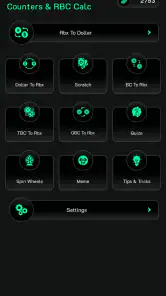
Okay, let’s dive into what Get Rbux Counter & RBX Calc is all about. Essentially, it’s an app designed to help you keep track of your Robux, the virtual currency used in Roblox. It’s super handy because it not only counts your Robux but also helps you calculate how much you need for your next big purchase in the game. Imagine never running short on Robux mid-game again! Pretty sweet, right?
Features That Stand Out
One of the things I love about this app is its simplicity. You don't need to be a tech wizard to use it. The interface is straightforward and user-friendly, which means even the youngest Roblox fans can navigate it without any hiccups. Plus, it’s packed with features that make it super useful. For instance, it lets you set savings goals – say you’re eyeing a new avatar or game pass, just plug in the numbers, and voila! You know exactly how much more Robux you need.
More From Our News Desk

Weather by Xiaomi Review: Clear at a Glance, Less Clear Up Close

X Under Pressure: Can It Recover When Posting Goes Wrong?

Clash of Clans Is Won Between the Battles

Android Auto Makes the Case for Quieter Car Software

MobiOffice: Transforming Mobile Productivity with Seamless Integration

EA SPORTS FC™ Mobile Soccer: Redefining Mobile Sports Gaming
For a first successful check, I would choose a target, compare it with the balance I can see in Roblox, and use the difference as a clear next step. A less obvious but useful habit is to write down the date when I checked the in-game price. If a price or my balance changes later, I can tell which part of my plan needs refreshing instead of assuming the old calculation still applies.
Getting a dependable conversion
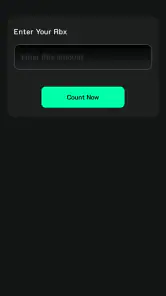
Another cool feature is the built-in calculator. It’s like having a personal accountant for your Robux. You can easily figure out conversions and understand how much real-world money translates into Robux. It’s a lifesaver, especially when you’re trying to make sure you’re getting the most bang for your buck.
I would use that conversion as a budgeting comparison, not as a promise of what a particular purchase will cost. Before acting on a result, check the current options in Roblox and make sure the figures being compared use the same currency and amount. This is especially helpful when deciding whether a small top-up fits a budget or whether waiting and saving toward the target is the better choice.
Common points of confusion
A counter can be useful even when I am not buying anything today: after earning or spending Robux, I can update my own running figure and see how much of a goal remains. But it is only as reliable as the numbers I enter. If I forget a purchase or use an old balance, the result can look precise while being out of date. I would therefore recheck the Roblox balance before making a decision, rather than treating a saved total as live account information.
There is also a practical trade-off with using a separate calculator instead of mental arithmetic or a notes app. Mental math is quicker for one simple subtraction, while notes are better if I want a dated history of several changes. A dedicated counter makes more sense when I regularly compare a balance, a target, and a conversion in one place. If I only check Robux once in a while, the extra app may not earn a spot on my phone.
Why You Should Give It a Go
Now, you might be thinking, “Do I really need another app on my phone?” and I get it. But trust me, if you’re a Roblox fan, this app is worth the space. It’s not just about counting coins; it’s about enhancing your gaming experience. You’ll find yourself making smarter purchasing decisions and managing your in-game resources like a pro.
For example, imagine checking an avatar item after school, then realizing you are short of the target. Rather than making an impulse purchase, you can use the remaining amount to decide whether to save for it or choose something cheaper. That is where I see the clearest benefit: it makes the gap between “I want this” and “I can afford this” visible. Players who want an official account balance, direct purchasing, or a detailed transaction record should use Roblox or their own budgeting method for those jobs instead.
Moreover, it’s constantly updated, which means any bugs get squashed pretty quickly, and you always have the latest tools at your fingertips. The developers seem pretty committed to ensuring that users have the best experience possible, which is always a plus in my book.
The app has over 5 million installs, but popularity alone does not tell me whether its workflow will suit a particular player. I would install it on a device running Android 7.0 or later, try one small calculation, and keep using it only if the result is easy to verify and genuinely saves effort. That is a low-pressure way to find out whether a standalone Robux planner is more convenient than checking figures manually.
Who will find it worthwhile
I think it fits players who often compare several possible purchases, younger users learning to save toward a goal with an adult’s guidance, and anyone who wants a quick way to estimate a Robux-to-money conversion. It is less compelling for someone who expects it to sync with an account or serve as an authoritative balance. My rule is straightforward: use the counter to plan, and use Roblox to verify the current balance and complete any purchase.
Wrapping It Up
To sum it all up, Get Rbux Counter & RBX Calc is a must-have for anyone serious about their Roblox game. It’s simple, efficient, and just plain helpful. Whether you’re a seasoned player or just starting your Roblox journey, this app will make managing your Robux a breeze. So go ahead, give it a whirl, and thank me later!
My recommendation is a little more specific: give it a try if you want a lightweight way to plan a goal or check a conversion, but verify important figures in Roblox and avoid treating an estimate as an account balance. With that expectation, it can be a handy planning companion; without it, the separate counter may feel like an unnecessary extra step.
Turn a goal into a routine you can check
The most useful way I can see to keep a manual counter honest is to update it only at clear moments: after checking the balance in Roblox, after a purchase, or when you decide to revise the item you are saving for. I would avoid making little adjustments from memory throughout the day. A few consistent checkpoints are easier to trust than a running total that has been edited whenever I happen to remember something.
For instance, if I am comparing two avatar items, I would note each current price separately and decide which one is the real priority before entering anything. That avoids a small but common planning trap: switching targets while still treating the old target as the goal. The counter is most useful when the question is narrow—how far am I from this particular purchase?—rather than when I try to turn it into a complete record of every Roblox activity.
Read conversions as estimates, not checkout advice
A conversion can answer a planning question, but it cannot decide whether a purchase is good value for me. I would compare the amount I intend to spend with the options currently visible in Roblox, then consider whether the remaining balance would still serve another goal. This is a more useful check than focusing only on the conversion result, because a neat number can make a purchase feel simpler than the real budget decision is.
If a family uses the app together, I would let the adult handle the real-money comparison and let the younger player use the target-and-gap calculation to understand saving. Those are related tasks, but they are not the same decision. Keeping them separate makes it clearer that an estimate is for discussion and planning; it is not permission to spend or a substitute for checking the actual purchase screen.
Where a separate tool helps—and where it does not
Compared with doing the arithmetic in my head, a dedicated counter is most helpful when I want to revisit a target without recalculating it from scratch. Compared with a basic notes app, it is appealing when the main task is a Robux total or conversion rather than keeping a written diary. But those alternatives can still be better: mental math avoids installing anything for a one-off check, and notes can preserve context such as which item I was considering and why I changed plans.
I would also resist using any third-party counter as a source of account truth. For an official balance, current item price, purchase, or account-related action, Roblox remains the place I would check. This division of labor is the key trade-off: a separate tool can make a small calculation more convenient, but it also creates another figure that needs to be compared with the real one.
A sensible first trial
My low-risk test would be to look up one current price, check the balance in Roblox, enter those figures into the planning workflow, and confirm that the result makes sense before relying on it. Then I would close the app and return later to see whether I can quickly understand what the number represents. If I cannot tell whether it is a balance, a target, or a remaining amount, I would not use it for a spending decision until I had cleared up that distinction.
The average rating of 2.6, alongside a large number of ratings and reviews, is another reason I would make this test personal rather than assuming the app will suit everyone. Ratings are a broad signal, not a diagnosis of what any one person will experience. What matters to me is whether the specific calculation I need is easy to perform and easy to verify. If it is not, a direct check in Roblox or a simple note is a perfectly reasonable fallback.
Who should choose another approach
I would skip a standalone counter if I only need to check a balance once in a while, if I want automatic account syncing, or if my priority is a reliable history of transactions. In those situations, the app’s central job does not match the need: Roblox is more appropriate for account information and purchases, while a personal budget or dated notes are more suitable for tracking decisions over time.
It is also not the right tool for someone who wants a conversion to settle every question about value. Prices and spending choices need context, and the figures should be checked against what is currently shown in Roblox. If I cannot verify the inputs, I would pause rather than treating a calculated answer as certain. That caution is especially worthwhile when a young player is discussing a real-money purchase with an adult.
The next step after the first calculation
Once the first result checks out, I would keep the routine deliberately small: choose one goal, refresh the balance and price when I make a decision, and remove or revise the goal when it no longer matters. That keeps the counter from becoming an extra chore. If I find myself entering the same information into several places or correcting it constantly, I would switch to the simpler method that fits my habits.
For me, that is the fairest way to judge this particular app. It can be a convenient companion for someone who regularly plans Robux spending and wants a quick calculation in one place, especially when the process helps a younger player think before buying. It is less convincing as a permanent account tracker. Try one verified, small calculation first, and keep it only if it makes that decision clearer.
Get Rbux Counter & RBX Calc Frequently Asked Questions
What devices and operating systems can run Get Rbux Counter & RBX Calc?
Before downloading, check that your device runs Android 7.0 or later, since that is the stated minimum operating-system requirement. Get Rbux Counter & RBX Calc is a tools app, and its listed compatibility is for Android. Confirm the app’s requirements on the download page for your device before installing, especially if you use an older phone or tablet.
Who makes Get Rbux Counter & RBX Calc, and what should I know about its store reception?
Get Rbux Counter & RBX Calc is developed by Singal Message. It has an average rating of 2.6 from around 5,800 ratings, with 385 written reviews, so user feedback is mixed. Reading recent reviews can help you decide whether its features match what you want from a Robux counter and calculator. The app is free and rated for Everyone.
What is Get Rbux Counter & RBX Calc?
Get Rbux Counter & RBX Calc is a user-friendly application designed to help Roblox enthusiasts track and calculate their in-game currency, Robux. It provides a convenient way to manage your Robux earnings and spending, ensuring you always have a clear view of your virtual economy. This tool is invaluable for players who want to optimize their gaming experience by efficiently managing their resources.
Is Get Rbux Counter & RBX Calc safe to use?
Yes, Get Rbux Counter & RBX Calc is safe to use. It does not require any login credentials or personal information, making it a secure option for users concerned about privacy. The app is designed solely to assist with calculations and does not manipulate or hack the Roblox platform in any way. It's a legitimate tool for calculating and tracking Robux.
Does Get Rbux Counter & RBX Calc require an internet connection?
No, Get Rbux Counter & RBX Calc does not require an internet connection to perform its basic functions. The app is designed to work offline, allowing you to calculate and track your Robux usage at any time without needing to connect to the internet. This feature makes it very convenient for users who may not have constant internet access.
Pros
- Easy-to-use interface.
- Accurate RBX calculations.
- Lightweight app size.
- Regular updates.
- No ads.
Cons
- Limited to RBX calculations.
- No customer support.
- Occasional bugs.
- Requires internet connection.
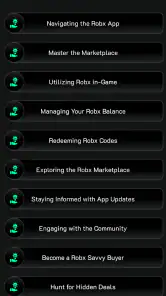
- No tutorial for beginners.
- Category
- Tools
- Version
- 1.4








