Ge Browser - Safe & Smart
- 45.00
- 4.9
- Installs
- 500.00K
- Price
- Free

Screenshots



Analysis by Reviewed
I like the idea behind Ge Browser: one place to browse privately and save videos for later, without turning a simple errand into a hunt through several apps. That combination can be handy when I’m reading on a shared device, looking up a clip while out, or collecting something to watch when a connection is inconvenient. My recommendation comes with a clear caveat, though: a browser’s privacy and a downloader’s usefulness depend on how they behave in practice, so I would treat this as a focused utility rather than an automatic replacement for a browser I already trust.
A low-cost way to test a specific need
Because Ge Browser is free, trying it does not require weighing a purchase price against its features. The useful question is whether its two main jobs fit your routine. I would start with one site I visit often and one video I am allowed to save, then decide whether having both tasks together genuinely makes the process easier.
That trial should be modest rather than a full switch. Use ordinary browsing first, check how the page behaves, and confirm that any saved file is accessible and plays as expected. If the app earns a place on your device, it will be because it handles a repeat task well—not simply because it costs nothing.
The tradeoff is familiar with free tools: a zero price makes experimentation easier, but does not by itself answer questions about privacy, reliability, or whether a feature works with a particular site. I would keep my usual browser available while testing, especially for accounts or tasks where I already rely on a familiar setup.
I like the idea behind Ge Browser: one place to browse privately and save videos for later, without turning a simple errand into a hunt through several apps. That combination can be handy when I’m reading on a shared device, looking up a clip while out, or collecting something to watch when a connection is inconvenient. My recommendation comes with a clear caveat, though: a browser’s privacy and a downloader’s usefulness depend on how they behave in practice, so I would treat this as a focused utility rather than an automatic replacement for a browser I already trust.
Free access, with a practical purpose
Ge Browser is a free tools app from Av sign international. Its current version is 1.3.1, and it is intended for devices running Android 8.0 or later. The age guidance is Teen, which is worth keeping in mind if you are choosing apps for a younger user or managing a family device. There is no purchase price to weigh against its features, so the decision is mainly whether the private browsing and video-saving workflow is useful enough to keep installed.
The app has an average rating of 4.9 from around 3,200 ratings, with 45 written reviews and over 500,000 installs. Those figures suggest that plenty of people have tried it and that ratings are favorable, but they do not tell me whether it suits my habits or how well a particular site will work. I’d use them as a reason to consider a test, not as proof that every browsing or download task will go smoothly.
You May Like

Clash of Clans Is Won Between the Battles

Android Auto Makes the Case for Quieter Car Software

MobiOffice: Transforming Mobile Productivity with Seamless Integration

EA SPORTS FC™ Mobile Soccer: Redefining Mobile Sports Gaming

How Microsoft OneDrive Became a Mobile Productivity Giant

How Google Translate Breaks Language Barriers Effortlessly
Free to install is useful, but it is not the same as a guarantee of a particular privacy standard or a perfect download experience. I would judge the app by whether its core tasks work reliably for the pages I actually visit, and by whether its privacy controls are clear enough for my comfort. If you only need a browser for occasional searches, the free price lowers the barrier to trying it; it does not remove the need to make a sensible choice about what you browse and save.
Where the combined workflow earns its place
Fewer app changes for browsing and saving
The most appealing part of Ge Browser is the pairing of browsing with video downloading. In the usual setup, I might find a clip in one browser, copy its address, switch to a separate downloader, and then check another app to see whether the file has finished. Keeping those tasks in one tool can reduce little interruptions, especially when I’m collecting a few clips for a trip or saving material to review later.
A useful way to test that workflow is to start with one ordinary page rather than assume every video can be saved. Open the page, check whether the content is offered in a form the app can handle, and confirm the saved item appears where you expect before relying on it. This small trial helps reveal whether the browser fits your preferred sites without making you repeat a whole collection process. It also avoids assuming that a downloader can bypass restrictions placed on particular content.
That distinction matters: a download tool is most valuable when the page and the content allow saving. I would not treat “video downloader” as a promise that every streaming service, social feed, or protected clip can be stored for offline viewing. For content that offers an official offline option, that route may be more dependable and respectful of the publisher’s rules. Ge Browser makes more sense for permitted downloads and straightforward personal workflows than as a workaround for every platform’s limits.
Private browsing as a deliberate mode
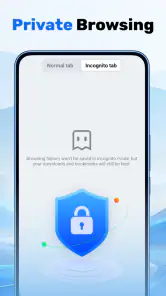
Private browsing is useful when I want a session to feel separate from my ordinary web activity, such as checking a page on a borrowed device or researching a one-off topic without mixing it into my usual routine. It is also convenient for a quick comparison: I can look at a page without immediately treating that visit as part of my normal browsing session. The practical benefit is separation and convenience, not invisibility.
I would still avoid entering sensitive account details on a device I do not control, and I would not assume that a private mode hides activity from every network, website, or service. A browser can help manage what remains on the device, but privacy is broader than a mode label. If your needs involve strong threat protection, workplace controls, or a detailed privacy policy, check those requirements independently and choose a browser whose protections are explicitly suited to them.
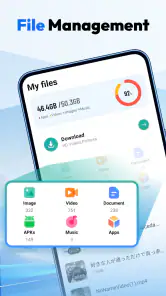
One non-obvious habit that helps is to keep downloaded material separate from browsing expectations. A private session and a saved file are different things: a clip kept on a device may remain accessible through the device’s file tools even after you leave the browser. Before saving anything on a shared phone, consider who can access the device and whether the file belongs there. That simple distinction prevents the common mistake of assuming private browsing automatically makes downloads private too.
A sensible everyday test
Imagine you find a cooking demonstration while planning dinner and want to revisit it in a kitchen with unreliable reception. Ge Browser could simplify the process if the page permits a download: browse to the clip, attempt the save, and check that the result is playable before you leave home. If the clip is protected or the site does not allow saving, use its official offline feature if available, or keep a note of the page instead. That is a more realistic expectation than counting on every video to become a local file.
For research, I would use the same measured approach. If I’m comparing a product across a few pages, the browser can be a convenient place to look around; if I want to preserve a video reference, I’d save only material I’m allowed to keep and give the file a useful name or location if the app’s workflow supports it. The central advantage is fewer context switches, not an elaborate media library or a full research system.
Tradeoffs that matter before you switch
It is a focused tool, not a complete privacy strategy
The word “private” can create expectations that go well beyond what a browser session can deliver. I would not use Ge Browser as a substitute for careful account security, device locking, or a trusted connection. Nor would I assume that private browsing prevents websites from recognizing an account I sign into. If your main reason for changing browsers is advanced privacy protection, compare the specific safeguards you need rather than relying on the general promise of private use.
There is also a tradeoff in combining two jobs. A browser built around saving videos may be convenient for that purpose, but people who depend on extensive browser customization, synced tabs, accessibility options, or established password workflows should check whether their essential routine is covered before moving over. I would keep a familiar browser available during the trial. That makes it easy to return to the tools you already rely on if a page behaves differently or a daily feature is missing from your routine.
Downloads need a little judgment
Saving media is not automatically better than streaming it. Files take up device storage, may become hard to find if saved without a clear routine, and can raise rights or platform-rule issues. If you only watch a clip once, streaming is usually simpler. If you expect to revisit permitted material, saving it can be worthwhile, but I would check the result soon after the download and remove files once they stop being useful.
For a shared family tablet, I would be especially deliberate: the Teen age rating is a reminder to consider who will use the app, while saved videos deserve the same care as any other local content. Review what is being kept and whether it is appropriate for the device’s other users. If a child needs a tightly managed browsing environment, a dedicated parental-control setup may be a better fit than relying on a general-purpose browser alone.
Another practical limitation is that a single app cannot make all websites behave alike. Pages can change, videos can be embedded in different ways, and services may restrict downloads. If a particular clip does not save, I would first check the site’s own options and the content’s permissions rather than repeatedly trying different routes. That approach saves time and avoids treating a failed download as a problem the browser must be able to solve.
Who is likely to get the most value?
Ge Browser is most appealing to someone who regularly moves between web browsing and permitted video saving, prefers a compact workflow, and is comfortable testing a new browser alongside an existing one. It may suit a commuter who wants a few legitimate clips available for later, a student collecting public learning material, or someone who wants a separate browser for occasional browsing on a personal device. The strongest case is a repeated, modest task—not a one-time download that can be handled more easily by the site itself.
I would be less inclined to recommend it to someone already satisfied with a browser that has the privacy tools and everyday features they need, especially if video saving is rare. I would also point a person with strict privacy or organizational requirements toward a browser that clearly documents protections matching those requirements. And if your main goal is offline viewing from a subscription service, the service’s own app is often the cleaner option because it controls playback and availability within its rules.
Its scale offers some reassurance that it is not an obscure experiment: Ge Browser has passed half a million installs, and its favorable average rating gives a newcomer a reason to take a look. Still, ratings cannot settle questions about your preferred sites, your device habits, or the privacy assurances you require. I’d install it only if the combined browser-and-downloader purpose matches a real need, then test that need with non-sensitive browsing and one permitted video before making it part of my regular routine.
My verdict: try it for the task, not the promise
I see Ge Browser as a potentially handy free utility for people who want private browsing and video saving close together. The value is straightforward: no purchase cost, a focused combination of tasks, and less app switching when the content is suitable for download. Its strongest use is a simple workflow you can verify yourself; its weakest case is expecting it to replace a mature daily browser or provide comprehensive privacy protection without checking the details.
If I were recommending it to a friend, I’d say to give it a low-stakes trial if you often save permitted clips and want a separate browsing option. Keep your current browser for important accounts and familiar features until Ge Browser proves itself on the pages you use. Skip it if you rarely download videos, need clearly documented advanced privacy safeguards, or depend on a service’s official offline playback. That leaves the app in a fair place: worth considering for a specific convenience, but not something I’d install simply because “private” and “downloader” sound reassuring together.
Ge Browser - Safe & Smart Frequently Asked Questions
What is Ge Browser - Safe & Smart?
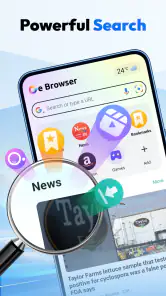
Ge Browser - Safe & Smart is a mobile web browser intended for everyday browsing, with a focus on privacy and convenient features. The exact tools and layout can vary by app version and device, so check the current store listing before installing. As with any browser, its usefulness depends on how well it handles the websites, downloads, and settings you rely on.
Does Ge Browser - Safe & Smart protect my privacy and block ads?
The app’s name suggests a focus on safe browsing, but that alone does not confirm which protections are included or how they work. Before relying on it, review its current feature description and privacy policy for details about tracking protection, ad blocking, data collection, and browsing history. A browser cannot guarantee complete anonymity or prevent every malicious website, so use sensible security practices as well.
Is Ge Browser - Safe & Smart free to download and use?
Check the Google Play or Apple App Store listing for the latest pricing and any in-app purchases, subscriptions, or advertising. App availability and payment terms may differ by platform or region, and they can change over time. Before confirming a download or purchase, review the displayed cost and terms so you know whether any optional features require payment.
Is Ge Browser - Safe & Smart available for Android and iOS?
Availability depends on the developer’s current releases and the country associated with your store account. Search for the exact app name in Google Play or the Apple App Store, and verify the developer and listing details before downloading to avoid similarly named apps. The listing also shows supported operating-system versions and device compatibility, which are worth checking first.
What should I check before installing Ge Browser - Safe & Smart?
Review the app’s permissions, privacy disclosures, recent update history, and user feedback in the official store. Permissions should make sense for the features you plan to use; be cautious if a request seems unrelated to browsing. Also confirm that your device meets the stated requirements and that you are downloading the app from a trusted source rather than an unofficial website.
Pros
- Built-in ad blocking can make everyday browsing less cluttered.
- Private browsing helps keep a session out of the browser history.
- A lightweight design is suitable for quick
- straightforward web searches.
- Bookmarking makes frequently visited pages easy to revisit.
- Useful basic browser features are gathered in one app.
Cons
- Some websites may not display correctly when ad blocking is enabled.
- Private browsing does not hide activity from websites or your internet provider.
- The app may offer fewer advanced tools than established browsers.
- Search results and recommendations can depend on the selected search provider.
- Privacy protections may be less comprehensive than a dedicated security browser.

- Category
- Tools
- Version
- 1.3.1











