Find My Phone By Clap
- 145.00
- 4.6
- Installs
- 1.00M
- Price
- Free

Screenshots

Analysis by Reviewed
In a shared home, a missing phone can turn into a small group search: someone checks the sofa, someone else looks by the charger, and the owner tries to remember where they last had it. I like the idea behind Find My Phone By Clap for exactly this kind of everyday moment. Rather than asking another person to call, I can use a clap as a cue for the phone to make itself easier to find. It is a focused convenience, not a tool for tracking other people or coordinating everyone’s devices.
A small household routine, not a family locator
That distinction matters when several people share a living space. Each person still needs to set up the app on their own phone; a clap from one person should not be treated as a way to locate somebody else’s device. I would make the routine clear before relying on it: the owner enables the feature on their own phone, learns what response to expect, and shows household members how to help search without assuming they have access to the owner’s settings or account.
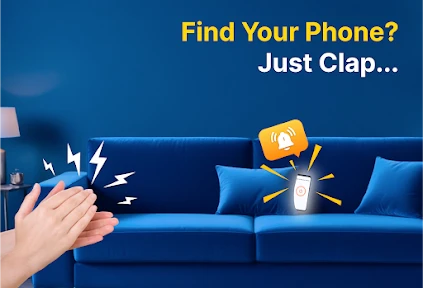
A realistic example is getting ready to leave while your phone has slipped between cushions. If the app is ready, a clap can prompt the phone to sound, giving you a clue without borrowing someone else’s device to call it. That is most useful when the phone is nearby and its sound can be heard. It is less helpful if the device is far away, covered by noise, or otherwise unable to respond, so I would still check the usual places rather than treating the clap as a guarantee.
Set it up around the room you actually use
The practical question is not just whether the phone recognizes clapping, but whether the trigger suits the home. A quiet bedroom and a busy kitchen are different listening environments. I would test the feature in the rooms where the phone most often goes missing, then adjust sensitivity if needed. A setting that works on a calm evening may be too eager around conversation or household activity; one that avoids false triggers may need a clearer clap in a noisier room.
It is also worth deciding when you want the feature enabled and keeping expectations modest. The app’s purpose is to react to a sound, so ordinary noise can affect how reliable that feels in practice. If you share a home with people who clap, play music, or make sudden loud sounds, try the setup during those normal conditions rather than testing only in silence. That small check can prevent frustration later, and it helps everyone understand that the feature is a convenience rather than a substitute for remembering where the phone was left.
Make the routine work for more than one person
In a home with several phones, I would avoid teaching everyone one vague instruction such as “clap whenever a phone goes missing.” The person searching should first know whose device is missing and whether that owner has the app ready. Otherwise, several people may clap at once, making it harder to tell which phone has responded. A simple household habit—ask the owner, then let them trigger their own phone—keeps the search clear and respects that each device belongs to a different person.
This is also a useful distinction when a phone is shared casually, such as when a partner or housemate borrows it to check something. The app can help the owner find that handset later, but it does not replace agreeing where borrowed devices should be returned. I would treat the clap as a recovery aid for an absent-minded moment, not as a reason to leave phones scattered around or assume that another person can always make them respond.
More From Our News Desk

Weather by Xiaomi Review: Clear at a Glance, Less Clear Up Close

X Under Pressure: Can It Recover When Posting Goes Wrong?

Clash of Clans Is Won Between the Battles

Android Auto Makes the Case for Quieter Car Software

MobiOffice: Transforming Mobile Productivity with Seamless Integration

EA SPORTS FC™ Mobile Soccer: Redefining Mobile Sports Gaming
Ever misplaced your phone at home and wished it could just respond to your voice like a trained pet? Well, here’s where Find My Phone By Clap comes into play! This quirky yet super handy app promises to help you locate your smartphone with a simple clap. Let’s dive into how it works and why it could become your next favorite app.
Clap to the Rescue!
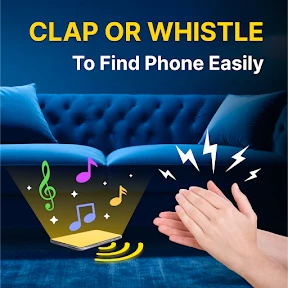
The concept is as simple as it sounds: you clap, your phone rings or vibrates, and voila, mystery solved! Upon installing the app, I was eager to test it out. You just need to enable the feature, and the app does the rest. The app uses the microphone to detect the sound of clapping, and it’s surprisingly accurate.
How It Works
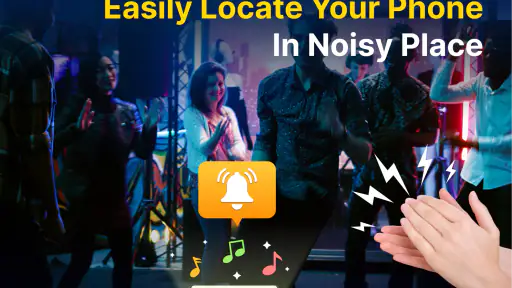
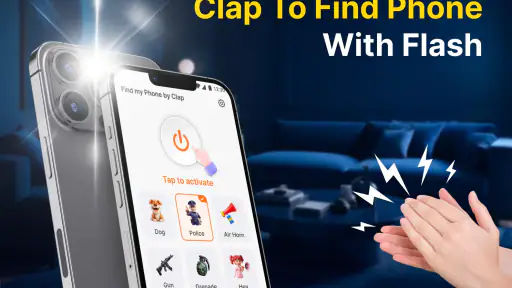
Once you’ve clapped, the app triggers an alarm on your phone. You can customize this alarm sound, which is a nice touch if you prefer something less alarming than a siren. The sensitivity of the mic can also be adjusted according to your environment, which is quite handy if you’re in a noisy place. I found that setting it to medium sensitivity worked best for my apartment, where ambient noise is fairly average.
When I’m setting this up for a household routine, I’d test the chosen alarm from the place where I’m likely to search, not only from beside the phone. A sound that is easy to recognize nearby may be less useful from another room or behind a closed door. I’d also listen for whether it blends into other household sounds. Choosing a distinctive but comfortable alarm matters more than picking the loudest-sounding option, especially if other people are working, resting, or sleeping nearby.
As someone who often loses their phone between couch cushions or under piles of laundry, this app has been a game-changer. No more frantic searching or borrowing a friend’s phone to call mine. Just a couple of claps and my phone starts singing its location to me.
Customization and User Experience
The developers have put some thought into the user interface, making it straightforward for anyone to use. The setup process is simple enough that even the less tech-savvy can navigate it with ease. The app doesn’t drain your battery significantly, which is always a plus, considering it’s constantly on standby waiting for your clap.
One feature I found particularly amusing is the “Sneak Peek” option, which allows you to test how it works without actually losing your phone. This gives you a sneak preview of the app's capabilities and ensures you’ve set everything up correctly.
However, it’s worth noting that the app’s effectiveness does depend on your phone’s microphone quality. On older models, it might not be as responsive, but on newer smartphones, it functions like a charm.
Everyday fit, limits, and trust
As a tools app from Trusted Mobile Tools, this is a narrow solution to a familiar problem. It is free, rated for Everyone, and has reached over a million installs, with an average rating of 4.6 from around 7,900 ratings. Its current version is 2.0.0, and it was released on July 17, 2024. Those details give a sense of its place in the app catalog, but they do not change the main question for me: will a sound-triggered alarm help in the situations where I usually misplace my phone?
The broad age rating makes it approachable for a household, but I would still explain the trigger plainly to anyone who uses the phone. A child should understand that clapping is meant to help locate their own handset, not to signal that a parent or sibling can locate it at any time. Likewise, an adult setting it up for someone else should show that person how to use the routine and let them know what response to expect. Clear expectations are more useful here than treating a simple tool as a substitute for a conversation about privacy.
Compared with calling your own number from another device, clapping avoids needing a second phone or asking someone nearby to make the call. Compared with a dedicated device-finding service, this approach is more immediate for a phone lost somewhere close by, but it is not a remote locator. I would choose the clap method for a device that is probably in the same room or home; if I had left it elsewhere, a built-in locating service or a call from another phone would be the more sensible option.
There is a practical trade-off between this hands-free cue and the familiar phone call. A call is useful when another person is available and the phone can receive it, while the clap routine can be quicker when I am alone and suspect the handset is close. Neither method solves every case: a phone hidden under something muffling its sound may be difficult to hear, and a clap-based trigger depends on the environment behaving well enough for the app to recognize the cue. I would choose based on the likely location rather than expecting one method to replace the other.
One useful habit is to test the alarm and sensitivity before the phone disappears, then repeat the check after changing rooms or moving to a noisier part of the home. I would also make sure the chosen sound is easy to recognize without being needlessly startling to other people. These are small adjustments, but they turn a novelty into a routine that can actually save time. If the phone is in a bag, under thick bedding, or surrounded by noise, you may still need to search manually.
For a more reliable test, I would place the phone in a few ordinary hiding spots and try the clap from the places where I tend to notice it is missing. That reveals two separate things: whether the trigger is recognized there and whether the alarm can be heard from that location. If one part fails, I can adjust sensitivity or choose a more suitable search habit instead of assuming the app is broken—or assuming it will work in every corner of the home.
For a child or another less tech-confident household member, I would explain the app as a way to find their own phone, not as a way for family members to monitor one another. The Everyone age rating makes it suitable for a broad audience, but sensible household boundaries still matter. An adult can help with setup, while the phone’s owner should know what the clap trigger does and when it is enabled. That keeps the tool practical without implying shared accounts or family controls.
Final Clap on the App
So, is the app worth downloading? If you’re like me and have a penchant for losing your phone in the most ridiculous places, then absolutely! It’s a clever solution that adds a bit of fun to the mundane task of finding your phone. Plus, it’s a great conversation starter when you tell your friends about the app that responds to applause.
In conclusion, this app is a delightful mix of functionality and novelty. Whether you’re a tech enthusiast or just someone who needs a helping hand (or clap) to keep track of their phone, this app deserves a spot on your home screen. Next time you misplace your phone, just remember: clap your hands and let technology do the rest!
Who should keep it handy?
I’d recommend it to people who regularly set their phones down around the house and want a quick, hands-free way to prompt a nearby device. It is especially appealing if asking someone to call your phone feels like more effort than the search itself. I would skip it if you need to locate a phone away from home, expect dependable results in a loud environment, or want one person to find everyone else’s devices. For those needs, a conventional call or a built-in device-finding option is a better fit.
For me, the best match is someone whose phone tends to go missing in predictable places: beside the sofa, near the laundry, or in the room where they were just using it. The routine is less compelling for a person who rarely misplaces a handset, keeps it on silent in a noisy shared space, or wants a tool that can locate it across town. It also may not suit a household where an audible alarm would regularly disturb others. In those cases, ordinary search habits or a remote-finding option offer a better fit.
Overall, I see the strongest case for this app in a household that treats it as a personal, local aid: set it up on your own phone, test it where you tend to misplace the device, and keep a backup search method in mind. Used with those expectations, it can make a small but recurring annoyance easier to handle. If you want broader location tools or shared-device management, this is not the right substitute; if you mainly need help locating a phone somewhere nearby, the simple clap-and-listen routine is the point.
Find My Phone By Clap Frequently Asked Questions
Is Find My Phone By Clap free to download?
Find My Phone By Clap is a free Tools app, so you can try its clap-to-find feature without paying to download it. Its simple purpose is to help you locate a misplaced phone by making it respond to a clap. Before installing, check that your device meets the app’s operating-system requirements and consider whether microphone access suits your preferences.
What should I check before installing Find My Phone By Clap on my device?
Check that your phone runs Android 7.0 or later, the minimum operating-system version for the app. Find My Phone By Clap is a utility from Trusted Mobile Tools, and its central feature depends on detecting claps with the microphone. It is rated for Everyone, but you should still review the permission prompt and decide whether you are comfortable granting microphone access.
How does the Find My Phone By Clap app work?
The Find My Phone By Clap app works by utilizing your device's microphone to listen for the distinct clapping sound pattern. Once the app detects this sound, it triggers an alarm on your phone, making it easier to locate your device even if it's on silent mode. This feature is particularly useful for users who often misplace their phones at home or in quiet environments.
Is the Find My Phone By Clap app compatible with all smartphones?
While the Find My Phone By Clap app is designed to be compatible with a wide range of smartphones, it is essential to verify its compatibility with your specific device model. The app requires access to the microphone and should work on most Android devices that support these features. However, functionality may vary depending on the model and operating system version.
Does using the Find My Phone By Clap app drain the battery quickly?
The Find My Phone By Clap app is optimized to minimize battery usage by operating in the background with minimal resource consumption. Although having the microphone active could potentially use more power, the app is designed to be efficient and should not significantly impact battery life under normal conditions. Users should monitor battery usage to ensure the app aligns with their needs.
Pros
- Easy to use for all ages.
- Quickly locates your phone.
- Works offline.
- Customizable clap sounds.
- Minimal battery usage.
Cons
- Requires phone to be within hearing range.
- Not effective in noisy environments.
- Sometimes slow response.
- Limited to clapping detection.
- May misinterpret similar sounds.
- Category
- Tools
- Version
- 2.0.0








